



























If you’ve ever set a goal and watched it fizzle out after a week, you’re not alone. The tools you use—whether a paper journal or a mobile app—can make consistency simple, visible, and rewarding. This guide shows how to set up goal-tracking journals and apps so they actually change behavior, from the first checkmark to the monthly review. You’ll learn how to choose the right tool, design frictionless logs, select the right metrics, and keep your motivation alive without burning out.
Quick answer: The most reliable approach is to pair clear, specific goals with simple daily logging, “if-then” action cues, and a weekly review that adjusts targets based on real data.
Try this starter workflow: (1) define one small daily action, (2) attach it to a cue, (3) log it within 60 seconds, (4) review weekly, (5) celebrate monthly.
This article is for educational purposes and isn’t a substitute for personalized medical, legal, or financial advice.
1. Match the Tool to the Goal (Paper vs. App vs. Hybrid)
Start by matching the tool’s strengths to your goal’s demands. Paper journals shine for reflection, creativity, and focus without notifications; apps excel at reminders, analytics, and syncing across devices; hybrids (paper + app) combine clarity with automation. The “best” tool is the one you’ll open daily with minimal friction. If your goal is steps, sleep, or workouts, a tracker or phone can auto-capture data and save effort. If your goal is creative (writing, deep work), paper lowers distraction and invites longer thoughts. Consider privacy, export options, and collaboration needs up front so you don’t have to migrate mid-journey.
1.1 How to decide in 5 minutes
- Data type: Auto-captured (steps, time) → app; subjective (mood, gratitude) → journal; mixed → hybrid.
- Friction tolerance: If notifications help, app; if they annoy you, journal.
- Review cadence: If you want charts/dashboards, app; if narrative reflection matters, journal.
- Portability/privacy: Paper is private-by-default; apps offer locks, exports, backups.
- Integration: Need calendar/wearable sync? Choose an app with those hooks.
1.2 Tools & examples
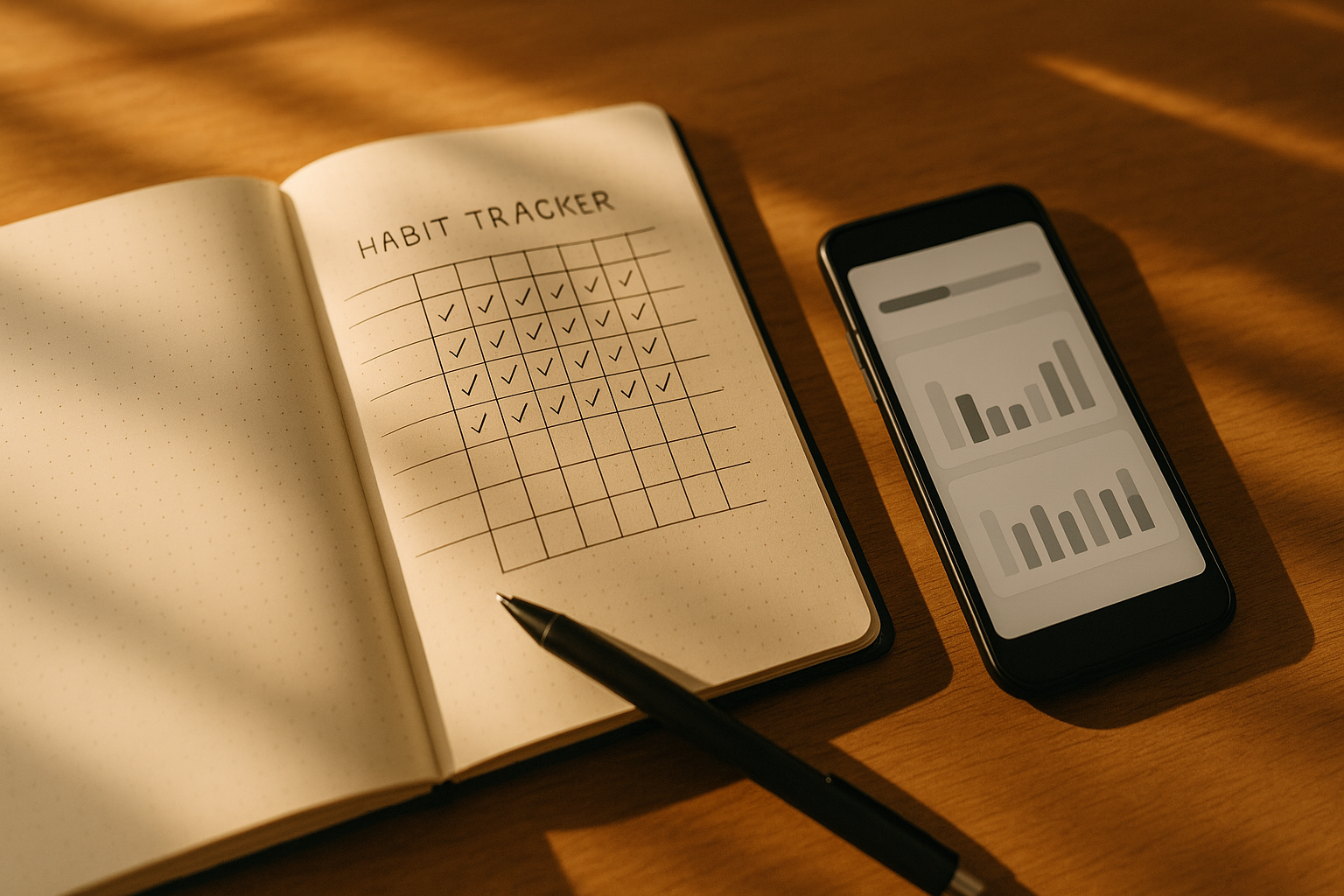
- Paper: Dotted notebook with a monthly habit grid; an index for goals; “future log.”
- Apps: Generalists (Notion, Obsidian, Evernote), habit trackers (Habitify, Loop), task apps (Things, Todoist), health/fitness (Apple Health, Google Fit, Strava).
- Hybrid: Journal for weekly reviews; app for daily check-ins and reminders.
Synthesis: Your tool is a constraint. Pick the constraint that makes doing and reviewing your goal the default, not the exception.
2. Set SMART, Actionable Targets That Fit Real Life
Specific goals outperform vague wishes when paired with realistic difficulty and clear metrics. Use SMART (Specific, Measurable, Achievable, Relevant, Time-bound) or the closely related CLEAR framing to ensure your target anchors behavior. Ground each goal in a single verb and a countable unit (minutes, reps, pages). If your schedule is volatile, create a minimum viable target (MVT)—the smallest version you can hit on your worst day—alongside a “standard day” target for progress.
2.1 Numbers & guardrails
- Daily MVT: “Walk 5 minutes after lunch.”
- Standard: “Walk 25 minutes 5 days/week.”
- Metric: Steps, minutes, or RPE (Rate of Perceived Exertion 1–10).
- Ceiling to avoid overuse: Cap early at 150% of target to prevent flare-ups.
- Review date: Weekly check to adjust.
2.2 Mini example
You set “Strength train 2×/week.” MVT becomes “1 set of 5 pushups after brushing teeth.” Your app tracks sessions; your journal logs notes (“felt rushed, reduced weight”). In three weeks, adherence is 86%—good—but sessions feel long; you shorten warmups to stay consistent.
Synthesis: Tighten the verb and the unit, set a tiny floor and realistic ceiling, and your journal/app becomes a scoreboard, not a guilt ledger.
3. Design a 60-Second Daily Logging Routine
Logging must be so quick you’ll do it without thinking. Aim to record within 60 seconds of completing the task (“log-after-do”), using the same steps every time. Create a pre-formatted template so you’re never staring at a blank screen. For paper, use a simple grid with dates and checkboxes; for apps, one-tap toggles or quick-add shortcuts beat long forms. If you forget, log the next occurrence—don’t backfill days in bulk or you’ll blur reality.
3.1 Template you can copy
- Paper: Row = habit, column = date; add a 1-to-3 effort dot and a 1-line note.
- App: Habit toggle + optional note; shortcut: “Mark Habit X + add 1-line note.”
- Weekly rollup: Auto (app) or tally at week’s end (paper).
3.2 Common pitfalls
- Too many fields: More than 3 inputs kills compliance.
- Backfilling: Increases error and guilt; avoid.
- Multiple apps: Fragmentation makes trends invisible—consolidate or integrate.
Synthesis: Logging is a behavior too—make it small, consistent, and templated to keep your data honest.
4. Use “If-Then” Plans to Trigger Actions Automatically
Implementation intentions—if-then plans—pair a cue with an action (“If I pour morning coffee, then I open the journal and check off today’s habit”). They work because the cue becomes a mental shortcut, reducing the effort needed to begin. Write these plans inside your journal/app so they’re visible at the moment of choice. Use environmental cues (places, times, preceding actions) and plan for obstacles (“If it rains, then I’ll do a 10-minute indoor routine”). Keep phrasing concrete, not aspirational.
4.1 How to do it
- Cue: Fixed daily event (wake, commute, lunch, coffee).
- Action: 1–2 sentence behavior: “Then I’ll do 5 squats” (not “exercise more”).
- Shield plan: “If meeting runs late, then I’ll log a 5-minute walk at 6 pm.”
- Visibility: Put the if-then line at the top of today’s page or as a pinned app note.
4.2 Mini case
You struggle to journal at night. New plan: “If I set the kettle, then I write 3 lines in my journal.” Compliance jumps from 40% to 80% because the cue is reliable and the task is tiny.
Synthesis: If-then plans convert intention into an automatic response; your tool just needs to surface the plan when the cue appears.
5. Set Reminders That Nudge—Not Nag
Reminders are best when they’re context-bound (right time/place) and few. Use one primary reminder attached to the cue and one safety net later in the day. Batch noncritical notifications into a single digest so your goal alerts stand out. For paper, place visual cues (sticky tabs, pen on keyboard) where the behavior happens. For apps, leverage geofenced or time-anchored nudges; silence everything else during deep work.
5.1 Setup checklist
- Primary: 10 minutes before the usual cue (e.g., pre-lunch).
- Safety: 2–3 hours before day-end.
- Do-not-disturb: Schedule when you’re off-grid to avoid alert fatigue.
- Respect sleep: No late buzzes; use gentle morning surfacing instead.
- One-tap action: Reminder → opens habit card/log view directly.
5.2 Common mistakes
- Over-reminding trains you to ignore alerts.
- Vague reminders (“Be healthy!”) don’t map to behaviors.
- Alert at impossible times (meetings, commute) → automatic dismissal.
Synthesis: Fewer, smarter reminders preserve attention and keep your goals from becoming background noise.
6. Track Consistency Rate, Not Just Streaks
Streaks feel motivating, but they can backfire after a missed day. A better anchor is consistency rate (e.g., 19 of 28 days = 68%) plus trend direction. Use streaks as a short-term spark and consistency for long-term truth. Build a “never miss twice” safeguard: after a miss, the next day’s target becomes your MVT and gets extra priority. Apps often display streaks; customize dashboards to show rates and rolling 7-/28-day averages. In a journal, tally weekly hits and compute the percentage.
6.1 Numbers & guardrails
- Good adherence: 70–85% for most lifestyle goals.
- Recovery rule: After one miss, do the MVT within 24 hours.
- Plateau signal: High consistency but no progress → raise target slightly or change the metric.
6.2 Mini example
Your hydration streak breaks at day 23. Instead of spiraling, you look at the rolling 28-day rate (82%)—still excellent. You resume with an MVT the next morning and the trend line stays positive.
Synthesis: Rates tell the truth when streaks break; make them front and center in your tool.
7. Run a Weekly Review and a Monthly Reset
Data changes behavior only when you review it. Block 20–30 minutes weekly to glance at adherence, notes, and trends, then adjust targets. Once a month, perform a deeper reset: celebrate wins, retire completed goals, and choose one bottleneck to fix. Use your journal for narrative patterns (energy, obstacles) and your app for charts and rollups. The review cadence is the “brain” of your system—without it, logging becomes busywork.
7.1 Weekly review prompts
- What worked 3× this week? Why?
- What blocked me 2×? What’s the simplest fix?
- Is the MVT still tiny enough for bad days?
- Do targets need a ±10–20% adjustment?
- What will I test next week (one change only)?
7.2 Monthly reset checklist
- Archive last month’s pages or export CSV.
- Retire one goal, add one new (max 3 active habits).
- Re-write if-then plans; update reminders.
- Celebrate with a small reward tied to effort, not outcomes.
- Snapshot a dashboard photo—visualize your arc.
Synthesis: Reviews turn your tool from a diary into a decision system; make the calendar invite non-negotiable.
8. Visualize Progress with Simple, Honest Charts
Good visuals make patterns obvious. Use sparklines, 7-/28-day averages, and traffic-light status (green/on-plan, amber/at risk, red/off-plan) to avoid over-interpreting single days. For paper, draw a weekly sparkline and color small boxes; for apps, favor minimalist charts over rainbow noise. Visuals should answer: Am I on pace? What changed? What deserves attention next week? Avoid vanity graphs that reward logging over doing.
8.1 Tools & views
- Journal: Habit grid + weekly sparkline + 1-line insight.
- App: Adherence %, rolling averages, cumulative totals, and simple bar charts.
- Dashboards: Keep to 3–5 widgets; hide rarely used metrics.
8.2 Mini case
You see that workouts cluster Mon–Thu and dip Fri–Sun. Instead of guilt, you move one session to Friday morning and set a gentle Sunday stretch target. The chart reflects the shift within two weeks.
Synthesis: Honest visuals shrink decision time; pick views that drive the next small action.
9. Use Accountability and Sharing—Selectively
Accountability works best when opt-in and specific. Share a single metric with a trusted friend or group (e.g., “3 runs/week”), not your entire life. Public feeds can motivate but also create pressure; choose privacy levels you can live with. In journals, write a short weekly note to your future self or coach; in apps, automate a Friday summary to your accountability buddy. Keep feedback focused on doing, not judging.
9.1 Accountability checklist
- Define the metric you’ll share (e.g., adherence %, minutes).
- Set feedback cadence (weekly, not daily).
- Agree on response phrases (“Nice consistency—what helped?”).
- Avoid score comparisons; track personal trend lines.
- Stop sharing if it harms motivation or privacy.
9.2 Mini example
You and a colleague both track “deep work hours.” Every Friday, your apps send a 1-line summary: “7.5h, +1.0h vs last week.” You trade one practical tweak, not life stories. Both of you improve without stress.
Synthesis: Accountability is a scalpel, not a sledgehammer—use it lightly and precisely.
10. Integrate Data, Back Up, and Mind Privacy
Integrations reduce manual work: connect your tracker (steps, sleep), calendar (time blocks), and notes (context) so your log reflects reality. Schedule automatic backups and ensure you can export data (CSV/JSON/PDF). If you live in regions with data rights (e.g., the EU’s data portability), prefer tools that let you move your data. Keep sensitive notes in end-to-end encrypted tools or on paper. When in doubt, store identifiers separately from your logs.
10.1 Practical steps
- Export test: Download last month’s data; confirm it opens in a spreadsheet.
- Backup cadence: Monthly for journals (scan/photo), automatic for apps.
- Permissions audit: Revoke integrations you don’t use.
- Privacy: Lock apps; avoid screenshots with personal info.
10.2 Mini case
Your habit app closes suddenly. Because you exported quarterly, you import CSV into a new tool and lose only a week. Your graph—and motivation—survives.
Synthesis: Own your data. Automation should simplify logging, and backups should make tool changes boring.
11. Diagnose Slumps and Reduce Scope, Fast
Slumps happen. Treat them as data, not drama. When adherence drops, run a quick post-mortem: Did the cue change? Is the goal too big? Are reminders mistimed? The fastest fix is usually scope reduction—return to your MVT for 7–10 days and rebuild momentum. Use your journal to capture context (“late shifts this week”); use your app to flag the trend and trigger a temporary “easy mode.”
11.1 10-minute slump protocol
- Drop to MVT today.
- Rewrite the if-then plan around the most reliable cue this week.
- Set one safety reminder only.
- Note the blocker in one sentence.
- Schedule a 15-minute reset next Sunday.
11.2 Mini example
Your run adherence falls to 30% during a heatwave. You switch to “10-minute indoor bike after lunch,” maintain the habit loop, and ramp back to outdoor runs when the weather eases—no identity crisis required.
Synthesis: Shrink the habit to keep the loop intact; scope is a dial, not a verdict.
12. Close the Loop: Celebrate, Reflect, and Archive
Completion fuels motivation. When you hit a milestone, celebrate effort (days logged, consistency rate) rather than only outcomes (weight lost, miles run). Write a 5-line reflection: What worked? What surprised you? What will you keep? Archive the month (photos of journal pages, app exports) and create a “wins reel”—screenshots or a highlight page—to make progress visible. This closes the loop psychologically and primes the next cycle.
12.1 Mini checklist
- Effort-based reward (new book, trail coffee, rest day).
- 5-line reflection in journal/app.
- Archive: scan pages, export CSV/PDF.
- One lesson promoted to a rule (“Always prep gym bag at night”).
- Pick the next tiny upgrade.
12.2 Example reflection prompt
“Because morning cues worked best, I’ll move journaling to after coffee. The weekly review was a game-changer; I’ll keep it Sunday 5 pm. Next month I’ll test lower notifications.”
Synthesis: Ending well is a skill—mark the win, store the learning, and tee up the next experiment.
FAQs
1) Which is better for consistency: a paper journal or an app?
Neither wins universally. Paper minimizes distractions and deepens reflection; apps automate reminders and analytics. Choose based on your goal’s data type (auto-capturable vs. subjective), your tolerance for notifications, and whether you want integrations. Many people use a hybrid: paper for weekly reflection, app for daily check-ins and nudges.
2) How many goals should I track at once?
Three or fewer is a good ceiling for daily habits. Beyond that, adherence drops and reviews get noisy. Keep one “keystone” habit (e.g., sleep schedule) and two small complements. You can maintain occasional goals (weekly/monthly) alongside dailies, but review cadence and visible dashboards matter more than sheer count.
3) How long does it take to form a habit?
It varies widely by behavior, context, and person. Research suggests a median around 66 days, with a broad range (~18–254 days). Early consistency matters more than raw time. That’s why tiny MVTs, if-then plans, and quick logs are so powerful—they maintain the loop while motivation fluctuates.
4) Are streaks good or bad?
Streaks motivate short term but can demoralize after a miss. Pair streaks with consistency rate and rolling averages so one lapse doesn’t erase months of progress. Use a “never miss twice” rule: after a miss, do the smallest version the next day to restore momentum.
5) What metrics should I track?
Track leading indicators you control (minutes practiced, sessions/week) and limit lagging indicators (weight, time trials) to weekly or monthly checks. Pick units that are easy to log and visualize. If the metric doesn’t change behavior or decisions in your weekly review, drop it.
6) How often should I review progress?
Weekly reviews (20–30 minutes) and monthly resets (30–45 minutes) are a sweet spot. Weekly: adjust targets, rewrite if-then plans, fix one bottleneck. Monthly: retire/add goals, export/backup, and celebrate. Reviews convert data into next actions.
7) What if I hate notifications?
Go paper-first and use physical cues (pen placed on keyboard, habit card on mug). If you need a minimal digital nudge, set one safety reminder near day-end or use calendar blocks that don’t buzz your phone. Turn off badges and keep goal apps off your home screen to reduce friction.
8) How do I protect my privacy when using apps?
Prefer tools that allow local storage, encryption, and data export. Regularly back up and audit permissions. If you’re in a region with strong data rights (e.g., the EU), choose vendors that support data portability and clear deletion policies. Sensitive notes can live in a paper journal while metrics live in the app.
9) Do mobile apps actually improve behavior?
Evidence shows mobile and digital interventions can modestly improve adherence and physical activity, though effect sizes and study quality vary. Combining self-monitoring with feedback or coaching generally beats self-monitoring alone. Treat apps as scaffolding—helpful, not magical.
10) What if my schedule is unpredictable?
Use MVTs and if-then plans anchored to reliable personal cues (waking, meals). Keep goals platform-agnostic (paper or app) and emphasize time-boxed behaviors (e.g., “5 minutes stretch”) over location-specific ones. Weekly reviews catch shifts and let you re-plan without guilt.
11) Is it worth logging when I’m injured or sick?
Yes, but change the metric. Log recovery behaviors (sleep hours, gentle mobility) or skip logging for outcomes that aren’t relevant. Keep the loop alive with minimal effort so you can resume normal goals faster later.
12) How do I keep motivation high over months?
Shrink the bar on low-energy days, celebrate effort monthly, and refresh your environment (new route, playlist, or stationery). Rotate focus quarterly to avoid staleness, and use accountability sparingly. Motivation grows when progress is visible and wins are recognized.
Conclusion
The real power of goal-tracking journals and apps isn’t in their features—it’s in how they choreograph your attention. Clear, right-sized goals make decisions simple. Frictionless logging keeps the story honest. If-then plans and smart reminders reduce willpower drains. Weekly reviews transform scribbles and taps into adjustments you can feel the very next week. Visuals shorten the path from “I think” to “I know,” and backups protect the arc you’ve built. Most of all, finishing cycles—celebrating, reflecting, and archiving—closes the loop and prepares you for the next one.
Start today with one MVT, one if-then plan, and a 60-second log. Review on Sunday. Repeat for a month—and watch consistency become your new default. Ready? Open your journal or app now and check off the tiniest first step.
References
- Implementation intentions: Strong effects of simple plans. American Psychologist (Peter M. Gollwitzer), 1999. https://doi.org/10.1037/0003-066X.54.7.493 NYU Scholars
- Building a practically useful theory of goal setting and task motivation: A 35-year odyssey. American Psychologist (Edwin A. Locke & Gary P. Latham), 2002. PubMed record updated 2002 Sep. PubMed
- How are habits formed: Modelling habit formation in the real world. European Journal of Social Psychology (Phillippa Lally et al.), 2010 (published online 2009). Wiley Online Library. Wiley Online Library
- Self-monitoring in weight loss: A systematic review of the literature. Journal of the American Dietetic Association (LE Burke et al.), 2011. PubMed/PMC. and PubMedPMC
- Do physical activity interventions combining self-monitoring with other components provide additional benefits? Systematic review & meta-analysis (T. Vetrovská et al.), 2022. International Journal of Behavioral Nutrition and Physical Activity (PMC). PMC
- Mobile phone apps to promote weight loss and increase physical activity: Systematic review & meta-analysis. Journal of Medical Internet Research (GF Mateo et al.), 2015. PMC
- Effectiveness of digital physical activity interventions in older adults: Overview of systematic reviews. International Journal of Behavioral Nutrition and Physical Activity (SJ Alley et al.), 2024. BioMed Central
- Effectiveness of mobile apps to promote health and manage disease: Scoping review. Journal of Medical Internet Research (SJ Iribarren et al.), 2021. JMIR mHealth and uHealth
- WHO guideline: Recommendations on digital interventions for health system strengthening. World Health Organization, 2019. and PDF World Health OrganizationWHO Apps
- Article 20—Right to data portability. General Data Protection Regulation (EU), 2016; consolidated resources accessed 2025. GDPR
- Do smartphone apps and activity trackers increase physical activity? Systematic review & meta-analysis (L. Laranjo et al.), 2021. British Journal of Sports Medicine. British Journal of Sports Medicine
- Self-monitoring via digital health in weight loss: Current evidence and future directions. Obesity (ML Patel et al.), 2021. Wiley Online Library. Wiley Online Library