



























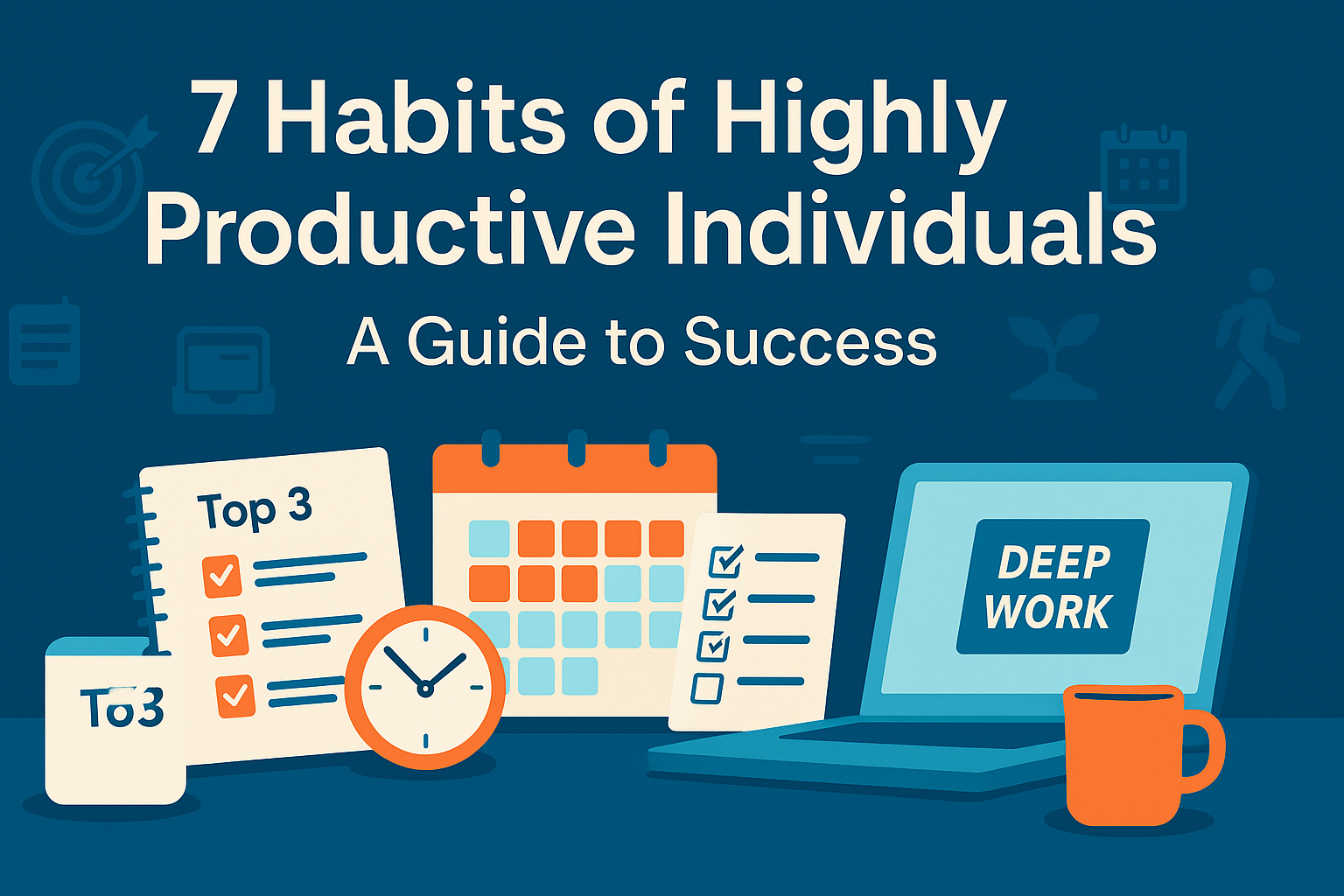
You don’t need more hours in the day—you need better habits. The most highly productive individuals aren’t faster typists or superhuman multitaskers. They follow a small set of deliberate routines that protect attention, convert goals into action, and create momentum day after day. This guide distills those habits into practical, step-by-step systems you can start using today. If you’re a busy professional, student, creator, or entrepreneur who wants to ship more high-quality work without burning out, these seven habits—and the mini-plans that go with them—will help you get there.
Key takeaways
- Prioritize outcomes, not activities. Set clear “Top 3” results for each day and week.
- Block your calendar for focus. Time-box deep work and protect it like a meeting.
- Single-task to reduce context switching. Batching and boundaries beat “multitasking.”
- Capture and clarify everything. Empty your head, decide next actions, and use a 2-minute rule.
- Design tiny habits. Attach small, low-friction behaviors to existing routines.
- Use strategic breaks. Short, regular resets keep performance high over long stretches.
- Review, measure, refine. Run a weekly retrospective and adjust your system, not just your schedule.
1) Outcome Clarity: Plan Weekly, Focus Daily
What it is & why it matters
Productive people start with outcomes. They decide what “done” looks like, plan the week around those results, and use a daily “Top 3” to keep momentum. This prevents the classic planning fallacy—underestimating time and complexity—and keeps you from drifting into busywork.
Requirements & low-cost alternatives
- Tools: a calendar, a notes app, or a paper notebook.
- Optional: digital task manager (any basic to-do app works).
- Cost: free to low.
Step-by-step (beginner-friendly)
- Weekly (30–45 min): List all commitments; highlight 3–5 outcomes that would make the week a win. Write each as a concrete finish line (“Submit proposal”, not “Work on proposal”).
- Daily (5 min): Choose your Top 3 tasks that move those outcomes forward. Slot them into your calendar (even if only 30 minutes each).
- Implementation intention: For each Top 3, write an if-then plan: “If it’s 9:00 a.m., then I open the proposal doc and draft page one.”
- End of day (3 min): Capture loose ends and preselect tomorrow’s Top 3.
Beginner modifications & progressions
- Simplify: Start with a Top 1 per day for one week.
- Progress: Move to Top 3 and add if-then triggers for each.
- Advanced: Map each weekly outcome to 2–4 milestones and schedule those milestones first.
Frequency, duration & metrics
- Weekly review every Friday or Sunday; daily selection every evening or morning.
- Metrics: % of weekly outcomes completed; # of Top 3 completed per day; time spent on Top 3 vs. total time.
Safety, caveats & common mistakes
- Don’t overload the week; choose fewer, clearer outcomes.
- Avoid vague verbs (“improve”, “optimize”). Make the finish line observable.
- Leave buffer time; plans slip because complexity is underestimated.
Mini-plan (example)
- Friday: Pick 4 outcomes: publish blog post, send Q3 budget, finalize onboarding doc, clean inbox to 0.
- Each morning: Schedule 60 minutes for the day’s Top 3; write an if-then for the first one.
2) Time-Blocking for Deep Work
What it is & why it matters
Time-blocking (or timeboxing) means assigning work to specific calendar blocks. It converts intent into appointments with yourself, funneling your best hours into your most valuable tasks. Instead of “finding time,” you make time—and then defend it.
Requirements & low-cost alternatives
- Tools: digital calendar (Google, Outlook) or paper planner.
- Optional: website/app blocker for focus.
- Cost: free to low.
Step-by-step (beginner-friendly)
- Choose 1–2 deep-work blocks on your best-energy days (e.g., 9–11 a.m. Tue/Thu).
- Create “focus meeting” events with titles that start with a verb and a deliverable (“Draft intro of report”).
- Batch shallow work (emails, admin) into one or two short blocks to prevent all-day nibbling.
- Add boundaries: Meeting-free mornings twice a week; reminders off; set Do Not Disturb.
- Review weekly: If blocks slip, reschedule, don’t delete.
Beginner modifications & progressions
- Start small: A single 45-minute block per day.
- Progress: Two 60–90 minute blocks on your best days.
- Advanced: Plan the entire week with time-boxes, including breaks and buffers.
Frequency, duration & metrics
- 1–4 deep-work blocks per week to start; 60–90 minutes each.
- Metrics: total deep-work hours; # of blocks completed as planned; % of week time-boxed.
Safety, caveats & common mistakes
- Overly rigid blocks can backfire; include a 15–30 minute buffer daily.
- Don’t pack back-to-back deep work for hours; cognitive fatigue is real.
- Avoid “calendar Tetris” where every minute is spoken for—leave white space.
Mini-plan (example)
- Tuesday/Thursday 9:00–10:30: “Write proposal sections A–B.”
- 10-minute reset, then 10:40–11:10: Email/admin batch.
3) Single-Tasking: Reduce Context Switching
What it is & why it matters
“Multitasking” is usually rapid task-switching, which taxes working memory and attention. Every switch incurs friction; after interruptions, it can take a long time to fully re-engage. Single-tasking—doing one cognitively demanding thing at a time—protects performance and quality.
Requirements & low-cost alternatives
- Tools: full-screen mode, Do Not Disturb, noise-canceling headphones or simple earplugs.
- Optional: dedicated focus playlist, website blockers.
- Cost: free to modest.
Step-by-step (beginner-friendly)
- Pick one high-impact task and estimate a realistic stopping point.
- Close everything else: 1 tab, 1 app, 1 document. Phone face-down in another room if possible.
- Set a visible timer (25–50 minutes).
- Protect the block: Status set to “busy,” notifications off, door closed.
- Reset after interruptions: Jot a quick re-entry note (“Next: write methods paragraph”). Resume.
Beginner modifications & progressions
- Start: 15 minutes of single-tasking once a day.
- Progress: 2–3 single-task sprints a day.
- Advanced: Batch similar tasks (all writing, then all design) to keep context constant.
Frequency, duration & metrics
- Daily; aim for 60–120 minutes total single-task focus across sprints.
- Metrics: # of interruptions per block; average time to resume; % of sprints completed.
Safety, caveats & common mistakes
- Don’t confuse single-tasking with isolation; communicate your focus windows so teammates aren’t left hanging.
- Use “office hours” or scheduled communication blocks to stay responsive.
Mini-plan (example)
- 9:00–9:30: Research notes—one browser window, three tabs max.
- 9:30–9:35: Log next step; 9:35–10:05: Draft first section.
4) Capture & Clarify: Empty Your Head, Decide the Next Action
What it is & why it matters
Your brain is a terrible inbox. Productive people capture ideas, to-dos, and commitments outside their heads and decide what each thing means before it re-appears on the calendar or task list. A simple 2-minute rule keeps small tasks from clogging the system.
Requirements & low-cost alternatives
- Tools: pocket notebook or notes app; a basic task manager; an email processing routine.
- Cost: free to low.
Step-by-step (beginner-friendly)
- Capture everywhere: During the day, jot everything into one “inbox”—notes app, paper, or voice memo.
- Clarify daily: For each item ask, “What’s the next visible action?” If it takes ≤2 minutes, do it now.
- Organize: Put longer tasks on lists by context (Home, Calls, Errands) and project.
- Calendar only for time-specific items (meetings, hard deadlines).
- Weekly sweep: Empty every inbox (notes, email, downloads, voicemail) to zero.
Beginner modifications & progressions
- Start: One capture tool, one daily clarify session (10 minutes).
- Progress: Add contexts (Calls, Design, Writing) and simple tags (High/Medium/Low).
- Advanced: Create checklists for repeatables (trip prep, publishing, onboarding).
Frequency, duration & metrics
- Capture continuously; clarify once daily (10–20 minutes) and once weekly (30–45 minutes).
- Metrics: inbox-zero frequency; % of items with a defined next action; # of 2-minute tasks cleared.
Safety, caveats & common mistakes
- Don’t store tasks in your calendar unless they’re time-locked.
- Avoid “system hopping”; choose one tool and stick with it for at least four weeks.
Mini-plan (example)
- 4:30 p.m.: Process inbox for 15 minutes; apply 2-minute rule.
- Anything longer becomes a next action on the appropriate list.
5) Design Tiny Habits & Routines
What it is & why it matters
Big goals stick when you reduce the friction to start. Tiny habits attach a small behavior (30–60 seconds) to an existing routine. Over time, they scale naturally. Productive people script their triggers, keep the first step easy, and celebrate small wins to lock habits in.
Requirements & low-cost alternatives
- Tools: index cards or a notes app to write “recipes.”
- Optional: habit tracker (paper or app).
- Cost: free.
Step-by-step (beginner-friendly)
- Choose an anchor routine you already do (after making coffee, after daily stand-up).
- Shrink the behavior to something so easy you can’t fail (open the slide deck; write one sentence).
- Script it as a recipe: “After I [anchor], I will [tiny habit].”
- Celebrate immediately (check a box, say “nice,” smile)—a quick dopamine nudge helps wire it in.
- Scale gradually after 1–2 weeks of consistency.
Beginner modifications & progressions
- Start: One tiny habit for your most critical skill.
- Progress: Add a second habit that naturally follows the first (habit stacking).
- Advanced: Create a morning “power-up” stack: 5–10 minutes of tiny, momentum-building behaviors.
Frequency, duration & metrics
- Daily. Track streak length and consistency rate (e.g., 5/7 days).
- Metrics: streaks, average time from anchor to start, # of scaled-up behaviors after two weeks.
Safety, caveats & common mistakes
- Don’t start big; you can’t scale what you haven’t stabilized.
- Avoid vague anchors (“when I feel ready”). Tie to a specific preceding action.
- Skip shame; if you miss a day, resume next anchor.
Mini-plan (example)
- After I pour coffee, I open the proposal doc and write one sentence.
- After daily stand-up, I send 1 outreach message.
6) Strategic Breaks & Energy Management
What it is & why it matters
Sustained attention fades over time. Brief, deliberate breaks reset vigilance and help you maintain quality across long stretches. Pair deep-work blocks with short, active breaks to protect output and reduce decision fatigue.
Requirements & low-cost alternatives
- Tools: a simple timer, a short walking loop, water bottle.
- Optional: stretch band, light snack.
- Cost: free to modest.
Step-by-step (beginner-friendly)
- Choose a work-break rhythm you’ll actually follow (e.g., 50/10 or 90/15).
- Break rules: Move your body, hydrate, look far away to relax eye muscles, avoid scrolling.
- Micro-recovery: Between meetings, take a 90-second reset—breath in for 4, out for 6, repeat 6–8 times.
- Protect peak hours: Do creative/heavy tasks earlier; save admin for later.
Beginner modifications & progressions
- Start: Two cycles of 40/10 per day.
- Progress: Three cycles of 50/10 or 90/15.
- Advanced: Add a 20–30 minute afternoon nap or a short walk for creative reset when possible.
Frequency, duration & metrics
- Daily.
- Metrics: # of completed work/break cycles; subjective energy score (1–10) before/after blocks.
Safety, caveats & common mistakes
- Don’t turn the break into a digital rabbit hole; timer on for the break too.
- If you’re in flow, finish a natural chunk before breaking, but stand and stretch at least once per hour.
Mini-plan (example)
- 10:00–10:50 write, 10:50–11:00 walk/stretches.
- Log quick energy rating before/after; adjust the next block accordingly.
7) Review, Measure & Optimize
What it is & why it matters
High performers run their workflow like a product: debug friction, ship small improvements weekly, and compare plans vs. reality. A lightweight retrospective exposes bottlenecks (meetings, interruptions, unrealistic estimates) and lets you refine the system—not just the schedule.
Requirements & low-cost alternatives
- Tools: a journal or notes app, calendar analytics (optional).
- Cost: free.
Step-by-step (beginner-friendly)
- Weekly retrospective (20–30 minutes): What worked? What didn’t? What will I change?
- Measure 3 KPIs: Deep-work hours, Top 3 completion rate, interruption count.
- Countermeasures: If estimates slipped, break tasks smaller; if interruptions spiked, add DND windows; if deep-work hours fell, schedule earlier blocks.
- Roll forward: Feed insights into next week’s plan.
Beginner modifications & progressions
- Start: One retrospective question: “What one tweak would have improved my week?”
- Progress: Add three KPIs and a standing Friday review time.
- Advanced: Monthly dashboard and quarterly systems audit.
Frequency, duration & metrics
- Weekly; 20–30 minutes.
- Metrics: KPI trends over four weeks; variance between planned vs. actual deep-work hours.
Safety, caveats & common mistakes
- Don’t weaponize metrics; they’re for learning, not self-criticism.
- Avoid changing ten things at once; pick one tweak per week.
Mini-plan (example)
- Friday 4:00–4:25 p.m.: Review deep-work hours and Top 3 completion.
- 4:25–4:30 p.m.: Decide one change for next week (e.g., meeting-free mornings).
Quick-Start Checklist (Print or Save)
- Choose this week’s 3–5 outcomes; write them as finish lines.
- Pick tomorrow’s Top 3 and time-block them.
- Schedule two 60–90 minute deep-work blocks this week.
- Set Do Not Disturb for those blocks; notify your team.
- Create one tiny habit recipe tied to a daily anchor.
- Adopt a work/break rhythm (start with 50/10).
- Book a 30-minute weekly review on your calendar.
Troubleshooting & Common Pitfalls
“My calendar explodes with meetings.”
- Protect two meeting-free mornings. Batch 1:1s and recurring status updates. Offer async updates when possible.
“I plan too much and finish too little.”
- Cut weekly outcomes in half. Break tasks into 15–30 minute slices with clear verbs.
“Interruptions wreck my day.”
- Add two DND windows daily. Use a visible status (“Heads down until 11”). Keep a re-entry note on your desk to restart quickly.
“I keep switching tools.”
- Commit to one app/notebook for four weeks. Systems beat features.
“I can’t focus at home.”
- Design a dedicated focus zone, even if it’s a specific chair + headphones + single-tab rule.
“I get derailed by long email threads.”
- Convert threads into a live doc or a 10-minute huddle with a clear owner and next steps.
“My breaks become doomscrolling.”
- Preload a break menu (walk, water, stretch). Timer on for breaks too.
How to Measure Progress (Simple Metrics That Matter)
- Outcome completion rate: # of weekly outcomes completed ÷ planned. Target 70–90% (100% often means goals were too small).
- Deep-work hours: Sum of calendar blocks completed. Start with 3–5 hours/week and grow to 8–12 depending on your role.
- Top 3 completion: Completed Top 3 ÷ planned days. Aim for 4 of 5 workdays.
- Interruption count: Tallies per day or per block. Drive it down with DND and batching.
- Task size: % of tasks ≤30 minutes—small tasks flow faster and reveal hidden bottlenecks.
- Energy score: 1–10 before/after focus blocks; use trends to tune your schedule and break cadence.
A Simple 4-Week Starter Plan
Week 1: Stabilize the basics
- Pick 3–4 weekly outcomes and pre-block two 60–90 minute focus sessions.
- Start one tiny habit tied to a daily anchor (open your most important doc after coffee).
- End each day by selecting tomorrow’s Top 3.
Week 2: Protect attention
- Add DND focus windows and batch shallow work into two blocks.
- Adopt a 50/10 rhythm for your deep-work sessions.
- Begin tracking three KPIs: deep-work hours, Top 3 completion, interruptions.
Week 3: Optimize the system
- Run your first weekly retrospective. Identify one obstacle; pick one countermeasure.
- Add a second tiny habit that stacks naturally.
- Start using simple checklists for recurring tasks (publishing, handoffs).
Week 4: Scale and refine
- Increase to 3–4 focus sessions if energy allows.
- Test 90/15 cycles for long creative work.
- Introduce a meeting-free morning.
- Review four weeks of metrics; keep the one or two tweaks that moved the needle most.
FAQs
1) How many deep-work hours should I aim for each week?
Start with 3–5 hours. Many knowledge workers do well at 8–12 once habits solidify. Quality matters more than raw hours.
2) Is time-blocking too rigid for creative work?
It can be—unless you include buffers. Block a window for the type of work (e.g., “draft scenes”), not an exact output, and allow flex within the window.
3) What if my role is reactive (support, ops, sales)?
Create smaller focus blocks (30–45 minutes) and more of them. Batch reactive work and set clear response SLAs to protect some proactive time.
4) How do I stop over-planning?
Limit weekly outcomes to 3–5. Break tasks into 15–30 minute steps. If a task has no clear next action, it’s not ready to schedule.
5) I’ve tried “Top 3” lists but always do the easy one first.
Sequence your Top 3 by energy: hardest first while fresh. Use an if-then script to start immediately at a specific time.
6) Should I use Pomodoro timers?
If short sprints help you start, yes. But adapt the length to your work; some tasks benefit from longer, fewer interruptions.
7) How do I manage email without missing important messages?
Process email at set times (e.g., 11:30 and 4:30). Use VIP filters for truly urgent senders. During focus blocks, keep email closed.
8) Do tiny habits really help with big goals?
Yes—tiny, reliable actions compound. Keep the first step small and tied to a strong anchor; scale only after consistency.
9) What if my team doesn’t respect focus time?
Socialize your calendar norms. Share your focus windows in team channels and offer “office hours” for quick questions.
10) How do I handle interruptions I can’t control?
Use re-entry notes: before you switch, write the next micro-step. Schedule a 10-minute recovery slot after high-interrupt periods.
11) Is multitasking ever okay?
For low-stakes, low-cognitive tasks (laundry + podcast), sure. For complex work, single-tasking wins—save switching for when stakes are low.
12) How long until these habits stick?
Expect four weeks to stabilize basics and another four to feel second nature. Track consistency, not perfection.
Conclusion
Productivity isn’t about squeezing more tasks into the day—it’s about consistently doing the right work with the least friction. These seven habits give you a practical operating system: decide outcomes, make time for deep work, protect attention, capture and clarify, build tiny routines, recover strategically, and improve the system every week. Start small, measure what matters, and keep iterating.
CTA: Block your first 60-minute focus session now—then use it to set this week’s Top 3 outcomes.
References
- The Cost of Interrupted Work: More Speed and Stress, Informatics (University of California, Irvine), 2008. https://www.ics.uci.edu/~gmark/chi08-mark.pdf
- Cognitive control in media multitaskers, Proceedings of the National Academy of Sciences (PNAS) via PubMed, 2009. https://pubmed.ncbi.nlm.nih.gov/19706386/
- Brief and rare mental “breaks” keep you focused: deactivation and reactivation of task goals preempt vigilance decrements, Cognition via PubMed, 2011. https://pubmed.ncbi.nlm.nih.gov/21211793/
- Brief diversions vastly improve focus, researchers find, University of Illinois News, 2011. https://news.illinois.edu/brief-diversions-vastly-improve-focus-researchers-find/
- Implementation Intentions and Goal Achievement: A Meta-Analysis of Effects and Processes, Advances in Experimental Social Psychology (Elsevier abstract page), 2006. https://www.sciencedirect.com/science/article/pii/S0065260106380021
- Implementation Intentions (overview and excerpts), National Cancer Institute—Cancer Control, 2008/2006 references. https://cancercontrol.cancer.gov/sites/default/files/2020-06/goal_intent_attain.pdf
- Goals Research Summary (writing goals, accountability), Dominican University of California, 2015. https://www.dominican.edu/sites/default/files/2020-02/gailmatthews-harvard-goals-researchsummary.pdf
- How Timeboxing Works and Why It Will Make You More Productive, Harvard Business Review, 2018. https://hbr.org/2018/12/how-timeboxing-works-and-why-it-will-make-you-more-productive
- Episode #79: David Allen with a Two-minute Tip—The Two-minute Rule, Getting Things Done (official site), 2020. https://gettingthingsdone.com/2020/05/the-two-minute-rule-2/
- Fogg Behavior Model (overview), Behavior Design Lab—Stanford University, accessed 2025. https://behaviordesign.stanford.edu/resources/fogg-behavior-model
- A Behavior Model for Persuasive Design (Fogg Behavior Model paper), 2009. https://www.demenzemedicinagenerale.net/images/mens-sana/Captology_Fogg_Behavior_Model.pdf