














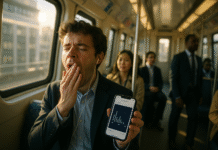


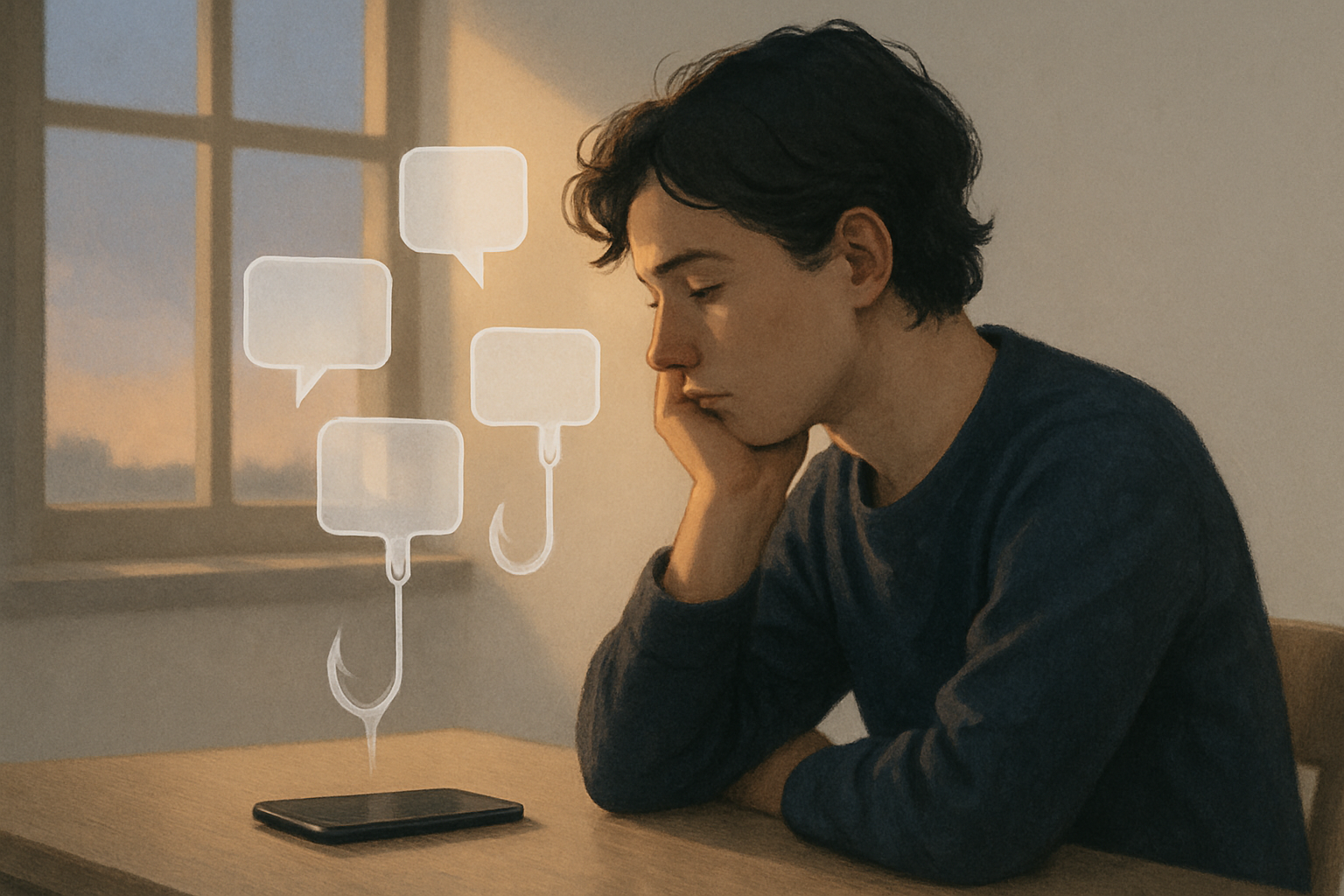
Notifications feel tiny, but the cost isn’t. Each ding, buzz, or red badge taps a reward system in your brain and nudges you to check “just for a second.” Do that dozens (or hundreds) of times a day and you’re not just distracted—you’re trained. In simple terms, dopamine loops form when unpredictable notifications create a cycle of cue → check → reward (or disappointment) → anticipation. To break free, you have to reduce cues, replace the checking reflex with better routines, and make attention the default again. Quick answer: treat notifications as a system problem, not a willpower problem—turn off non-essentials, batch the rest, use Focus/Do Not Disturb with allowlists, and add friction between you and your device.
Fast start (60-second plan):
- Turn off badges and sounds for non-people apps.
- Set Focus/DND with VIP exceptions.
- Schedule 2–3 “inbox windows” to check messages.
- Put the phone out of sight while working.
- Track total notifications for one week and adjust.
Note: This guide is educational, not medical advice. If technology use causes significant distress or interferes with daily functioning, consider speaking with a qualified professional.
1. Map Your Notification–Dopamine Loop (So You Can Disrupt It)
Your first move is to see the loop clearly: notifications act as cues, your check is the behavior, and intermittent rewards (sometimes there’s something exciting; often there isn’t) reinforce the habit. Start by auditing what pings you, when it happens, and how you feel/act after. The goal is awareness, not blame. Most platforms are engineered around reward prediction error—the brain’s “surprise signal” when outcomes beat or miss expectations—which is why unpredictable pings are so sticky. As of August 2025, research consistently shows that variable, social rewards (likes, replies) shape posting and checking behavior, and even the mere presence of a phone nearby can siphon cognitive resources. Once you can see the loop, you can pick exact places to cut cues, batch rewards, and retrain the routine.
1.1 Why it matters
- Intermittent reinforcement (unpredictable rewards) is uniquely persistent; habits trained this way resist extinction.
- Reward prediction error spikes dopamine when the outcome is better than expected, amplifying “just one quick check.”
- Attention residue from switching leaves part of your mind stuck on the last task, so frequent checking drags performance.
1.2 How to do it (15-minute audit)
- Check your phone’s weekly report (Screen Time/Digital Wellbeing). Note total notifications, top senders, peak times.
- For two days, jot a trigger–behavior–outcome line whenever you check: “Slack ping → checked → felt relief/annoyed; lost 5 min.”
- Highlight the top 3 offenders (often messaging, social, shopping, news). These are your first targets.
Mini-checklist: Does this app need to interrupt me? Is it a person or a promotion? Can it wait for a scheduled check?
Bottom line: You can’t change what you can’t see; mapping the loop gives you precise levers to pull.
2. Strip Non-Essential Notifications at the Source (Keep People, Mute Promotions)
The fastest win is ruthlessly limiting what’s allowed to interrupt you. Keep real-time alerts for people and time-critical logistics; convert everything else to silent or summary. This is not about “going off the grid”—it’s about matching the alert to the urgency. Studies find that notifications themselves (even ignored) degrade attention, and that reducing notification-caused interruptions improves performance and lowers strain. As of August 2025, there’s also fresh evidence that simply disabling all push notifications for a week may not reduce screen time by itself—so pair pruning with structure (batching, Focus modes).
2.1 Triage by category
- Allow: direct calls, family/emergency contacts, your manager, two core work channels.
- Convert to silent/summary: social likes, promotions, shipping updates, general news.
- Disable entirely: “growth hacks” (streaks, “X posted a reel,” “People you may know”).
2.2 Platform levers to use
- Notification channels (Android) / per-app styles (iOS): turn off sound/vibration; allow “silent delivery.”
- Badge counts: off for social/news. Red dots are micro-cues; removing them reduces reflex checks.
- Email: no push for All Mail; set VIP for 5–10 humans max.
Synthesis: Keep the pipe for humans, not algorithms. You’ll still see everything—just on your schedule.
3. Batch Notifications and Create Check Windows (3 Times a Day Works)
Batching groups non-urgent alerts so you process them at set times (for example, late morning, mid-afternoon, and end-of-day). In controlled studies, batching to three daily deliveries improved attentiveness, mood, and sense of control compared with a control group, while turning notifications off entirely sometimes raised anxiety/FOMO. The reason batching works: it preserves predictability (reduces dopamine-driven anticipation checks) and slashes context switches (less attention residue).
3.1 How to implement by tomorrow
- Pick 2–3 daily windows (e.g., 11:30, 15:30, 20:00) and block 10–20 minutes for messages/feeds.
- Turn on Scheduled Summary (iOS) or use notification digests/bundles apps; set eligible apps to summary.
- Create auto-replies (work chat/email) during focus blocks: “Heads-down 1–3 pm—will reply after 3.”
3.2 Guardrails & expectations
- Expect a 1–2 day adjustment as you recondition the check reflex.
- If you support on-call duties, keep one urgent channel live and batch the rest.
- Review notification counts weekly; if totals >150/day, keep pruning.
Synthesis: Batching replaces a slot-machine drip with scheduled rounds—fewer pings, same information, more calm.
4. Design Focus/DND Guardrails with Allowlists (So Real Emergencies Still Reach You)
Focus/Do Not Disturb is your “moat.” Done right, it filters noise while letting essential senders ring through. Research on interruptions shows that fewer unscheduled intrusions reduce strain and errors, and occupational studies show “do not interrupt” protocols improve safety and execution. Your version should be flexible, context-aware (time/location), and conservative: start tighter, then loosen if you truly miss urgent items.
4.1 Setup blueprint (30 minutes)
- Create modes (Work, Deep Work, Family, Sleep).
- Allowlists: Family/childcare, manager, one escalation channel.
- Filters: Silence notifications from non-VIP apps; hide lock-screen previews while active.
- Automation: Activate by schedule (e.g., 09:00–12:00), location (office), or app open (writing/IDE).
4.2 Common mistakes
- Too many VIPs: if everyone is VIP, no one is. Cap at ~10 people total.
- Lock-screen previews on: previews are cues; hide them to cut reflex checks.
- No status signals: add status in chat tools and calendar to reduce “Did you see this?” drive-bys.
Synthesis: Focus modes are permission systems for your attention—tighten the gate and you’ll breathe easier without going dark.
5. Remove Near-Field Cues: Badges, Buzzes, and Previews
Cues drive craving. Even when you don’t check, a buzz or a red dot primes the loop and leaves mental residue. Experimental work shows that notifications you don’t interact with still impair performance, and that attention can remain partially stuck to the prior task after a switch. Make the environment boring: fewer sounds, fewer visuals, fewer vibrations.
5.1 Practical de-cue list
- Sounds/vibrations: off for all but VIP people and time-critical apps.
- Badges: off for social/news/shopping; keep for calendar/to-do if helpful.
- Lock-screen previews: “When Unlocked” or “Never.”
- Haptics: disable long-press previews and “raise to wake.”
- Watch settings: mirror the same triage—wrist taps multiply cues.
5.2 Mini case
A product manager moved social, news, and shopping to scheduled summary; turned off badges; set previews to “When Unlocked.” Result (2 weeks): daily notifications dropped from ~220 to ~70; subjective stress fell from 7/10 to 4/10; no missed critical messages (VIPs allowed).
Synthesis: Every removed cue is one less micro-craving. Silence isn’t empty—it’s attention returning.
6. Put Distance Between You and the Device (Out of Sight Works)
Physical proximity matters. Multiple studies indicate that the mere presence of your smartphone—on the desk or in a pocket—reduces available cognitive capacity, even if it’s face-down and you don’t touch it. Replications and related work tie proximity to worse recall and lower attention. That’s why “phone out of sight” helps: you keep your working memory for the task at hand, not for monitoring potential pings.
6.1 Simple distance rules
- At work: phone in a drawer/backpack; turn screen face-away on silent if it must stay nearby.
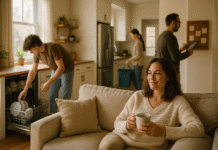
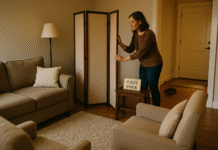
- At home: create tech-free zones (dinner table/bedroom); use a cheap alarm clock.
- For deep work: leave phone in another room; stack with a Focus mode.
6.2 If you use a smartwatch
- Set notification mirroring to VIP + calendar only.
- Disable social/news; use the watch for pull info (timers, workouts), not push pings.
Synthesis: Distance is friction, and friction breaks loops. Out of sight is literally more mind.
7. Replace the Habit with a Competing Routine (Rewards on Your Terms)
You can’t delete a habit loop; you replace it. The trigger remains, but you swap the behavior and adjust the reward. Instead of “feel a lull → check phone → micro-reward,” try “feel a lull → one breath + one stretch → back to task,” and bank rewards after focused intervals. Since dopamine loops respond to rewards and prediction errors, predictable alternative rewards (a short walk, a playlist after a focus block) reduce the craving for variable ones.
7.1 Scripts to try
- Implementation intention: “When I feel the urge to check, I’ll write one line of what I’m doing, then decide.”
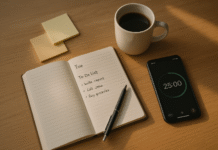
- Focus sprints: 25–50 minutes attention, then 5–10 minutes intentional check or break.
- Swap social scroll: message one friend or do a 2-minute gratitude note—same social need, better outlet.
7.2 Reward menu (make it obvious)
- Tea/coffee ritual, 10 push-ups, balcony breathwork, one song, 5-minute walk.
- End each day by noting wins; the brain encodes concrete rewards.
Synthesis: Loops don’t vanish—they’re overwritten. Choose rewards you control and your phone stops running the show.
8. Use App Limits and Automations (Tools, Not Shackles)
Limits help when motivation dips. App timers, focus filters, and context-aware automations enforce your rules without relying on willpower. Crucially, pair limits with batching; a hard cap without a plan can backfire into ping-pong checking. As of August 2025, some experiments show that disabling notifications alone may not change total use in a week—so combine limits + structure + environment for durable results.
8.1 Tooling ideas
- App limits: 15–30 min/day per social app; allow “Ask for more time” once.
- Focus filters: hide work email outside work; hide personal iMessage during work.
- Shortcuts/Automations: on arriving at the office, enable Work Focus; at 22:30, enable Sleep.
- Launcher detox: move habit apps to the second screen or into folders without badges.
8.2 Safeguards
- Keep one emergency path unfiltered.
- Review limits weekly; tighten or chill based on reality, not guilt.
- Log false negatives (missed important alerts) and adjust allowlists—not the whole system.
Synthesis: Good systems fire automatically. Let the phone do the work of protecting your attention.
9. Measure, Review, and Iterate Weekly (Make Gains Stick)
What you measure, you manage. Track total notifications, top senders, and subjective strain; then run small experiments (e.g., kill badges for a week). Research on interruptions and attention residue supports fewer switches and more predictable check-ins; studies on batching show well-being benefits; proximity research supports “out of sight.” Tie your plan to data so you keep what works and discard what doesn’t.
9.1 What to track
- Total notifications/day and pings during deep work windows.
- Top five interrupters (apps/people).
- Subjective stress (1–10) and focus time (minutes).
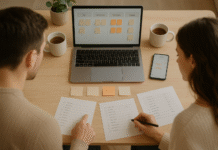
9.2 One-page review (10 minutes on Fridays)
- What changed this week? What helped most? What did I miss that mattered?
- One add (e.g., batch news), one drop (e.g., disable shopping alerts), one tweak (e.g., expand VIP by 1).
- Set next week’s check windows and confirm Focus schedules.
Synthesis: Attention systems aren’t “set and forget.” Small weekly adjustments compound into big calm.
FAQs
1) What exactly is a “dopamine loop,” and does dopamine equal pleasure?
A dopamine loop is a learned cycle where cues (like a buzz) lead to checking, which is reinforced by unpredictable rewards (a text, like, or nothing). Dopamine primarily teaches your brain what to repeat via reward prediction error—it’s a learning signal, not “pleasure juice.” That’s why variable notifications—sometimes rewarding, sometimes not—are so compulsive: surprise sharpens learning and keeps you coming back.
2) Will turning off all notifications fix my problem?
Not by itself, at least in the short term. Some studies show that disabling notifications for a week didn’t reduce total use or checking frequency; people compensate with manual checks. What works better is pruning non-essentials, batching the rest, and using Focus/DND with a small VIP list so you don’t fear missing something vital.
3) How many daily “check windows” should I use?
Most people do well with two or three windows (late morning, mid-afternoon, evening). Evidence suggests that batched delivery improves attentiveness and perceived control compared with a constant feed, while going completely silent can raise FOMO. If your role is reactive (support/on-call), keep one urgent channel live and batch everything else.
4) Are red badges and lock-screen previews really that harmful?
They’re potent cues. Even without tapping, a visible badge or preview can trigger craving and attention residue—a part of your mind sticks to the potential message. Experiments show notifications themselves impair performance. Turning off badges for non-critical apps and hiding previews (“When Unlocked”) removes a frequent trigger with zero cost to information access.
5) Do Focus/Do Not Disturb modes make me miss emergencies?
They shouldn’t—if you use allowlists. Add immediate family, childcare, your manager, and one escalation channel. Many systems support repeat calls (e.g., second call within 3 minutes rings through). Start strict for deep work blocks and loosen if you notice legitimate misses.
6) What about smartwatches—helpful or worse?
Both, depending on setup. Watches can reduce phone pickups, but wrist taps are high-salience cues. Mirror only VIP calls/messages and calendar alerts; disable social/news. Use the watch for pull (timers, workouts) rather than push streams.
7) How long does it take to retrain the checking habit?
Expect a few days of itchiness, then steady improvement over 2–6 weeks as cues and rewards are re-mapped. Weekly reviews help you keep what works and fix friction points. Pair environment changes (fewer cues) with structure (batching/check windows) and replacement routines to accelerate progress.
8) Is this just willpower?
No. The architecture of your environment (cues, proximity, schedules) drives far more behavior than moment-to-moment resolve. That’s why out-of-sight phones measurably improve cognition and why batched notifications beat “try harder.” Build systems; let willpower be the backup, not the foundation.
9) How do I apply this if my job requires responsiveness?
Define one urgent path (e.g., direct call, priority Slack channel) that always rings through; batch everything else. Use status messages and shared norms (“Heads-down 1–3 pm; urgent? Call.”). You’ll still respond quickly to what matters without living in perpetual semi-attention.
10) Does social media design really use variable rewards?
While platforms vary, computational and behavioral studies show that social rewards (likes/replies) shape posting frequency and timing consistent with reward learning models. Unpredictability and social comparison amplify the effect, which is why scheduled checks curb the pull.
11) Is keeping the phone face-down good enough?
Better than face-up, but not best. Experiments suggest that mere presence still drains cognitive capacity. If possible, put the phone in a drawer, backpack, or another room—especially during deep work or conversations you care about.
12) I’ve tried limits before and they never stick. What now?
Pair limits with structure and incentives. Use app timers plus scheduled check windows, remove badges/previews, and add replacement rewards after focus blocks. Measure progress weekly; tighten what works, discard what doesn’t. Think systems, not streaks.
Conclusion
Notification habits aren’t a personal failing; they’re the predictable outcome of brains tuned for surprise and systems designed to deliver it. The fix isn’t brute force—it’s design. When you reduce cues, schedule when you engage, whitelist who can interrupt you, put distance between yourself and the device, and measure weekly, you reclaim attention without cutting yourself off from real life. The science is clear: unpredictable pings fragment focus, proximity drains cognition, and fewer, scheduled interruptions improve well-being. Start with the easy wins (badges off, Focus on, two check windows), then iterate. In a few weeks, you’ll spend more time in deep, satisfying work—and still hear what matters.
CTA: Pick one app right now, turn off its badges and sounds, and add your next two check windows to your calendar.
References
- Stothart, C., Mitchum, A., & Yehnert, C. (2015). The Attentional Cost of Receiving a Cell Phone Notification. Journal of Experimental Psychology: Human Perception and Performance. PubMed
- Kushlev, K., Proulx, J., & Dunn, E. (2016). “Silence Your Phones”: Smartphone Notifications Increase Inattention and Hyperactivity Symptoms. Proceedings of CHI 2016. interruptions.net
- Fitz, N., Kushlev, K., et al. (2019). Batching smartphone notifications can improve well-being. Computers in Human Behavior. ScienceDirect
- Ohly, S., et al. (2023). Effects of task interruptions caused by notifications from digital devices. Journal of Occupational Health, 65(1). Oxford Academic
- Mark, G., Gudith, D., & Klocke, U. (2008). The Cost of Interrupted Work: More Speed and Stress. Proceedings of CHI 2008. UCI Bren School of ICS
- Ward, A. F., Duke, K., Gneezy, A., & Bos, M. W. (2017). Brain Drain: The Mere Presence of One’s Own Smartphone Reduces Available Cognitive Capacity. Journal of the Association for Consumer Research. Chicago Journals
- Tanil, C. T., & Yong, M. H. (2020). Mobile phones: The effect of its presence on learning and memory. Heliyon. PMC
- Lindström, B., et al. (2021). A computational reward learning account of social media engagement. Nature Communications. PMC
- Schultz, W. (1998). Predictive Reward Signal of Dopamine Neurons. Journal of Neurophysiology. Physiology Journals
- Schultz, W. (2016). Dopamine reward prediction error coding. Current Opinion in Neurobiology. PMC
- Leroy, S. (2009). Why is it so hard to do my work? The challenge of attention residue when switching between work tasks. Organizational Behavior and Human Decision Processes, 109(2), 168–181. ScienceDirect
- Dekker, C. A., et al. (2025). Beyond the Buzz: Investigating the Effects of a Notification Disabling Intervention on Smartphone Behavior. Journal of Broadcasting & Electronic Media. tandfonline.com