



























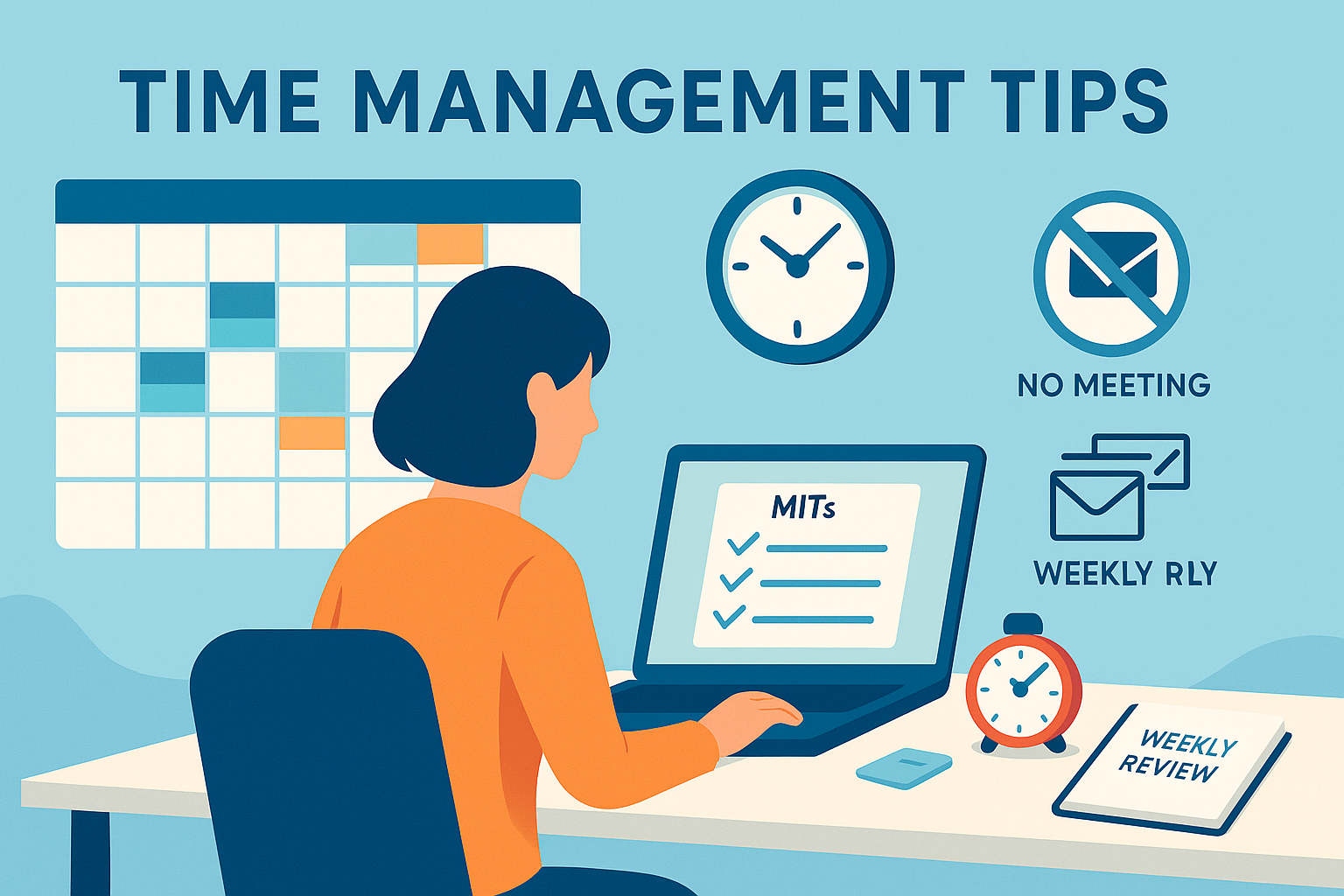
Time is every busy professional’s most constrained resource, and good intentions alone won’t protect your calendar from meetings, messages, and shifting priorities. The five time management tips below are designed to give you focused control over your day, help you deliver reliably under pressure, and create more breathing room without burning out. You’ll learn how to time-block effectively, prioritize with clarity, batch and sprint through work, tame communication and meetings, and run a simple weekly review that keeps everything on track. These are practical, step-by-step systems you can start today and scale as your workload grows.
Key takeaways
- Protect focus with time blocks and buffers so your most important work always has a home on the calendar.
- Pick 1–3 “Most Important Tasks” (MITs) daily using a simple priority framework to prevent urgent noise from hijacking the day.
- Batch similar tasks and work in short sprints to avoid context switching and recover momentum quickly.
- Control your inbox and meetings with clear check-in windows, templates, and meeting triage rules.
- Close the loop weekly with a 45–60 minute review and a 10–minute daily shutdown to plan, reset, and reduce mental clutter.
1) Time-Block Your Calendar (with Buffers and Themes)
What it is and why it works
Time blocking is the practice of scheduling your day in dedicated blocks for specific tasks or categories of work. Instead of a to-do list living in your head, your priorities live on your calendar. This reduces decision fatigue, protects deep work from ad-hoc meetings, and ensures recurring responsibilities (admin, email, team support) have dedicated time rather than leaking into your most productive hours.
Adding buffers (short gaps between blocks) and themes (e.g., “Client work” mornings, “Admin & 1:1s” afternoons) keeps the system flexible and predictable. Buffers absorb spillover and urgent items. Themes simplify planning—when it’s “client work time,” you don’t debate what to do next.
Requirements and low-cost alternatives
- A calendar (digital is easiest for dragging blocks and setting recurring events).
- Optional: a timer, focus mode/app blockers, and status/availability controls in your chat tool.
- Low-cost alternative: a paper planner with colored markers and a phone timer.
Step-by-step instructions
- Inventory your week. List repeating duties (projects, admin, email, support, meetings, learning). Estimate honest durations with a 20–30% buffer.
- Design your “ideal week.” Sketch recurring blocks: two 60–90 minute deep-work blocks daily, one admin block, one email block, one meeting window, plus lunch and personal breaks.
- Set themes for days/halves. Example: Mon/Wed mornings “strategy & writing,” Tue/Thu afternoons “project reviews & 1:1s,” Fri “wrap-up, reporting, learning.”
- Place buffers. Insert 10–15 minute gaps between major blocks and a 30–60 minute “overflow” near day’s end.
- Protect the blocks. Mark your status as “busy,” hide notifications, and set your chat to auto-reply during deep work.
- Plan tomorrow today. At the end of each day, slot tomorrow’s top tasks into existing blocks or adjust durations as needed.
Beginner modifications and progressions
- Start small: One 60–90 minute protected deep-work block per day.
- Progress to two or three blocks and add day themes after week two.
- Advanced: Stack two deep-work blocks back-to-back for complex tasks and introduce “no-meeting mornings” twice per week.
Recommended frequency, duration, and metrics
- Frequency: Daily time blocks; weekly review to tune the template.
- Duration: 60–90 minutes per deep-work block, 25–50 minutes for lighter work.
- Metrics:
- Focus ratio = Deep-work hours ÷ total work hours (aim for 25–40% depending on role).
- Time-to-first meaningful work = Minutes from start of day to first deep block (target <60 minutes).
- Block adherence = % of blocks completed as planned (track weekly).
Safety, caveats, and common mistakes
- Over-scheduling: Leave buffers; a 100% packed calendar will fail at the first interruption.
- Rigid adherence: Adjust in real time. Time blocking is a plan, not a prison.
- Ignoring energy cycles: Schedule high-focus tasks when your energy peaks.
Sample mini-plan (today or tomorrow)
- Create a 90-minute deep-work block from 10:00–11:30 with notifications off.
- Add a 30-minute admin block at 16:00 and an email block at 11:30.
- Insert 10-minute buffers between each block.
2) Prioritize Ruthlessly with MITs and a Simple Matrix
What it is and why it works
“Most Important Tasks” (MITs) are the one to three outcomes that truly move the needle. You choose them proactively each day, guided by a simple urgency–importance matrix. This keeps your day anchored to strategic work, prevents reactive firefighting, and ensures you make progress on long-term goals—even when urgent items pop up.
Requirements and low-cost alternatives
- A task list (any app or a notebook).
- A quick framework: a 2×2 matrix (Urgent vs. Important) to triage tasks.
- Low-cost alternative: draw the matrix on paper; use sticky notes.
Step-by-step instructions
- Clarify outcomes. Translate tasks into outcomes: “Send Q3 roadmap to stakeholders” vs. “Work on roadmap.”
- Build your matrix. Sort tasks into four quadrants:
- Important & Urgent (do first),
- Important & Not Urgent (schedule),
- Not Important & Urgent (delegate/limit),
- Not Important & Not Urgent (eliminate).
- Select 1–3 MITs. Choose from the Important quadrants, favoring work that advances quarterly goals.
- Defend the MITs. Place them into your calendar blocks. Say “not now” or offer alternatives for items that threaten these slots.
- Close the loop. If an MIT isn’t completed, carry it forward explicitly and adjust scope or time.
Beginner modifications and progressions
- Beginner: Choose one MIT daily and finish it before lunch.
- Intermediate: Choose two MITs and one quick win (≤15 minutes) to build momentum.
- Advanced: Align daily MITs to weekly objectives and quarterly OKRs; pre-plan MITs for the week during your weekly review.
Recommended frequency, duration, and metrics
- Frequency: Pick MITs every afternoon for the next day.
- Duration: Each MIT should fit in a 60–90 minute block, or be decomposed until it does.
- Metrics:
- MIT completion rate (target 70–90%).
- Time spent on Important work (track via calendar categories).
- Urgent work percentage (aim to reduce week over week).
Safety, caveats, and common mistakes
- Misclassifying tasks: Urgent ≠ Important. Don’t let noisy items crowd out strategic work.
- Overloading MITs: Cap at three. More dilutes focus.
- Recency bias: New requests feel more important. Re-check against goals.
Sample mini-plan (today or tomorrow)
- List all tasks, convert three into outcomes.
- Sort them into the matrix and pick one MIT for tomorrow morning.
- Block 90 minutes for it and send a quick note to stakeholders setting expectations.
3) Batch, Single-Task, and Sprint (Pomodoro/Focus Sprints)
What it is and why it works
Batching groups similar tasks—email, approvals, messages, admin—into focused windows. Single-tasking within those windows, using short sprints (for example 25/5 or 50/10), reduces context switching and helps you regain momentum quickly after interruptions. Short cycles make it easier to start, sustain attention, and finish.
Research routinely shows that switching between tasks isn’t free; it adds ramp-up time and increases errors. Short, protected sprints keep you in one cognitive mode long enough to finish meaningful chunks, then provide deliberate recovery.
Requirements and low-cost alternatives
- A timer: phone, desktop, or a kitchen timer.
- A written queue: the exact tasks you’ll batch (email triage, approvals, messages).
- Low-cost alternative: use your system clock and sticky notes.
Step-by-step instructions
- Pick a batch. Example: “Process inbox to zero labels/starred,” “Sign all POs,” or “Reply to all Slack DMs.”
- Set a sprint length. Choose 25/5 or 50/10. Longer sprints suit deep writing or analysis; shorter sprints suit triage.
- Eliminate friction. Close unrelated tabs/apps. Set status to “heads-down, back at :55.”
- Work the queue. Start at the top and finish one item before the next. For email, apply a rule: delete, delegate, do (≤2 minutes), defer.
- Break briefly. Stand up, stretch, water. Avoid checking another channel during breaks to protect your attention.
- Repeat for 2–4 cycles. Record how many items you completed to benchmark throughput.
Beginner modifications and progressions
- Beginner: Two 25/5 cycles on email after lunch.
- Intermediate: Three 50/10 cycles for a report.
- Advanced: Mix modes—morning 90-minute deep-work block, afternoon two 25/5 batching blocks for communications.
Recommended frequency, duration, and metrics
- Frequency: Daily for communications/admin; as needed for project work.
- Duration: 25/5 or 50/10 sprints; stop after four cycles or 2 hours.
- Metrics:
- Sprints per day and average items completed per sprint.
- Average recovery time after interruptions (aim to shrink this).
- Batching coverage = % of admin/communication done in batches vs. ad-hoc.
Safety, caveats, and common mistakes
- Treating creative work like triage. Some tasks need longer, uninterrupted blocks—schedule them outside of short sprints.
- Using breaks to doom-scroll. Keep breaks restorative and short.
- Over-timing everything. The point is rhythm, not micromanaging minutes.
Sample mini-plan (today or tomorrow)
- Schedule two 25/5 cycles at 15:00 to triage email to zero.
- Batch all approvals and signatures into a single 30-minute block.
- Log how many messages you processed and how long recovery took after interruptions.
4) Take Control of Communication and Meetings
What it is and why it works
Unbounded communication steals the day in two-minute chunks. The fix is to decide when and how you’ll communicate, then set up simple rules: limited inbox checks, robust filters, quick templates, and meeting triage. Meetings get accepted only when necessary, with clear agendas and outcomes. Routine updates move to async. You’ll preserve large blocks for real work while still being responsive.
Requirements and low-cost alternatives
- Your existing email and chat tools.
- Email filters/rules and calendar access.
- Template snippets for common replies.
- Low-cost alternative: copy-paste text files for templates; manual filters.
Step-by-step instructions
- Set communication windows. For example: 11:30 and 16:00 for email; chat reviewed on the hour. Publish your response SLAs in your status.
- Build filters and folders. Auto-file newsletters and CCs. Star/label items from your manager or key clients.
- Use templates. Draft 5–7 canned responses (request for info, scheduling, “need more context,” “decline/convert to async”).
- Triage meetings. Accept if there’s a clear purpose and decision owner. Otherwise propose an async update, a short comment thread, or a 15-minute huddle.
- Cap meeting lengths and end early. Default to 25 or 50 minutes. Reserve the final 5 minutes for decisions and next steps.
- Create meeting windows. Consolidate meetings into afternoon blocks or specific days, leaving mornings for focus.
- Adopt status signals. During deep work, set do-not-disturb and a clear return time.
Beginner modifications and progressions
- Beginner: Two email checks per day; one meeting window in the afternoon.
- Intermediate: A second meeting window (e.g., 14:00–16:00) and standard 25/50-minute caps.
- Advanced: Introduce one “no-meeting morning” twice a week; move weekly updates to async documents.
Recommended frequency, duration, and metrics
- Frequency: Daily adherence to windows; weekly review of filters/templates.
- Duration: 15–50 minute meetings by default.
- Metrics:
- Email checks/day (target ≤3).
- Meeting hours/week (trend toward fewer, shorter, more decisive).
- % meetings with agendas and decisions per meeting.
- After-hours communication (aim to reduce).
Safety, caveats, and common mistakes
- Team norms matter. Align with your manager and stakeholders; share your SLAs.
- Emergency channels. Define what counts as urgent and which channel overrides the rules.
- Meeting elimination ≠ zero collaboration. Keep the right meetings; convert the rest to async.
Sample mini-plan (today or tomorrow)
- Set email checks at 11:30 and 16:00; update your status with response times.
- Create one template to convert a vague meeting into an async doc with a due date.
- Cap all recurring meetings at 25 or 50 minutes and make the last 5 minutes for decisions.
5) Run a Weekly Review + Daily Shutdown
What it is and why it works
The weekly review is a 45–60 minute appointment with yourself to empty inboxes, close loops, and plan the week. It prevents silent obligations from accumulating and ensures your calendar reflects reality. The daily shutdown is a 10-minute end-of-day ritual to tie off loose ends and prepare tomorrow’s MITs so you can switch off with a clear head.
Requirements and low-cost alternatives
- A checklist for the review steps.
- Your calendar and task list, plus any team project boards.
- Low-cost alternative: a printed one-page checklist and a notebook.
Step-by-step instructions (Weekly Review)
- Get clear. Collect loose notes and process your inboxes (email, chat, notebook) down to zero—file, delegate, do, or defer.
- Get current. Review projects and deadlines; update statuses and next actions.
- Get ahead. Look two weeks ahead on your calendar; slot in prep time for big events.
- Plan the week. Place 2–3 deep-work blocks on priority projects; pre-pick MITs for Mon/Tue.
- Improve the system. Tweak templates, filters, and block durations based on what slipped.
Step-by-step instructions (Daily Shutdown)
- Quick triage. Clear your desk and digital workspace; capture any open loops.
- Assess the day. What finished? What slipped? Adjust scope or reschedule.
- Pre-load tomorrow. Choose tomorrow’s MITs and place them in time blocks. Set your status to away.
Beginner modifications and progressions
- Beginner: A 30-minute light review on Friday afternoons; 5-minute shutdown.
- Intermediate: 45 minutes every Friday morning; 10-minute shutdown daily.
- Advanced: Add a monthly 60-minute retrospective to review metrics and reset goals.
Recommended frequency, duration, and metrics
- Frequency: Weekly review (same day/time), daily shutdown ritual.
- Duration: 45–60 minutes weekly; 10 minutes daily.
- Metrics:
- Carry-over rate (tasks moved week to week).
- Project visibility (all active projects have a next action).
- Plan accuracy (percentage of planned blocks executed).
Safety, caveats, and common mistakes
- Skipping because you’re “too busy.” That’s the signal you need the review the most.
- Turning reviews into procrastination. Keep the checklist crisp and time-boxed.
- Planning without buffering. Always include overflow time.
Sample mini-plan (this week)
- Book a 45-minute review for Friday at 10:00.
- Create a one-page checklist for “clear → current → ahead.”
- Run a 10-minute shutdown today and pick tomorrow’s three MITs.
Quick-Start Checklist
- Choose one 90-minute deep-work block tomorrow; set do-not-disturb.
- Pick one MIT and put it into that block.
- Schedule two 25/5 sprints to batch inbox processing.
- Limit email to two windows and publish your response times in your status.
- Book a 45-minute weekly review and prepare a simple checklist.
- Add 10-minute buffers around key blocks.
Troubleshooting & Common Pitfalls
“My calendar explodes by 10 a.m.”
- Reduce block size to 60 minutes and add 10–15 minute buffers.
- Move meetings into defined windows; protect mornings for focus.
“Urgent requests keep wrecking the plan.”
- Define an emergency channel and SLA.
- Keep one 30–60 minute overflow block daily for true hot items.
“I pick too many MITs and finish none.”
- Cap MITs at three and scope each to fit a single block.
- If an MIT spans multiple days, define a tangible sub-outcome for each day.
“Sprints make me anxious.”
- Try 50/10 cycles or a 90-minute block with a mid-block stretch.
- Use the first sprint just to tidy your workspace and list tasks.
“Meetings creep back in.”
- Enforce agendas and decisions. Decline or convert vague invites to async.
- Introduce a “no-meeting morning” twice weekly and defend it.
“I can’t disconnect after work.”
- Use a written shutdown checklist and store tomorrow’s MITs in your calendar.
- Turn off push email on your phone after hours; rely on emergency channels.
“My role is unpredictable.”
- Work in shorter blocks (45–60 minutes) with larger buffers.
- Keep a rolling “next best action” list to fill small gaps.
How to Measure Progress (and Prove It)
Define a simple scoreboard and review it weekly.
Track just a few metrics that reflect control and impact:
- Focus ratio: % of hours in deep work.
- MIT completion rate: Completed MITs ÷ planned MITs.
- Time-to-first meaningful work: Minutes from start to first deep block.
- Meeting load: Hours/week and % with agendas/decisions.
- After-hours leakage: Messages or minutes worked outside normal hours.
Run a monthly retrospective.
What improved? What slipped? Which tip gave the biggest ROI? Adjust one variable at a time (e.g., sprint length, number of email windows, size of buffers).
A Simple 4-Week Starter Plan
Week 1 — Foundations
- Create your ideal week with two 60–90 minute deep-work blocks on at least three days.
- Pick one MIT daily; place it in a morning block.
- Set two email windows (late morning and late afternoon).
- Metrics: focus ratio, time-to-first meaningful work.
Week 2 — Control the Noise
- Add batching sprints (two 25/5 cycles) for email and admin each afternoon.
- Draft five templates for common replies.
- Start meeting triage: agenda required, default 25 or 50 minutes, last 5 minutes for decisions.
- Metrics: email checks/day, decisions per meeting.
Week 3 — Scale What Works
- Introduce day themes (e.g., Tue/Thu afternoons for 1:1s, Friday for wrap-up and learning).
- Pilot no-meeting mornings on two days.
- Increase to two or three MITs on two days.
- Metrics: meeting hours/week, MIT completion rate, after-hours leakage.
Week 4 — Review and Optimize
- Run a 60-minute retrospective with your metrics.
- Tune block lengths and buffers; upgrade filters; automate a recurring report or template.
- Commit to a weekly review appointment and a daily shutdown habit.
- Metrics: plan accuracy, carry-over rate.
FAQs
1) How do I decide between two equally important tasks?
Define the expected impact and the earliest point of irreversibility. Do the task with the highest impact or the one with the nearest irreversible milestone. If tied, pick the one that unblocks others.
2) What if my manager expects instant replies?
Align on SLAs: which channels are for emergencies and what “urgent” means. Offer an escalation path (call/text) during deep-work windows. Most managers accept a 60–120 minute turnaround when the trade-off is higher-quality output.
3) I’m in a support or ops role with constant interruptions—can time blocking still work?
Yes. Use shorter blocks (45–60 minutes) and build larger buffers. Keep at least one protected deep-work block early in the day for proactive improvements that reduce future interruptions.
4) How many MITs should I plan on heavy meeting days?
One, scoped tightly to 60 minutes. Place it in your best energy window and defend it.
5) Is the Pomodoro method required, or can I use longer sprints?
Use the sprint size that matches the work. Try 25/5 for triage and 50/10 or 90 minutes for deep work. The goal is sustained attention, not a specific timer.
6) How do I handle meeting invites without agendas?
Reply with a template requesting the purpose, decisions needed, and pre-read. Offer to provide an async update or a 15-minute huddle if a full meeting isn’t required.
7) What if I consistently underestimate how long tasks take?
Add a 30% buffer to estimates and break tasks into smaller chunks that fit 60–90 minutes. Review estimate accuracy weekly and adjust.
8) How do I keep email from creeping outside its windows?
Turn off push notifications, move the app off your home screen, and schedule a short “late-day sweep” for true exceptions. Use filters to remove low-value messages from your main view.
9) Can I apply these systems in a hybrid or remote environment?
Yes. Publish your working hours, deep-work times, and response SLAs in your status and calendar. Use shared docs for updates. Consolidate meetings into predictable windows across time zones.
10) I tried time blocking before and it fell apart. What should I change?
Shrink block sizes, add buffers, and reduce daily commitments. Start with one protected block per day and one MIT. Re-evaluate weekly and scale only what you consistently execute.
Conclusion
You don’t need a complicated app stack to regain control of your workday. With a few disciplined choices—block time for what matters, pick a small number of MITs, batch the busywork, set boundaries for messages and meetings, and close the loop weekly—you can deliver more value in fewer, calmer hours. Start with one deep-work block tomorrow and one MIT. Let the results convince you to do the rest.
CTA: Block 90 minutes on tomorrow’s calendar, pick one MIT for that block, and protect it—everything else can wait.
References
- Time Blocking – Your Complete Guide to More Focused Work, Todoist, n.d. https://www.todoist.com/productivity-methods/time-blocking
- How to Use Block Scheduling to Revamp Your Workflow, WIRED, May 17, 2022. https://www.wired.com/story/block-scheduling-calendar-workflow-productivity
- Multitasking: Switching Costs, American Psychological Association, n.d. https://www.apa.org/topics/research/multitasking
- 5 Diagrams That Show How Context Switching Saps Your Productivity, Atlassian, January 8, 2022. https://www.atlassian.com/blog/productivity/context-switching
- The Eisenhower Matrix: How to Prioritize Your To-Do List, Asana, January 29, 2025. https://asana.com/resources/eisenhower-matrix
- The Eisenhower Matrix: Introduction & 3-Minute Video Tutorial, Eisenhower.me, n.d. https://www.eisenhower.me/eisenhower-matrix/
- Pomodoro® Technique – Time Management Method, Francesco Cirillo, n.d. https://www.pomodorotechnique.com/
- GTD Weekly Review® (Checklist PDF), David Allen Company, 2014. https://gettingthingsdone.com/wp-content/uploads/2014/10/Weekly_Review_Checklist.pdf
- The Surprising Impact of Meeting-Free Days, MIT Sloan Management Review, January 18, 2022. https://sloanreview.mit.edu/article/the-surprising-impact-of-meeting-free-days/
- Email Duration, Batching and Self-Interruption: Patterns of Email Use on Productivity and Stress, Proceedings of CHI 2016 (ACM), May 2016. https://dl.acm.org/doi/10.1145/2858036.2858262
- Email Duration, Batching and Self-Interruption (Preprint PDF), Microsoft Research / UC Irvine / MIT Media Lab, May 7, 2016. https://www.microsoft.com/en-us/research/wp-content/uploads/2016/06/Email20Duration20Camera20Ready20submission3-1.pdf
- Work Trend Index – Research on the Ways We Work, Microsoft WorkLab, ongoing (accessed 2025). https://www.microsoft.com/en-us/worklab/work-trend-index
- Breaking Down the Infinite Workday, Microsoft WorkLab, June 17, 2025. https://www.microsoft.com/en-us/worklab/work-trend-index/breaking-down-infinite-workday
- Here Is Why Batching Emails Beats Continuous Checking, Forbes, August 13, 2024. https://www.forbes.com/sites/lucianapaulise/2024/08/13/here-is-why-batching-emails-beats-continuous-checking/
- Benefits of No-Meeting Days, Flowtrace, February 26, 2024. https://www.flowtrace.co/collaboration-blog/benefits-of-no-meeting-days