


























Sitting all day doesn’t have to mean a stiff neck, tight hips, and a cranky back. This 10-step daily mobility routine for office workers shows you exactly what to do—at your desk and around it—to feel looser, stand taller, and protect your joints. You’ll learn quick resets you can sprinkle into your schedule, plus a simple cadence to break up long bouts of sitting so your body stays comfortable from your first email to your last. This guide is educational and not a substitute for medical advice; if you have pain, numbness, or other symptoms, consult a qualified clinician.
Quick answer: A daily mobility routine for office workers is a 5–15 minute sequence of posture checks and joint-friendly drills—done in short bursts throughout the day—to restore range of motion, reduce discomfort, and counteract prolonged sitting. The routine below pairs targeted moves (neck, shoulders, spine, wrists, hips, ankles) with a movement cadence that limits continuous sitting to short blocks. As of August 2025, public-health guidance emphasizes replacing sedentary time with movement across the day.
At-a-glance steps (you’ll find full instructions in each section):
- Posture reset & desk fit (1–2 min)
- Neck retraction + slow rotations (1–2 min)
- Thoracic extension over chair + “open book” (2–3 min)
- Scapular slides + shoulder CARs (2–3 min)
- Wrist flexor/extensor stretch + tendon glides (2 min)
- Hip flexor opener + glute set (2–3 min)
- Hamstring floss + standing calf stretch (2–3 min)
- Ankle dorsiflexion wall rock + foot roll (2–3 min)
- Core brace + hip-hinge reset (2–3 min)
- Microbreak cadence (20-8-2) with short walks (all day)
1. Posture Reset & Desk Fit (Your 60–120-Second Foundation)
Start by dialing in neutral alignment so every joint move you do afterwards feels better and lasts longer. In 1–2 minutes, you can transform how your body tolerates computer work. Sit with your feet flat and hips slightly higher than knees, let your ribs “melt” down to avoid a swayback, and grow tall through the crown of your head. Place your monitor directly in front of you at roughly an arm’s length (about 50–70 cm / 20–28 in), with the top of the screen at or just below eye level to keep your neck from craning. Keep your keyboard and mouse close so your elbows hang near your sides and your wrists stay neutral. If you use a laptop for long stretches, add an external keyboard/mouse and raise the screen. This quick reset reduces mechanical stress, sets you up for efficient breathing, and primes your muscles for the mobility sequence.
Why it matters
- Neutral posture distributes load evenly across the spine and shoulders.
- Proper monitor distance/height reduces forward-head posture and squinting.
- Arm-close, wrist-neutral setup lowers strain on forearm tendons and the median nerve.
How to do it (mini checklist)
- Seat & hips: Hips just higher than knees; back supported by the chair’s lumbar contour.
- Feet: Flat on floor or on a footrest; knees pointing forward.
- Elbows & wrists: Elbows ~90–100°, wrists in line with forearms on the keyboard/mouse.
- Screen: Arm’s-length away; top at/below eye level; directly centered.
- Reach: Items you touch frequently within forearm reach to avoid shoulder hike.
Numbers & guardrails
- Recheck posture every 60–90 minutes or whenever you feel yourself slumping.
- If you wear bifocals, lower the screen slightly to avoid neck extension.
- Laptop users: elevate the laptop and plug in peripherals for any session >30 minutes.
A clean, neutral workstation makes every subsequent minute of mobility more effective and keeps small aches from snowballing as the day goes on.
2. Neck Reset: Chin Tucks, Side Bends & Slow Rotations
This sequence decompresses the base of your skull, reverses forward-head posture, and lubricates stiff facet joints. Begin with chin tucks—glide your head straight back like you’re making a “double chin” without tilting up or down. Add gentle side bends (ear to shoulder) and slow rotations (chin toward collarbone, then over each shoulder). Keep movements small, smooth, and pain-free. If you feel nervy tingles or sharp pain, stop and consult a clinician. Strengthening and mobility work for the neck and shoulders can reduce pain and disability in desk workers, especially when done consistently across weeks. Pairing this drill with occasional standing or walking breaks helps you maintain the results between sessions. PMC
2.1 How to do it
- Chin tucks (10 reps): Seated or standing tall, slide head back; pause 2 seconds; release.
- Side bends (5 each): Keep nose facing forward; imagine space between ear and shoulder widening.
- Rotations (5 each): Turn as if saying “no” slowly; stop before strain.
- Optional add-on: Light band rows or scapular retractions to support neck posture.
2.2 Numbers & guardrails
- Total time: 90–120 seconds, 2–3 times daily.
- Move slowly—aim for 3–4 seconds per rep; never bounce.
- Mild muscular stretch is OK; no numbness, pins/needles, or sharp pain.
2.3 Common mistakes
- Tilting the head up during chin tucks (keeps the suboccipitals tight).
- Shrugging shoulders while moving the neck.
- Racing through reps (the neck favors slow, precise control).
Consistent, controlled neck work paired with shoulder support exercises is a proven combination for people who spend hours at screens.
3. Thoracic Spine Expansion: Chair-Back Extensions & “Open Books”
Your mid-back (thoracic spine) is the stiffest area for many office workers, especially after long sessions of typing or phone use. Increasing extension and rotation here often relieves the neck and low-back from compensating. Start with chair-back extensions: sit tall, place a rolled towel or the chair back at the level of your bra line or mid-thorax, and lean back gently as you exhale, eyes following the ceiling; return. Follow with open-book rotations on each side: lie on your side (or sit with arms crossed), rotate your top arm and ribcage open, and let your eyes follow your hand. Keep breathing—the exhale helps your ribs move and relaxes spine stabilizers. Emerging evidence in office populations suggests thoracic mobility work can reduce neck symptoms and improve comfort at the desk.
3.1 How to do it
- Chair extensions (6–8 reps): Exhale as you extend; inhale to return.
- Open books (5–8 each): Slow, rib-led rotation; pause 2–3 seconds at end range.
- Desk alternative: Hands behind head, elbows forward; gently lift sternum and extend over upper back.
3.2 Numbers & guardrails
- Total time: 2–3 minutes, once or twice daily.
- Keep your lower ribs “soft” (avoid big backward arching from the low back).
- Move within comfort; no pinching.
3.3 Mini-checklist
- Eyes follow hand to encourage full ribcage motion.
- Exhale into the stretch to reduce guarding.
- Stop if you feel joint clicking with pain.
Better thoracic motion tends to “free” the neck and shoulders and makes upright sitting feel natural instead of forced. Taylor & Francis Online
4. Shoulder Opener: Scapular Slides & Shoulder CARs
Forward-rolled shoulders and desk-bound upper traps are a recipe for tension. Re-educate your shoulder blades (scapulae) to glide smoothly and set the shoulder joint for pain-free reach. Start with scapular slides: standing or seated tall, keep arms straight and protract (reach forward), then retract (pinch gently), elevate (shrug lightly), and depress (draw down). Follow with controlled articular rotations (CARs): make a slow, largest-comfortable circle with your shoulder, keeping ribs quiet. Add a light resistance band for rows or external rotations if you have one; shoulder strengthening complements mobility in reducing discomfort for desk workers.
4.1 How to do it
- Scapular slides (6–8 each direction): Slow, no pain, breathe.
- Shoulder CARs (3–5 circles each): Move like you’re “polishing” your joint capsule.
- Optional band work: 1–2 sets of 8–12 rows or band external rotations.
4.2 Numbers & guardrails
- Total time: 2–3 minutes, 1–2 times daily.
- Circles should be slow (5–8 seconds) and controlled; stop before pinch points.
- Keep neck relaxed; think “long collarbones.”
4.3 Common mistakes
- Rib flaring or leaning to chase range.
- Aggressive pinching of the shoulder blades.
- Spinning through reps without tension or control.
When your shoulder blades glide well, your neck and chest relax—and reaching for your laptop bag or overhead shelf stops feeling sketchy.
5. Hands & Wrists: Flexor/Extensor Stretch + Tendon Glides
Typing, swiping, and scrolling load the small tissues of your hands and forearms. Two minutes of targeted movement reduces stiffness and keeps tendons gliding smoothly. Start with wrist flexor stretch (elbow straight, palm up, gently extend fingers back) and wrist extensor stretch (elbow straight, palm down, flex hand). Then perform tendon glides: move through straight hand → hook fist → full fist → straight fist, pausing briefly in each. Keep intensity moderate; you’re coaxing mobility, not forcing it. Frequent short breaks with neutral wrist positioning and a well-placed keyboard/mouse help reduce discomfort and cumulative strain risk.
5.1 How to do it
- Flexor stretch: 2×20–30s each side.
- Extensor stretch: 2×20–30s each side.
- Tendon glides: 2 slow cycles per hand; 2–3 seconds per position.
5.2 Numbers & guardrails
- Total time: ~2 minutes, 2–3 times per day on heavy keyboard days.
- Stretch to mild–moderate tension only; numbness or tingling is a red flag.
- Keep elbows straight to bias the full forearm muscle/tendon length.
5.3 Mini-checklist
- Keep wrists neutral at the keyboard; bring the mouse close to the body.
- Consider swapping mousing hands for brief periods to distribute load.
- If symptoms persist (nocturnal numbness, weakness), seek medical advice.
Ergonomics (neutral wrists, near-body mouse) + short mobility breaks is a practical formula to keep hands happy at high-typing jobs.
6. Hip Flexor Opener + Glute Set: Undo the Chair
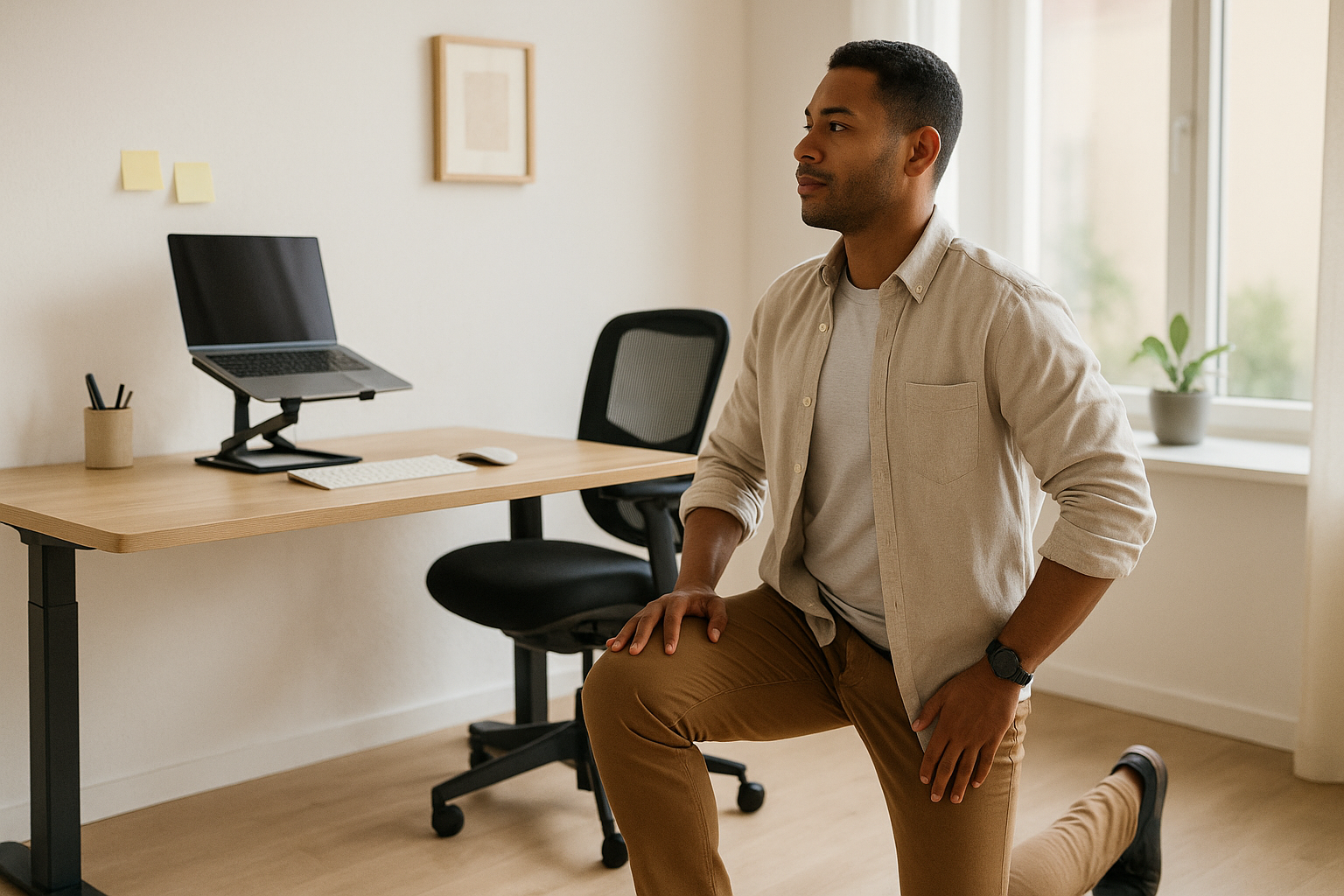
Hours of hip flexion shorten the front of your hips and switch off your glutes. This combo lengthens the hip flexors and wakes up the muscle you sit on. Perform a half-kneeling hip flexor stretch (back knee on a cushion, tuck pelvis under, gently shift forward) and pair it with a glute set (standing, squeeze one glute for 5 seconds, release; repeat both sides). Keep your ribs stacked over your pelvis—don’t crank your low back. Opening the front while activating the back restores balance so walking, stairs, and even sitting feel better. It also sets the stage for better hamstring and ankle work later in the sequence.
6.1 How to do it
- Half-kneeling stretch: 2×20–30s each side; keep the back glute engaged.
- Glute set: 2×8–10 pulses per side (5-second squeeze, 2-second rest).
- Desk option: Standing lunge at your desk with rear foot on a chair rung.
6.2 Numbers & guardrails
- Total time: 2–3 minutes.
- If kneeling bothers your knee, use extra padding or the standing option.
- Aim for stretch in front of the hip, not an aggressive low-back arch.
6.3 Common mistakes
- Leaning the torso forward (loses the pelvic tuck).
- Reaching end range with jaw/shoulder tension.
- Forgetting to breathe—exhale to deepen the stretch gently.
Balanced hips reduce tug-of-war on your lumbar spine and make prolonged sitting and standing more tolerable.
7. Back-Line Relief: Hamstring Floss & Standing Calf Stretch
The chair shortens the back line of the body. Free it up with a gentle hamstring nerve-floss (sit tall near the edge of your seat, extend one knee as you dorsiflex the ankle while looking up; then flex ankle/relax knee while nodding slightly down) and a standing calf stretch (hands on wall, back heel down, knee straight; then repeat with knee bent to hit the soleus). Keep tension light and rhythmic—this is mobility, not maximal stretching. Restoring extensibility along the back line supports better posture and takes pressure off the low back during long desk blocks.
7.1 How to do it
- Hamstring floss: 8–10 slow reps each side; breath-paced, no pain or zaps.
- Calf stretch: 2×20–30s each position per side (knee straight, then knee bent).
- Desk option: Toes on a sturdy book or wedge for calf stretch beside the desk.
7.2 Numbers & guardrails
- Total time: 2–3 minutes.
- Keep the low back neutral; the motion should come from hip/knee/ankle.
- “Zingy” nerve sensations mean you should back off the range or consult a pro.
7.3 Mini-checklist
- Alternate sides to keep circulation flowing.
- Keep the heel heavy in calf stretches; avoid foot collapse.
- Pair with a 60–90 second walk for even better relief.
A looser back line helps your pelvis stay neutral, which makes upright sitting feel easier and reduces tug on the neck and shoulders.
8. Ankle & Foot: Dorsiflexion Wall Rocks + Foot Roll
Stiff ankles change how you walk and stand, shifting stress up the chain to knees, hips, and spine. Improve dorsiflexion with wall rocks: stand facing a wall, foot 5–10 cm (2–4 in) away, knee tracks over the second toe; gently rock knee toward the wall without the heel lifting. Follow with a foot roll: use a tennis or lacrosse ball to gently massage the plantar fascia from heel to toes. If you wear heeled footwear, this is especially valuable to reclaim range lost during the day. Strong, mobile ankles improve balance, reduce trip risk on stairs, and make impromptu walks feel better.
8.1 How to do it
- Wall rocks: 2×10 slow reps per side; heel stays down.
- Foot roll: 60–90s per foot; light-to-moderate pressure.
- Desk option: Seated ankle ABCs—draw the alphabet with your foot.
8.2 Numbers & guardrails
- Total time: 2–3 minutes.
- Knee should track over toes (no cave-in); keep weight through the big-toe mound.
- Avoid aggressive rolling if you have plantar fascia tenderness—lighter is better.
8.3 Mini-checklist
- Keep pelvis stacked over the heel; avoid leaning from the hips.
- Breathe—exhale through the sticking point.
- Finish with three easy calf raises to “own” the new range.
Freer ankles translate into smoother walking and better hip and knee mechanics—key wins for anyone who commutes, takes stairs, or stands for parts of the workday.
9. Core Bracing + Hip-Hinge Reset: The Anti-Slump Combo
Your core and hinging pattern determine whether your spine loads evenly during daily tasks like lifting a backpack or reaching a bottom drawer. Practice brace-breathing—exhale to gently tighten your torso 360° (imagine tightening a wide belt), then inhale while keeping a 20–30% brace. Pair it with hip hinges: stand tall, soften knees, push hips back as if closing a car door with your glutes, then return by squeezing them. Keep ribs stacked over pelvis so the motion comes from the hips, not the lower back. These two skills reinforce neutral alignment when you transition between sitting, standing, and walking.
9.1 How to do it
- Brace breathing: 3–5 breaths, 6–8 seconds each (long exhale).
- Hip hinges: 2×8–10 slow reps; hands on hip creases for feedback.
- Chair transfer practice: Sit→stand with a hinge and quiet spine (5 reps).
9.2 Numbers & guardrails
- Total time: 2–3 minutes.
- Brace at ~20–30% (not a max crunch); you should be able to speak.
- Keep the neck long; eyes on the horizon; shins nearly vertical on the hinge.
9.3 Mini-checklist
- Feel hamstrings load as hips push back.
- Avoid spinal rounding or hyperextension.
- Finish with a tall stand and an easy breath out.
Reinforcing brace + hinge rewires daily movement so your back doesn’t pay the price for every bend, lift, or twist during—and after—work.
10. The Cadence: Microbreaks, the 20-8-2 Pattern, and Short Walks
The most powerful part of any office mobility plan is how you break up sitting. As of August 2025, evidence and expert ergonomics guidance suggest replacing sedentary time with frequent posture changes and short movement bursts across the day. A simple pattern many workplaces use is 20-8-2: in each 30-minute block, sit well for 20 minutes, stand for 8, then move for 2 (stroll, stretch, stairs, or a set of calf raises). Studies indicate that microbreaks (very short breaks taken every 20–40 minutes) reduce discomfort without hurting productivity, and systematic reviews show sit-stand desks and prompt systems can cut workplace sitting in the short to medium term. Pair cadence with a workday step goal (e.g., 3× 5-minute walks) and the 20-20-20 eye rule (every 20 minutes, look 20 feet/6 m away for 20 seconds) to rest your eyes and posture.
10.1 How to do it
- Set reminders: Calendar nudges, smartwatch alerts, or a browser timer every 30 minutes.
- Move menu: 2-minute walk, 30 stairs, or any drill from sections 2–9.
- Stand smart: Keep standing bouts ≤10 minutes at a time if you’re new to it.
10.2 Numbers & guardrails
- Aim for at least 2 hours of non-sitting (standing + light walking) in an 8-hour day, building toward more as tolerated.
- If you feel leg fatigue while standing, alternate sooner (e.g., 15-10-5).
- Use prompts to avoid long sitting bouts >30 minutes where feasible.
10.3 Common mistakes
- Standing all day (swaps one problem for another).
- Forgetting to move—standing is not a workout; the 2-minute movement is key.
- Ignoring eye comfort; use 20-20-20 to reduce digital eye strain.
A reliable movement cadence plus your 10-step circuit turns “I sit all day” into “I move all day”—the difference your joints will absolutely feel.
FAQs
1) How long should the entire routine take?
Most people can complete one full pass in 10–15 minutes, but the real magic is breaking it into 1–3 minute chunks. Do a few drills between meetings, then add a 2-minute walk each half hour. Short, frequent bouts outperform a single long session for countering desk stiffness. Low-dose, high-frequency movement is the goal.
2) Is this enough to replace regular exercise?
No. This routine keeps your joints happy at work, but you still need weekly cardio and strength to meet health guidelines (e.g., 150–300 minutes moderate activity plus 2+ days of muscle-strengthening). Think of mobility as “hygiene,” not training; it supports, not replaces, workouts.
3) What if I don’t have a sit-stand desk?
You can still follow the cadence: stand during calls, walk the hall, stretch by the printer, or do wall rocks and calf raises. A sit-stand desk is helpful but not mandatory; prompts and microbreaks are effective tools on their own for reducing prolonged sitting time.
4) How often should I adjust my workstation?
Do a quick posture scan every 60–90 minutes or whenever you notice shoulder or neck tension. Ensure the monitor is centered at arm’s-length distance and top at/below eye level, keyboard within close reach, and wrists neutral. Small, regular tweaks beat rare overhauls.
5) Can this help with back pain?
For many, yes—especially sections 3 (thoracic mobility), 6 (hip flexors), and 9 (hinge + brace). Combine them with frequent breaks to avoid >30-minute sitting bouts. If pain persists, radiates, or includes numbness/weakness, seek a tailored assessment. Evidence-based back care emphasizes activity and graded movement.
6) My wrists tingle at night. What should I change first?
Start with neutral wrist posture at the keyboard/mouse, bring devices closer, and add section 5 twice daily. If tingling/numbness persists, consult a clinician; night splints and task modifications may be indicated. Avoid forcing deep stretches into numbness.
7) How do I protect my eyes during long screen days?
Follow 20-20-20: every 20 minutes, look 20 feet (6 m) away for 20 seconds; blink more and keep screens clean. Adjust brightness and reduce glare. This behavioral strategy is recommended by eye-care organizations and pairs well with posture resets.
8) What’s the best time to do hip flexor work?
Any time after a long sit—post-meeting or mid-afternoon—works well. If you commute, do a quick set when you arrive and another before leaving. Keep intensity at mild–moderate; chasing extreme stretch often backfires with guarding.
9) How can I build the habit without derailing my focus?
Use gentle timers that don’t yank you from flow. Batch emails to coincide with stand blocks, and make meetings “walk-friendly” when possible. Start with one reliable prompt (e.g., stand during every phone call), then layer more as it sticks. Microbreaks don’t reduce performance and may enhance vigor. PLOS
10) What if my culture or dress code limits floor-based moves?
Choose standing versions: desk lunges for hip flexors, wall thoracic extensions, wall rocks for ankles. The routine is fully adaptable to formal attire—prioritize posture checks, walks, and gentle standing drills you can do discreetly.
11) How do I measure progress?
Track perceived stiffness (0–10), sitting streak length (minutes before your next break), and step count. Many notice fewer afternoon aches within 1–2 weeks and better focus after brief walks. If metrics stall, add an extra 5-minute walk block.
12) Is there a perfect posture?
There’s only the next posture. Neutral alignment is your base, but the winner is movement variability—cycling through sit, stand, and move all day. The cadence is what keeps every posture from becoming a problem.
Conclusion
A comfortable, mobile body at a desk job isn’t an accident—it’s a pattern. Start each day by fitting your workstation to you, not the other way around. Sprinkle short, deliberate drills for your neck, thoracic spine, shoulders, wrists, hips, and ankles into natural breaks, and reinforce it all with core bracing and a clean hip hinge. Then, protect your gains with a cadence that limits long sitting streaks and inserts tiny walks and stretches on purpose. The 10 steps in this routine take minutes, require no special gear, and compound their benefits when practiced consistently. Over the next two weeks, aim for one posture reset every 60–90 minutes, two mini mobility blocks in the morning and two in the afternoon, and a 2-minute movement every half hour. Your reward: easier posture, fewer aches, clearer eyes, and more energy for life outside of work. Start today with Step 1 and set your first 30-minute reminder—then let the habit do the heavy lifting.
References
- WHO Guidelines on Physical Activity and Sedentary Behaviour — World Health Organization, 2020. World Health Organization
- World Health Organization 2020 guidelines on physical activity and sedentary behaviour — British Journal of Sports Medicine (PubMed/PubMed Central), 2020. PMC
- Computer Workstations eTool: Evaluation Checklist — Occupational Safety and Health Administration (OSHA), page updated (accessed Aug 2025). OSHA
- Computer Workstation Ergonomics: Self-Assessment Checklist — National Institutes of Health (NIH/ORS), 2017. ors.od.nih.gov
- Workplace interventions for reducing sitting at work — Cochrane Review (Shrestha et al.), 17 Dec 2018. Cochrane
- CUergo: Sit-Stand Working (the 20-8-2 pattern) — Cornell University Ergonomics (Alan Hedge), accessed Aug 2025. ergo.human.cornell.edu
- Computer terminal work and the benefit of microbreaks — Applied Ergonomics (McLean et al.), 2001 (PubMed abstract). PubMed
- A single-center study comparing thoracic spine mobility exercise and mobilization — Healthcare (Seo et al.), 2022 (PMCID). PMC
- Workplace-Based Interventions for Neck Pain in Office Workers — Physical Therapy (Chen et al.), 2018. Oxford Academic
- American Optometric Association – Computer Vision Syndrome & the 20-20-20 Rule — AOA, page updated (accessed Aug 2025). American Osteopathic Association
- Low back pain and sciatica in over-16s: assessment and management (NG59) — National Institute for Health and Care Excellence (NICE), 2016 (updated resource page). NICE
- Physical Activity Guidelines (ACSM overview & GETP reference) — American College of Sports Medicine, accessed Aug 2025. ACSM