

























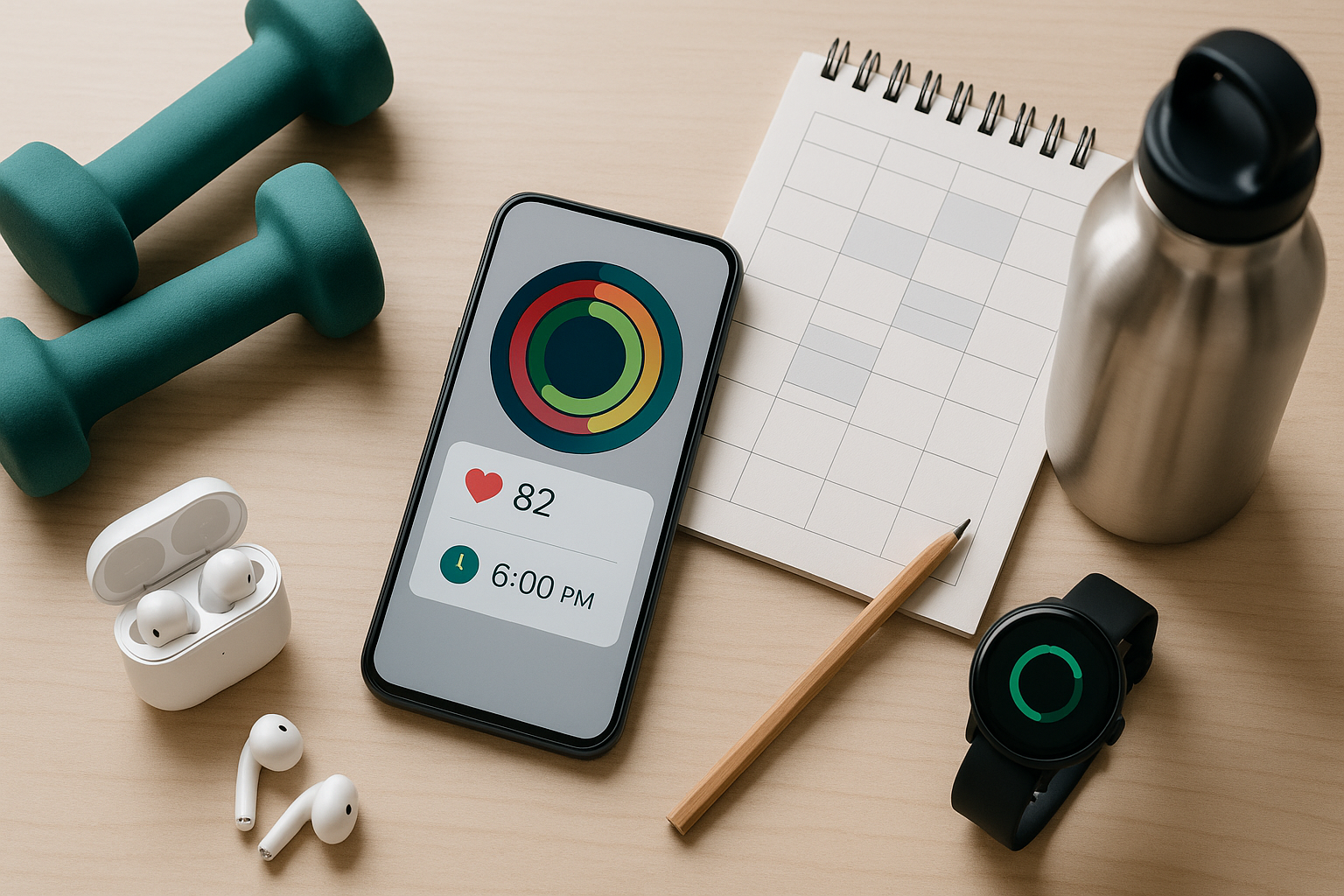
If you want your fitness to stick, treat it like a priority on your calendar—not an afterthought squeezed in “if time allows.” The right apps can remove friction: they remember the plan, nudge you when it’s time, capture your data automatically, and turn small wins into streaks. In practice, “productivity apps for fitness” are digital tools that help you plan workouts, track habits, log nutrition, and automate boring admin so your energy goes to training, not juggling details. Quick note: this article is for planning and organization—always follow medical advice from your clinician.
Fast answer: A simple, effective stack is (1) a health hub (Apple Health or Google Fit), (2) a habit system (Streaks or Habitica), (3) a workout/nutrition tracker (Strong, Strava, MyFitnessPal, or Cronometer), and (4) automation + calendar for reminders (Shortcuts, IFTTT, and your calendar). Aim to support the WHO guideline of 150–300 minutes of moderate activity per week and build from there.
1. Apple Health & Fitness: A Central Hub That Makes Your Data Useful
Apple Health (with the Fitness app on iPhone/Apple Watch) is a powerful command center for your routine: it consolidates sleep, activity, workouts, medications, and more, then visualizes progress with trends and clear activity rings. That means you don’t have to hop between multiple apps to understand whether you’re moving enough, sleeping well, or staying consistent. Health Sharing lets you share selected metrics with up to five trusted people, which can double as accountability. The “rings” system (Move, Exercise, Stand) is intentionally simple and inclusive—optimized for wheelchair users and flexible enough for many training styles. Used well, Apple Health reduces decision fatigue and keeps your plan visible all day.
1.1 How to set it up (5 minutes)
- Open Health → profile → Apps & Devices; connect your watch and favorite fitness/nutrition apps.
- In Fitness, set daily Move/Exercise goals you can hit on busy days; increase gradually.
- Turn on Health Sharing for a coach/partner (up to 5 people) for friendly accountability.
- Add medications/sleep tracking so trends reflect your real recovery.
- Customize Favorites on the Summary tab for quick-glance metrics.
1.2 Numbers & guardrails
- Close your Exercise ring with 30 minutes of brisk activity most days to hit ~150 minutes/week; add strength twice weekly.
- Use Stand/Roll reminders to break up long seated blocks if you work at a desk.
- If you use a wheelchair, note Apple’s Roll ring accessibility.
Bottom line: Apple Health turns scattered stats into a clear, motivating picture. Let the rings and trends show whether your workflow supports your goals—and adjust your plan, not just your willpower.
2. Google Fit: Goal-Driven “Move Minutes” and “Heart Points” for Android
Google Fit makes activity targets intuitive with Move Minutes and Heart Points—simple scores that reward any movement and give extra credit for higher-intensity work. That framing helps busy people prioritize “enough” activity without obsessing over perfection. Because Fit integrates with many wearables and apps, it can collect runs, walks, bike rides, and gym sessions in one place, then convert them into those two metrics. This keeps your week easy to audit at a glance: did you move most days, and did you push hard enough a few times? As of August 2025, it remains a broadly compatible hub for Android users.
2.1 How to use it
- Set weekly goals for Move Minutes and Heart Points that roughly align with the WHO guideline (e.g., 150–300 Move Minutes of moderate effort).
- Let Fit auto-detect walks/runs; manually log or connect apps for strength/yoga/indoor work.
- Review weekly charts; if Heart Points lag, schedule one or two higher-intensity blocks.
2.2 Mini example
- A brisk 30-minute walk (~100 steps/min) earns ~30 Heart Points, while a 20-minute run earns ~40 (2 per minute). Stack a couple of these sessions and you’ll reach guideline territory quickly.
Bottom line: If you want one Android score that reflects “Did I move enough, and did I push sometimes?” Google Fit’s Heart Points/Move Minutes keep you honest without micromanaging.
3. Strava: Social Accountability, Segments, and Friendly Competition
Strava works like a social layer for your training: it logs your runs/rides (and many other sports), compares efforts on Segments, and keeps you engaged through clubs, challenges, and kudos. Segments are specific road/trail sections where your time appears on a leaderboard—turning the same old route into a little game that nudges you to show up. Clubs centralize motivation for teams, local groups, or friends training toward the same event. If you thrive on community and light competition, Strava turns routine workouts into a habit loop of do → log → get feedback.
3.1 Quick-start checklist
- Create your profile and privacy settings; join one local club for weekly momentum.
- Star a few Segments you travel often to track progress automatically.
- Sync your GPS watch/bike computer or log from the Strava app to keep data automatic.
3.2 Why it works
- Public (or friends-only) activity feeds deliver immediate social reinforcement.
- Segment PRs and monthly challenges act like mini-goals that reset motivation regularly.
Bottom line: Strava is a consistency engine: show up, press start, collect feedback, repeat—your future self will thank you after months of stacked miles.
4. Fitbit App: Reminders to Move, Active Zone Minutes, and Readiness
Fitbit’s ecosystem is built around nudges that add up: Reminders to Move encourage at least 250 steps each hour during your chosen window, Active Zone Minutes reward time in moderate/vigorous heart-rate zones, and Daily Readiness synthesizes sleep, activity, and HRV to guide intensity. Together, they prevent “hero weekend, sedentary weekday” patterns and help you scale workouts up or down based on recovery. If you already wear a Fitbit, simply enabling these features can transform passive tracking into a proactive plan that protects your energy and consistency.
4.1 Setup steps
- In the Fitbit app: enable Reminders to Move and set your hourly window (e.g., 9–6).
- Set weekly Active Zone Minutes goals (default maps to 150 minutes moderate or 75 vigorous).
- Check Readiness in the morning; schedule harder sessions on high days, mobility on low days. Google Store
4.2 Guardrails
- Resistance sessions may earn fewer Zone Minutes than cardio; don’t confuse the metric with overall training value—use it to complement, not override, your plan.
Bottom line: Fitbit translates best practices into daily nudges you’ll feel—walk a little each hour, hit weekly zone time, and match intensity to recovery.
5. MyFitnessPal: Fast Food Logging and Macro Targets
When nutrition is a bottleneck, MyFitnessPal (MFP) reduces the mental load of logging meals, estimating portions, and tracking macros. Its massive food database and barcode scanning (a Premium feature since Oct 1, 2022) make entries quick, so you actually keep the habit. Pairing MFP with your training plan gives you immediate context: are you fueling enough protein for strength days, or overshooting calories on rest days? The point isn’t perfection—it’s awareness that leads to better choices with less guesswork.
5.1 How to work it into your day
- Log as you go—breakfast within 5 minutes, lunch right after eating, dinner when you plan it.
- Save meals/recipes you repeat to cut logging time to seconds.
- Set macro ranges that support your goal (e.g., protein target first, then carbs/fats to fit).
5.2 Mini example
- Target 120 g protein/day; pre-log dinner’s 40 g → the app shows you need ~80 g earlier. You’ll plan a higher-protein lunch to match, instead of realizing too late.
Bottom line: The best nutrition tracker is the one you’ll actually use. If fast logging and macro feedback keep you consistent, MFP is a practical choice.
6. Cronometer: Micronutrient Depth for Precision Eaters
If you want more than calories and macros, Cronometer shines by tracking micronutrients with transparent data sources. That granularity helps you see whether your habitual meals support recovery, bone health, or iron intake—not just the scale. It’s especially useful for athletes with plant-forward diets, people monitoring specific nutrients, or anyone who loves data-driven tweaks. Because Cronometer labels where each entry’s nutrition data comes from, you can prioritize high-quality listings and keep your log clean.
6.1 How to use it without overwhelm
- Start by tracking just protein, fiber, iron, and calcium; expand later.
- Favorite complete, verified foods; avoid duplicates with sparse data.
- Use the Targets view to identify one easy daily upgrade (e.g., add legumes or yogurt).
6.2 Why it matters
- Performance and recovery depend on more than calories. Seeing micronutrient gaps gives you practical, non-restrictive actions (add, don’t only subtract).
Bottom line: For data-curious eaters, Cronometer’s micronutrient lens turns “I eat okay” into “I meet the nutrients my training demands.”
7. Streaks: Habit Tracking That Talks to Apple Health
Streaks is a clean, flexible habit tracker that pairs beautifully with fitness goals because it can auto-complete certain tasks using Health data (e.g., steps, runs, heart-rate measurements). That means fewer taps and more truth: if you did the thing, the app marks it—no “I’ll log it later” friction. Streaks also supports negative habits (e.g., “No late caffeine”) and timed tasks (mobility or breathwork), plus reminders and Home Screen widgets that keep the day’s goals visible. For iPhone users who love visual streaks, it’s a low-effort way to make consistency feel rewarding. Apple
7.1 Quick setup for fitness
- Create 3–6 health tasks (steps, mobility 10m, protein target, bedtime).
- Link eligible tasks to Health for automatic completion.
- Schedule reminders at realistic times (e.g., mobility right after morning coffee).
7.2 Mini checklist
- Keep tasks binary and specific (e.g., “Mobility 10 minutes,” not “Stretch more”).
- Protect your streak by lowering targets during travel weeks rather than breaking entirely.
Bottom line: Streaks turns the boring parts of discipline into a satisfying game—especially when Health auto-completes what you’ve already done.
8. Habitica: Gamify Your Fitness Routines
Habitica transforms habits, dailies, and to-dos into an RPG: complete tasks to gain XP and gold; miss recurring tasks and your avatar loses health. That playful system is surprisingly effective when your motivation dips—checking off “30-minute walk” or “push workout” literally makes your character stronger. Teams can share task boards, which is great for partner accountability or a small group training together. If game mechanics motivate you more than charts, Habitica adds stakes and fun without needing fancy hardware. Habitica
8.1 Fitness-friendly setup
- Create Dailies for training staples (walk, strength, stretch) with realistic frequencies.
- Use Habits for “bonus” choices you want more of (water, stairs, fruit).
- Add one weekly To-Do for planning next week’s sessions.
8.2 Small example
- Set Dailies: “Walk 20 min (5×/wk)” and “Strength 2×/wk.” Each check-off boosts XP; missing them costs HP—nudging you to protect consistency.
Bottom line: Habitica rewards the behaviors that build fitness. If you like games, it’s a clever way to make fitness admin feel like play. Habitica
9. Calendar Time-Blocking (Google Calendar or Apple Calendar)
Even the best tracker can’t help if your workouts don’t make it onto the calendar. Time-blocking turns intention into a reserved slot with alerts, locations, and invitees. Create repeating events for your preferred training days/times, attach your gym address or a home routine checklist, and add alerts so the session survives a busy day. Share the calendar (or invite a workout buddy) for social pressure. Over time, your calendar becomes proof that fitness is a standing appointment—not a “maybe.”
9.1 How to implement in 3 steps
- Block recurring workout events (e.g., M/W/F 6:00–6:45 pm).
- Add alerts: 60 minutes (prep) and 10 minutes (start).
- Treat these events like meetings: reschedule if needed, don’t delete.
9.2 Mini case
- If your week changes, drag the event to a new time the same day. Keep the streak alive by moving the block instead of canceling.
Bottom line: Put workouts where your priorities live—on the calendar—and they’ll happen more often, with fewer “I forgot” misses.
10. Automation Bridges: Shortcuts (iOS) and IFTTT
Automation removes tiny frictions that derail good intentions. On iPhone, Shortcuts lets you create Personal Automations that trigger at a time of day, when you start an Apple Watch workout, or upon arriving at the gym—play your workout playlist, turn on Do Not Disturb, open your logging app, and start a timer automatically. Services like IFTTT can pipe Strava activities to a Google Sheet, ping you on Slack when you hit a weekly mileage goal, or log sleep events from a Withings mat to organize recovery notes. The result is a routine that runs itself and leaves fewer excuses.
10.1 Ideas to try
- 6:00 am: Time-of-day Shortcut opens your plan, starts a focus mode, and launches music.
- Workout start: Trigger a Shortcut to start a rest timer app and enable DND.
- Post-workout: IFTTT logs your Strava activity to a spreadsheet with date, distance, time.
10.2 Checklist for reliability
- Keep automations simple; test once, then forget.
- Review privacy/permissions for each connected service.
Bottom line: Let automations handle setup and logging so you can focus on effort and form—not fiddling with screens.
11. Strong: A Fast Workout Log for Strength Training
Strong is a focused workout logger built for lifting. Templates let you save routine structures, the rest timer keeps you honest between sets, and clean charts show progress without clutter. Because it’s designed around fast entry—even mid-set—it reduces the friction of capturing reps, load, and notes so you actually build a usable training history. Over weeks, that log becomes your plan: what progressed, what stalled, and where to add volume or deload. If strength is your focus, Strong turns “I think I did 3×8 last time” into precise data you can act on.
11.1 How to start quickly
- Create or import a Template for your current program (e.g., full-body M/W/F).
- Enable the Rest Timer; pick intervals that support your lifts (e.g., 2–3 minutes for compounds).
- Add quick notes (RPE, cues) so future you remembers what worked. help.strongapp.io
11.2 Micro example
- Week 1: 3×8 @ 40 kg squat. Week 2: 3×8 @ 42.5 kg. Strong’s chart shows a clean upward trend—proof your plan is working.
Bottom line: Strong is the minimalist gym notebook that never loses pages and always has a timer—exactly what most lifters need to progress. Strong
FAQs
1) What’s the minimum effective “stack” of productivity apps for fitness?
A lean setup is a health hub (Apple Health or Google Fit), a habit tool (Streaks/Habitica), and a calendar with repeatable workout blocks. Add a workout/nutrition logger only if you’ll use it consistently; automation is optional but powerful. The goal is fewer taps and more training.
2) How many minutes per week should I aim for?
WHO recommends 150–300 minutes of moderate activity (or 75–150 minutes vigorous), plus muscle-strengthening on 2+ days. Use your app stack to schedule and track toward those numbers, then nudge them upward as recovery allows.
3) I sit all day—what’s the simplest behavior to automate?
Enable Reminders to Move (Fitbit) or set hourly nudges in your calendar/phone. Hitting 250 steps each hour adds up and reduces long sedentary stretches that sap energy for workouts later. Google Help
4) Are Strava Segments only for elite athletes?
No—Segments are just community-defined sections where times are compared. You can keep results friends-only, chase your own PRs, or join club challenges that fit your pace. The point is motivation, not medals.
5) Do I need to track every calorie to make progress?
Not necessarily. If you’re new, log one meal consistently (e.g., dinner) or track only protein and fiber first. If you prefer richer detail, Cronometer’s micronutrient view helps you improve quality without obsessing.
6) Why isn’t my strength workout earning many “Active/Heart Points”?
Systems like Heart Points or Zone Minutes emphasize elevated heart rate; heavy lifting might not register as much even though it’s beneficial. Treat these metrics as complements, not the sole scoreboard.
7) Is the MyFitnessPal barcode scanner free?
No. Since October 1, 2022, barcode scanning is a Premium feature. You can still log foods via search or saved meals/recipes if you’re on the free tier.
8) How do I avoid notification overload?
Consolidate: one habit app, one health hub, one calendar. Turn off duplicate notifications (e.g., only calendar alerts, not multiple app reminders), and let automations trigger silently. Shortcuts and IFTTT can help streamline routine actions.
9) Can I share health data safely for accountability?
Apple Health lets you share selected metrics with up to five people, with control over what’s shared and the ability to stop at any time. Share conservatively and only with people you trust. Apple Support
10) What’s a good way to time-block workouts if my schedule changes weekly?
Create a default recurring pattern (e.g., M/W/F evenings). If plans shift, drag the event to a new time that day; never delete—reschedule. Add “second-chance” slots as buffers during your busiest season. Google Help
Conclusion
Fitness becomes easier when you outsource the logistics. A health hub to unify data, a habit system to keep daily actions small and visible, a logger that captures effort without friction, and calendar + automation to protect time—those layers add up to consistency. Start light: block three workouts this week, enable one reminder, and connect your preferred tracker. After two weeks, add a habit (mobility, sleep, or protein), then introduce an automation that launches your routine at workout time. As your stack settles, you’ll notice a shift: fewer decisions, fewer missed sessions, and more days where the app quietly nudges you to do what you already intended. The tech isn’t the goal—it’s scaffolding for the life you want. Pick one tool today and set it up; your next workout just got easier.
References
- WHO Guidelines on Physical Activity and Sedentary Behaviour, World Health Organization, 2020. WHO IRIS
- Apple Health, Apple. Apple
- Close Your Rings — Apple Watch, Apple. Apple
- Earn Heart Points to stay healthy, Google Fit Help. Google Help
- Strava Segments, Strava Support, updated Nov 1, 2024. Strava Support
- What are Active Zone Minutes?, Fitbit Help. Google Help
- What’s my daily readiness score in the Fitbit app?, Fitbit Help. Google Help
- How do I use the barcode scanner to log foods? (note on Premium), MyFitnessPal Help, Sept 30, 2024. https://support.myfitnesspal.com/hc/en-us/articles/360032624771 support.myfitnesspal.com
- Data Sources, Cronometer Support, Oct 9, 2024. Cronometer Support
- STREAKS — With the iOS Health app, Streaks can automatically track certain goals, Streaks App. streaksapp.com
- Create a new personal automation in Shortcuts, Apple Support. Apple Support
- Automate your Strava integrations, IFTTT. IFTTT