




























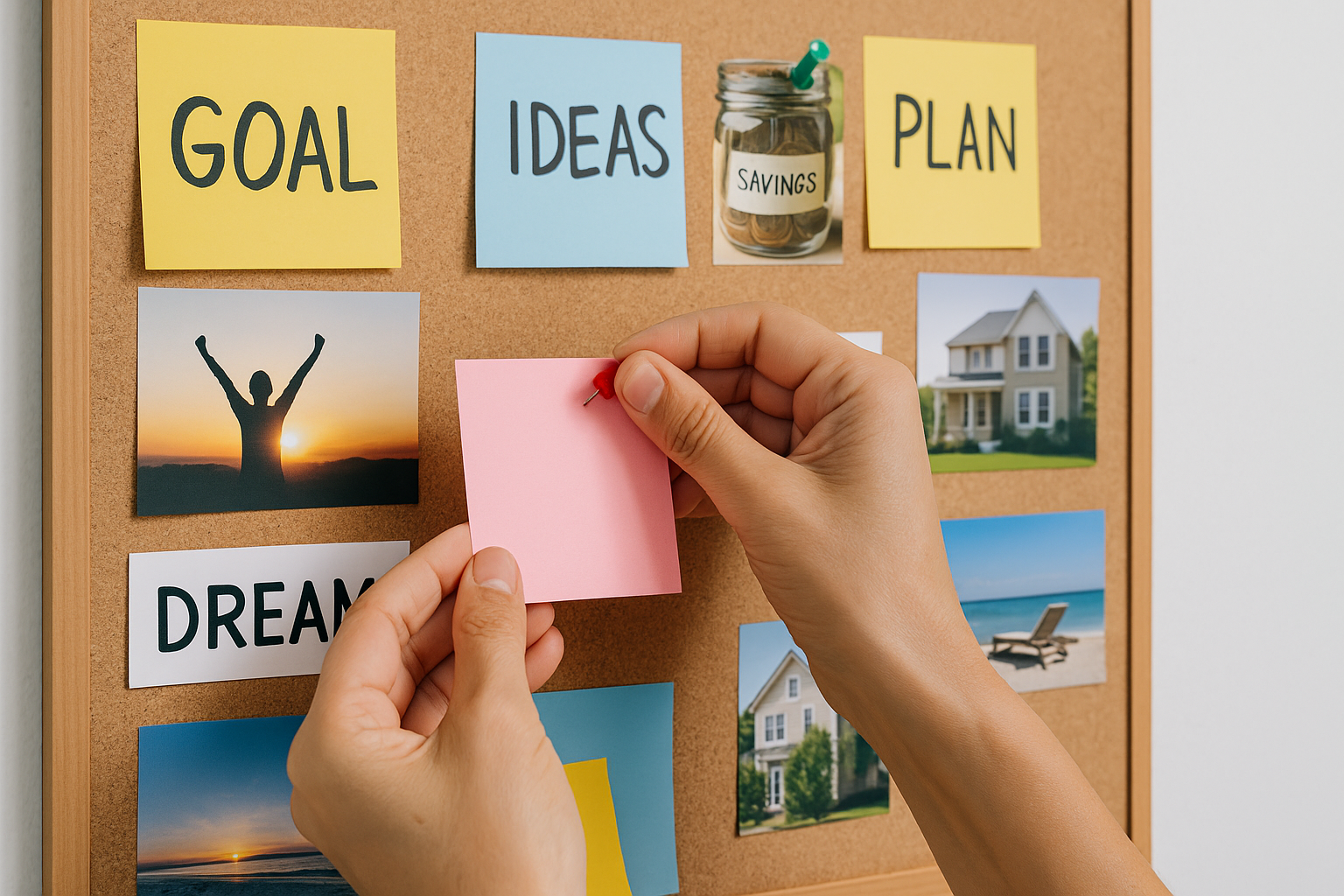
A vision board is a visual plan that keeps your goals front and center so you act on them consistently—not just dream about them. If you’ve wondered how to create an effective vision board that actually moves the needle, this guide gives you twelve practical, research-informed steps, from clarifying goals to setting review rhythms. You’ll learn how to choose the right format, curate images that prime action (not just wishful thinking), and wire your board into daily habits so it drives real progress.
Quick answer: The most effective vision boards pair concrete goals with process-focused visuals and simple “when–then” plans, then live where you’ll see them daily.
Fast-start checklist (the 12 steps)
- Define your 12-month outcomes and why they matter
- Pick your board format (physical, digital, or hybrid)
- Map domains and metrics before you search for images
- Curate images and words that cue identity and process
- Design a clean layout with a clear visual hierarchy
- Add “when–then” plans and WOOP captions under key tiles
- Mark timelines, milestones, and capacity limits
- Place the board where you’ll actually see and use it
- Schedule monthly reviews and seasonal refreshes
- Track leading behaviors, not just outcomes
- Ground it in reality and ethics—no magical thinking
- Create a digital twin for daily micro-exposure
1. Define Your 12-Month Outcomes and Why They Matter
Start by naming exactly what you want the next 12 months to look like and why that future matters to you. Clear, challenging goals outperform vague wishes, and your board should encode that clarity. Write 3–6 outcomes across the domains that matter (career, finances, health, relationships, learning, creativity), then translate each into a specific and measurable target. Pair each with a short “why” statement—this anchors motivation when novelty fades. Make sure the set is doable given your time and energy; your vision board is a focusing device, not a parking lot for every possibility.
1.1 Why it matters
Decades of research show that specific, challenging goals increase performance because they focus attention and effort, stimulate strategy, and motivate persistence. Ambiguous hopes do not. Use the board to visualize what you’re aiming for and how you’ll get there, not to manifest outcomes by wishing.
1.2 How to do it
- Choose a 12-month horizon; it’s long enough for change, short enough to plan.
- Draft 3–6 SMART-ish outcomes (e.g., “Run a 10K in under 60 minutes by October”).
- Write a one-sentence “why” under each outcome.
- Sanity-check capacity: list constraints (time, budget, health, commitments).
- Prioritize: star the 3 outcomes that matter most this year.
Synthesis: A board built on clear outcomes and a compelling “why” gives your imagery a job—aiming your attention and choices.
2. Pick the Right Board Format (Physical, Digital, or Hybrid)
An effective vision board fits your workflow and constraints. Physical boards (corkboard, foam core, magnetic boards) are tangible, fun to assemble, and hard to ignore on a wall. Digital boards (Notion, Milanote, Canva, Pinterest, phone wallpapers) are portable, easy to update, and perfect for micro-exposure throughout the day. A hybrid approach—physical board on your wall plus a digital twin on your phone and laptop—often gives the best of both worlds: presence plus portability.
2.1 Tools & examples (as of August 2025)
- Physical: A3/A2 poster (29.7×42 cm / 11.7×16.5 in or 42×59.4 cm / 16.5×23.4 in), corkboard, magnetic whiteboard, photo printer.
- Digital: Canva, Notion gallery view, Milanote mood board, Pinterest secret board, Google Photos album; phone lock-screen crop of your board.
- Hybrid: Photograph your physical board monthly; update a digital copy for travel.
2.2 Common mistakes
- Treating the board like decor (too pretty to change).
- Hiding it in a place you never look (back of a closet door).
- Picking a format you won’t maintain (overly complex or expensive).
Synthesis: Choose the format you’ll actually see and update; effectiveness beats aesthetics every time.
3. Map Domains and Metrics Before You Search for Images
Before collecting pictures, map the territory. Break your year into 3–6 domains, then define leading indicators (behaviors) and lagging metrics (outcomes) for each domain. This prevents a collage of nice pictures with no behavioral gravity. For example, “Strength & Mobility” might use leading indicators like “3 strength sessions/week” and lagging metrics like “5 unassisted pull-ups.”
3.1 Numbers & guardrails
- Limit to 3–6 domains to avoid dilution.
- Cap metrics per domain to 1–2 outcomes, each with 1–2 behaviors.
- Use weekly cadence for behaviors; monthly or quarterly for outcomes.
3.2 Mini checklist
- Domains chosen
- One metric and one behavior per domain
- Clear weekly cadence
- Rough capacity map (hours/week, budget/month)
Synthesis: When metrics precede imagery, your board becomes a behavioral compass, not a scrapbook.
4. Curate Images and Words That Cue Identity and Process
Images should be action cues and identity cues, not just outcome fantasies. Include photos that depict you doing the process (meal-prepping, drafting, training), identity anchors (“I’m the kind of person who finishes drafts”), and a few outcome snapshots to remind you where you’re headed. Research suggests process-focused visualization can improve planning and reduce anxiety versus outcome-only imagery. Combine both, but bias toward process and identity.
4.1 How to do it
- Gather 30–60 candidate visuals; shortlist to 12–24 that map tightly to your goals.
- Add verbs: pair each image with a 3–5 word action (“Write 250 words/day”).
- Use identity statements: “Reader, Runner, Saver, Builder.”
- Include 1–2 environmental cues (e.g., tidy desk, gym bag by door).
4.2 Common mistakes
- All outcome, zero process (e.g., beach body without training cues).
- Stock imagery that inspires but doesn’t instruct.
- Overstuffing—no white space for the eye to rest.
Synthesis: Curate visuals that make the next action obvious and the desired identity feel normal.
5. Design a Clean Layout With Visual Hierarchy
Design influences usability. Use a simple grid with clear focal points so your eye knows where to land. Group items by domain, emphasize your top three outcomes, and keep generous white space. A limited color palette (pulled from 1–2 key images) creates cohesion. Place your highest-priority process cues near the visual center and at the top-left (for left-to-right readers) to maximize salience.
5.1 How to do it
- Divide the board into 3–6 zones (one per domain).
- Use scale: make top-3 items ~150–200% larger.
- Apply a rule of thirds: position a primary focal tile on an intersection.
- Keep margins consistent; leave white space between clusters.
- Add small labels or icons to mark behaviors vs outcomes.
5.2 Mini checklist
- Zones labeled
- Focal points sized up
- Palette consistent
- White space preserved
- Behaviors distinguished from outcomes
Synthesis: A clean, intentional layout turns glances into guidance.
6. Add “When–Then” Plans and WOOP Captions Under Key Tiles
Seeing a cue is step one; linking that cue to a pre-decided action is step two. Under your most important images, add implementation intentions—plain “When [situation], then I will [behavior]” plans. Layer WOOP (Wish, Outcome, Obstacle, Plan) by naming the likely obstacle and the precise response. This combo (MCII) reliably boosts follow-through across domains. Example: “Wish: write daily. Obstacle: end-of-day fatigue. Plan: When it’s 7:00 a.m., then I will write 250 words before email.” Research shows implementation intentions and MCII improve goal attainment by automating action at the right moment.
6.1 How to do it
- Add a small sticky or caption beneath 3–6 keystone tiles.
- Use calendar/time anchors (7:00 a.m., after school drop-off, post-lunch).
- Name one likely obstacle and the exact response.
- Rehearse the cue–response mentally for 10–20 seconds.
6.2 Example set
- When I pour coffee, then I open my draft.
- When I enter the gym, then I start with 2×8 squats.
- When I get a savings alert, then I move ₨5,000 to the index fund.
Synthesis: Tiny “when–then” lines transform your board into a trigger map for action.
7. Mark Timelines, Milestones, and Capacity Limits
Visions without timelines drift. Add dates and checkpoints for each domain—monthly markers, quarter themes, and a “by when” for outcomes. Define capacity limits (hours/week, sessions/week, budget/month) so the plan respects reality. For example, mark “Q2—10K race,” “Q3—portfolio update,” or “By Dec 15—₹X emergency fund.” This makes progress visible and reduces the Planning Fallacy.
7.1 Numbers & guardrails
- Cadence: Weekly for behaviors; monthly for metrics; quarterly for milestones.
- Limits: Total commitments ≤ 15–20 hrs/week outside non-negotiables.
- Budget: Assign envelopes (e.g., ₨20,000/month upskilling; $150/month fitness).
7.2 Mini checklist
- Dates written on tiles
- Midpoints marked
- Capacity limits noted
- Calendar sync completed
Synthesis: Timelines and limits turn aspiration into a schedulable project.
8. Place the Board Strategically and Set Viewing Triggers
The best board is the one you actually see. Position physical boards in line of sight where you start the day (desk, dressing area, kitchen). For digital boards, make a lock-screen or desktop wallpaper, and add a quick “review” card to your daily planner. Schedule two micro-views per day (20–60 seconds each) and a 5–10 minute weekly scan to re-prime intentions.
8.1 How to do it
- Morning view: After you make your bed, stand and scan the top-3 tiles.
- Evening view: Before shutdown, tick behaviors and glance at tomorrow’s cues.
- Digital: Set the lock screen to your “Top 3 + When–Then” crop.
- Reminders: Two silent alarms (e.g., 8:00 a.m., 8:30 p.m.).
8.2 Common mistakes
- Treating the board like art you stop noticing.
- Burying it under papers or behind tabs.
- Reviewing only when you “feel like it.”
Synthesis: Intentional placement + micro-views = steady priming without effort.
9. Schedule Monthly Reviews and Seasonal Refreshes
Boards stale fast without maintenance. Put a 45–60 minute monthly review on your calendar: score behaviors (completed 0–4 times/week), update metrics, and replace any tile that no longer serves. Do a seasonal refresh every 90 days to pivot priorities, celebrate wins, and install new cues. Archive a photo of each version to build a visible progress timeline—your future self will thank you.
9.1 How to do it
- Monthly: Red/amber/green your behaviors; swap or resize tiles based on traction.
- Quarterly: Re-prioritize domains; update dates; simplify overloaded zones.
- Annual: Create a “year in pictures” strip from archived photos.
9.2 Mini checklist
- Review booked on calendar
- 3 items resized or moved if needed
- Obsolete tiles removed
- Photo archived with date
Synthesis: Reviews keep the board honest—alive, aligned, and uncluttered.
10. Track Leading Behaviors, Not Just Outcomes
Outcomes lag; behaviors lead. On or near the board, track weekly inputs (sessions, reps, drafts, outreach messages) that cause results. If weight loss is the outcome, “meals prepped” and “steps/day” are the levers. If revenue is the outcome, track “qualified proposals sent.” This reduces discouragement during slow phases and gives you levers to pull next week.
10.1 How to do it
- Add a tiny 7-box habit grid under 3–5 behavior tiles; fill squares daily.
- Use a weekly score (0–7) to see patterns.
- Review trends monthly; adjust capacity or tactics before motivation dips.
10.2 Numeric mini case
- Outcome: Save ₨600,000 in 12 months.
- Behaviors: Auto-transfer ₨50,000 on the 1st; skip 2 eating-outs/week (~₨8,000).
- Result path: 12×₨50,000 + 12×₨8,000 ≈ ₨696,000 potential—room for variance.
Synthesis: When you can see the levers, you can pull them—predictably.
11. Ground It in Reality and Ethics—No Magical Thinking
Vision boards are motivational tools, not magic. Avoid health, financial, or legal claims that require professional advice, and check any aggressive goal against risk and feasibility. Don’t misappropriate others’ imagery; use stock you’re licensed to print or your own photos. Keep the board aligned with values like fairness, sustainability, and privacy (e.g., avoid posting sensitive family images online).
11.1 How to do it
- Add a small disclaimer to yourself: “This board inspires action; it is not medical, legal, or financial advice.”
- Use licensed images (royalty-free stock or personal photos).
- sanity-check goals with a friend or mentor who knows your constraints.
- Build buffers: 15–25% time and budget contingency for complex goals.
11.2 Common mistakes
- Treating the board as a substitute for plans, skills, or feedback.
- Sharing private goals publicly without consent of others involved.
- Copying images without rights.
Synthesis: Realism and ethics make your progress sustainable—and your board trustworthy.
12. Create a Digital Twin for Daily Micro-Exposure
Even if you prefer scissors and glue, make a digital twin: a high-quality photo or a rebuilt version in Canva/Notion/Milanote. Crop a “Top 3 + When–Then” segment for your phone lock screen and laptop wallpaper. Add a private link to share with your accountability partner. Micro-exposure (dozens of brief glances per day) sustains salience between formal reviews and keeps your system friction-light.
12.1 How to do it
- Photograph your board in daylight; correct for glare and skew.
- Recreate key tiles digitally with the same zones and captions.
- Export three sizes: phone lock screen, desktop wallpaper, and shareable PDF.
- Set a weekly reminder to re-sync physical ↔ digital if changes occur.
12.2 Mini checklist
- Digital twin created
- Lock-screen crop set
- Desktop wallpaper set
- Share link sent to accountability partner
Synthesis: A portable twin turns your vision into a daily, everywhere nudge.
FAQs
1) What is a vision board, exactly?
A vision board is a curated set of images, words, and cues that represent your goals and the behaviors that create them. Unlike mood boards (which gather aesthetic inspiration), an effective vision board is purpose-built: it pairs outcomes with process cues, dates, and simple “when–then” plans so you act consistently.
2) Do vision boards really work, or is it just placebo?
They work when used as a behavioral tool—anchoring clear goals, cueing process and identity, and installing implementation intentions. Research on goal-setting, process visualization, and implementation intentions supports these mechanisms; a collage alone does not.
3) Should I use physical or digital?
Use whichever you’ll see and maintain daily. Physical boards are hard to ignore and feel tangible; digital boards are portable and easy to refresh. Many people succeed with a hybrid: a wall board at home plus a digital twin for micro-exposure on devices.
4) How many goals should go on a vision board?
Three to six major outcomes is a practical range. More than that diffuses attention and competes for limited time and energy. Each outcome should connect to one or two weekly behaviors you can track.
5) How often should I look at my board?
Twice a day for 20–60 seconds (morning and evening) plus a 5–10 minute weekly scan is enough for priming. Schedule a 45–60 minute monthly review and a 90-day refresh to update priorities and keep the board current.
6) What kind of images work best?
Images that depict you doing the process (prepping meals, practicing, drafting), identity cues (“Reader,” “Maker”), and a small number of outcome visuals. Pair each with a short action label and, for your top goals, a “when–then” plan.
7) What if my goals change mid-year?
Great—your board should change, too. Swap tiles, resize priorities, and adjust timelines. Archive a photo of each version to build a visible progress trail and reflect on what you learned.
8) Can I make a vision board for a team?
Yes. Facilitate a session to align on 3–5 outcomes, define leading behaviors, and assign owners. Use shared digital boards for visibility and update them in sprint reviews or monthly ops meetings.
9) What evidence supports visualization and “when–then” plans?
Meta-analyses and experiments indicate mental imagery can improve performance, especially when paired with practice, and implementation intentions reliably increase goal attainment by automating responses to cues. MCII (WOOP + when–then) is particularly effective across behaviors. ResearchGate
10) Any legal or ethical concerns?
Use images you have rights to, avoid sharing sensitive personal info, and remember: boards are motivational tools, not professional advice. Keep financial, medical, or legal decisions grounded in appropriate guidance.
Conclusion
A powerful vision board is more than a pretty collage—it’s a compact behavior system: clear 12-month outcomes, process and identity cues, simple “when–then” plans, timelines and capacity limits, and a cadence for review. When placed where you’ll see it and paired with daily micro-views, it keeps your attention on what matters and transforms intention into action. Start small with three outcomes, build a clean layout, and add just a handful of keystone implementation intentions. Photograph the result, set it as your lock screen, and review it each month. In a year, your archive of board photos will tell a story—one built tile by tile through consistent, visible effort.
Ready to begin? Set your top three outcomes, choose your format, and pin your first “when–then” tile today.
References
- Gollwitzer, P. M. (1999). Implementation Intentions: Strong Effects of Simple Plans. American Psychologist. https://kops.uni-konstanz.de/bitstreams/14cc2a36-5f01-4dc1-b9ca-f2d0ca0c8930/download
- Duckworth, A. L., Gollwitzer, P. M., & Oettingen, G. (2013). Mental Contrasting With Implementation Intentions: A Proven Approach to Goal Pursuit. Social and Personality Psychology Compass (open-access summary). U.S. National Library of Medicine (PMC). https://pmc.ncbi.nlm.nih.gov/articles/PMC4106484/
- Pham, L. B., & Taylor, S. E. (1999). From Thought to Action: Effects of Process-Versus Outcome-Based Mental Simulations on Performance. Personality and Social Psychology Bulletin, 25(2). https://journals.sagepub.com/doi/10.1177/0146167299025002010
- Toth, A. J., et al. (2020). Does mental practice still enhance performance? A 24-year update. Psychology of Sport and Exercise. https://www.sciencedirect.com/science/article/abs/pii/S1469029219301530
- Locke, E. A., & Latham, G. P. (2002). Building a Practically Useful Theory of Goal Setting and Task Motivation: A 35-Year Odyssey. American Psychologist. (Summary) https://www.semanticscholar.org/paper/Building-a-practically-useful-theory-of-goal-and-A-Locke-Latham/ebcd793a6c2f123d038bc95f259dd5e3e05acaea
- Gollwitzer, P. M., & Brandstätter, V. (1997). Implementation Intentions and Effective Goal Pursuit. Journal of Personality and Social Psychology, 73(1), 186–199. https://sparq.stanford.edu/sites/g/files/sbiybj19021/files/media/file/gollwitzer_brandstatter_1997_-_implementation_intentions_effective_goal_pursuit.pdf
- Ort, A., et al. (2022). Mental Contrasting with Implementation Intentions as a Behavior Change Technique: Systematic Review and Meta-Analysis. Health Psychology Review. https://www.tandfonline.com/doi/full/10.1080/17437199.2021.1988866