



























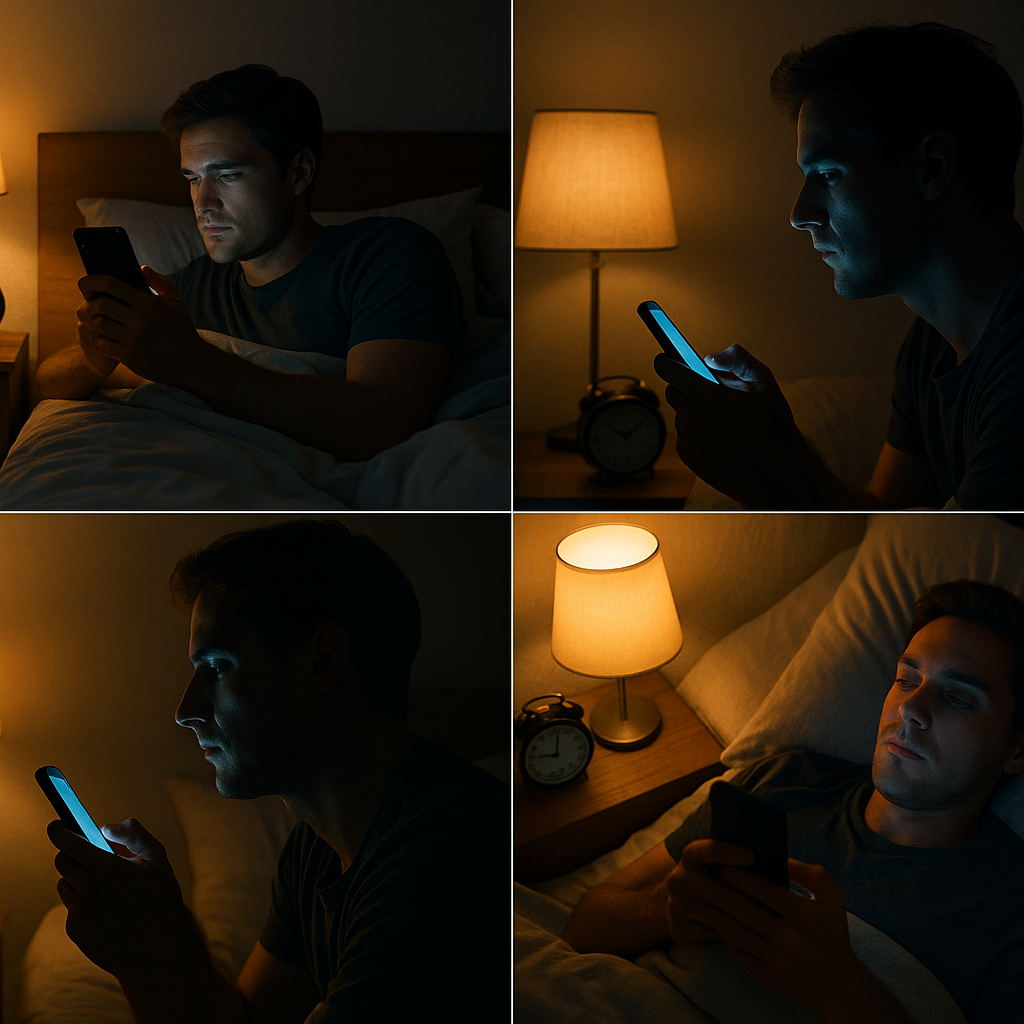
Late-night scrolling doesn’t just steal minutes; it can quietly push your entire body clock later and chip away at sleep quality. In simple terms, screen time before bed interferes with sleep by delaying melatonin release, raising mental/emotional arousal, and fragmenting the night with alerts and check-ins. The good news: each of these pathways has a practical fix you can apply tonight. This guide breaks down the 12 most common screen-related sleep breakers—and exactly how to address each one—so you can keep your tech and still protect your rest. (General information only; not medical advice. If poor sleep persists, speak with a clinician.)
1. Blue light delays melatonin and shifts your body clock
Blue-enriched light from phones, tablets, and laptops suppresses melatonin in the evening and nudges your circadian clock later. That delay makes you feel less sleepy at bedtime and more groggy at wake-time. The effect is strongest with short-wavelength light (~460–480 nm) and bright displays held close to the eyes; even an hour or two of evening exposure can be enough to shift timing. Practically, that shows up as taking longer to fall asleep (longer sleep latency), sleeping later than intended, and feeling less alert the next morning. If this happens night after night, a stable schedule becomes harder to maintain, and you can develop “social jet lag”—weekdays and weekends drifting apart.
1.1 Why it matters
- Melatonin sets the biological “permission” to sleep; delaying it delays drowsiness.
- A later clock compresses your sleep window if you still must wake at a fixed time.
- Repeated delays can reduce REM timing and leave you under-rested on workdays.
1.2 Numbers & guardrails
- Aim to power down bright screens 60 minutes before bed (30 minutes minimum).
- Keep brightness at the lowest comfortable level in the evening.
- Hold devices at arm’s length rather than inches from your eyes.
1.3 Mini-checklist
- Turn on Night Light/Night Shift and dim brightness.
- Prefer paper or e-ink for bedtime reading.
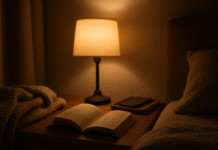
- Use a warm bedside lamp (dim, indirect) for the last hour.
Bottom line: Less short-wavelength, less bright, and less close to your eyes—especially in the final hour—keeps your melatonin on schedule.
2. Brightness and distance matter as much as color
It’s easy to fixate on “blue light,” but how bright the light is at your eyes—and how close the screen is—often matters more. A phone at 20% brightness held six inches from your face can deliver more light to your eyes than a dimmed TV across the room. Bedrooms also tend to be dark; a bright rectangle in a dark field drives a strong alerting signal. That’s why some people notice sleep trouble even with warm-tinted screens: the intensity is still high, and the screen is still close.
2.1 How to do it
- Dim the room a good 60–90 minutes before bed; avoid overheads. Use a single warm lamp.
- Reduce display brightness to the lowest readable level and enable auto-brightness.
- Increase distance: prop the phone or tablet farther away; watch TV from across the room rather than in bed.
2.2 Mini case
Sara dropped her iPhone brightness to 10%, switched to dark mode, and started reading from a stand 18–24 inches away. Within a week, her “time to fall asleep” dropped from ~35 minutes to ~15–20 minutes, even on nights she used the phone close to bedtime.
2.3 Checklist
- Dark mode + lowest brightness.
- “Reduce white point” (iOS) or “Extra dim” (Android) if available.
- Avoid face-close viewing; arm’s length or more is the rule.
Bottom line: Distance + dimness beats color alone. Treat brightness at the eye as the main lever.
3. Interactive and emotionally charged content keeps your brain “up”
Even if light were a non-issue, what you do on the screen can wire you for wakefulness. Fast, interactive feeds (short video, gaming, heated threads, work email) raise cognitive load and emotion, spiking sympathetic arousal. That means elevated heart rate, tighter muscles, and racing thoughts when you’re supposed to be winding down. By contrast, passive, familiar content is less activating—but it can still displace bedtime if it’s “just one more episode.”
3.1 Why it matters
- High arousal lengthens sleep latency and increases middle-of-the-night awakenings.
- Stimulating content can become a cue: bed = scrolling, not sleeping.
- Late work email blurs boundaries, linking bed with problem-solving.
3.2 Swap-ins for the last hour
- Paper book or e-ink (fiction often beats nonfiction for wind-down).
- Gentle audio: podcasts, audiobooks, or brown-noise timers with the screen off.
- Pen-and-paper brain dump of tomorrow’s to-dos to clear rumination.
3.3 Guardrails
- Reserve stimulating apps for daytime; remove them from your home screen at night with Focus modes.
- Set app timers (15–20 min) as a hard stop in the evening.
Bottom line: Your brain doesn’t just react to photons; it reacts to content. Pick low-arousal inputs (or none) as bedtime approaches.
4. Notifications fragment sleep—even if you “don’t wake up”
Pings, buzzes, pop-ups, and lock-screen previews increase micro-arousals and light up reward pathways, tempting late-night check-ins. You may not remember each disturbance, but your sleep can still be lighter and choppier. The most common culprits: messaging apps, breaking-news alerts, and social notifications. Even “silent” vibrations can nudge you toward wakefulness in light sleep.
4.1 Tools that help (both iOS and Android)
- Do Not Disturb / Sleep Focus / Bedtime mode: silences alerts on a schedule.
- Always-on grayscale during your wind-down: makes feeds less sticky.
- Lock screen previews off; badges off for high-temptation apps.
4.2 Mini-checklist
- Create a VIP list (family, emergencies) that can break through DND.
- Turn on “Deliver Quietly” for non-urgent apps.
- Charge outside the bedroom or beyond arm’s reach.
4.3 Numbers & guardrails
- Set DND from your target wind-down to your wake time (e.g., 10:00 p.m.–6:30 a.m.).
- If you need alarms, whitelist Clock only.
Bottom line: Remove the cue–reward loop overnight. You’ll fall asleep faster and wake less often.
5. “Just one more scroll”: bedtime procrastination and doomscrolling
Screen time before bed often morphs into bedtime procrastination: delaying sleep despite knowing you’ll pay for it tomorrow. Short-form feeds and autoplay encourage time loss, and the sense of “earned me-time” after a long day makes stopping feel unfair. The result is predictable: later bedtimes, shorter sleep, and more next-day sleepiness.
5.1 How to break the loop
- Name a wind-down window (e.g., 10:00–10:45 p.m.) and pick two simple rituals you enjoy (stretching + paper reading).
- Use Downtime (iOS) or App timers + Bedtime mode (Android) to lock apps at the start of wind-down.
- Put the phone in another room after wind-down or anchor it to a charging station across the room.
5.2 Mini case
A student set a 10:15 p.m. Downtime with only Phone and Music allowed and swapped TikTok for a short printed manga chapter. Within two weeks, average bedtime moved 35 minutes earlier and morning alertness improved.
5.3 Checklist
- Bedtime alarm (“Wind-down starts now”).
- Autoplay off; “Are you still watching?” answers to No.
- Keep a paper notepad to offload last-minute thoughts.
Bottom line: Put friction in the path of scrolling and make sleep the default, not the exception.
6. Irregular bedtimes (“social jet lag”) sneak in through screens
Screens make it easy to drift later on weekends—and harder to reset on Monday. That mismatch (social jet lag) can feel like a mild time-zone change every week, undermining alertness, mood, and performance. Because evening screens delay melatonin, they amplify the effect: stay up late to stream, sleep in, then struggle to fall asleep on Sunday night.
6.1 Guardrails that work
- Keep bed/wake within ±1 hour across the week.
- Anchor your wake-time first; bedtime self-corrects.
- Pair a morning light cue (open blinds, brief outdoor light) with your wake-up.
6.2 How screens fit in
- Let Focus/Sleep modes auto-activate nightly—weekends too.
- Use Downtime exceptions sparingly (e.g., travel days only).
6.3 Mini-checklist
- Calendar your sleep window like a meeting.
- Keep late-night “specials” (movie/gaming) occasional and plan a morning light reset the next day.
Bottom line: Consistency beats perfection. Use your phone’s schedule features to protect a stable clock.
7. Backlit e-reading is not the same as paper (or e-ink)
Reading feels benign, but backlit screens still deliver bright light directly to your eyes, delaying melatonin. In studies, people who read on light-emitting e-readers before bed took longer to fall asleep and felt less alert the next morning than when they read printed books. E-ink readers without front-light (or with front-light dimmed very low and warm) are friendlier to sleep.
7.1 Smarter reading setup
- Prefer paper or e-ink for bedtime reading.
- If you must use a tablet, dim to minimum, switch to sepia, and increase font size so you don’t hold it close.
- Read under a warm bedside lamp, not in a pitch-dark room with a bright rectangle.
7.2 Mini-checklist
- E-ink + warm, low lamp = best.
- Tablet + minimum brightness + warm mode + distance = acceptable.
- Backlit phone inches from face in a dark room = worst.
Bottom line: The medium matters. Backlight into the eyes at night delays sleepiness; e-ink or paper avoids that.
8. Night modes and blue-light filters help—but are not a silver bullet
Night Shift/Night Light and “blue-blocking” overlays reduce short-wavelength light, but they don’t solve brightness, distance, or content. Research shows that warm-tint modes by themselves don’t reliably prevent melatonin suppression or improve sleep outcomes if you’re still staring at a bright screen up close, especially for long sessions.
8.1 How to use them wisely
- Always pair night modes with low brightness and time limits.
- Combine with grayscale during wind-down; it reduces the “slot-machine” pull of feeds.
- If you’re sensitive, amber glasses in the last 1–2 hours can add another layer (especially if you have to be on a screen).
8.2 Mini-checklist
- Night mode on 24/7 (it’s gentler all day).
- Minimum brightness at night.
- Distance + time cap + content choices still apply.
Bottom line: Filters are a helper, not a pass. Think “dim + distant + brief,” not just “warmer.”
9. Teens and kids are uniquely vulnerable to bedtime screens
Adolescents’ body clocks naturally run later, making evening screens an even stronger push toward late nights and short sleep. Bedrooms packed with devices and overnight notifications compound the problem. Pediatric guidance is clear: keep devices out of bedrooms at night, make evenings media-light, and maintain consistent schedules.
9.1 Family guardrails
- No screens in bedrooms overnight (charge in a common area).
- Screen-free hour before lights-out.
- Create and post a simple Family Media Plan (rules everyone understands).
9.2 Tools that help parents
- Screen Time (iOS) and Family Link/Digital Wellbeing (Android) to set Downtime/Bedtime and app limits.
- Do Not Disturb/Focus schedules that only allow calls from caregivers.
9.3 Mini-checklist
- Model the rule: caregivers park their phones too.
- Agree on exceptions (e.g., late-away game) ahead of time.
Bottom line: Structure wins. Clear rules + scheduled tech tools protect adolescent sleep.
10. Daytime light exposure changes your evening sensitivity
Your light diet across the day sets how reactive you are to light at night. Plenty of bright, natural daylight—especially in the morning—helps anchor your clock earlier and can make you less sensitive to the same amount of evening light. Conversely, dim indoor days followed by bright screens at night amplify delay effects.
10.1 How to use light timing
- Morning: 10–30 minutes of outdoor light soon after wake-up (shade or sun).
- Day: Work near a window if possible; take a noon walk.
- Evening: Dim house lights 60–90 minutes before bed; avoid bright overheads.
10.2 Mini-checklist
- Open blinds with your alarm.
- Schedule a short post-lunch light break.
- Swap bright kitchen lights for under-cabinet or lamp-level lighting after dinner.
Bottom line: Bright days, dim nights. Manage the whole 24-hour light story, not just the last 15 minutes.
11. Your bedroom setup can make or break your plan
A phone within reach is a phone you’ll reach for. Keeping devices on the nightstand anchors habits you’re trying to change. Light leaks from chargers, standby LEDs, and smart displays also add up, especially in smaller rooms.
11.1 Environment upgrades
- Charge outside the bedroom or across the room (inside a drawer if needed).
- Replace the phone alarm with a simple clock.
- Cover or remove pilot lights and status LEDs; use blackout curtains if streetlight spills in.
11.2 Mini-checklist
- Put a paper book and notepad on the nightstand.
- Pre-make a sleepy tea or water carafe so you don’t go back to the phone-lit kitchen.
11.3 Small step, big payoff
Move the charger tonight. Most people cut down reflex checks by half when the phone is out of reach.
Bottom line: Make the sleepy choice the easy one. Your room should cue rest, not refreshing.
12. Build a “tech-smart” wind-down routine you’ll actually follow
A routine beats willpower. Bundle a few simple steps you enjoy and automate the rest so screens can exist without hijacking your sleep.
12.1 A 20-minute template
- Minutes 0–5: Set Sleep Focus / Do Not Disturb and Downtime/Bedtime mode; start device charging.
- Minutes 5–12: Light stretch + diaphragmatic breathing (4-second inhale, 6-second exhale).
- Minutes 12–20: Paper or e-ink reading under a warm lamp; jot tomorrow’s top three.
12.2 Tools to automate
- iOS: Screen Time → Downtime, App Limits; Focus → Sleep; Health → Sleep Schedule.
- Android: Digital Wellbeing → Bedtime mode, App timers, Do Not Disturb; optional grayscale.
- Optional: Amber glasses in the last 60–90 minutes if you must look at screens.
12.3 Mini-checklist
- Keep it pleasant and repeatable, not perfect.
- Add a tiny reward (cozy socks, favorite tea) to make it sticky.
Bottom line: Rituals reduce friction. Decide once; let the phone enforce it for you.
FAQs
1) Exactly how long before bed should I stop using screens?
If you want the simplest rule, 60 minutes works well for most adults; 30 minutes is a useful minimum when life gets busy. For children and teens, target at least one screen-free hour. Dim house lights during this window and pick low-arousal activities so your brain and body get consistent “sleep is coming” cues.
2) Does Night Shift/Night Light actually help?
It helps a bit by reducing blue wavelengths, but it isn’t sufficient on its own. The biggest wins come from dimming brightness, increasing distance, and shortening use. If you need to use a screen close to bedtime, combine night modes with low brightness, time limits, and calmer content.
3) Are e-ink readers OK at night?
E-ink without front-light (or with front-light very low and warm) is sleep-friendlier than backlit tablets and phones. If you use a front-light, keep it dim and warm and avoid reading in a totally dark room with the light shining straight into your eyes.
4) Do blue-blocking glasses work?
For some people—especially those with insomnia symptoms—amber/blue-blocking glasses in the last 1–2 hours can improve subjective sleep and reduce alerting. Results vary, and glasses don’t replace dimming or time limits, but they can be a useful add-on when screens are unavoidable late.
5) Is blue light the only problem?
No. Brightness, distance, duration, and stimulating content all matter. Notifications and “just one more scroll” behaviors can fragment sleep even if color is warm. Think of light management and habit management as two sides of the same coin.
6) What’s the “best” screen brightness at night?
As low as you can comfortably read—often 10–20% on phones. Pair low brightness with dark mode and increase font size so you don’t hold the device close. If you can’t see comfortably at low brightness, it’s a sign to switch to audio or paper.
7) Do I have to ban my phone from the bedroom?
Not necessarily, but out of arm’s reach is powerful. If you rely on your phone for an alarm, put it across the room and whitelist only essential contacts to bypass Do Not Disturb. A low-tech alarm clock removes even more temptation.
8) Are podcasts or audiobooks okay before sleep?
Usually, yes—with the screen off. Set a sleep timer so it doesn’t run all night, keep volume low, and choose calm, familiar content. Avoid mentally activating topics (true crime, work, heated news) if they stir you up.
9) How can parents protect teen sleep without a nightly argument?
Use clear, consistent rules (screen-free hour, no devices in bedrooms, set bed/wake times) and automate enforcement with Screen Time/Family Link so you’re not negotiating nightly. Model the behavior: adults park phones, too.
10) How do I know if screens are my main issue?
Run a two-week experiment: same bed/wake, screen-free last 60 minutes, dimmed house lights, and phone parked out of reach. If your sleep latency shortens and you wake more refreshed, screens were a meaningful factor. If problems persist, consider other contributors (caffeine timing, stress, sleep disorders) and consult a clinician.
Conclusion
Screens aren’t “the enemy,” but how and when we use them matters. Bright, close, stimulating evening use delays melatonin, pushes bedtimes later, and fragments the night with alerts. The antidote isn’t a complete digital detox; it’s a tech-smart wind-down: dimmer light, calmer content, fewer notifications, and consistent schedules. Pair night modes with low brightness, push devices out of reach, and set up Do Not Disturb/Bedtime so your phone enforces your choice. Give yourself bright days and dim evenings so your internal clock has a clear anchor. Start small tonight: set your Bedtime mode, pick one calming ritual, and park the phone. Protect your sleep, and tomorrow gets easier.
CTA: Pick one fix from the list and put it on your calendar for tonight—then keep it for seven nights.
References
- Chang, A-M., Aeschbach, D., Duffy, J.F., & Czeisler, C.A. “Evening use of light-emitting eReaders negatively affects sleep, circadian timing, and next-morning alertness.” Proceedings of the National Academy of Sciences, 2015. https://www.pnas.org/doi/10.1073/pnas.1418490112
- Tosini, G., Ferguson, I., & Tsubota, K. “Effects of blue light on the circadian system and eye physiology.” Molecular Vision, 2016. https://pmc.ncbi.nlm.nih.gov/articles/PMC4734149/
- Phillips, A.J.K., et al. “High sensitivity and interindividual variability in the response of the human circadian system to evening light.” PNAS, 2019. https://www.pnas.org/doi/10.1073/pnas.1901824116
- Nagare, R.M., Plitnick, B., & Figueiro, M.G. “Does the iPad Night Shift mode reduce melatonin suppression?” Lighting Research & Technology, 2019. https://pubmed.ncbi.nlm.nih.gov/31191118/
- Duraccio, K.M., et al. “Does iPhone Night Shift mitigate negative effects of smartphone use on sleep outcomes in emerging adults?” Sleep Health, 2021. https://www.sciencedirect.com/science/article/abs/pii/S2352721821000607
- American Academy of Sleep Medicine. “Over three-fourths of Americans lose sleep due to digital distractions—sleep experts urge a change.” Dec 4, 2023. https://aasm.org/over-three-fourths-of-americans-lose-sleep-due-to-digital-distractions-sleep-experts-urge-a-change/
- HealthyChildren.org (American Academy of Pediatrics). “Where We Stand: Screen Time.” Last updated Dec 13, 2023. https://www.healthychildren.org/English/family-life/Media/Pages/Where-We-Stand-TV-Viewing-Time.aspx
- American Academy of Pediatrics. “Screen Time Affecting Sleep (Q&A Portal).” Oct 18, 2023. https://www.aap.org/en/patient-care/media-and-children/center-of-excellence-on-social-media-and-youth-mental-health/qa-portal/qa-portal-library/qa-portal-library-questions/screen-time-affecting-sleep/
- Shechter, A., Kim, E.W., St-Onge, M-P., & Westwood, A.J. “Blocking nocturnal blue light for insomnia: A randomized controlled trial.” Journal of Psychiatric Research, 2018. https://pmc.ncbi.nlm.nih.gov/articles/PMC5703049/
- Apple Support. “Use Screen Time on your iPhone or iPad.” May 13, 2025. https://support.apple.com/en-us/108806
- Google Help. “Manage how you spend time on your Android phone with Digital Wellbeing.” (Date not listed). https://support.google.com/android/answer/9346420
- Nagata, J.M., et al. “Cell phone ringer activated overnight and adolescent sleep outcomes.” Journal of Adolescent Health, 2024. https://www.jahonline.org/article/S1054-139X(24)00326-4/fulltext