























Modern teams need to be reachable—but not 24/7. Balancing connectivity and downtime at work means setting clear norms, tools, and guardrails so people can respond promptly during agreed hours and truly switch off outside them. Done well, you improve service levels, protect mental health, and reduce the “phantom urgency” that creeps into evenings and weekends. This guide gives leaders and teams eight practical strategies—email curfews, notification schedules, batching, focus time, on-call rotas, time-zone etiquette, manager habits, and measurement—to make responsiveness sustainable. Quick definition: balancing connectivity and downtime is the practice of defining when and how people should be reachable, and creating systems to protect off-hours rest without hurting customers.
At a glance, here’s a simple starting sequence: document norms → enable DND schedules → batch email with send-later → protect focus time → set an on-call ladder → add time-zone rules → train managers → measure and tune quarterly.
Brief note: nothing here is legal, medical, or HR advice; consult qualified counsel for policy and jurisdiction-specific requirements.
1. Publish a “Connectivity Charter” with explicit response-time bands (include an email curfew)
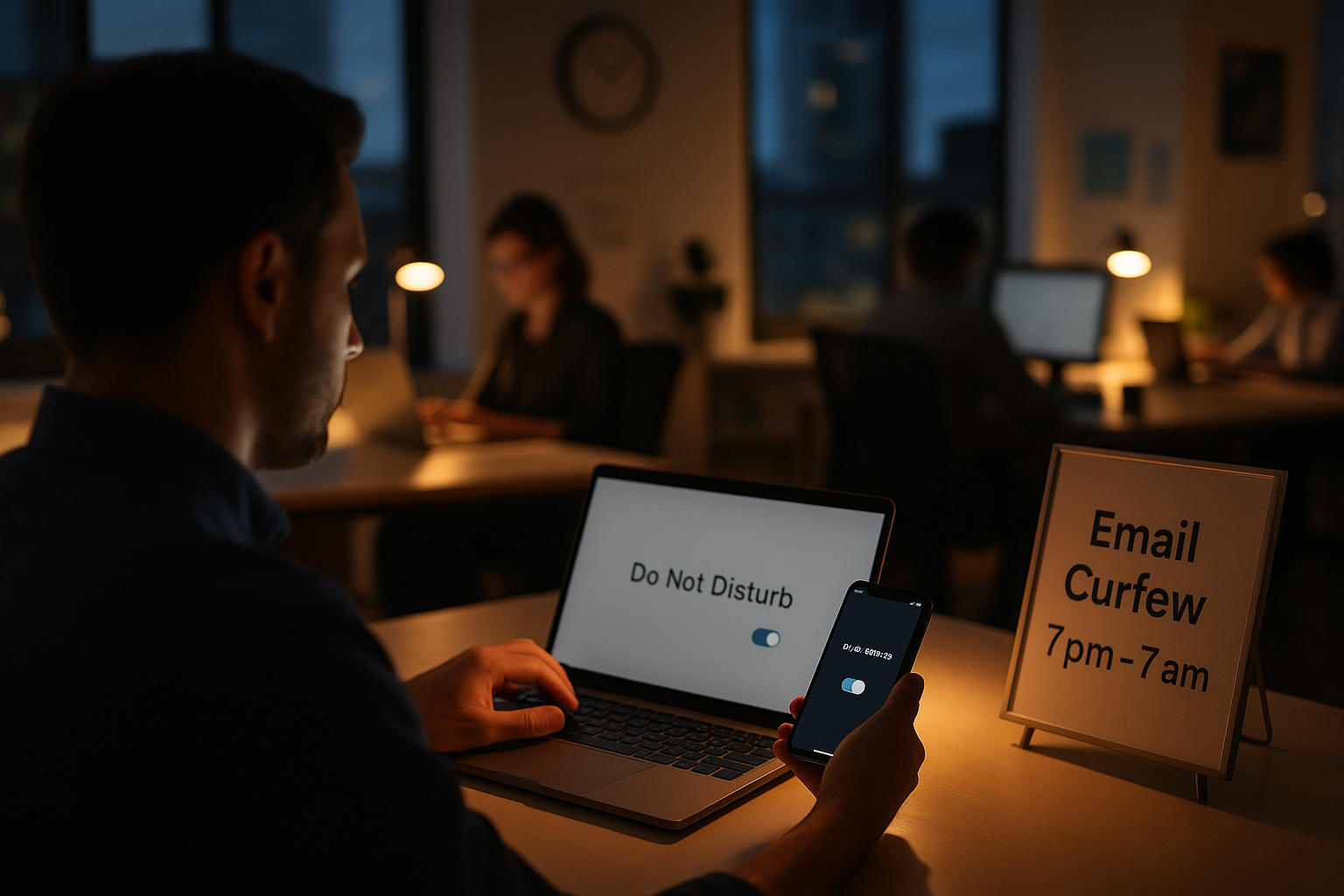
The fastest way to balance connectivity and downtime is to codify it. A short, plain-language “Connectivity Charter” tells everyone which channels to use, how quickly to respond, and when communication should pause. Start by defining a nightly email curfew (e.g., no routine emails 7 p.m.–7 a.m. local time) and separate rules for weekends and public holidays. Then, add response-time bands: for example, chat within four business hours, email within one business day, tickets by agreed SLA. Clarify what “urgent” means and who can escalate. By writing this down—and making it visible in onboarding, team wikis, and project kickoffs—you convert fuzzy expectations into predictable habits that support both customers and colleagues. As of August 2025, several countries also expect employers to address out-of-hours contact, so documenting norms reduces legal and reputational risk.
Mini-checklist to draft in one hour
- Purpose: “Fast during work, off after hours; exceptions documented.”
- Hours: local core hours, email curfew window, weekend policy.
- Channels: which to use for urgent vs. non-urgent; no “reply-all” out of hours.
- Definitions: what counts as “urgent”; who can declare it.
- Escalation: on-call ladder; expected acknowledgement times.
- Exceptions: launches, incidents, time-critical bids (with end dates).
- Visibility: pin in Slack/Teams, add to onboarding and project plans.
Why it matters
Clear norms reduce after-hours noise and decision fatigue, and they align with global trends like France’s and Portugal’s “right to disconnect,” Ireland’s Code of Practice, and Ontario’s policy requirement for larger employers. These frameworks don’t all mandate identical rules, but they signal an expectation that employers manage after-hours contact thoughtfully. Use your Charter to set a baseline, then tailor for customer-facing teams with agreed exceptions and compensation where applicable.
Finish by socializing the Charter in an all-hands, updating the HR handbook, and adding a footer to late messages (“For awareness only—no action until working hours”). The result is faster daytime communication and calmer evenings.
2. Enforce Do Not Disturb and notification schedules across Slack and Teams
Policy without tooling won’t stick. Enforceable balance starts with turning on platform features that automatically silence notifications outside working hours. On Slack, every user can set a notification schedule and pause alerts; admins can also set default Do Not Disturb hours at the workspace level so new joiners start with healthy boundaries. Microsoft Teams offers Quiet Time on mobile to silence pings during specified hours and days, plus granular notification settings across channels and chats. When these are configured centrally and reinforced in onboarding, people don’t have to rely on willpower; the system protects downtime by default.
Practical setup steps
- Slack (individual): Profile → Pause notifications → Set a notification schedule.
- Slack (admin default): Workspace settings → Do Not Disturb → Set default DND hours for everyone.
- Teams (mobile): Settings → Notifications → Quiet time → Schedule quiet hours and quiet days.
- Teams (desktop): Settings → Notifications → tune channel/chat banners, sounds, and @mentions.
- Company-wide: Add a step to IT onboarding; publish screenshots; review quarterly.
Tools/Examples
- Slack Help: “Pause notifications with Do Not Disturb” and “Set default Do Not Disturb hours” outline user and admin controls.
- Microsoft Teams: “Quiet time” on mobile silences notifications during chosen windows; “Manage notifications” details per-channel tuning.
Numbers & guardrails
Aim for at least a 12-hour nightly quiet window (e.g., 7 p.m.–7 a.m.) and one weekend day fully off for most roles, with exceptions only for on-call duties. If your support or ops teams need coverage, combine DND schedules with a small, rotating on-call group (see Strategy 5). Close the loop by reminding senders: late messages should avoid @channel/@here and include “no action until working hours.”
With tooling and defaults aligned to your Charter, availability becomes intentional rather than accidental.
3. Batch email and make “send-later” the default
Continuous inbox monitoring fragments focus and pushes real work into evenings. A better default is email batching—processing mail during 2–4 scheduled windows per day—and using send-later so messages composed after hours land in colleagues’ inboxes the next morning. Research shows that checking email less frequently reduces daily stress and improves well-being; tools now make this easy without plugins. Gmail supports Schedule send natively on web and mobile, and Outlook offers Schedule send on desktop and web, including automatic suggestions that reduce disruptions to colleagues outside their hours. Combined, these features let people work when it suits them while still respecting others’ downtime.
How to implement in one sprint
- Agree on email windows (e.g., 10:30, 14:30, 16:45) and block them on calendars.
- Turn off desktop badge counts and mobile push for email; enable VIP filters for true exceptions.
- Train everyone to use Schedule send for anything drafted outside core hours.
- Add footer text to after-hours drafts: “Scheduled for delivery at 09:05 local time.”
- Create a mailbox rule to delay send by 2–5 minutes during the day to catch mistakes.
Tools/Examples
- Evidence: Kushlev & Dunn (2015) found lower daily stress when people checked email less frequently.
- Gmail: “Schedule emails to send” (web & Android).
- Outlook: “Schedule send in Outlook” (desktop) and “Schedule send for Outlook on the web.”
Mini case
A 70-person consultancy moved to three email windows and send-later by default. After two weeks, survey responses showed fewer late-night pings, and morning reply quality improved because messages arrived when recipients were at their desks. The firm kept a small exceptions list (incidents, bid deadlines) with partner approval.
Batching plus send-later shrinks off-hours noise and returns daytime focus without harming responsiveness.
4. Protect focus time and meeting-free windows with calendar rules
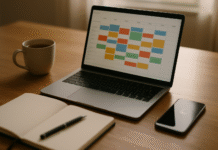
Even with fewer pings, work expands unless you defend focus time. Protecting 90–120-minute blocks—ideally two per day—helps teams make progress on cognitively heavy tasks during office hours, so less spills into nights. Use shared calendars to set meeting-free windows (e.g., 09:30–11:30 Tue–Thu) and teach people to schedule around them. Pair this with notification schedules so focus blocks are genuinely quiet. If you use Microsoft 365, Viva/Insights can suggest focus time; in Google Workspace, create recurring events such as “Focus—no Slack/Email.”
Quick setup
- Team agreement: two focus blocks daily per person on average; treat them like meetings with yourself.
- Calendar rules: no recurring meetings in focus windows; require justification for exceptions.
- Scheduling links: offer slots outside focus windows to steer booking behavior.
- Meeting hygiene: default 25/50-minute lengths; auto-record and summarize for absentees.
Why it matters
Late-night work has risen in many organizations, reflecting daytime fragmentation. Microsoft’s Work Trend Index research tracks after-hours signals globally, and recent reporting points to increased late-evening meetings and messages. Protecting focus time reduces the need to “catch up” after hours and aligns with well-being guidance from WHO, which emphasizes organizational interventions (like adjusting workloads and schedules) over pushing only individual coping tactics.
Mini-checklist
- Color-code focus events; mark as “busy.”
- Turn on DND and silence badges during focus.
- Batch email before/after focus windows.
- Review meeting load monthly; cut the bottom 10% by value.
Focus time isn’t a luxury—it’s how teams finish work during work, keeping evenings free.
5. Build a small on-call rota and an escalation ladder for true emergencies
Balance fails if everything can be called “urgent.” The fix is a minimal on-call rota (only the people who must be reachable) and a clear escalation ladder. Define emergencies concretely—customer-facing outages above a severity threshold, security incidents, safety risks—and route them through a single channel (e.g., incident hotline or PagerDuty). Everyone else stays protected by the email curfew and DND schedule. Document compensation (time-in-lieu or stipend), backup coverage, and how to hand over cleanly at the end of a shift. For distributed teams, overlap handoffs, not people’s off-hours.
Design template
- Coverage: one primary, one secondary; 1-week rotations; cap at 1 in 4 weeks per person.
- Channel: one hotline/on-call tool; no ad-hoc texting.
- Trigger: explicit severity definitions; customer-impact thresholds.
- Acknowledgement: 5–10 minutes for P1, 30 minutes for P2 during rota hours.
- Debrief: short post-incident review; tag false emergencies and refine triggers.
Alignment with standards
WHO’s 2022 guidelines and ISO 45003 emphasize organizational controls to manage psychosocial risk—clarity, manageable demands, and recovery time. A small, fairly compensated rota preserves recovery for most employees while still protecting customers and safety. In jurisdictions with “right to disconnect” expectations, a narrow, documented emergency path also shows reasonableness.
Close the loop by publishing the weekly rota in Slack/Teams and your help desk, so people know whom to contact during off-hours without pinging the whole team.
6. Make time-zone-aware norms the default for global teams
Global teams can unintentionally trample each other’s evenings. Build time-zone-aware norms so collaboration is fast and respectful. First, define a team “golden overlap” (e.g., 2 hours that work for all). Second, require delay send for out-of-zone recipients by default, and discourage @mentions during their off-hours. Third, write a “slow-work protocol”: if you send a non-urgent message outside someone’s core hours, explicitly state “for tomorrow.” Finally, rotate awkward meeting times quarterly so the same region isn’t always inconvenienced.
Practical moves
- Add a timezone field in profiles; display local time in directory apps.
- Slack/Teams: pin a chart with everyone’s core hours; link to your Charter.
- Email: set a rule to suggest schedule send when recipients are outside their hours (supported in Outlook; cultural norm elsewhere).
- Project plans: include async milestones, docs-first updates, and weekly demos for visibility.
Region notes (legal & cultural)
As of August 2025, some jurisdictions restrict employer contact outside working hours or require policies (e.g., France, Portugal, Ireland, Ontario). If your headquarters sits in a stricter jurisdiction, consider applying those protections globally for simplicity and equity—even if not legally required elsewhere. Also, certain countries expect Friday/Sunday adjustments; respect local weekends and holidays in your scheduling norms.
Time-zone etiquette is a multiplier: you’ll feel the benefits immediately in lower interruption stress and fewer weekend surprises.
7. Train managers to model boundaries and send better signals
Tools and policies fail if leaders undermine them. Train managers to model boundaries: avoid routine after-hours pings, use send-later, add “no action until working hours,” and praise visible boundary-keeping (e.g., declining a late meeting that can wait). Coach them to plan work so deadlines don’t routinely fall at night or on weekends. Include role-play for triaging “urgent” requests, negotiating response times, and using escalation paths appropriately. Add a module on identifying psychosocial risks and signposting support resources.
Manager habits that change culture
- Schedule send by default for late drafts; avoid @mentions after hours.
- Start 1:1s by asking what’s getting in the way of focus and what norms need tuning.
- When weekend work is truly needed, compensate and document the exception.
- Publicly thank people for not responding at night; normalize next-day replies.
- Proactively reduce meeting load; share agendas and async updates.
Evidence & guidance
WHO’s workplace mental health guidance specifically recommends manager training and organizational changes to reduce risk. Microsoft’s Work Trend Index and similar analyses show the cost of “always-on” patterns—late-night meetings and weekend email correlate with burnout risk. Teaching managers to counter those patterns is preventative, not punitive.
Managers are message amplifiers; when they model balance, teams follow quickly.
8. Measure after-hours activity and iterate your policy quarterly
What gets measured improves. Track after-hours messages, meetings, and incidents; survey people about sleep, stress, and responsiveness; and check compliance with your Charter. Many tools offer analytics—Slack/Teams usage reports, email send-time data, and well-being dashboards. Pair quantitative signals with qualitative pulse surveys. Review the data quarterly with leads and HR, then update your Charter, DND defaults, and training as needed. Include a compliance watch for evolving laws (e.g., France’s and Portugal’s restrictions, Ireland’s Code, Ontario’s written-policy requirement) and align your internal rules accordingly.
Metrics that matter
- % messages/meetings outside local core hours (target: trend down).
- Average response times by channel during business hours (target: predictable).
- % employees with DND schedules active and focus blocks on calendar.
- On-call load fairness (no one above 1 in 4 weeks routinely).
- Policy exceptions logged and closed with end dates.
Numbers & guardrails
Use simple thresholds: if >10% of messages land after hours for two consecutive months, trigger a retrospective. If late-night meetings rise by 15% quarter-over-quarter, trim meeting load and strengthen focus rules. Keep a short “policy change log” so people see improvements and intent.
Measurement turns balance from a slogan into a system—and keeps you honest as your work and laws evolve.
FAQs
1) What exactly is an “email curfew,” and how strict should it be?
An email curfew is a defined window (e.g., 7 p.m.–7 a.m.) when routine emails shouldn’t be sent or expected to be read. It’s enforced culturally and via tools (send-later, DND) rather than policing. Exceptions should be narrow—incidents, time-critical bids—and logged with end dates. The point isn’t to delay service; it’s to shift non-urgent messages into working hours so replies are faster and clearer.
2) Will slowing emails hurt customers or revenue?
Handled properly, no. You’re moving non-urgent messages into business hours while preserving true urgency via an on-call rota. Daytime responsiveness typically improves because people aren’t context-switching at night and arrive fresher. Publish clear escalation paths for urgent cases and review customer SLAs to ensure alignment.
3) How do we balance this with global time zones?
Define a golden overlap, rotate awkward meeting times quarterly, and make send-later the default for out-of-zone recipients. Encourage “slow work” protocols: if you draft at 10 p.m. your time, schedule delivery for 9 a.m. their time with “for tomorrow” in the body. Display local times in profiles and pin core hours on team channels to reduce accidental wake-ups.
4) What if my manager keeps messaging after hours?
Use gentle friction: enable DND, delay your replies until business hours, and add an email signature line noting your working hours. Share your Connectivity Charter and ask to route urgent cases through the on-call path. If patterns persist, raise it in 1:1s with examples and propose specific norms (e.g., “Could we schedule send late drafts for the morning?”). Escalate via HR only if needed.
5) Is send-later deceptive if I’m working at night?
No—it’s respectful. Send-later lets you work when it suits you without imposing your schedule on others. Include a footer like “Scheduled to arrive during your working hours.” If you routinely work nights, discuss rebalancing load or shifting hours; the goal is sustainable performance, not hiding.
6) How do we protect ops/support teams that genuinely need off-hours coverage?
Keep the group small with fair rotations, clear severity triggers, and time-in-lieu or stipends. Use a single incident channel, avoid group texts, and require brief post-incident reviews to refine triggers. Publish the weekly rota visibly so only the on-call person is contacted.
7) Are there legal requirements we should know about?
Jurisdictions vary. France and Portugal restrict employer contact outside working hours; Ireland has a national Code of Practice; Ontario (Canada) requires a written disconnecting-from-work policy for larger employers. Even where no law applies, regulators and health bodies expect employers to manage psychosocial risks and allow recovery time. Get local legal advice when formalizing policies.
8) What’s a reasonable set of response-time bands?
Example starting point: chat (within 4 business hours), email (within 1 business day), tickets (per SLA), and incident channels (immediate acknowledgement by the on-call during rota hours). Adjust by team and customer promises. Publish the bands in your Charter and project plans so stakeholders share the same expectations.
9) How do we start without a big change program?
Pilot on one team for two weeks: adopt an email curfew, set DND defaults, add three email windows, protect two daily focus blocks, and define a tiny on-call rota. Share the before/after metrics (late messages, meeting load, perceived stress) and scale what works. Small, visible wins build momentum.
10) How do we measure success beyond fewer late pings?
Track after-hours messages, meeting counts, and response times; run quarterly pulse surveys on focus and stress; and observe incident volume and customer satisfaction. Success looks like stable or better service levels, fewer after-hours signals, and higher reported energy and focus during the day.
Conclusion
Balancing connectivity and downtime isn’t about being less responsive—it’s about being responsive on purpose. When you codify norms in a Connectivity Charter, enforce notification schedules, batch email with send-later, protect focus time, and reserve on-call duty for true emergencies, you shift from an “always-on” scramble to a dependable cadence. Global teams get clearer handoffs, managers send healthier signals, and customers experience faster, higher-quality responses during business hours. The data and policy direction are clear: after-hours work has crept up, while regulators and health bodies nudge employers toward structured recovery time. Pick one or two strategies to pilot this month, measure what changes, and iterate quarterly. You’ll see fewer late-night pings, better daytime focus, and a team that lasts.
Take the first step today: draft your one-page Connectivity Charter and switch on DND defaults for everyone.
References
- France: Right to Disconnect Takes Effect, Library of Congress, Jan 13, 2017. https://www.loc.gov/item/global-legal-monitor/2017-01-13/france-right-to-disconnect-takes-effect/
- Code of Practice for Employers and Employees on the Right to Disconnect, Workplace Relations Commission (Ireland), Apr 1, 2021. https://www.workplacerelations.ie/en/what_you_should_know/codes_practice/code-of-practice-for-employers-and-employees-on-the-right-to-disconnect.pdf
- Written policy on disconnecting from work, Government of Ontario (Employment Standards Act Guide), current guidance, accessed Aug 2025. https://www.ontario.ca/document/your-guide-employment-standards-act-0/written-policy-disconnecting-from-work
- Portugal: Employers prohibited from contacting employees after hours, Mercer Law & Policy Insight, Nov 29, 2021. https://www.mercer.com/insights/law-and-policy/portugal-employers-prohibited-from-contacting-employees-after-hours/
- Portugal – The Right to Disconnect: Q&A, Mayer Brown, Mar 2025. https://www.mayerbrown.com/en/insights/publications/2025/03/portugal-the-right-to-disconnect-qa
- Work Trend Index 2024 (Microsoft and LinkedIn), Microsoft News Center, May 2024. https://news.microsoft.com/annual-wti-2024/
- Late-night work logins are on the rise, Microsoft finds, Business Insider, Jun 2025. https://www.businessinsider.com/late-night-work-logins-email-meetings-after-hours-microsoft-survey-2025-6
- Pause notifications with Do Not Disturb, Slack Help Center, accessed Aug 2025. https://slack.com/help/articles/214908388-Pause-notifications-with-Do-Not-Disturb
- Set default Do Not Disturb hours, Slack Help Center, accessed Aug 2025. https://slack.com/help/articles/214888418-Set-default-Do-Not-Disturb-hours
- Quiet time in Microsoft Teams for mobile devices, Microsoft Support, accessed Aug 2025. https://support.microsoft.com/en-us/office/quiet-time-in-microsoft-teams-for-mobile-devices-174c4d2d-c7c1-4228-80a7-031c14f9bcf2
- Schedule emails to send (Gmail), Google Support, accessed Aug 2025. https://support.google.com/mail/answer/9214606
- Schedule send in Outlook, Microsoft Support, accessed Aug 2025. https://support.microsoft.com/en-us/topic/schedule-send-in-outlook-0b0c0c20-8fa1-44b9-b5bc-57f160046639
- Checking Email Less Frequently Reduces Stress, Computers in Human Behavior (Kushlev & Dunn), 2015. https://dunn.psych.ubc.ca/wp-content/uploads/2010/11/kushlev-dunn-email-and-stress-in-press1.pdf
- WHO Guidelines on Mental Health at Work, World Health Organization, Sep 28, 2022. https://www.who.int/publications/i/item/9789240053052