


























If your attention feels shredded by endless scrolls, you’re not alone. In practical terms, “mindfulness in a digital age” means noticing the impulse to check social media, pausing long enough to choose a better response, and using tools that align your time with your values. In this guide, you’ll learn 12 evidence-informed techniques that combine classic mindfulness skills with modern phone settings so you can keep the benefits of social media without losing your day to distractions. Whether you’re a student, a creator, a parent, or simply trying to protect your focus at work, these methods will help you resist doomscrolling and reclaim sustained attention. Quick answer: to resist social media distraction, insert a mindful pause before each check, strip away interruptions (notifications and easy access), set time-boxed windows for intentional use, and close the loop with sleep-friendly routines. This article shares educational information only and is not medical advice.
Fast-start steps (30 seconds):
• Pause–Notice–Choose: exhale, name the urge (“checking out of boredom”), choose your next best action.
• Turn on a Focus/Do Not Disturb mode for one hour.
• Move social apps off your home screen and set a 20–30-minute app limit for tonight.
1. The 60-Second Breath Check Before You Scroll
The fastest way to apply mindfulness to social media temptation is to breathe on purpose before you tap. Start by answering the urge directly: pause for 60 seconds, notice your body and your breath, and then choose whether you still want to open the app. This micro-practice interrupts the autopilot reflex that turns “I’ll just check one thing” into 20 minutes of lost time. Brief mindfulness training has been shown to reduce mind wandering and improve working memory and reading comprehension, which is exactly the kind of cognitive capacity that constant notifications erode (and what you want to protect when you’re about to scroll). A single minute won’t transform your brain overnight, but it reliably creates a gap between trigger and action—a core skill for resisting distractions in any medium.
1.1 Why it matters
Mind wandering and fragmented attention are costly for complex tasks. Lab studies have found that mindfulness training can improve focus and reduce distracting thoughts that derail performance, suggesting that even short moments of deliberate attention can change how you engage with an urge to check feeds. When the phone is nearby, your brain is primed to react; a breath check gives your executive control a head start.
1.2 How to do it (mini-checklist)
- Exhale first. Long exhales cue the parasympathetic nervous system.
- Count to four on the inhale, six on the exhale (or box breathing 4-4-4-4) for ~60 seconds.
- Label the urge (“bored,” “stuck,” “seeking novelty”).
- Ask one question: What would help most right now—scrolling, or a 5-minute walk/message to a friend/finishing this paragraph?
- Decide on purpose. Open the app intentionally—or don’t.
Synthesis: A deliberate breath breaks the reflex loop, giving you just enough space to choose a better use of your attention.
2. If–Then Plans That Defuse Triggers (Implementation Intentions)
The most dependable way to make a different choice when a cue appears is to plan exactly what you’ll do in that moment. Write one or two If–Then plans for your biggest triggers (e.g., If I’m stuck in a queue, then I’ll read three saved article highlights before any social app). The evidence is robust: implementation intentions—specific “If X, then I will Y” plans—significantly increase the chance you’ll follow through on your goals because the cue automatically activates the planned response. In a digital context, triggers are everywhere: a break between meetings, a bored moment, an uncomfortable task. Converting those into decision points with pre-selected behaviors removes the mental negotiation that leads to doomscrolling.
2.1 How to do it
- List your top 3 triggers. (Boredom at 3 p.m., post-email slump, bed at 11 p.m.)
- Write precise plans. “If I finish an email thread, then I’ll stand, stretch, and set a 25-minute focus timer—no feeds until it rings.”
- Add friction. “If I reach for Instagram on desktop, then I’ll open my writing doc first and add one sentence.”
- Post them visibly. Put a sticky note near your keyboard or as your lock-screen.
2.2 Numbers & guardrails
- Aim for 1–3 plans; too many becomes noise.
- Use cue clarity (time, place, situation) over vague rules (“use the phone less”).
Synthesis: If–Then plans turn moments of weakness into autopilot wins, letting you choose attention by design, not by willpower.
3. Urge Surfing: Name It, Feel It, Let It Pass
When the itch to check a feed spikes, fighting it can backfire. Instead, “urge surf”: notice the urge as a wave in your body, ride it with your breath, and let it crest and fade without acting. This mindfulness skill comes from relapse-prevention research and works for digital cravings too. The idea is simple: urges are time-limited. If you can tolerate 60–180 seconds without responding, intensity usually falls—and so does the compulsion to scroll. This isn’t suppression; it’s acceptance with awareness.
3.1 How to do it
- Locate the urge. Tight chest? Restless hands?
- Breathe into the sensation. Imagine the breath flowing through the area.
- Silently label what’s present: “restless,” “anticipation,” “FOMO.”
- Track the waveform. Rate intensity 0–10 every 15 seconds; notice it changing.
- Choose after the wave. When intensity drops below 3/10, pick your next step.
3.2 Common mistakes
- White-knuckling. That’s resisting, not observing.
- Thought spirals. When thoughts spin, return to the raw body sensations.
- No closure. Close each wave with a small win: one line written, one dish washed.
Synthesis: Urge surfing converts “I must check now” into “I feel an urge that’s passing,” restoring choice where habit used to live.
4. Notification Hygiene & Batch-Checking Windows
If mindfulness is steering, notifications are potholes. The research is clear: alerts increase inattention and hyperactivity-like symptoms, and even the presence of a phone can drain cognitive capacity. The fix is structural—silence most notifications and check messages in scheduled windows. You’ll still see what matters, but on your timing, not the app’s. On iOS, set a Focus (Do Not Disturb/Work) and allow only priority contacts and tools; on Android, use Digital Wellbeing’s Focus mode to pause distracting apps and silence their alerts. As of August 2025, both platforms let you schedule these modes and create context-specific profiles (work, study, family time).
4.1 Mini-checklist
- Audit your last week’s top interrupters (Settings → Screen Time/Digital Wellbeing → Notifications report).
- Turn off badges and previews for social apps.
- Create 2–3 batch windows (e.g., 10:30, 14:30, 19:00) for feeds/messages.
- Use Focus/Do Not Disturb during deep work or family time.
- Add an exit rule: after a check window, put the phone out of sight.
4.2 Tools/Examples
- iOS: Focus and Screen Time app limits.
- Android: Focus mode, App timers, Bedtime mode.
Synthesis: Fewer alerts and predictable checks turn your phone from a slot machine into a mailbox you open on purpose.
5. Make Your Phone Boring: Grayscale & Icon De-Saturation
Color and motion capture attention; grayscale removes a lot of that pull. Switching your screen to grayscale and hiding colorful app icons from the home screen reduces the visual salience of feeds and breaks the “shiny object” loop that keeps you tapping. This is not a medical intervention or a magic bullet; it’s behavioral design. By making your phone less rewarding to look at, you give mindful choices quieter conditions to succeed. Pair grayscale with a Focus mode and you’ll feel the difference most during idle moments—when the hand reaches out of habit, the lack of color and absent icons gently say, “Not now.”
5.1 How to do it
- Enable grayscale (Bedtime/Wind Down on Android or Accessibility → Display Filters on iOS).
- Move social apps to a folder on the last screen; use search to open them.
- Disable icon badges and dock only your genuinely helpful tools.
5.2 Mini case
- A product manager sets grayscale from 8 p.m.–7 a.m. and moves all feeds to a hidden folder. Within two weeks, late-night pickups drop because the phone no longer “rewards” micro-checks.
Synthesis: Reducing visual cues lowers the urge intensity so your mindful pause can actually win.
6. Home-Screen Friction: Design for Your Future Self
Most doomscrolling starts on the home screen. Create an environment where your future, focused self is more likely to win by adding friction to distractions and removing friction from priorities. Mindfulness isn’t only a meditation; it’s the recognition that context shapes behavior. Put your top value-aligned actions (read later, notes, camera, health app) up front. Bury feeds, autoplay video apps, and shopping. This way, when autopilot takes over, it “accidentally” opens a beneficial app—nudging you back to intention.
6.1 How to do it (5–minute redesign)
- Screen 1: calendar, to-do, notes, timer, camera, maps, music, health.
- Dock: phone, messages (muted), focus timer, reading app.
- Screen 2: utilities and rare essentials.
- Last screen/folder: all social feeds.
- Search to open social (adds a 2–3 second mindful pause).
6.2 Common pitfalls
- Too many “productivity” apps become their own distraction. Keep it lean.
- Leaving badges on recreates the very triggers you removed.
Synthesis: When your environment defaults to your priorities, mindfulness is a lot easier to practice in real time.
7. Hard Edges: App Limits & Lockouts (Use the Tools You Already Have)
Set daily limits for social apps and hold the line. On iOS, use Screen Time to cap specific apps or categories; on Android, use App timers in Digital Wellbeing. These features don’t shame you—they enforce the boundaries you decided while calm. Pair limits with Focus (iOS) or Focus mode (Android) for meetings and deep-work blocks; schedule them so you don’t have to remember. As of August 2025, both ecosystems support schedule-based activation and per-app exceptions, so you can keep work chat available while locking down reels and shorts.
7.1 How to do it
- Pick your cap (e.g., 30 minutes/day total for social).
- Set per-app timers that add to your cap (e.g., 10 min Instagram, 10 min TikTok, 10 min X).
- Require a passcode (iOS) or pause app (Android) after the limit hits.
- Schedule Focus for work blocks and study sessions.
7.2 Numbers & guardrails
- A randomized study found ~30 minutes/day of social media use was associated with improved well-being compared to unrestricted use over several weeks. Use this as a starting point, then adjust.
Synthesis: Limits and lockouts make your mindful intentions operational, so the rule holds when your willpower wanes.
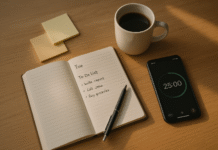
8. Single-Task Sprints with Mindful Micro-Breaks (Pomodoro-Style)
Multitasking with feeds open is an attention tax. Work in 25–50 minute single-task sprints, then take mindful micro-breaks to reset. Research on interruptions shows they increase speed and stress while lowering quality; switching costs are real, especially with a phone near you. The Pomodoro approach works because it sets clear start/stop boundaries and gives your brain a guaranteed break, reducing the fear of missing out. During sprints: Focus mode on, phone in another room. During breaks: breathe, stretch, or step outside—not scroll.
8.1 How to do it
- Define one target per sprint (“Draft 200 words,” “Finish 10 slides”).
- Set 25–50 minutes on a plain timer.
- Remove the phone from the desk; close feeds on desktop.
- Break 5–10 minutes. Do a 60-second breath check, quick stretch, sip water.
- Repeat 3–4 times, then take a longer break.
8.2 Tools/Examples
- Basic timers work best; specialized apps (Forest, Focus To-Do) add light gamification.
- On iOS/Android: schedule Focus mode for sprint blocks.
Synthesis: Single-tasking protects depth; mindful breaks prevent rebound scrolling and keep your energy steady.
9. Mindful Feed Curation: Follow with Intent, Mute with Mercy
Your attention reflects your inputs. Curate your feeds so they align with your goals, not the platform’s engagement objectives. Unfollow accounts that trigger comparison, outrage, or doomscrolling. Mute liberally—topics, keywords, or entire accounts—without drama. Add creators who teach, uplift, or connect you meaningfully. From a mindfulness perspective, this is stimulus control: reduce cues that hijack attention, increase cues that reinforce values. You’ll still see plenty, just less of what derails you.
9.1 How to do it (quarterly audit)
- List 3 feelings you want more of (inspired, informed, connected).
- Unfollow 20 accounts that consistently produce the opposite.
- Subscribe to 5 long-form sources (newsletters, journals) that reward focus.
- Use platform mutes for keywords you’re avoiding this month.
- Save to read-later instead of opening links immediately.
9.2 Mini case
- A designer replaces “rage follow” accounts with a few domain mentors and a community forum. Within a month, social time drops but satisfaction rises; the urge to check during work declines because the feed no longer promises an emotional spike.
Synthesis: You can’t control the algorithm, but you can control your inputs. Curation is mindfulness at the source.
10. Time-Boxed Social Windows (10–30 Minutes) Backed by Evidence
Decide when you’ll scroll—and when you won’t. Instead of scattered micro-checks, batch social time into 10–30 minute windows once or twice a day. This is where mindfulness meets data: experimental work has shown that limiting total social media use to roughly 30 minutes per day can reduce loneliness and depressive symptoms compared to unrestricted use. Time-boxing makes content consumption a conscious activity, not a reflex.
10.1 How to do it
- Pick 1–2 windows (e.g., commute home, after dinner).
- Set a visible timer; stop when it rings.
- Use a “one post in, one post out” rule: for every post consumed, comment thoughtfully or send one supportive message.
- Close with a breath and a quick journal line: Was that time well spent?
10.2 Numbers & guardrails
- Start at 30 minutes/day across platforms; adjust after two weeks.
- Avoid windows within 60–90 minutes of bedtime (protect sleep and next-day focus).
Synthesis: Time-boxing transforms feeds from an endless background process into a bounded activity you choose.
11. Social Accountability & Commitment Devices
Attention management is easier with allies. Create light accountability by sharing your intention with a friend or team, or use a commitment device (a small stake or promise that locks in your plan). Publicly stated intentions and pre-commitments are classic behavior-change tools because they reduce the intention–behavior gap; the cue arrives and the easiest path is the one you already set. Pair this with mindfulness check-ins (“How did you feel before and after your window?”) to make the change stick.
11.1 Options
- Buddy system: daily check-ins via message—“Focus mode on 10–12; socials 19:30–20:00.”
- Commitment contract: tiny stakes for breaking your rule (donation, chores).
- Team norms: meeting blocks are phone-free by default; recap at the end.
11.2 Mini checklist
- Keep stakes small but real; the point is a nudge, not punishment.
- Track mood before/after social windows for two weeks; adjust limits based on data, not guilt.
Synthesis: When your plan lives outside your head, your present-moment choices automatically align with it.
12. Night-Mode Ritual & Phone Parking for Better Sleep (and Stronger Willpower Tomorrow)
Late-night scrolling wrecks sleep and willpower. Protect the last 60–90 minutes before bed by enabling Bedtime mode/Night mode, parking your phone away from the bed, and picking one analog wind-down activity. Experimental research shows that evening use of light-emitting screens can delay circadian timing, suppress melatonin, and reduce next-morning alertness; that’s a direct hit to your ability to focus and resist urges the next day. Mindfulness here is preventative: design bedtime so temptation doesn’t arise.
12.1 How to do it
- Schedule Bedtime mode (grayscale + Do Not Disturb) nightly.
- Park the phone to charge outside the bedroom or across the room.
- Replace with a cue: a book, journal, or stretch routine on the nightstand.
- Use a sunrise alarm to avoid grabbing the phone first thing.
12.2 Common pitfalls
- “Just one more video.” Solve with an app lock at 9:30 p.m.
- Using the phone as an alarm. Buy a $10 analog alarm.
Synthesis: A boring, phone-free hour before bed makes tomorrow’s mindfulness much easier.
FAQs
1) What does “mindfulness in a digital age” actually mean?
It means noticing digital urges and external cues (notifications, boredom, habit loops), pausing long enough to choose your next step, and configuring your devices to support that choice. In practice: brief breathing, labeling urges, curated feeds, batch checks, and time-boxed windows. You keep social media, but you set the terms of engagement.
2) Do I have to meditate every day for this to work?
No. Meditation helps, but the core is moment-to-moment awareness plus environment design. One minute of deliberate breathing before opening an app, combined with Focus modes and app limits, often outperforms sporadic long meditations because it meets the habit at the trigger.
3) Isn’t social media my social life—won’t limits make me miss out?
Time-boxing preserves what you value (connection, news) while cutting the filler. You’ll still catch messages during scheduled windows. Many people report higher satisfaction when they batch engagement intentionally because it reduces mindless, anxiety-driven checking and increases meaningful replies or posts.
4) How many notifications should I keep?
Keep the few that protect your responsibilities (calendar, calls from family/clients) and silence the rest. Research shows notifications themselves increase inattention; better to check on your terms in 2–3 windows than to be pinged all day.
5) What’s a realistic daily cap for social media?
Use ~30 minutes/day as a starting point and adjust. One randomized experiment found well-being improvements when participants limited total social media to about 30 minutes per day over several weeks. Your ideal number depends on your role; creators may need more but can still batch and cap.
6) Does grayscale really help?
Grayscale isn’t magic, but it removes color rewards that grab your attention. Think of it as friction that makes the mindful pause easier. Combine it with moving social apps off the home screen and turning off badges for best effect.
7) How do I keep this from collapsing during busy weeks?
Automate the structure. Schedule Focus/Do Not Disturb by default for work blocks, set app timers that require a passcode to override, and stash the phone away from your desk. Add a buddy check-in if you’re prone to skipping limits when stressed.
8) What if I “need” to be online all day for work?
You can still separate channels and contexts. Keep work chat and project tools open; lock down feeds and short-video apps. Use custom Focus profiles for “Work” (allowed apps only) and “Break.” You’re not avoiding the internet—you’re avoiding algorithmic infinite scroll during focus time.
9) Will these changes hurt my creativity or sense of connection?
Most people find the opposite: fewer interruptions mean deeper thinking, and curated, intentional windows improve the quality of interactions. Try a two-week experiment tracking mood and output; adjust limits if you notice downsides.
10) Is this safe for teens?
The principles (batch checks, bedtime protection, silenced alerts) are generally wise, but teens have different needs. Use parental features with transparency and consent, involve teens in setting the rules, and prioritize sleep. For mental-health concerns, speak with a qualified professional.
11) What’s the minimum I can do and still see benefits?
Adopt the Core Four: 60-second breath before any app, Focus mode for deep work, social windows (two per day), and phone parking 60 minutes before bed. For many, this alone cuts mindless scrolling by half within two weeks.
12) How do I measure progress without obsessing over screen-time numbers?
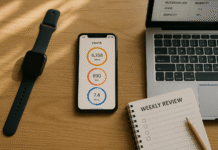
Track inputs and outcomes: number of alerts per day, number of batch windows you kept, and ratings of focus/energy (0–10). Review weekly. You’re aiming for a phone that supports your values—not a specific number.
Conclusion
Your attention is a finite resource, and social platforms are designed to harvest it. Mindfulness in a digital age does not require deleting every app; it asks you to pause, notice, and choose, then back those choices with smart defaults. You just learned 12 practical ways to do exactly that. Start with the 60-second breath and one If–Then plan for your biggest trigger. Strip away unnecessary notifications and set a Focus schedule. Time-box your social windows and park the phone before bed. As you practice, add feed curation and app limits, then layer accountability if you need it. The result is a quieter mind, steadier energy, and a phone that works for you—not the other way around. Ready to start? Pick one technique from this list and put it in place for the next seven days.
References
- Mindfulness Training Improves Working Memory Capacity and GRE Performance While Reducing Mind Wandering. Psychological Science (SAGE), 2013. SAGE Journals
- No More FOMO? Limiting Social Media Decreases Loneliness and Depression. Journal of Social and Clinical Psychology (Guilford), 2018. guilfordjournals.com
- “Silence Your Phones”: Smartphone Notifications Increase Inattention and Hyperactivity Symptoms. Proceedings of CHI (ACM), 2016. ACM Digital Library
- Brain Drain: The Mere Presence of One’s Own Smartphone Reduces Available Cognitive Capacity. Journal of the Association for Consumer Research (University of Chicago Press), 2017. Chicago Journals
- Evening Use of Light-Emitting eReaders Negatively Affects Sleep, Circadian Timing, and Next-Morning Alertness. Proceedings of the National Academy of Sciences (PNAS), 2015. PNAS
- Mindfulness. American Psychological Association—Topic Page, updated 2019. American Psychological Association
- Use Screen Time on Your iPhone or iPad. Apple Support, May 13, 2025. Apple Support
- Set Up a Focus on iPhone. Apple Support, 2024. Apple Support
- Manage How You Spend Time on Your Android Phone with Digital Wellbeing. Google Support, 2025. Google Help
- Digital Wellbeing (Overview). Android.com, 2025. Android
- The Cost of Interrupted Work: More Speed and Stress. CHI Proceedings (PDF), 2008. UCI Bren School of ICS
- Mindfulness and Behavior Change. Psychiatric Clinics of North America (PMC), 2020. pmc.ncbi.nlm.nih.gov