

























Most of us want to stay connected without oversharing. This guide gives you 12 practical rules to decide what personal information to post (and what to keep private) on social media. You’ll learn how to lock down accounts, choose safe audience settings, handle photos and locations, protect kids’ privacy, and manage ad tracking and data brokers. Quick answer: share the minimum necessary for your goal; prefer private audiences; remove location from photos; and turn on strong account security. (Informational only—this is not legal advice; local laws and platform features change.)
Fast-start checklist:
- Turn on MFA/2FA or passkeys; use a password manager.
- Set profiles/posts to “friends/close friends” by default.
- Strip location data before sharing photos.
- Review off-platform tracking and ad preferences.
- Audit old posts; delete or archive what no longer serves you.
1. Decide your “non-shareables” first (use data minimisation as your rule of thumb)
Start by drawing bright lines. Your “non-shareables” are items you’ll never post: full home address, exact daily routine, passport/ID images, full birthdate (day+month+year), children’s school details, personal phone number, recovery emails, and financial or health info. The easiest way to pick these lines is to borrow the data minimisation idea from modern privacy law: collect/share the minimum data necessary for your purpose—no more. If your goal is to celebrate a birthday, a cake photo with “turning 30!” reveals less than a date of birth; if you’re announcing a job, a title and city is safer than a full office address. Treat every post like a tiny data release and ask, “What is the least identifying way to say this and still get the benefit?” This mindset scales to bios, captions, alt text, and even comments you leave on others’ posts.
1.1 Why it matters
- Identity risks increase when full DOB, address, and phone number are public together.
- Minimising what you post reduces what data brokers, scrapers, and strangers can compile.
- It lowers collateral risk for family members who never opted in to your online life.
- It makes future “cleanup” far easier when jobs, relationships, or locations change.
1.2 Mini-checklist
- Replace specifics with ranges (“late 20s,” “Karachi area,” “works in fintech”).
- Crop badges/tickets; blur barcodes and kid’s uniforms before posting.
- Use initials or nicknames when tagging family members.
- Keep recovery email/phone out of bios.
Bottom line: share the minimum needed to achieve your post’s purpose. That’s the essence of data minimisation.
2. Lock down the account: unique passwords + MFA (ideally phishing-resistant)
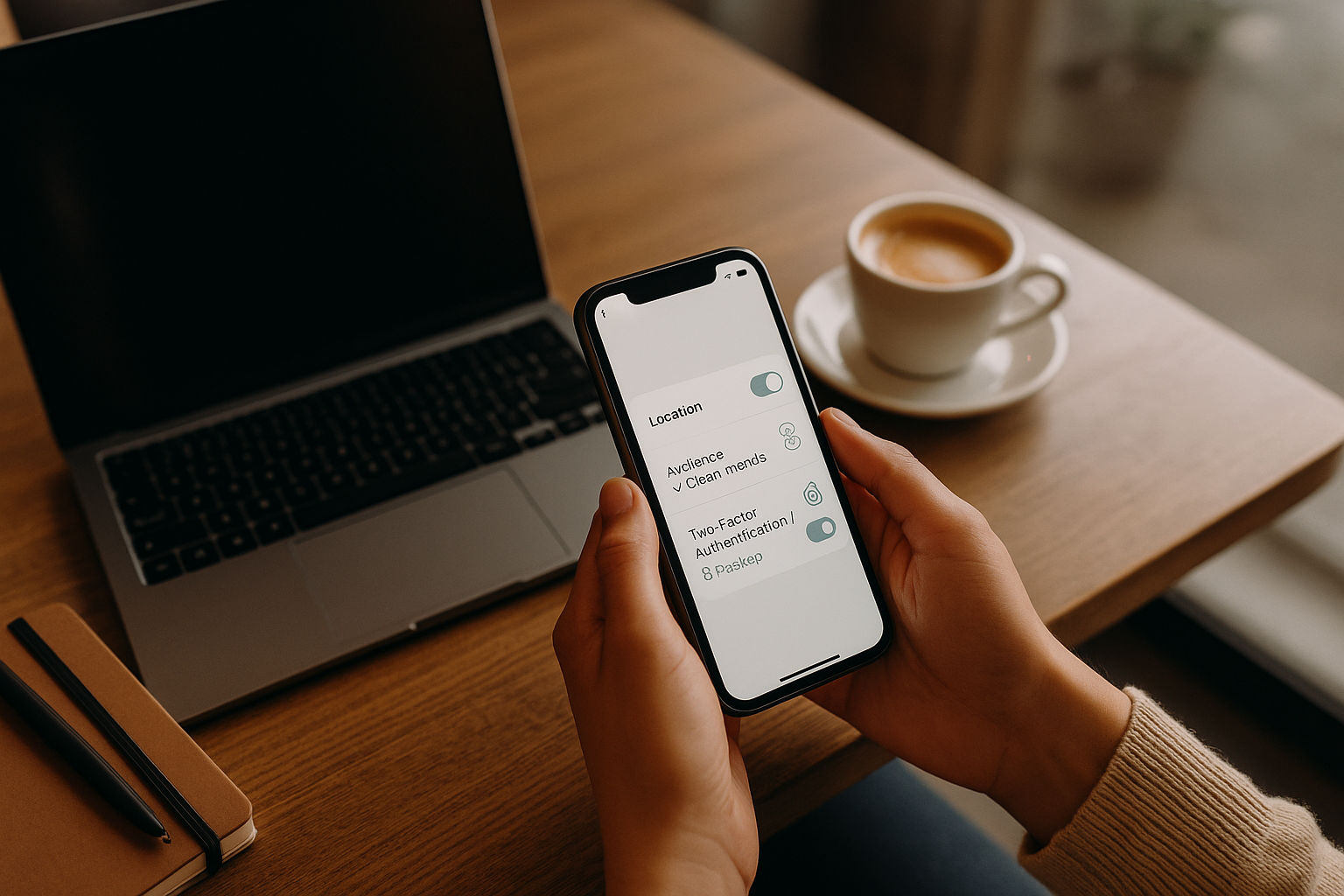
Protecting what you share starts with protecting the account that shares it. Use a unique, long password and turn on multi-factor authentication (MFA) for every social app. If the platform offers passkeys or security keys (FIDO/WebAuthn), enable them—they resist phishing better than SMS codes. Think of MFA as a seatbelt: it doesn’t prevent every crash, but it dramatically reduces harm when a password leaks. Many compromises happen through reused passwords from unrelated breaches, so pair MFA with a reputable password manager to generate and store unique credentials. Regularly review login alerts, recovery options, and where your sessions are active; sign out of devices you no longer use.
2.1 How to do it
- Turn on MFA in Security or Password & Security in each app. Prefer authenticator apps or security keys over SMS when possible.
- Enable passkeys if supported. They’re “phishing-resistant” and remove passwords entirely for many services.
- Store recovery codes securely (password manager secure notes).
- Review active sessions and devices quarterly.
2.2 Numbers & guardrails (as of Aug 2025)
- CISA emphasises MFA as a top control, noting stronger options (authenticator apps and FIDO keys) are harder to bypass than SMS alone.
Bottom line: Unique password + MFA/passkeys turns your account from easy target to hard target. CISA
3. Default to private audiences and smaller circles
A simple privacy win is to make private your default. Set profiles to private where available, and share sensitive posts only with “close friends,” “restricted lists,” or equivalent controls. Public posts can be indexed, scraped, and reshared out of context. Private isn’t perfect—screenshots exist—but it significantly reduces exposure and casual data mining. Revisit who can find your profile via email/phone search. For professional networking, keep the tone public-appropriate and minimise personal details (home city is enough; skip street names).
3.1 Practical steps
- Set profile visibility to private (or limit to connections/friends).
- Curate friends/followers quarterly; remove unknowns.
- Turn off phone/email discoverability where possible.
- Use separate lists (close friends) for family photos and location-specific posts.
- Review commenting/tagging permissions.
Bottom line: Narrow the audience to fit the content. When in doubt, share privately.
4. Strip locations from photos and avoid real-time geotags
Images leak more than you think: home exteriors, license plates, school logos, schedules on the fridge—and embedded location metadata. Before posting, remove location info (EXIF) and avoid live location tags. Share travel photos after you return; “we were in Hunza” is safer than “we are in Hunza.” If you do share locations, keep them broad (“Northern Areas” vs. exact hotel). For kids, avoid uniform badges, school gates, and playground identifiers.
4.1 Tools/How to
- iPhone/iPad Photos: toggle Options → Location off when sharing; you can also Remove Location from a photo’s info.
- Google Photos: locations are private by default; choose whether to include them when sharing and you can remove/edit locations.
- Periodically review device Location Services settings. Apple Support
Bottom line: Share the memory, not the map. Strip geotags and post travel content on delay. Apple Support
5. Protect children’s identities and future consent
Children can’t meaningfully consent to a lifelong digital footprint. If you post about kids, default to private audiences and avoid identifying details (full names, school names, uniforms, daily locations). Consider face-blurring for group shots and ask older kids before posting. If a young person’s intimate image is shared online, act quickly—some regions offer dedicated removal tools for minors. Treat other parents’ children with the same care: never tag, name, or post close-ups without explicit permission.
5.1 Why it matters
- Images plus names and dates can enable impersonation later.
- School logos or predictable routines raise safety risks.
- Many safeguarding organisations advise caution and consent conversations.
5.2 Tools/Examples
- NSPCC (UK) guidance for photographing, sharing, and safeguarding children online.
- Report Remove (UK, for under-18s) helps get nude images taken down.
Bottom line: Kids get a say later; post today as if their future privacy depends on it—because it does. NSPCC
6. Control off-platform tracking and contact discovery
Your social profiles often ingest data from other apps and websites via pixels, SDKs, and logins. Review and limit this “off-platform activity” so browsing and purchases don’t silently feed into ads or recommendations. Likewise, turn off automatic contact uploads if you don’t want your address book used for friend suggestions, and manage who can look you up by your email or phone. Expect that some tracking may continue in aggregated form even if you disconnect it, but you can often decouple it from your account.
6.1 How to (Meta example)
- In Facebook/Accounts Center, review Your activity off Meta technologies, clear history, and consider disconnecting future activity.
- Manage activity log and archive/delete older content.
Bottom line: Reduce the data flow into your profile, not just what you post from it. Facebook
7. Post travel and time-sensitive updates with a delay
Announcing you’re away can double as announcing your home is empty. Similarly, posting your real-time commute, gym routine, or your child’s weekly class schedule creates patterns others can exploit. Share after the fact or keep it to a small, trusted list. When you do share in real time—e.g., a live event—avoid wide shots that reveal tickets, seat numbers, or entry points and turn off precise location.
7.1 Mini-checklist
- Delay “out of town” posts until you’re home.
- Use broader geo labels (“city,” not neighborhood).
- Avoid showing entry codes, wristbands, or badges.
- Blur kids’ school insignia; avoid predictable routines.
Bottom line: Treat timing as sensitive data; post on delay unless there’s a clear benefit to going live. NCSC
8. Share identity details sparingly: DOBs, workplaces, emails, and phone numbers
Fraudsters love full birthdates, mother’s maiden names, workplaces, and phone numbers because they unlock account recovery flows. Use partials (month/year) or avoid birthdays entirely. For jobs, share industry and role; skip exact office locations or ID badges. Consider alias emails for public profiles and separate emails for account recovery. Keep your main number off public pages; if you must provide a contact method, use platform DMs or a web form instead of a phone number in bio.
8.1 Mini-checklist
- Birthdays: month+cake emoji beat full DOB.
- Work: title + city, not building + badge.
- Email: alias for public contact; separate recovery email kept private.
- Phone: prefer DMs; don’t post your number.
Bottom line: Identity details fuel impersonation and account takeovers—treat them as high-risk.
9. Tame ads and data sales/sharing (and try Global Privacy Control)
Ad systems use your activity to personalise what you see. You can reduce targeting by adjusting ad preferences inside the app and by broadcasting a browser-level Global Privacy Control (GPC) signal where recognised (notably under California’s CCPA/CPRA). While GPC is region-specific, its adoption has influenced enforcement and platforms’ settings design globally. Combine in-app controls with browser choices and tracker-blocking where legal.
9.1 How to
- In Instagram/Facebook Ad preferences, choose to see fewer ad topics and limit use of off-site activity for ads. Instagram Help Center
- Enable GPC in supported browsers/extensions; covered businesses in California must treat GPC as a valid “do not sell/share” signal.
- Know your rights: CCPA/CPRA includes opt-out rights from selling/sharing data.
Bottom line: Use in-app ad controls + GPC (where recognised) to reduce tracking and targeted ads.
10. Audit third-party logins, app permissions, and connected services
It’s convenient to “Sign in with…” a social account—but it creates connections that can linger for years. Review apps and websites connected to your profiles and remove ones you no longer use. Revoke posting permissions for games, quizzes, and giveaways. If you manage communities, limit admin roles on third-party tools. For creators, use a dedicated account or sandbox environment when testing integrations.
10.1 Mini-checklist
- Quarterly: review connected apps and revoke stale ones.
- Prefer app-specific tokens over full account access.
- Avoid granting “post as you” unless essential.
- Rotate API keys; audit who has access.
Bottom line: Fewer connections = smaller attack surface and less unintended data sharing. NCSC
11. Clean your history and curate your future feed
A strong privacy posture includes pruning the past. Archive or delete posts that no longer represent you or that reveal sensitive context (e.g., old addresses, routines, or relationships). Many platforms provide an Activity Log or bulk actions to hide, delete, or limit old posts. Going forward, create a simple rule: publish to a limited audience by default; expand only when a post truly benefits from being public.
11.1 Steps
- Use the platform’s Activity Log → Manage Activity to archive or delete past posts.
- Search your name + platform; remove outdated info you control.
- Set a review cadence (e.g., every 6 months) to tidy up.
Bottom line: Yesterday’s post is today’s data leak—curate and reduce.
12. Prepare a response plan: reporting, takedowns, and identity-theft steps
If something goes wrong—a doxxing incident, a hacked account, or an intimate image shared without consent—speed matters. Know how to report violations on each platform and how to escalate. For minors, some regions offer dedicated removal processes; for identity theft, file official reports and lock down financial accounts. Keep device backups and recovery codes so you can regain access quickly after an account compromise. Laws vary by country; Pakistan, for example, addresses cyber offences under PECA 2016, while a comprehensive data protection bill remains pending as of 2025—so rely on platform tools and general security practices first, then consult local legal remedies if needed.
12.1 Mini-playbook
- Accounts compromised: change passwords, revoke sessions, and enable MFA; check email forwarding and recovery info.
- Non-consensual image (minor): use Report Remove (UK) and report to the platform immediately.
- Identity theft: document, monitor, and follow your country’s reporting processes (e.g., official consumer protection/complaint channels). FTC data show large volumes of identity-theft reports annually—underscoring the need to act quickly.
Bottom line: Have a checklist ready so you’re not improvising under stress.
FAQs
1) What’s the single safest rule for posting photos?
Share the story, not the coordinates. Remove location data before posting and avoid live tags; post travel photos after you return. That alone eliminates a common risk: revealing where you (or your family) are in real time. Both Apple Photos and Google Photos let you remove or withhold location info at share time.
2) Should I post my birthday on my profile?
If you want birthday wishes, use a month/day without the year—or keep the date private and celebrate in Stories to a “close friends” list. Full DOBs combine too easily with other data to unlock account recovery flows and identity checks. When in doubt, minimisation wins.
3) Is “private account” really private?
It’s safer, not bulletproof. Private restricts who can see content, which cuts down scraping and casual stalking, but screenshots and re-shares can still escape. Pair private settings with careful follower curation and strong account security (MFA/passkeys).
4) What’s the difference between 2FA, MFA, and passkeys?
2FA/MFA adds a second step beyond a password. Passkeys replace passwords with public-key cryptography and are resistant to phishing. If available, passkeys or security keys (FIDO/WebAuthn) are the gold standard; otherwise, use an authenticator app instead of SMS.
5) Can I stop platforms from using my web browsing for ads?
You can reduce it: review off-platform activity settings and clear history; adjust ad preferences; and (where recognised, like under California’s law) enable Global Privacy Control in your browser to send a universal “do not sell/share” signal. Some tracking may continue in aggregated form.
6) How often should I audit my privacy settings?
Quarterly works for most people—or after big life changes (new job, move, new relationship). Use the platform’s activity logs and privacy checks to review old posts, tags, and connected apps.
7) What should I do if my account is hacked?
Regain access fast: reset your password, revoke sessions on all devices, turn on MFA, check recovery email/phone, and review recent activity for malicious posts or DMs. If you can’t log in, use the platform’s recovery workflow and support forms.
8) Is it okay to post about my kids?
It’s personal—but consider their future and safety. Keep audiences small, avoid identifiers (names, uniforms, school gates), and ask older kids before posting. If anything goes wrong, use takedown routes; in the UK, Report Remove helps under-18s remove intimate images.
9) Do privacy laws help me outside the U.S./EU?
It varies. GDPR’s data minimisation principle is widely referenced; California’s CCPA recognises Global Privacy Control. Pakistan addresses cyber offences via PECA 2016, while a comprehensive personal data protection bill is still pending as of 2025—so your practical tools remain platform settings and security hygiene.
10) How do I know if my email was in a breach?
Use “Have I Been Pwned” to check and get alerts; if you’re in a breach, change passwords (everywhere you reused them), enable MFA, and watch for phishing. A password manager makes unique passwords easy going forward.
Conclusion
The safest way to navigate social media is to share deliberately. Start with data minimisation: post only what’s necessary for your goal. Back that up with strong account security—unique passwords plus MFA or passkeys—and restrictive defaults for profile visibility, tagging, and audience lists. Treat locations and timing as sensitive—strip geotags and post on delay. Keep kids’ privacy front and center; choose private audiences and avoid identifiers. Reduce off-platform tracking, tighten ad preferences, and—where recognised—broadcast a Global Privacy Control signal in your browser. Finally, plan for incidents: know how to report, recover, and remove harmful content quickly. If you apply even half of these 12 rules consistently, you’ll cut your exposure dramatically while keeping the joy of sharing. Your next step: pick one platform and implement three changes today—MFA on, private by default, and remove location data before sharing.
References
- Multifactor Authentication (Overview) — Cybersecurity and Infrastructure Security Agency (CISA), updated 2024–2025. CISA
- CISA: Guidance on Phishing-Resistant MFA / Success Stories — CISA, Oct 31, 2022; Nov 20, 2024. ; https://www.cisa.gov/resources-tools/resources/phishing-resistant-multi-factor-authentication-mfa-success-story-usdas-fast-identity-online-fido CISA
- Social media: how to use it safely — UK National Cyber Security Centre (NCSC), guidance page, accessed Aug 2025. NCSC
- Manage location metadata / Share photos without location — Apple Support, Oct 28, 2024; iPhone Share Options page. ; https://support.apple.com/guide/iphone/share-photos-and-videos-iphf28f17237/ios Apple Support
- Google Photos: How location data is protected / edit or remove locations — Google Support, 2024–2025. ; https://support.google.com/photos/answer/6153599 Google Help
- Review your activity off Meta technologies / Clear history — Facebook Help Center, accessed Aug 2025. ; https://www.facebook.com/help/287199741901674 Facebook
- Ad preferences on Instagram — Instagram Help Center, accessed Aug 2025. Instagram Help Center
- Global Privacy Control (GPC) — California Department of Justice (OAG), Feb 2025 update. California Attorney General
- CCPA Overview & Enforcement — California OAG, Mar 13, 2024 (overview) and enforcement examples including GPC. ; https://oag.ca.gov/privacy/ccpa/enforcement ; https://oag.ca.gov/news/press-releases/attorney-general-bonta-announces-settlement-sephora-part-ongoing-enforcement California Attorney General
- Data minimisation (GDPR Article 5(1)(c)) — UK ICO Guidance, 2023–2024. ICO
- NSPCC Online Safety Guidance & Report Remove — NSPCC (UK), Jan 11, 2024; ongoing. ; NSPCC LearningNSPCC
- FTC Consumer Sentinel Network Data Book 2024 — U.S. Federal Trade Commission, Feb 2025 (covering 2024 data). https://www.ftc.gov/system/files/ftc_gov/pdf/csn_2024_databook_report_fin.pdf Federal Trade Commission
- PECA 2016 adoption summary — ICRC IHL National Practice Database, 2016 (accessed Aug 2025); Pakistan Data Protection status (2025) — Chambers Practice Guide. ; ICRC IHL DatabasesGlobal Practice Guides
- Activity Log: Manage/Archive or Delete Facebook posts — Facebook Help Center, accessed Aug 2025. ; https://www.facebook.com/help/3094200253964092 Facebook
- Have I Been Pwned — service for breach checks, accessed Aug 2025. Have I Been Pwned