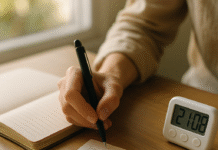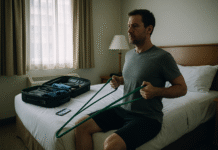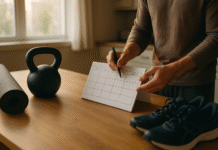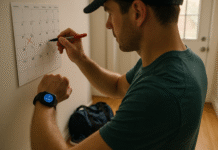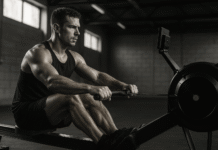
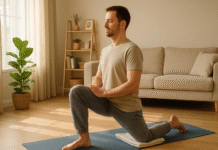
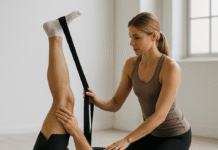














Good posture isn’t a frozen “perfect pose”—it’s the ability to keep neutral alignment while you move and work. In practice, proper work and exercise posture means stacking your head over your ribs, ribs over pelvis, and keeping joints near mid-range so tissues aren’t stressed for long. The payoff: fewer aches, fewer overuse injuries, and better force transfer when you lift, run, or type. Below you’ll find 12 rules that translate evidence-based ergonomics into daily decisions—at your desk, in the gym, and on your phone. Quick safety note: this is general education, not medical advice; if pain persists, consult a licensed clinician.
Fast start: 6 quick wins
- Raise your screen so the top is at or slightly below eye level.
- Keep elbows ~90–120° and wrists straight while typing/mousing.
- Stand up and move briefly at least every 30 minutes.
- Keep loads close to your body when lifting; hinge at hips.
- Breathe and brace your trunk before heavy reps; avoid prolonged breath holds if you have blood pressure concerns.
- Hold phones at eye height; don’t let your head drift forward.
1. Master Neutral Alignment (Your Everyday “Home Base”)
Neutral alignment anchors both desk work and training. Start by stacking your head over your shoulders, ribcage over pelvis, and keeping a gentle lumbar curve; then let your shoulders relax and your elbows hang near your sides. At a workstation, neutral joints minimize contact stress and muscle overactivity; during exercise, neutral spares passive structures (discs, ligaments) and improves force transfer. The goal isn’t rigidity; it’s spending most of your time near mid-range, moving in and out rather than living at the extremes. If you only remember one idea, make it this: arrange the task so neutral is easy—raise a screen, bring tools close, or lower the barbell safeties to your depth.
1.1 Why it matters
- Muscles produce maximal force closer to neutral; strength drops as posture deviates.
- Neutral positioning reduces cumulative strain on tendons, nerves, and discs in repetitive tasks.
1.2 Mini-checklist
- Head level; chin neither poked forward nor tucked hard.
- Shoulders relaxed, upper arms vertical.
- Elbows ~90–120°.
- Wrists straight, not bent up/down/side.
- Ribcage stacked over pelvis; gentle lumbar curve.
Keep “neutral” as your default, then adapt for the task (e.g., a deeper hip hinge for a deadlift). When neutral is your home base, your tissues get more time in their comfort zone.
2. Set Up Your Desk So Neutral Is Automatic
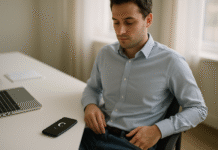
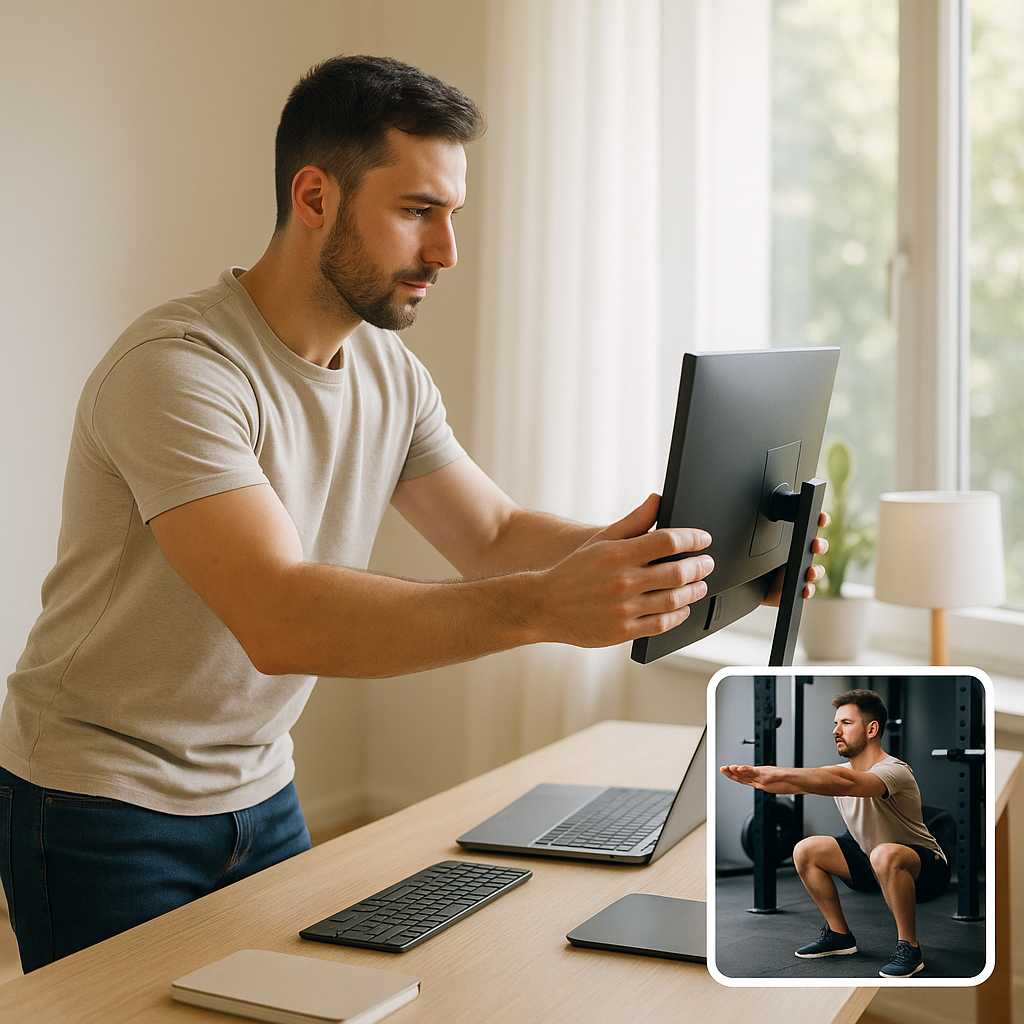
Your workstation should fit you—not the other way around. The simplest desk setup puts the top of the monitor at or slightly below eye level, the screen roughly an arm’s length away, your elbows near desk height, your back supported, and your feet flat (use a footrest if needed). Place keyboard and mouse shoulder-width apart to avoid reaching or shrugging; pad sharp desk edges; and keep frequently used items within easy reach. This arrangement reduces awkward postures and contact stress, and it’s surprisingly fast to achieve with a few adjustments and, if needed, inexpensive add-ons (footrest, external keyboard for laptops, a wedge for monitor height).
2.1 Numbers & guardrails
- Elbows bent 90–120°; wrists straight/in-line with forearms.
- Monitor directly in front; top at/just below eyes; about an arm’s length away.
- Feet flat on floor or footrest; back supported; shoulders relaxed.
2.2 Setup steps (3–7 minutes)
- Chair: raise/lower so elbows match desk height; add lumbar support if available.
- Monitor: stack books/stand to raise; center it.
- Keyboard/mouse: level with elbows; keep close.
- Edges: pad sharp corners; avoid resting forearms on hard edges.
- Feet: add a footrest if chair height forces toe-tip posture. OSHA
Finish with a quick body scan: level head, quiet shoulders, easy breathing. If any area feels “on,” tweak heights or distances until neutral feels effortless. OSHA
3. Program Movement Breaks: The 20-8-2 + 20-20-20 Combo
Posture is dynamic, not a statue. Even perfect alignment loads tissues if held forever. A practical cadence is Cornell’s 20-8-2 pattern—each 30 minutes: 20 minutes sitting (good posture), 8 minutes standing, 2 minutes of light movement/stretching. Pair it with the 20-20-20 eye rule: every 20 minutes, look 20 feet away for 20 seconds to reduce digital eye strain. Use reminders (phone, watch, apps) and build micro-tasks into your day (refill water, stand for calls, walk to a colleague). You’ll feel fresher and concentrate better without a heroic workout—just strategic variety.
3.1 How to do it
- Set a repeating 30-minute timer; rotate sit → stand → move.
- During “move”: 2 minutes of easy mobility (neck rolls, shoulder circles, calf pumps).
- For eyes: glance out a window for 20 seconds every 20 minutes; blink intentionally.
3.2 Evidence snapshot
- Cornell’s ergonomics guidance promotes sit-stand programs and warns against “over-standing”; 20-8-2 is a widely used heuristic.
- The American Optometric Association endorses 20-20-20 to alleviate digital eye strain; the AAO offers similar guidance. AAO
Close the loop by pairing breaks with tasks you already do (email checks, tea breaks). Consistency beats intensity here.
4. Lift Smart: Keep Loads Close and Hinge at the Hips
Safe lifting is about leverage and planning, not bravado. Keep the load close, center your stance, brace your trunk, and hinge at the hips rather than rounding your back. Avoid twisting while lifting; pivot with your feet. Under ideal conditions, the NIOSH Recommended Weight Limit (RWL) is 51 lb (23 kg) for two-handed lifts, and it scales down with distance from the body, asymmetry, frequency, and coupling quality. Use mechanical aids or team lifts when you’re outside that safe envelope. In the gym, the same spine-sparing principles apply: set your brace before the pull, move the bar close, and finish tall.
4.1 Numbers & guardrails
- Plan the lift: path clear, grip solid, load balanced.
- Feet shoulder-width, load close to shins for floor lifts.
- Hips back, brace, lift with legs and hips; avoid twisting.
- Consider RNLE factors (horizontal reach, vertical start, distance, asymmetry, frequency, coupling).
4.2 Tools/examples
- Use NLE Calc (iOS/Android) to estimate task risk (as of Aug 2025).
- In warehouses/offices: carts, dollies, height-adjustable platforms reduce load risk.
If a lift feels sketchy, it probably is—de-risk it with distance reduction, better grip, or help. CDC Stacks
5. Protect Wrists, Elbows, and Shoulders While Typing & Mousing
Upper-limb discomfort often stems from small misalignments held for hours. Aim for wrists straight (neutral), elbows near your sides, and shoulders relaxed. Keep the mouse at the same height and distance as the keyboard; avoid reaching forward or abducting your shoulder. Softly rest your palms (not wrists) if you need support, and avoid sharp desk edges. Consider a low-profile keyboard if you tend to extend your wrists, and adjust pointer speed so tiny movements move the cursor more, reducing micro-gripping.
5.1 Mini-checklist
- Keyboard at elbow height; wrists not bent up/down/side.
- Mouse next to keyboard; forearm supported; shoulders quiet.
- Pad or round any hard edges under your forearms.
- Alternate hands for mousing if competent, or add keyboard shortcuts.
5.2 Common mistakes
- Floating wrists with extended fingers (overuses extensors).
- Reaching for a far mouse (abducted shoulder).
- Resting forearms on a sharp edge (contact pressure).
Small geometry fixes pay big dividends across the workday. OSHA
6. Sit-Stand Desks: Find the Sweet Spot (Not All Standing, Not All Sitting)
Alternating positions is powerful—but endless standing can shift problems to your feet and back. A sit-stand rhythm like 20-8-2 per half-hour or accumulating ~2 hours/day standing/light activity is a pragmatic starting point for many office workers. When standing, keep the same neutral rules: elbows 90–120°, wrists straight, monitor at eye level, weight balanced between feet, perhaps on an anti-fatigue mat. Start with short standing bouts and build tolerance.
6.1 How to do it
- Ramp up: begin with 5–10 minute standing bursts; add time weekly.
- Use a mat and supportive shoes; avoid locked knees.
- Park frequently used items where you can reach without shrugging.
6.2 Guardrails
- Avoid standing >10 minutes at a time early on if symptomatic.
- If back/leg pain rises during standing, shorten bouts and move more in the “2” minutes.
The goal is variety, not proving you can stand all day. Let comfort—not bravado—set the progression. Cornell Chronicle
7. Safe Phone & Tablet Use: Bring the Screen to Your Eyes
“Text neck” isn’t just a meme—head flexion dramatically increases cervical load. Modeling shows that as the head tilts forward, required support forces climb steeply; keeping the device higher and your gaze level reduces strain. Practical fix: bring the phone up, rest elbows on your torso, and lean back into chair support. For tablets, use a stand; for e-readers, prop pillows under your forearms in bed so your neck stays neutral.
7.1 Numbers & notes
- Forward head posture markedly increases cervical spine stresses with increasing flexion angles.
- Keep reading targets near eye level; take frequent micro-breaks.
7.2 Mini-checklist
- Raise the device; don’t drop the head.
- Support elbows to lower neck effort.
- Every 20 minutes, look far away for 20 seconds and blink.
Your neck will thank you for treating phones like tiny monitors, not lap-level magnets.
8. Strength Training Technique: Brace, Breathe, and Control Range
Technique beats load. For squats, hinges, presses, and pulls, set a diaphragmatic brace before you move: inhale, expand your 360° “cylinder” (belly, sides, back), then keep tension as you descend or pull. Move through ranges you can own without losing spinal alignment. Exhale through the effort or at the top; save prolonged breath-holding (Valsalva) for advanced lifters under guidance, especially if you have blood pressure or cardiovascular concerns. Use safeties, spot when appropriate, and prioritize bar path close to your body on pulls.
8.1 How to do it
- Squat: feet about shoulder-width; brace; sit between hips; knees track toes.
- Hinge: push hips back; shins near vertical; spine neutral; bar brushes thighs/shins.
- Press/Pull: scapulae set; ribs stacked; drive evenly; avoid shrugging early.
8.2 Guardrails & tools
- Use RPE (see Rule 10) to cap effort; keep technique crisp.
- People with hypertension or at cardiovascular risk should avoid extended Valsalva; get individualized advice.
Great form turns strength work into joint insurance rather than a withdrawal. Keep control; add load last.
9. Run & Walk Smarter: Shorten Stride, Nudge Cadence
Overstriding spikes braking forces and knee load. A proven tweak is to increase step rate (cadence) modestly—about 5–10% while keeping speed constant; this shortens stride, moves foot strike closer to your mass, and usually reduces peak loading at the knee and hip. Don’t chase a magic number; instead, measure your current cadence, then use a metronome or playlist to cue a slight bump. Apply the same logic to brisk walking if you tend to overstride and heel-slam.
9.1 Evidence snapshot
- Subtle step-rate increases reduce hip/knee joint loading and patellofemoral forces.
- A ~7–10% cadence bump outdoors can reduce peak impact forces; metronomes help.
9.2 How to implement
- Count steps for 60 seconds at easy pace; add 5–10% to that number.
- Use a metronome app or BPM playlist to cue the rhythm.
- Retest comfort and effort; expect it to feel “quicker and lighter,” not faster.
Change cadence gradually over weeks; your tissues adapt better when the nervous system leads. UWN MBL
10. Intensity Cues That Protect Form: Use the RPE Scale
Good posture fades when effort shoots past your capacity. The Rating of Perceived Exertion (RPE) scale is a simple tool to manage intensity and keep technique intact. On the classic 6–20 Borg scale, 12–14 ≈ moderate, 15–17 ≈ vigorous for many adults; scale usage is especially helpful when heart rate is unreliable (e.g., beta-blockers). Use RPE to cap sets: if your form crumbles before your target RPE, end the set and reduce load next time.
10.1 Practical ranges
- Warm-ups/mobility: RPE 8–11
- Base cardio/long runs: RPE 11–13
- Strength working sets (novice-intermediate): RPE 7–8 on a 0–10 lifting RPE, often 13–16 on Borg 6–20 equivalents
- Conditioning intervals: brief bouts 15–17, with full technical control
10.2 Mini-checklist
- Ask: “Could I do 2–3 more perfect reps?” If yes, you’re around moderate.
- Stop sets when breathing, bracing, or joint angles get sloppy.
- Log RPE with load/reps; progress when technique stays pristine.
RPE makes intensity visible so your form doesn’t pay the price. Oxford Academic
11. Mobility & Flexibility: Warm Dynamically, Stretch Strategically
Mobility supports posture by letting joints reach positions without compensation. Before workouts, favor dynamic warm-ups that rehearse patterns (e.g., leg swings, hip airplanes, scapular circles). Save longer static stretches for post-session or separate sessions when tissues are warm, especially if maximal strength or power is your main goal that day. At the desk, brief mobility snacks (neck rotations, thoracic extensions over the chair back, wrist flexor/extensor glides) offset repetition and static holds.
11.1 How to do it
- Pre-session (5–10 min): joint circles, marching hip flexor drills, inchworms, band pull-aparts.
- Post-session (5–10 min): longer holds for hips, calves, pecs/lats as needed.
- Work breaks (1–2 min): eyes-off-screen, shoulder rolls, forearm stretches.
11.2 Guardrails
- Stretching doesn’t replace ergonomic or load fixes for manual handling.
- For symptomatic joints, emphasize tolerable ranges; avoid aggressive end-range pain.
Think “mobilize what’s stiff, strengthen what’s weak, organize around neutral.” That trio keeps posture available when you need it.
12. Sleep & Recovery Posture: Align Overnight to Feel Better Tomorrow
Eight hours of awkward alignment can undo a day of good habits. For most people, side or back sleeping with strategic pillows maintains neutral curves: on your back, place a small pillow under your knees; on your side, put a pillow between your knees and support your neck so it’s level with your torso. Avoid prolonged stomach sleeping if it cranks your neck. If you read in bed, prop your device to eye level and support your elbows so your head doesn’t drift forward.
12.1 Numbers & notes
- Back sleepers: pillow under knees helps maintain lumbar curve.
- Side sleepers: knee pillow aligns hips/pelvis; neck pillow height fills the shoulder-to-ear gap.
12.2 Mini-checklist
- Pick pillow height that keeps your face aligned (not tilted up/down).
- Use a body pillow if you roll or need more support.
- Bring screens to eye height; avoid craning the neck. Cleveland Clinic
Treat the bed like a long ergonomic task: small supports, big relief by morning. Mayo Clinic News Network
FAQs
1) What is “proper posture” in one sentence?
Neutral alignment—head over shoulders, ribs over pelvis, gentle lumbar curve—with joints near mid-range and relaxed muscles. It’s a moving target, not a rigid pose. Desk and exercise setups should make this position easy to maintain.
2) How high should my monitor be?
Center the screen in front of you; set the top at or slightly below eye level, roughly an arm’s length away. This keeps your neck neutral and reduces squinting/leaning. If you use a laptop, add a stand plus external keyboard/mouse.
3) I get wrist pain when typing—what should I change first?
Match desk/keyboard height to your elbows, keep wrists straight, and bring the mouse next to the keyboard. Pad desk edges and consider a low-profile board if you extend wrists. Reduce reach and shoulder shrug. OSHA
4) Is standing all day better than sitting?
No. Over-standing creates new problems. Alternate through the day—e.g., the 20-8-2 pattern (sit-stand-move). Start with short standing bouts and build tolerance; use an anti-fatigue mat and supportive shoes.
5) What’s the safest way to lift boxes at work?
Plan the lift, keep the load close, hinge at the hips, and avoid twisting. Under ideal conditions the NIOSH RWL is 51 lb (23 kg); many tasks require less. Use carts or team lifts when risk factors (reach, height, frequency) stack up. CDC Stacks
6) How do I reduce neck strain from phones?
Bring the device to eye level and support elbows against your torso. Forward head angles significantly increase neck loads; frequent micro-breaks help. Pair this with the 20-20-20 eye rule.
7) Should I hold my breath when lifting?
A brief brace with a controlled breath is common for heavy lifts, but prolonged breath-holding (Valsalva) raises blood pressure. If you have cardiovascular risk, avoid long breath holds and get individualized guidance. ACSM
8) How can I keep form when I’m tired?
Use RPE to cap intensity so technique stays crisp. Many adults find 12–14 on the Borg 6–20 scale feels “moderate,” while 15–17 is “hard but controlled.” When form degrades, end the set. PMC
9) Is there a “best” running cadence?
There’s no universal number. A 5–10% increase from your personal baseline often reduces knee/hip loads without changing speed; use a metronome to cue it and progress gradually.
10) Do I need to stretch before workouts?
Warm up dynamically to prep joints and patterns; save longer static holds for after. At work, sprinkle brief mobility snacks hourly. Stretching complements (not replaces) ergonomic fixes. CDC Stacks
11) What’s the 20-20-20 rule again?
Every 20 minutes, look at something 20 feet away for 20 seconds. It’s a simple way to ease digital eye strain and encourage blinking.
12) How should I sleep to reduce morning back pain?
Back: small pillow under knees. Side: pillow between knees and a pillow height that keeps your neck level with your torso. Avoid long bouts of stomach sleeping if it cranks your neck.
Conclusion
Ergonomics thrives on small, repeatable choices: a screen lifted an inch, a keyboard slid closer, a brace before a lift, two minutes of movement between meetings, a knee pillow at night. These changes make proper work and exercise posture your default, not a chore. Think systems, not heroics—shape your environment so neutral alignment is the easiest option; use RPE to keep intensity honest; and favor frequent, gentle variation over marathon static holds. If pain persists or limits you, loop in a clinician who can test specific drivers and tailor progressions. Start with one rule today—raise the monitor, count your cadence, or set a 30-minute movement timer—and build from there. Ready to feel better at your desk and stronger in your training? Start with Rule #2 right now.
References
- Computer Workstations eTool: Good Working Positions, Occupational Safety & Health Administration (OSHA), n.d. OSHA
- Workstation Components – Monitors, OSHA, n.d. OSHA
- Computer Workstations eTool (Overview), OSHA, n.d. OSHA
- How to Optimize Your Work Environment and Stay Healthy While Working from Home, CDC/NIOSH Science Blog, Nov 20, 2020. CDC Blogs
- Ergonomic Guidelines for Manual Material Handling, CDC/NIOSH, 2007 (Pub. No. 2007-131). CDC
- Revised NIOSH Lifting Equation (RNLE), CDC/NIOSH, updated Feb 21, 2024. CDC
- CUergo: Sit-Stand Working Programs, Cornell University, n.d. ergo.human.cornell.edu
- UC Office of the President – Sit-Stand Best Practices, University of California, 2021. University of California
- Hansraj KK. Assessment of Stresses in the Cervical Spine Caused by Posture and Position of the Head, Surgical Technology International, 2014. PubMed: (PDF example: https://pingeprii.ee/…/Hansraj-2014.pdf) PubMedpingeprii.ee
- Office Ergonomics: Your How-To Guide, Mayo Clinic, May 25, 2023. Mayo Clinic
- Best Sleeping Positions for Pain, Cleveland Clinic, May 26, 2023 (updated Jan 7, 2025). Cleveland Clinic
- Sleeping positions that reduce back pain, Mayo Clinic, n.d. Mayo Clinic
- Heiderscheit BC, et al. Effects of Step Rate Manipulation on Joint Mechanics During Running, Med Sci Sports Exerc., 2011. PMC
- Lenhart RL, et al. Increasing Running Step Rate Reduces Patellofemoral Joint Forces, Med Sci Sports Exerc., 2014. PMC
- Musgjerd T, et al. Effect of Increasing Running Cadence on Peak Impact Forces, Int J Sports Phys Ther, 2021. (PMC: ) PubMedPMC
- Computer Vision Syndrome, American Optometric Association, n.d. (20-20-20 rule) American Optometric Association
- Borg RPE Scale (Clinical Overview), Cleveland Clinic, n.d. (Background on 6–20 scale and intensity anchors) Cleveland Clinic
- Ergonomics Processes: Implementation Tools & Training, CDC/NIOSH (Mining), 2009. (neutral vs. strength) CDC