
























Feeling foggy, distracted, or emotionally “on edge” after hours of scrolling isn’t just in your head. It maps closely to how habit loops, variable rewards, and interruptions shape attention. This guide translates the psychology of smartphone addiction into 12 concrete, research-backed steps you can use today—without quitting your phone or your life. A quick note: this article offers educational information, not medical advice. If your phone use is causing significant distress or impairment, consider speaking with a licensed clinician.
In one sentence: “Smartphone addiction” is a common phrase for problematic smartphone use—persistent, hard-to-control patterns that disrupt sleep, mood, relationships, and concentration.
Skim-the-plan (the 12 you’ll do): (1) Name the behavior and set a baseline, (2) Redesign notifications, (3) Rewire habit loops, (4) Add healthy friction, (5) Time-box connection, (6) Use Focus & App Limits well, (7) Architect your home screen, (8) Protect deep work from attention residue, (9) Fix sleep-phone collisions, (10) Defuse FOMO, (11) Replace with restorative behaviors, (12) Build a relapse-proof plan.
1. Name the behavior accurately—and set a baseline
Problematic smartphone use isn’t a formal psychiatric diagnosis (unlike gaming disorder in ICD-11), but many people experience addiction-like patterns: cravings, impaired control, withdrawal-like irritability, and continued use despite harm. Start by naming it precisely—problematic smartphone use—and then measure your reality. When you see your true pickup counts, notification volume, and “most-used” apps, you gain leverage. Baselines reduce vague guilt and give you an anchor for change over the next two weeks.
1.1 Why it matters
Ambiguity fuels rationalization (“It’s not that bad”). Objective data curbs that bias. Studies show phone interactions often occur dozens of times per day, and teens can receive hundreds of notifications. Knowing your numbers turns this from identity (“I’m addicted”) into an engineering problem (“I average 92 pickups and 210 notifications; I’ll reduce each by 30%”). That framing lowers shame and raises motivation.
1.2 How to do it
- iPhone: Settings → Screen Time → See All Activity (note pickups, notifications, most-used apps, time of day).
- Android: Settings → Digital Wellbeing & parental controls → Dashboard (screen time, pickups, notifications).
- Screenshot your dashboard; label it “Week 0.”
- Pick two lead metrics for the next 14 days (e.g., daily pickups and notifications).
- Set a modest first target (−20% this week; −35% next week).
- Identify your top two triggers (idle moments, bedtime, commuting) as hypotheses to test.
Synthesis: You can’t improve what you don’t measure. A specific baseline reframes “phone guilt” as a solvable, trackable behavior change.
2. Redesign your notification environment (your “interruptions diet”)
Your brain treats every ping as a possible threat or reward; each one fragments attention. Reduce unimportant alerts and batch the rest so your mind gets longer stretches of quiet. This single change often recovers the most mental clarity per minute invested.
2.1 Why it matters
Interruptions degrade performance and increase stress; even the anticipation of alerts can impair focus. Reducing notification-driven task switching measurably improves output and lowers strain. It also reduces “telepressure”—the felt need to respond instantly—so you can prioritize deep work and real conversations.
2.2 How to do it
- Turn off push for all non-human apps (news, shopping, games).
- Silence badges and preview banners for social apps; keep direct messages only.
- Batch delivery: On iPhone, use Scheduled Summary (morning, lunch, end-of-day). On Android, use Notification Digest/Summary (varies by device) or app-level Deliver silently.
- Channels: In chat apps, mute non-critical channels; enable @mentions only.
- Emergency bypass: Allow calls from Favorites so safety isn’t compromised.
- Calendar rules: Meeting = auto Focus (see Section 6).
Mini-checklist: If it doesn’t come from a human you must respond to—or a system that keeps you safe—it doesn’t get to interrupt you.
Synthesis: Designing how information reaches you is the fastest way to buy back contiguous blocks of attention.
3. Rewire habit loops (cue → craving → response → reward)
Phones hijack a classic loop: red badge (cue) → curiosity/FOMO (craving) → tap (response) → novelty/social reward (reward). To unplug without white-knuckling, change the cue and reward instead of relying on sheer willpower.
3.1 Why it matters
Apps lean on variable reward schedules—unpredictable likes, messages, and feeds are stickier than predictable ones. If you keep the same cues (home-screen icons, bright colors), you invite the same craving. Change the loop and the urge softens.
3.2 How to do it
- Kill salient cues: Move social apps off the first screen; remove badges; use grayscale all day or during work blocks.
- Swap rewarding outcomes: Pair “urge” with friction plus a small hit of dopamine elsewhere: 10 push-ups, 3 deep breaths, or a quick gratitude note.
- If–then plans: “If I reach for my phone during writing, then I open Notes, not Safari.”
- Delay trick: Put a 10–30-second blocker (e.g., One Sec app or Shortcuts) before opening target apps.
- Reward predictably: Schedule two intentional check-in windows (see Section 5), so you stop chasing constant micro-rewards.
Numbers & guardrails: Many users see 20–40 minutes/day reductions when using grayscale and pre-intentional blockers consistently for a week.
Synthesis: You can’t out-will a clever loop. Redesign it so the easiest action is the one you actually want.
4. Add healthy friction: distance, containers, and “bedroom bans”
The easiest way to use your phone less is to make mindless use slightly harder. Distance and containers (physical or digital) reduce impulsive checks and restore agency.
4.1 Why it matters
The mere presence of a phone can sap working memory. Removing the device from arm’s reach boosts performance. Nighttime is especially high-leverage: keeping phones out of the bedroom improves sleep quality and morning energy—two pillars of mental clarity.
4.2 How to do it
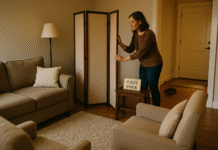
- Physical distance: Leave your phone in another room during deep work or meals.
- Charging station outside bedroom: Pair with Bedtime mode/Sleep Focus.
- Lockbox or drawer timer: 25–50-minute blocks aligned with your work sprints.
- Wearable triage: Route urgent texts/calls to a watch; keep the phone away.
- Commute or walk rule: If you’re moving, phone stays in bag/pocket unless navigation is needed.
Mini-checklist: Out of sight; out of hand; out of bed.
Synthesis: Friction isn’t punishment—it’s freedom. A few inches or a closed drawer can return hours of focus.
5. Time-box connection: two intentional windows beat 200 micro-checks
Stopping cold turkey often backfires. Instead, consolidate your social and news checks into two (or three) short, satisfying windows. This preserves connection while eliminating constant cognitive spinning.
5.1 Why it matters
When social media time is limited and intentional, loneliness and low mood tend to decrease. Time-boxing converts “always on” into “on purpose,” breaking the craving cycle without isolation.
5.2 How to do it
- Pick windows: e.g., 12:30–12:50 and 18:30–18:50.
- Set app limits: 20–40 minutes total/day across social apps.
- Write a purpose: “Reply to DMs, check event invites, close the app.”
- Close with a cue: Stand up, get water, step outside—mark the end physically.
- Weekend variant: One longer afternoon block; zero in the morning.
Numbers & guardrails: Start at 40–60 minutes/day total; adjust weekly. If you binge, shorten the next window by 10 minutes to neutralize rebound.
Synthesis: Connection shouldn’t cost your clarity. Time-boxing keeps the good while shrinking the fog.
6. Use Focus & App Limits the right way (without blocking real life)
Do Not Disturb, Focus modes, and app timers work—when you configure them for how you actually live. The goal isn’t abstinence; it’s intelligent defaults that match your roles (work, family, sleep).
6.1 Why it matters
Tools fail when they’re brittle (“I missed a critical call”). Properly set exceptions (Favorites, repeated calls) and context-triggers (time, location, calendar) convert Focus into a trustworthy autopilot.
6.2 How to do it
- iPhone Focus: Settings → Focus → create Work, Personal, Sleep. Allow notifications from key people; silence social and news. Link Work to your calendar hours and office location; enable Sleep nightly.
- iPhone Screen Time: Settings → Screen Time → App Limits (set categories like Social, Games) and Downtime for nightly quiet.
- Android Digital Wellbeing: Settings → Digital Wellbeing & parental controls → Focus mode (pause distracting apps) and App timers. Use Bedtime mode to grayscale + silence at night.
- Emergency path: Allow calls from Favorites; enable “Repeated Calls.”
Mini-checklist: Exceptions on; triggers set; bedtime scheduled.
Synthesis: When your system respects your real priorities, you stop fighting it—and your brain relaxes.
7. Architect your home screen for intention (not impulse)
Your home screen is a choice architecture. Default it for the life you want—creation, relationships, health—not for the feed you’ll regret.
7.1 Why it matters
Bright icons, badges, and first-screen placement amplify cue salience and capture automatic behavior. A minimalist, utility-first layout reduces urges and speeds intentional actions.
7.2 How to do it
- One screen only: Dock = Phone, Messages, Maps, Camera (or your essentials).
- First-row apps = creation tools: Notes, Calendar, To-Do, Recorder.
- Move social/news to page 3 in a folder. Hide badges.
- Neutralize color: Keep grayscale on by default; assign a back-tap or triple-click toggle for photos.
- Widgets with purpose: Today’s calendar, top three tasks, timer.
Mini-checklist: Build for doing, not consuming.
Synthesis: If the first thing you see invites action you value, you won’t have to swim upstream all day.
8. Protect deep work from attention residue
Attention residue is what lingers from Task A when you switch to Task B. Micro-checks leave cognitive “echoes” that dilute working memory and clarity long after the screen goes dark.
8.1 Why it matters
Even quick context switches produce measurable performance costs. Eliminating mid-task micro-checks protects the fragile state where complex thinking and creativity happen.
8.2 How to do it
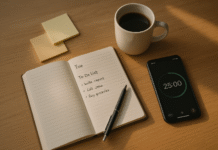
- Define sprints: 25–50 minutes with everything else silenced.
- Phone out of reach (another room if possible); watch on DND.
- Single-tab rule: On desktop, one active window; queue ideas in a capture doc.
- Exit ramps: When you feel an urge, write it on a sticky note, not into your browser.
- Post-sprint decompression: 2–5 minutes of movement or fresh air.
Numbers & guardrails: Two 50-minute sprints daily can outperform a full day peppered by “quick checks.”
Synthesis: Clarity compounds when you stop scattering it.
9. Fix sleep-phone collisions (light, content, and timing)
Sleep debt magnifies anxiety, irritability, and brain fog. Phones collide with sleep via light exposure and stimulating content late at night. The fix is behavioral and environmental.
9.1 Why it matters
Evening light—especially short-wavelength—can suppress melatonin and shift circadian timing; stimulating content keeps arousal high. Bedtime smartphone restrictions improve subjective well-being and next-day energy. Your goal: dim light, low arousal, predictable timing.
9.2 How to do it
- Bedtime mode nightly: Grayscale + silence + lock screen dimming 60–90 minutes before bed.
- Last hour menu: Paper book, stretching, journaling, or calm audio; avoid doomscrolling and high-stakes threads.
- Phone sleeps outside: Use a cheap alarm clock; charge the phone in another room.
- Morning light: Get outdoor light within an hour of waking to anchor your clock.
- Travel note: When jet-lagged, be extra strict with nighttime content; your clock is already fragile.
Mini-checklist: Dimmer, calmer, earlier.
Synthesis: Protect sleep like a superpower; your mood and clarity will follow.
10. Defuse FOMO and comparison loops
FOMO (fear of missing out) and social comparison drive reactive checking. Understanding these loops—and designing your environment to quiet them—reduces anxiety and compulsive scrolling.
10.1 Why it matters
FOMO is consistently linked with heavier problematic use and lower well-being. When you mute triggers and engage more intentionally, the urge drops and content becomes less emotionally costly.
10.2 How to do it
- Curate ruthlessly: Unfollow low-value accounts; mute “doom triggers.”
- Lists & circles: Use “Close Friends” or lists to see what truly matters.
- Scheduled catching-up: Fold all “what did I miss?” into your time-boxed windows.
- Reappraise posts: When envy spikes, name it and zoom out (“One photo ≠ their life”).
- Offline anchors: Plan two analog activities that make you feel connected weekly (coffee walk, sport, volunteering).
Mini-checklist: If it doesn’t nourish, it doesn’t get your attention budget.
Synthesis: You’re not missing out—you’re opting in to what matters.
11. Replace doomscrolling with restorative behaviors
You can’t remove a habit without replacing its function. Identify what scrolling gives you—soothing, novelty, connection—and meet that need offline.
11.1 Why it matters
Behavioral activation (doing meaningful, mood-lifting activities) is a proven way to improve mental health. Replacements must be easy and available at the very moments you usually scroll.
11.2 How to do it
- Two-minute menu: Breathwork, stepping outside, a glass of water, 10 squats, texting one friend you appreciate.
- Novelty swaps: Short story, hobby kit in reach, language flashcards (paper), micro-walks.
- Connection swaps: Call a friend during a walk, leave a voice note, schedule a weekly standing coffee.
- Tactile kits: Keep a book and notebook where your phone used to sit.
- Eye care: Practice 20-20-20 (every 20 minutes, look 20 feet away for 20 seconds).
Mini-checklist: Replace the itch, don’t just resist it.
Synthesis: When the real need is met, the compulsion fades.
12. Build a relapse-proof plan (reviews, rituals, and resets)
Change sticks with feedback and forgiveness. Expect relapses; design for them. A weekly review plus simple rituals keeps your attention hygiene resilient through busy seasons.
12.1 Why it matters
Without regular reflection, old defaults creep back. Small course corrections prevent “I blew it, so why try?” thinking. The aim is a maintenance lifestyle, not a sprint.
12.2 How to do it
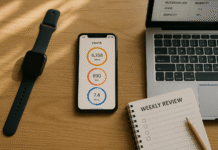
- Weekly 10-minute review: Screen Time/Digital Wellbeing trends; note wins, friction, and adjust app limits.
- Rituals: Sunday night Focus schedule; Monday morning home-screen tidy; Friday afternoon delete & reinstall stubborn apps before the weekend.
- Reset protocol: After a binge, immediately schedule a 24-hour Strict Focus Day (grayscale on, social apps paused, one intentional check).
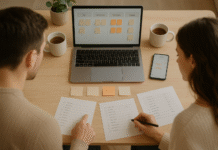
- Accountability: Share targets with a friend or partner; swap screenshots weekly.
- Seasonality: During exams/projects, add stronger friction (lockbox, stricter Focus). Loosen slightly during holidays—intentionally.
Mini-checklist: Review, refine, and reset—weekly.
Synthesis: Attention hygiene is a practice. Keep it light, consistent, and kind.
FAQs
1) Is “smartphone addiction” a real diagnosis?
Not as a formal disorder in DSM-5-TR. Clinicians typically refer to problematic smartphone use—patterns with impaired control and negative consequences. By contrast, gaming disorder is recognized in ICD-11. If your use causes significant distress or impairment, consult a mental health professional.
2) How many notifications or pickups are “too many”?
There’s no universal threshold. Studies report wide ranges—dozens of daily interactions for adults and high volumes of notifications for teens. Use your baseline as the benchmark and aim for a 20–40% reduction over two weeks, then reassess how you feel.
3) Does blue light really ruin sleep, or is it overblown?
Evening light can suppress melatonin and shift circadian timing, while stimulating content raises arousal—both matter. Use Bedtime mode (dim, grayscale, silent), keep phones out of the bedroom, and prioritize calming activities in the last hour.
4) What if I need my phone for work or family emergencies?
Keep calls from Favorites and repeated calls allowed. Use Work/Personal Focus modes with clear exceptions. The goal is smarter defaults, not missed emergencies.
5) Do grayscale and app timers actually help?
Yes for many people. Greyscale reduces the salience of colorful cues; app timers and Focus modes cap impulsive openings. Expect a learning curve—combine them with notification pruning and time-boxed windows for best results.
6) I’ve tried deleting apps. They creep back. Now what?
Shift from deletion to containment: folders on page 3, no badges, app limits, and two intentional check windows. For stubborn cases, use a physical lockbox or ask a partner to hold the Screen Time passcode temporarily.
7) Can wearables make this worse?
They can—if everything is mirrored. Route only urgent calls/messages to your watch; disable all other app notifications. The watch should reduce phone grabs, not become a second feed.
8) How long until I feel clearer?
Many people notice improvements in a week—better sleep, fewer “phantom checks,” and longer focus windows. Sustained clarity builds over 2–4 weeks as new loops replace old ones.
9) Are “digital detoxes” useful?
Short detoxes can reset awareness, but lasting benefits come from everyday design: notifications, Focus modes, sleep hygiene, and intentional connection windows. Think lifestyle, not cleanse.
10) What about kids and teens?
Use parental controls, but pair them with conversations and modeling. Emphasize sleep, school-day rules, and structured social time. Teens often face very high notification loads—batching and bedtime rules help.
11) Is mindfulness necessary?
Mindfulness helps you notice urges without acting on them. A 60-second pause (breath or body scan) during cravings can be enough to choose a different action.
12) I work on social media. Am I doomed?
No—separate creator from consumer time. Use different accounts or devices, strict Focus windows for publishing and replying, and keep personal feeds off your workday device.
Conclusion
Your phone is not the enemy; unconscious design is. Modern attention struggles make perfect sense once you see the psychology beneath them: variable rewards, salient cues, and constant interrupts push your brain toward reactive checking, shallow focus, and restless sleep. The antidote isn’t willpower—it’s redesign. You measured your baseline, quieted the noise, rewired habit loops, added healthy friction, protected sleep and deep work, and time-boxed connection. That’s a sustainable system, not a sprint.
Start with Sections 1–3 this week; add 4–6 next week. Keep a weekly 10-minute review to refine. As the noise falls, clarity rises—mood steadies, ideas land, and relationships feel richer because you’re actually present. Make your phone serve your life again—one quiet notification, one focused sprint, one better night’s sleep at a time.
CTA: Choose one change above and implement it for the next 48 hours—then build from there.
References
- Mobile Fact Sheet. Pew Research Center, Nov 13, 2024. https://www.pewresearch.org/internet/fact-sheet/mobile/
- Gaming disorder (ICD-11). World Health Organization, 2020–2024. https://www.who.int/standards/classifications/frequently-asked-questions/gaming-disorder
- Special Report: Be Prepared to Address Technological Addictions. Psychiatric News (American Psychiatric Association), Feb 1, 2022. https://psychiatryonline.org/doi/10.1176/appi.pn.2022.2.4
- Why is it so hard to do my work? The challenge of attention residue… Leroy, S. Organizational Behavior and Human Decision Processes, 2009. https://www.sciencedirect.com/science/article/abs/pii/S0749597809000399
- Brain Drain: The Mere Presence of One’s Own Smartphone Reduces Available Cognitive Capacity. Ward, A. F. et al., Journal of the Association for Consumer Research, 2017. https://www.journals.uchicago.edu/doi/full/10.1086/691462
- Limiting Social Media Use to Improve Well-Being. Hunt, M. G. et al., Journal of Social and Clinical Psychology, 2018. https://guilfordjournals.com/doi/10.1521/jscp.2018.37.10.751
- Effects of smartphone notifications on cognitive control and attention. Upshaw, J. D. et al., Cognitive Research: Principles and Implications, 2022. https://pmc.ncbi.nlm.nih.gov/articles/PMC9671478/
- How Teens and Parents Approach Screen Time. Pew Research Center, Mar 11, 2024. https://www.pewresearch.org/internet/2024/03/11/how-teens-and-parents-approach-screen-time/
- The influence of blue light on sleep, performance and wellbeing. Silvani, M. I. et al., Sleep Science and Practice, 2022. https://pmc.ncbi.nlm.nih.gov/articles/PMC9424753/
- Use Screen Time on your iPhone or iPad. Apple Support, May 13, 2025. https://support.apple.com/en-us/108806
- Manage time on your Android phone with Digital Wellbeing. Google Support, accessed Aug 2025. https://support.google.com/android/answer/9346420
- Evaluating the Effectiveness of Apps Designed to Reduce Mobile Phone Use. Rahmillah, F. I. et al., JMIR, 2023. https://pmc.ncbi.nlm.nih.gov/articles/PMC10498313/
- Effects of task interruptions caused by notifications… Ohly, S. et al., Journal of Organizational Behavior, 2023. https://pmc.ncbi.nlm.nih.gov/articles/PMC10244611/
- Clinical Manifestations’ Spectrum of Smartphone Addiction. Alwazzeh, M. et al., Cureus, 2024. https://pmc.ncbi.nlm.nih.gov/articles/PMC11311730/
- Average teen received ~240 app notifications per day (study). University of Michigan Health Lab / Common Sense, Sep 26, 2023. https://www.michiganmedicine.org/health-lab/study-average-teen-received-more-200-app-notifications-day