



























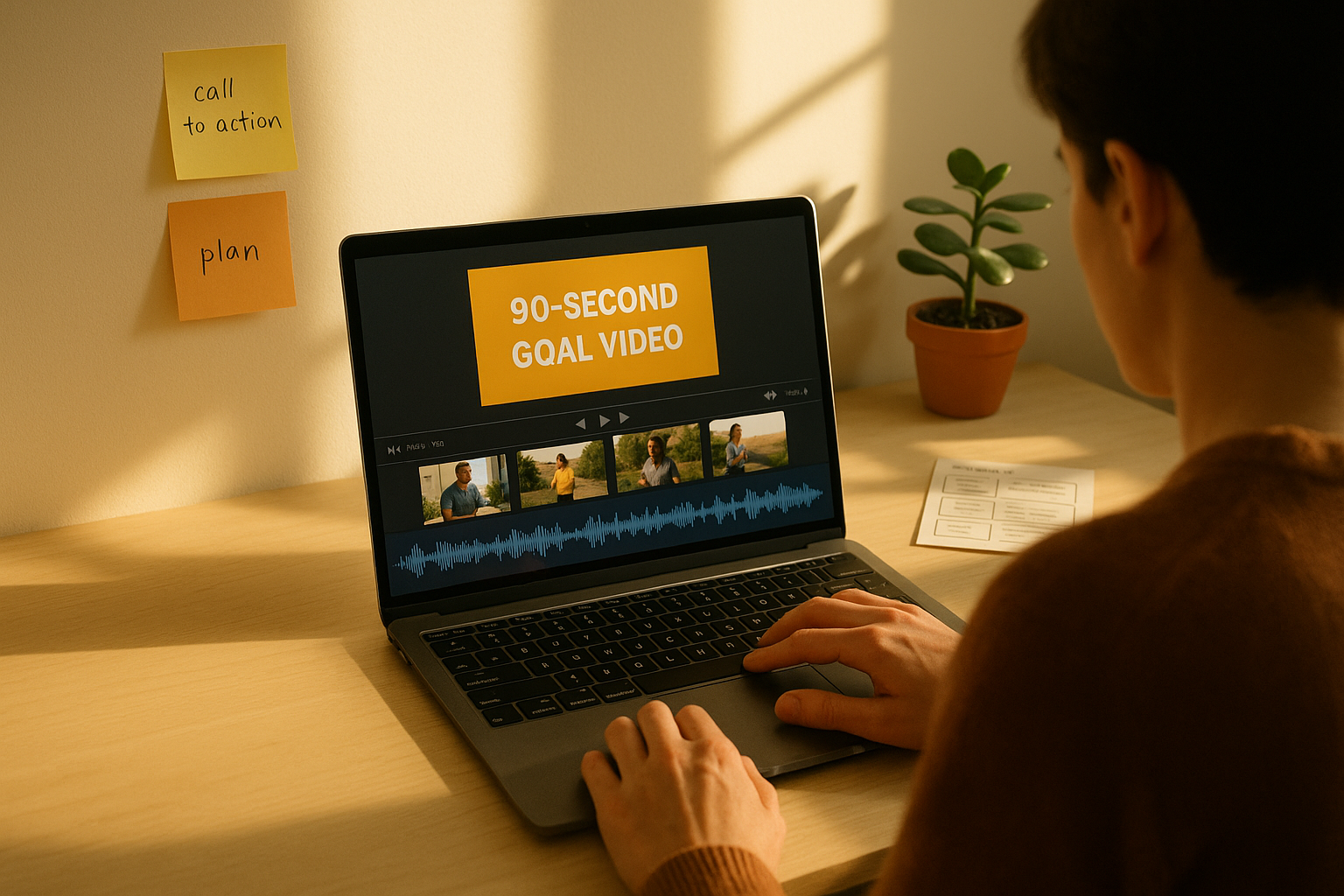
If you’ve ever pinned images on a vision board and wished they could move, Mind Movies are your upgrade. A mind movie is a short, personalized video that combines images, clips, affirmations, and music to make your goal feel present and achievable. Think of it as mental rehearsal on fast-forward: a vivid, cinematic cue that helps you see the result, feel it, and act on it. In plain terms, a mind movie is a 60–120 second video montage that depicts your desired future as if it’s already real—played on repeat to prime motivation and behavior.
Why does this work? Decades of research show that mental rehearsal can improve performance by engaging overlapping systems used in actual action, while well-designed multimedia can increase comprehension and recall by aligning visuals, words, and sound. Used responsibly—as a supplement to clear plans, not a substitute—Mind Movies help you rehearse success, strengthen goal salience, and trigger consistent action.
Quick start: choose one goal → draft a 3-scene storyboard (setup, success moment, new normal) → collect 8–12 visuals → write 3–5 concise affirmations → pick a 120–140 BPM track → edit to 60–90 seconds → watch daily with intention.
A brief note: This guide covers motivation and self-development, not medical, legal, or financial advice. If you live with a mental health condition, consider pairing these practices with professional care.
1. Pick One Specific Outcome and Define Success
Start by choosing exactly one outcome and making it measurable. This keeps your mind movie sharp and your behavior aligned. The first two sentences here are your north star: pick a single result, decide how you’ll know you’ve achieved it, and set a timeframe. When viewers create multiple movies at once, motivation fragments and visual cues compete. A tightly scoped target—“Run a 10K in under 55 minutes by December 15,” or “Land a product designer role at a Series A startup by Q2”—translates into cleaner scenes, tighter editing, and clearer daily actions.
Clarity matters because your brain tags vivid, specific future states as more actionable. If the aim is fuzzy (“get fitter,” “be successful”), your visuals can’t encode the right cues, and your habits won’t know what to do. Tie your outcome to one or two lead measures you can influence (e.g., weekly mileage, applications sent, portfolio updates) and one lag measure you want (finish time, offer received). You’re making a movie, not a collage—think plot, not scrapbook.
1.1 Why it matters
- Specific outcomes reduce choice overload and increase follow-through.
- Measurable targets allow feedback loops: review → edit movie → adjust habits.
- A single outcome avoids context-switch costs during rehearsal.
1.2 How to do it
- Write a one-line outcome with a date.
- List 2–3 lead measures you control.
- Note 1–2 constraints (time, budget, energy) to keep the plan realistic.
Mini-checklist
- One outcome, one date
- 2–3 lead measures
- Constraints acknowledged
Wrap this step by reading your line aloud. If it doesn’t fit in one breath, it’s too vague.
2. Script Your “Already Happened” Scene in First Person
Open your mind movie where the goal is already true. This frames your brain to simulate success, not just wish for it. Think of a single moment that proves you did it: crossing the 10K finish line at 54:30, signing a job offer, receiving an acceptance email. Write in first person and present tense (“I hold the medal… my phone displays 54:30… coach hugs me”). Add sensory specifics—what you see, hear, feel, and even smell—to enrich neural encoding and make the memory trace stickier.
Mental rehearsal helps because the imagined action shares mechanisms with actual action—timing, planning, and motor elements line up in meaningful ways. You’re not manifesting magic; you’re practicing the pattern you want to recognize and repeat. Keep the words short enough to record as a 10–20 second voiceover, with each sentence mapping to a shot. Test your script by reading it against a stopwatch and highlighting any phrase that doesn’t conjure a clear picture.
2.1 Tools/Examples
- Script format: 3–5 sentences, 60–90 words.
- Voice memo apps (built-in), Descript, or Audacity for recording.
- Example: “I step through the finish chute. The clock reads 54:30. My watch buzzes, friends cheer, and I grin through steady breaths. I did what I trained for.”
Mini-checklist
- First-person, present tense
- One undeniable success moment
- Sensory details mapped to shots
Close by asking: can a stranger visualize this scene from your words alone?
3. Storyboard a 3-Act Arc: Setup → Success → New Normal
Good movies move. Your mind movie will too if you design a simple arc: Act I (Setup) shows your context and values; Act II (Success Moment) captures the proof; Act III (New Normal) shows life after success. This narrative structure exploits how we remember sequences: beginnings set expectations, climaxes imprint, endings integrate. It also helps you avoid the “clip dump” problem—random footage with no heartbeat.
Each act can be 15–40 seconds depending on total length. The setup introduces stakes (training runs, studying late, sending applications). The success moment is tight and visceral (finish line, offer letter). The new normal shows sustained identity (“runner logging weekly miles,” “designer presenting in standups”). Plan 8–12 shots total. Keep transitions purposeful and use beats in the music to time scene changes. Even a simple dissolve can carry emotional weight when aligned with a lyric or drum fill.
3.1 How to do it
- Sketch 3 columns labeled A1, A2, A3.
- Under each, list 2–4 shots (wide → medium → close).
- Assign clip durations (2–8 seconds) and match to music beats.
Mini-checklist
- 3 acts planned
- 8–12 shots total
- Transitions tied to audio beats
Your storyboard is your edit plan; follow it and you’ll spend less time hunting for a “vibe” and more time telling your story.
4. Gather Visuals Ethically: Personal Clips, B-Roll, and Stock
A mind movie feels authentic when your future is built from your life. Start with personal footage (selfie clips, GoPro runs, portfolio screenshots, calendar milestones). Supplement with B-roll: trails, cityscapes, laptops, gyms, classrooms. Use stock responsibly—favor royalty-free or licensed sources and avoid trademarked logos in focus. If you film in public, respect privacy and local rules; if you feature others, get consent.
Collect more than you’ll use—roughly 2–3× your final duration. Shoot a mix of wide (context), medium (action), and close-ups (emotion). Stabilize shots, keep horizons straight, and avoid over-exposed highlights. If your goal is work-related, record screen captures of you refining a portfolio or sending applications; blur sensitive data. Remember aspect ratios: landscape (16:9) is versatile, portrait (9:16) is ideal for phones, and square (1:1) can be a compromise for social playback.
4.1 Tools/Examples
- Stock: Pexels, Pixabay, Unsplash (check licenses).
- Screen capture: OBS Studio, built-in OS recorders.
- Stabilization: Use a tripod or in-app stabilizer.
Mini-checklist
- 2–3× footage budget
- Mix of wide/medium/close
- Licenses & permissions verified
Curate with restraint; variety helps, but cohesion wins.
5. Choose a Soundtrack That Sets Pace and Emotion
Music can optimize arousal, aid imagery, and increase adherence—especially around 120–140 BPM for steady efforts. The right track supports rhythm (for cut timing), mood (for identity), and meaning (for lyrics that reflect your values). Instrumental or low-lyric tracks often reduce distraction for cognitively demanding goals; energizing lyrics can boost effort for physical aims. Match your beat to scene changes and reserve the song’s “drop” or chorus for your success moment.
Research in sport and exercise suggests music can enhance performance and reduce perceived exertion when it’s task-appropriate. That doesn’t mean louder is always better; choose tracks you actually enjoy and won’t tire of after 50+ plays. If you’ll publish your movie, use royalty-free music or licensed catalogs. For private viewing, your personal library is fine—just keep files organized so your edit software can find them later. Align the final chord with your movie’s closing image for a feeling of completion.
5.1 Numbers & guardrails
- Target 120–140 BPM for steady sessions; slower for reflective themes.
- Volume: keep voiceover intelligible at −6 to −12 dB relative to music.
- Duration: choose a track that fits your 60–120 second plan.
Mini-checklist
- BPM fits goal
- Lyrics (or none) fit cognitive load
- Legal use confirmed
Your soundtrack is the pulse of the piece—set it deliberately.
6. Edit for Cognitive Load: Clean, Coherent, and Signal-Rich
Great visualization videos are easy for the brain to process. Apply multimedia learning and dual-coding principles: pair words and relevant visuals, strip decorative clutter, and highlight what matters with subtle cues. Use short on-screen text (3–7 words), reserve longer content for a voiceover, and avoid reading text aloud while it’s also on screen verbatim (the “redundancy” pitfall). Pacing matters: most cuts live well at 2–5 seconds; hold longer on emotionally charged shots.
Add signaling (arrows, color highlights) sparingly to direct attention, and use coherence by removing extraneous animations. Align transitions with audio beats to reduce surprise and cognitive cost. The goal isn’t to impress with effects; it’s to help your future self see and feel the path. Remember, a clean edit is memorable; a busy edit is forgettable. These guidelines don’t limit creativity—they focus it on persuasion and recall.
6.1 How to do it
- Keep text overlays to headlines only; narrate detail in VO.
- Use consistent fonts and color grading for cohesion.
- Favor cut-on-action transitions and avoid gratuitous wipes.
Mini-checklist
- Coherence (no filler)
- Signaling (selective highlights)
- Redundancy avoided
A mind movie that reduces cognitive friction increases the chance your brain replays it later.
7. Set Length, Format, and Export for Friction-Free Viewing
The sweet spot is 60–120 seconds: long enough to convey a story, short enough to watch daily. Choose resolution (1080p is sufficient; 4K if you’re projecting), and export in a common codec (H.264/MP4) with a bitrate that balances quality and file size (8–12 Mbps for 1080p; 16–24 Mbps for 4K). If you’ll watch on your phone, export both 16:9 and 9:16 versions to fit landscape and portrait use. Name files with the goal and date to track versions.
Plan playback contexts: phone alarm, smartwatch reminder, desktop start-up, or TV screensaver. Minimize friction by keeping the file locally stored for offline use and placing it where one tap starts it. If you use a password or lock screen, set a widget or shortcut. The more automatic the cue, the more likely you’ll actually watch.
7.1 Tools/Examples
- Editing: CapCut, iMovie, Adobe Premiere Rush, DaVinci Resolve.
- Export presets: “YouTube 1080p” often works well for general use.
- Shortcuts: iOS Shortcuts / Android Routines to open the file at set times.
Mini-checklist
- 60–120 seconds
- 1080p H.264 export
- Local copy + easy shortcut
Make the right choice once, then make it easy to repeat forever.
8. Embed If-Then Plans and Cues Inside the Movie
Visualization ignites motivation; implementation intentions convert it into action. Add a final title card or subtle lower-third overlays with 1–3 If-Then cues: “If it’s 7:00 a.m., then I lace up and start a 20-minute easy run,” “If it’s 9:30 p.m., then I prep tomorrow’s lunch,” “If I see a relevant job posting, then I apply before noon.” These plans pre-decide responses to predictable situations, reducing hesitation and conserving willpower.
You can also embed environmental cues in clips—your shoes by the door, your calendar block, your coffee mug next to a running watch—so your brain links the goal to triggers you will encounter. Keep the wording simple and concrete; each plan should map to a behavior that takes <20 minutes to start. Revisit these cues monthly and update them as your bottlenecks change. When your movie primes action steps, it becomes a bridge from future to present. Cancer Control
8.1 How to do it
- Add a 5–8 second end card with 2–3 If-Then lines.
- Place visual cues (shoes, calendar, app icon) in early shots.
- Track which cue you actually used this week.
Mini-checklist
- If-Then plans visible
- Triggers you actually encounter
- Monthly review scheduled
Plans in pixels become habits in real life.
9. Schedule Spaced Playback and Active Rehearsal
Don’t just binge your movie; space it. Spaced repetition improves retention over massed review, especially for material you want to remember and act on over weeks and months. Watch your mind movie at least once daily, then add 2–3 “micro-plays” per week before high-leverage moments (workout, job interview prep, presentation practice). On one weekly review, pause at key shots and mentally rehearse the matching action for 30–60 seconds—e.g., feeling your pacing at kilometer 8 or rehearsing your opening interview answer.
Use a calendar or habit app to set a recurring reminder for morning (identity priming) and, if helpful, evening (reflection and next-day setup). Keep a 1-line log: “Watched + ran 20 min,” “Watched + sent 2 applications.” Over time, this builds a progress reel that pairs the vision with action. Spacing gives your brain time to consolidate the story and surface it when it matters. PubMed
9.1 Numbers & guardrails
- Daily baseline: 1 play (60–120 s).
- Micro-plays: 2–3/week, 20–40 s (cut-down version optional).
- Weekly active rehearsal: 5 minutes.
Mini-checklist
- Daily cue set
- Micro-plays scheduled
- Weekly rehearsal logged
Spacing plus rehearsal beats sporadic bursts every time.
10. Create Variations for Contexts, Platforms, and Languages
One size rarely fits all. Build two or three cuts tailored to where and how you’ll watch. For phone-only routines, a 9:16 portrait version fills the screen; for laptop starts, 16:9 feels natural. If you split workout and career goals, create separate movies so each stays focused. For multilingual households or teams, record voiceovers in the language you think in when you work; the closer the wording is to your internal monologue, the stronger the association.
Consider environment constraints: if you watch during a commute or in a quiet office, keep music instrumental and captions on. If you train outdoors, ensure brightness and contrast are high enough to read captions in sunlight. For social sharing, remove personal data and replace brand logos with generic shots. A few thoughtful variations remove excuses and keep the ritual resilient.
10.1 Tools/Examples
- Duplicate your timeline and swap aspect ratios before final color.
- Export captions as burned-in subtitles for noisy environments.
- Create a 20–40 second “micro-cut” for pre-event priming.
Mini-checklist
- 16:9 + 9:16 versions
- Language fits your thinking
- Privacy respected
Adaptation amplifies adherence.
11. Track Effects, Iterate Monthly, and Version Your Movie
Your first cut is a prototype. Measure what it changes: mood before/after, workouts completed, applications sent, hours practiced, key metrics (pace, revenue, grades). Keep the tracker lightweight—3–5 measures, updated weekly. If a shot no longer resonates, replace it; if an If-Then cue isn’t firing, reword it. Version your file names (“mind-movie-10k-v3-2025-09”) and maintain a change log. Over 8–12 weeks, you’ll see patterns and know which elements carry weight.
Pair “movie time” with a quick WOOP (Wish, Outcome, Obstacle, Plan) to neutralize magical thinking: name a likely obstacle you’ll face this week and attach a specific plan. As your skills and context improve, your visuals should move from generic stock to personal footage. The payoff is not just a stronger movie—it’s a stronger identity: someone who edits their future on purpose.
11.1 How to do it
- Track 3–5 metrics; visualize weekly trends.
- Replace two weakest shots each month.
- Run a WOOP: identify one obstacle and an If-Then plan to beat it.
Mini-checklist
- Metrics logged weekly
- Monthly edit scheduled
- Obstacle named + plan set
Iteration is where inspiration becomes a system.
12. Use Mind Movies Responsibly (No Magical Thinking)
Mind Movies are a means, not magic. Evidence supports mental practice and imagery as helpful adjuncts for performance and learning, but outcomes depend on training, environment, and constraints. For health or anxiety relief, guided imagery can be calming for some contexts, but it’s not a replacement for evidence-based care; conventional therapies often outperform relaxation alone for clinical anxiety. Keep claims grounded, avoid superstition, and protect privacy when filming or sharing.
Own your responsibility: show up for the unglamorous reps your movie points to—writing, training, studying, applying, resting. Credit your results to consistent action, not the video file. The movie is a trigger; you are the cause.
12.1 Guardrails
- Legal: respect music/image licenses; avoid brands in focus if publishing.
- Privacy: blur faces, addresses, screens; get consent from anyone featured.
- Health: treat visualization as a supplement; seek professional advice when needed.
Mini-checklist
- Claims grounded
- Privacy and licenses cleared
- Professional care when appropriate
Use the tool; don’t mythologize it.
FAQs
1) What exactly is a Mind Movie and how is it different from a vision board?
A Mind Movie is a short, edited video (usually 60–120 seconds) that shows your goal as if it’s already achieved, using personal clips, stock B-roll, affirmations, and music. A vision board is static; a mind movie adds pacing, audio, and narrative structure, which can increase emotional engagement and recall. The movement and soundtrack also make it easier to ritualize daily rehearsal.
2) How long should my Mind Movie be?
Aim for 60–120 seconds. Under a minute can feel rushed; over two minutes risks fatigue and lower adherence. The ideal length is the one you’ll watch daily without friction. If you want more depth, create a second cut for weekly viewing and keep the daily version tight and energizing.
3) Do I need affirmations?
Use affirmations if they feel natural, but keep them specific and action-linked (“I train consistently and fuel well” vs. “I am unstoppable”). Pair them with If-Then plans so the words translate into behavior. You can also narrate facts of your process (“Three runs logged this week; Sunday long run ready”) to build credibility.
4) What’s the best music for Mind Movies?
Pick music that fits the task and your taste. For steady effort tasks, 120–140 BPM often works well; lyric-light tracks help when cognitive load is high. Ensure voiceover remains intelligible by ducking music volume. If you plan to share publicly, use royalty-free or licensed tracks to avoid takedowns.
5) Which editing app should I use?
Use whatever reduces friction: CapCut and iMovie are beginner-friendly; Adobe Premiere Rush and DaVinci Resolve add power without overwhelming you. The “YouTube 1080p” export preset is a safe default for daily viewing and easy device compatibility.
6) How often should I watch my Mind Movie?
Daily plays build identity and keep the goal salient; add 2–3 brief “micro-plays” weekly before key moments (workouts, interviews). A weekly 5-minute active rehearsal—pausing to imagine the doing, not just the having—improves transfer to real actions. This spaced approach beats irregular binges. PubMed
7) Is there science behind this, or is it just hype?
Meta-analyses indicate that mental practice and imagery can enhance performance, and multimedia design principles explain why well-constructed videos aid understanding and memory. The important caveat: visualization supports, but does not replace, training and planning. Combine your movie with solid habits and If-Then plans for the best results.
8) Can Mind Movies help with anxiety or health conditions?
They can be calming for some people and useful as part of a broader self-care plan. However, for clinical anxiety, conventional psychotherapy often outperforms relaxation alone. Use Mind Movies as a supportive tool, not a replacement for evidence-based care.
9) What if I worry that “pretending I already have it” will make me complacent?
That’s a valid concern. Prevent complacency by pairing the success scene with process shots and embedding If-Then plans. Add a monthly “obstacle card” that names one likely roadblock and your plan to handle it. This mental contrasting keeps energy directed at execution.
10) How do I measure whether my Mind Movie is working?
Pick 3–5 metrics tied to your goal (e.g., weekly mileage, applications sent, practice hours, mock interviews). Track them briefly each week. If metrics stall for two weeks, review the movie and your If-Then plans—often you’ll discover a shot or cue that needs an update.
11) What about using photos of expensive items—does that help or hurt?
Luxury imagery can backfire if it creates a gap between your current path and the outcome. Favor images that prove progress (your calendar block, completed reps, portfolio updates) over purely aspirational status markers. If you include a reward image, pair it with footage of you doing the work that earns it.
12) Can teams or families use a shared Mind Movie?
Absolutely. Create a team cut for product launches, fundraisers, or school goals, and a personal cut for individual habits. Keep permissions and privacy in mind, and record voiceovers in the language people use day to day for work. Team movies can be powerful in kickoff meetings and weekly standups to align effort.
Conclusion
A Mind Movie is a simple, repeatable way to make your future feel real enough to work toward—every day. By limiting your focus to one outcome, scripting the success moment in first person, and structuring a clean 3-act arc, you turn desire into a visual plan. Editing with cognitive-friendly principles keeps your brain’s effort low and your memory strong; adding If-Then cues and spaced playback turns inspiration into consistent action. The point is not to watch a pretty video; it’s to become the person who takes the next right step when the cue appears. Version your movie monthly, track the metrics that matter, and keep your story honest and useful.
Make your first 90-second cut tonight—then let it nudge you into tomorrow’s first action.
CTA: Open your calendar, pick a time in the next 24 hours, and title it “Record 3 scenes for my Mind Movie.”
References
- Driskell, J. E., Copper, C., & Moran, A. (1994). Does Mental Practice Enhance Performance? Journal of Applied Psychology. https://www.researchgate.net/publication/228118007_Does_Mental_Practice_Enhance_Performance ResearchGate
- Jeannerod, M. (1994). The representing brain: Neural correlates of motor intention and imagery. Behavioral and Brain Sciences. Cambridge University Press & Assessment
- Mayer, R. E. (2002). Multimedia Learning (overview paper). Jacksonville State University (PDF). JSU
- Educational Technology. (2024, Nov 13). Mayer’s Principles of Multimedia Learning. Educational Technology
- InstructionalDesign.org. (2018, Nov 30). Dual Coding Theory (Allan Paivio). Instructional Design
- Gollwitzer, P. M., & Sheeran, P. (2006). Implementation Intentions and Goal Achievement: A Meta-Analysis of Effects and Processes. Advances in Experimental Social Psychology. ScienceDirect
- Karageorghis, C. I., & Priest, D.-L. (2011). Music in the Exercise Domain: A Review and Synthesis (Part I). International Review of Sport and Exercise Psychology (PMC). PMC
- Cepeda, N. J., et al. (2008). Spacing Effects in Learning: A Temporal Ridgeline of Optimal Retention. Psychological Science. (see open-access summary) SAGE JournalsLapLab
- NCCIH (U.S. National Institutes of Health). (2021, Jun 8). Relaxation Techniques: What You Need to Know. NCCIH
- NCCIH (U.S. National Institutes of Health). (n.d.). Anxiety and Complementary Health Approaches: What the Science Says. NCCIH
- The Guardian. (2024, May 26). Music helps you get fit — but the right mix will keep you coming back. The Guardian