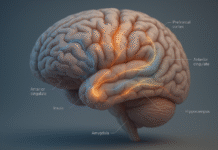





























Visualizing success isn’t daydreaming—it’s a deliberate mental rehearsal that primes the brain and behavior for specific results at work. In plain terms, it means picturing the steps you’ll take and the obstacles you’ll face until your next move feels familiar. Used well, visualization improves planning, reduces avoidable mistakes, and speeds up execution because your mind has “been there” before the real moment arrives. In the next sections you’ll learn 12 practical, evidence-informed strategies to make visualization a daily advantage in your job, team, or business. Quick start: pick a meaningful goal, map the process, rehearse obstacles, make if–then plans, and track leading indicators you can influence today. This guide is educational only and isn’t financial, legal, or medical advice.
1. Use Process (Not Just Outcome) Visualization to Drive Behavior
Process visualization beats outcome fantasizing because it focuses your attention on actions you control. The fastest way to make visualization work at the office is to mentally rehearse the sequence of steps that lead to the result, not just the result itself. For example, instead of picturing “closing the deal,” see yourself opening the Zoom room early, anchoring the agenda, asking diagnostic questions, handling two predictable objections, and confirming next steps. This tightens your plans, reduces anxiety from unknowns, and increases the likelihood that you’ll do the gritty, unglamorous work that produces wins. Classic experiments show that process-focused mental simulation improves preparation behaviors and performance more than outcome-only fantasies.
1.1 How to do it
- Write your goal, then list the 5–7 steps that reliably produce it.
- Close your eyes and “walk through” each step in real time, including the environment, sounds, and timing.
- Visualize two likely obstacles per step and how you’ll respond.
- End each rehearsal by stating the next concrete action you’ll take within 24 hours.
- Repeat before key work blocks (e.g., first 5 minutes of the day, pre-meeting).
1.2 Numbers & guardrails
- Keep sessions short: 2–5 minutes per rehearsal to avoid rumination.
- Aim for 3–4 mental reps before high-stakes events.
- Pair with a checklist to prevent “feel-good only” sessions and ensure execution.
Synthesis: When in doubt, picture the work, not the trophy; you’ll plan better and act sooner.
2. Turn Imagery into If–Then Scripts (Implementation Intentions)
Visualization is powerful, but it becomes execution-ready when you translate scenes into if–then plans: “If [trigger], then I will [response].” This simple layer delegates your desired behavior to cues in the moment, reducing reliance on willpower. Decades of research show that implementation intentions help people follow through under distraction and stress by making the cue–response link automatic. In business, that can be as mundane and crucial as “If a stakeholder derails scope in the review, then I will park it in the ‘Later’ column and confirm our sprint goal.” The more your visualization ends with if–then plans, the more your future self has a script to run. Prospective Psychology
2.1 Steps to build your scripts
- From your visualization, extract 3–5 predictable cues (e.g., “price pushback,” “meeting runs long”).
- For each cue, write a one-line if–then (behavioral, observable, specific).
- Practice the script aloud once—yes, literally say it.
- Store scripts in meeting notes or on a sticky next to your webcam.
- After the event, review which scripts triggered and update.
2.2 Mini case
A CS lead prepping for renewals made these scripts:
- If discount is requested early, then pivot to value recap + success metrics before talking numbers.
- If competitor comes up, then acknowledge, clarify differentiators, and ask timing for competitive review.
Renewal rate rose from 86% to 92% in one quarter as conversations stayed structured.
Synthesis: Make your imagery actionable with 3–5 if–then lines; they’ll fire when you need them most.
3. Apply WOOP/MCII: Contrast the Dream with Obstacles, Then Plan
Optimistic daydreams feel good but can deflate effort unless contrasted with reality. The WOOP method—Wish, Outcome, Obstacle, Plan—solves this by pairing an attractive future with the single biggest internal obstacle, then adding an implementation intention. Meta-analytic evidence shows mental contrasting with implementation intentions (MCII) reliably boosts goal attainment across diverse contexts with small-to-medium effects, which is precisely what you want compounded over quarters. In the workplace, WOOP helps keep goals grounded: “Wish: reduce churn to 6%. Outcome: net retention 112%. Obstacle: we avoid hard ‘value confirmation’ calls. Plan: If a client hasn’t logged in 14 days, then we schedule a 10-minute ROI check-in.” PMC
3.1 How to run a 7-minute WOOP
- Wish (1 min): Name a meaningful, feasible quarterly goal.
- Outcome (1 min): Picture 2 concrete, measurable wins you’ll see.
- Obstacle (3 min): Visualize the internal blocker you control (habits, avoidance).
- Plan (2 min): Write one if–then to neutralize that obstacle.
3.2 Why it matters at work
WOOP counters the “feel-good trap,” aligns expectations, and forces a first move. It’s light enough for daily use and structured enough for OKR check-ins.
Synthesis: Don’t just see success—contrast it with the obstacle you’ll likely create, then pre-decide your response.
4. Link Visualization to OKRs and Visual Dashboards
Imagery turns into momentum when tied to clear goals and measurable key results. OKRs (Objectives and Key Results) are a practical way to anchor your visualizations to leading indicators you can influence weekly (e.g., “discovery calls/week,” “time-to-first-value”). Google popularized OKRs to set ambitious goals and track progress; combining them with visualization creates a weekly ritual: rehearse the behaviors, then watch the dials move. Keep your dashboard simple and visible: 3–5 KRs, trend lines, and color thresholds so your brain gets fast, low-friction feedback.
4.1 Checklist to operationalize
- Create an Objective phrased qualitatively (“Delight new users”).
- Define 3–5 KRs with numeric thresholds (e.g., TTFV < 24h; activation ≥ 60%).
- Visualize the behaviors that move each KR (process imagery + scripts).
- Review the dashboard 2x/week; update if–then plans where you miss.
- Retire vanity metrics; keep what drives decisions.
4.2 Mini example
A SaaS PM visualized improving activation: greeting in-app, running a 10-minute call, and instrumenting an aha-moment. KRs: 60% week-1 activation, TTFV < 24h, 20% template usage. Within 6 weeks, activation hit 58% (up from 41%), thanks to daily micro-rehearsals and a simple KR board.
Synthesis: See the work, then see the needle—link your mental rehearsal to OKRs and visible metrics.
5. Run Premortems: Visually “Time Travel” to a Failed Future and Work Backward
A premortem asks your team to imagine the project has failed and list the most plausible reasons. This prospective hindsight unlocks dissenting insights early, when fixes are cheap. In meetings, draw the future postmortem headline on a board (“Launch slipped 6 weeks—customers churned”), and have each person silently write 3–5 causes; cluster, vote, and assign countermeasures. The act of visualizing failure expands the risk map and replaces generic optimism with specific guardrails. The method, popularized in HBR, is fast, psychologically safe, and especially useful for cross-functional work where failure modes hide in handoffs.
5.1 Steps (45 minutes total)
- Set the scene (5’): “It’s 90 days from now. We failed. Why?”
- Brainwrite (10’): Silent individual notes; no discussion.
- Cluster & vote (10’): Group similar risks; dot-vote top 5.
- Countermeasures (15’): Owners write if–then triggers for each top risk.
- Commit (5’): Add risks and triggers to the project board.
5.2 Numbers & guardrails
- Cap at 10–12 attendees to keep the signal high.
- Force each risk to have one observable trigger and one owner.
- Revisit at each milestone; retire risks that no longer apply.
Synthesis: Before you rally the team around a vision, visualize failure to reveal where your plan will crack—and fix it while it’s cheap.
6. Rehearse High-Stakes Meetings & Negotiations Like a Flight Simulator
Sales calls, board updates, performance reviews, and vendor negotiations are perfect for guided mental and verbal rehearsal. Visualize the room (or Zoom), the opening 60 seconds, your slide flow, and the 3 likely objections. Then role-play with a teammate: run 2–3 fast repetitions, each time with a different obstacle. Neuroscience shows that imagery engages overlapping neural networks with action; pairing imagery with brief in-situ practice creates more robust readiness. Treat your deck as a stage direction, not a script—your visualization should make you sound conversational under pressure. دانشیاری | دانستنیهای جذاب برای زندگی
6.1 How to structure a 20-minute sim
- 00–03’: Quiet process imagery (entry, agenda, first question).
- 03–05’: Speak your opener out loud.
- 05–15’: Two role-play reps with different objections (price, timing, security).
- 15–20’: Debrief; add/adjust 2 if–then scripts.
6.2 Mini case
A founder practicing a 12-minute investor pitch visualized the transitions and fielded a “Why now?” objection. By the third rep, he hit time-on-target consistently and answered crisply, earning a partner meeting.
Synthesis: Sim the moments before they happen; you’ll reduce surprises and sound like you’ve “been there.”
7. Make Work Visible with Kanban and Obeya Walls
Visualization isn’t only in your head—externalize it. A kanban board shows the flow of work and limits work-in-progress so priorities are obvious and bottlenecks pop. In larger efforts, an obeya (“big room”) wall pulls strategy, metrics, risks, owners, and timelines into one visual command center. The benefit isn’t aesthetic; it’s cognitive load reduction and faster coordination. Even basic three-column kanban (“Ready / Doing / Done”) with WIP limits can reduce thrash and make progress tangible, which supports the mental images you’ve been rehearsing.
7.1 Practical setup
- Start with three columns and WIP limits in “Doing.”
- Color-code by work type (customer, platform, ops).
- Add a “Parking Lot” corner to capture off-topic ideas during meetings.
- Post one premortem risk per swimlane with its if–then trigger.
- Snapshot the board weekly for a mini-retrospective.
7.2 Guardrails
- Keep item titles verb–object (“Draft contract v2”), not vague labels.
- If “Doing” stays full for >5 days, swarm the oldest card before starting new work.
- Make owners explicit; avoid multi-owner items.
Synthesis: When work is visible, your mental plan has a place to land—and your team sees the same picture you do.
8. Visualize Bets with Scenario Trees and Expected Value
Many decisions are messy because the outcomes aren’t binary and the probabilities aren’t obvious. Visualization helps by drawing the decision: options, key uncertainties, and likely outcomes with rough probabilities and payoffs. Even back-of-the-envelope decision trees answer “Which path has the highest expected value, and where is more information worth the time?” This turns vague strategic debate into concrete next steps (e.g., “We’ll run a 2-week pilot to reduce uncertainty on adoption”). Pair this with imagery—mentally walk through the first three moves after choosing each branch.
8.1 Quick method (30 minutes)
- List 3 options and the 2–3 uncertainties that matter most.
- Sketch a tree; assign rough probabilities and payoffs (ranges are fine).
- Compute expected value; star the best branch.
- Visualize the first two weeks after choosing that branch; note blockers.
- Decide how to learn cheaper/faster where uncertainty is highest.
8.2 Mini example
A B2B startup faced “Build, Buy, or Partner” for a feature. Expected values favored “Partner” given 6-month runway; the team visualized a co-marketing launch, a shared success metric, and legal review—and shipped in 7 weeks.
Synthesis: Draw the decision you’re tempted to debate; your mind (and team) will see the smartest next move.
9. Build a 3-Minute Daily Micro-Visualization Ritual
Performance gains compound when visualization becomes tiny and daily. A 3-minute ritual keeps your plans top-of-mind and makes your next action feel pre-lived. Do it before your first deep-work block or right before a critical meeting: breathe, picture the first two steps, see the common blocker, and run an if–then script. Then act immediately for two minutes. Over time, this habit smooths context switches and reduces procrastination because “starting” no longer feels like a cold start.
9.1 Mini checklist
- Anchor: Same time & place daily (e.g., 9:00 a.m., desk).
- Cue: Open calendar; select your one most important task.
- Rehearse: First 2 steps + 1 obstacle + 1 if–then.
- Commit: Start 2 minutes of the task.
- Track: Mark a tiny ✓ on your calendar; aim for streaks, not marathons.
9.2 Why it works
Short reps lower the bar to begin, build identity (“I’m someone who prepares”), and produce visible gains in reliability that add up over quarters.
Synthesis: Small, scripted, and consistent beats long and sporadic—especially on busy days.
10. Map the Customer Journey and Rehearse Key Moments of Truth
To visualize success in sales, onboarding, and support, you need a shared picture of the customer’s path: goals, actions, emotions, and friction points across touchpoints. A customer journey map (or service blueprint) provides that picture, making it much easier to mentally rehearse how to remove friction and create delight. Teams that map the journey can visualize specific interventions—like speeding time-to-first-value or scripting a “save” moment on a cancellation page—and then track the right leading indicators. Respected UX sources detail how journey maps align teams and surface gaps that scatter improvement efforts.
10.1 How to do it in 60 minutes
- Pick one persona and one goal (e.g., “trial to paid”).
- List stages (awareness → activation → value → advocacy).
- Under each stage, add actions, emotions, metrics, and owners.
- Mark 3 “moments of truth”; write one if–then script for each.
- Choose two leading indicators to watch for 4 weeks.
10.2 Mini case
A PLG startup mapped “first 7 days.” They visualized a 3-step aha sequence, added a “success call” micro-moment, and bumped week-1 activation by 15 percentage points in a month.
Synthesis: When you can see the customer’s journey, it’s far easier to visualize (and execute) the right fix.
11. Reappraise Stress Arousal with Brief Imagery
Big meetings spike heart rate and narrow attention. Instead of fighting stress, reappraise it as fuel: a sign your body is mobilizing to help you focus. Briefly visualize yourself channeling that energy into a steady voice and curious questions. Experimental studies show that stress-arousal reappraisal can improve math test performance and reduce evaluation anxiety in classroom exam situations; the workplace analog is delivering under pressure. Use this as a 90-second pre-event reset: see the first calm breath, the first sentence, the first confident question.
11.1 90-second sequence
- Label: “This is helpful arousal.”
- Breathe: Three slow exhales (long exhale activates the parasympathetic brake).
- Visualize: Hearing the first question and responding with curiosity.
- Script: “If I feel my heart race, then I’ll slow my exhale and ask one clarifying question.”
- Act: Start speaking; momentum settles nerves.
11.2 Guardrails
This is performance psychology, not medical advice. If anxiety is impairing life or work, talk to a qualified professional.
Synthesis: Don’t suppress the butterflies—teach them to fly in formation with a quick reappraisal and micro-visualization.
12. Use Motor Imagery to Accelerate Skill Acquisition (Demos, Hand-offs, Live Ops)
When the task is complex and time-bound—live demos, hand-offs, or incident response—motor imagery helps you internalize the sequence and timing. Neuroscience meta-analyses find that imagining actions and executing them recruit overlapping neural networks, which is why mental reps make the first real reps smoother. Pair motor imagery with brief physical walkthroughs: rehearse moving between screens, where your cursor will land, or how you’ll plug and unplug devices in a demo. For operations, imagine triaging alerts, running the first command, and verifying rollback.
12.1 How to do it
- Record the sequence (screenflow or checklist).
- Close your eyes and rehearse the motions, including timing.
- Add one “dynamic” element (gesture or keypress) during imagery to deepen encoding.
- Run a 3-minute hotwash after each practice; fix two snags.
- Cold-start test: Can you begin without notes?
12.2 Evidence snapshot
A classic meta-analysis shows mental practice enhances performance across tasks; newer work refines when and for whom it works best. The takeaway for knowledge workers: couple imagery with short physical reps and explicit checklists for best effect. ScienceDirect
Synthesis: For live performance under time pressure, mental reps plus tiny physical reps build fluency fast.
FAQs
1) What does “visualizing success” actually mean at work?
It’s the deliberate mental rehearsal of future actions, obstacles, and responses that shape outcomes you care about—like closing a deal, shipping a feature, or leading a review. You picture the environment and your behaviors, then translate that into if–then plans and metrics.
2) Is there real evidence that visualization works, or is it just positive thinking?
There’s evidence. Meta-analyses and classic experiments show mental practice and process-focused simulation can improve performance—especially when paired with implementation intentions and actual practice. The effects are usually small to medium, which compound when used consistently across weeks and quarters.
3) Should I visualize outcomes (the win) or processes (the work)?
Prioritize process imagery. Outcomes can motivate, but process imagery improves planning and execution because it rehearses controllable steps and reduces surprises. A practical split: 10–20% outcome to clarify the target, 80–90% process to make the target plausible.
4) How do OKRs fit with visualization?
OKRs turn vague hopes into trackable behaviors. Visualize the weekly actions that move each KR (calls, demos, response time), then look at an easy-to-read dashboard. When a KR stalls, update your if–then plan or your process map.
5) What’s WOOP/MCII and why should I care?
WOOP (Wish, Outcome, Obstacle, Plan) plus implementation intentions creates a compact routine that protects effort from fantasy. A 2021 meta-analysis found MCII improves goal attainment with a small–medium effect size across varied domains; that’s the kind of nudge that compounds over fiscal quarters.
6) How long should a visualization session be?
Keep workday rehearsals short (2–5 minutes) and frequent. Do longer sessions before major events (10–15 minutes tops). Consistency matters more than duration; you’re pre-loading a mental script, not meditating for an hour.
7) Can visualization reduce my pre-meeting nerves?
Yes—combine reappraisal (“this arousal is fuel”) with a 90-second micro-visualization of your first sentence and one clarifying question. Studies show reappraising stress arousal can improve performance and lower evaluation anxiety in academic testing scenarios, a close analog to workplace pressure. Nature
8) How do I use visualization with my team, not just personally?
Externalize it: kanban boards, obeya walls, journey maps, and premortems. These tools give everyone the same picture, align if–then triggers, and surface bottlenecks early. Review visuals in short, regular rituals so they drive decisions.
9) Does motor imagery help knowledge work, or only sports?
It helps beyond sports. Neuroimaging work indicates imagery and execution share overlapping circuits; translating that to demos, hand-offs, or live ops makes your first real reps smoother. Pair mental reps with short physical run-throughs.
10) What if visualization makes me feel good but I still don’t act?
You’re likely doing outcome fantasies without contrast or plans. Switch to process imagery + WOOP + if–then. Also add a 2-minute “start now” action after each session to build momentum.
11) Where should I start if my days are chaotic?
Adopt the 3-minute ritual: pick one critical task, visualize the first two steps and one obstacle, set an if–then, then work for two minutes. Protect one block on your calendar daily. Chaos shrinks when the next move is always clear.
12) What tools help?
Any lightweight combo: timer app, notes doc for scripts, a simple kanban (Notion, Trello), OKR tracker, and a weekly dashboard. The tools matter less than the habit of seeing the work and acting immediately.
Conclusion
Visualization is a performance tool, not a pep talk. When you picture process over glory, rehearse obstacles and scripts, and externalize your plans with boards, dashboards, and maps, you remove friction that usually slows teams down. Tie imagery to OKRs to watch the right dials, run premortems to surface hidden risks, and practice high-stakes moments in short, realistic sims. Keep it tiny and daily with a 3-minute ritual, and use stress reappraisal to ride your nerves instead of fighting them. Over a quarter, small effects compound into a steadier pipeline, faster shipping, and fewer “we should have seen this coming” postmortems.
Next step: pick one upcoming meeting or deliverable, write three if–then scripts, and rehearse them for two minutes—then go run the first step.
References
- Driskell, J. E., Copper, C., & Moran, A. (1994). Does mental practice enhance performance? Journal of Applied Psychology. American Psychological Association. https://psycnet.apa.org/record/1994-41064-001 (Meta-analysis overview available: ResearchGate PDF reprint.) ResearchGate
- Pham, L. B., & Taylor, S. E. (1999). From Thought to Action: Effects of Process-Versus Outcome-Based Mental Simulations on Performance. Personality and Social Psychology Bulletin, 25(2), 250–260. SAGE Journals
- Taylor, S. E., Pham, L. B., Rivkin, I. D., & Armor, D. A. (1998). Harnessing the Imagination: Mental Simulation, Self-Regulation, and Coping. American Psychologist. (Accessible summary PDF). taylorlab.psych.ucla.edu
- Gollwitzer, P. M. (1999). Implementation Intentions: Strong Effects of Simple Plans. American Psychologist, 54(7), 493–503. https://doi.org/10.1037/0003-066X.54.7.493 NYU Scholars
- Wang, G., et al. (2021). A Meta-Analysis of the Effects of Mental Contrasting With Implementation Intentions (MCII). Frontiers in Psychology. Frontiers
- Klein, G. (2007). Performing a Project Premortem. Harvard Business Review, September 1, 2007. Harvard Business Review
- Re:Work (Google). Set goals with OKRs. (Guide page). Rework
- Atlassian. (2020, Feb 17). Kanban 101: How any team can be more agile. Atlassian
- Nielsen Norman Group. (2016/2018). Customer Journey Mapping (101 & How-To). and https://www.nngroup.com/articles/journey-mapping-101/ Nielsen Norman Group
- Hardwick, R. M., Caspers, S., Eickhoff, S. B., & Swinnen, S. P. (2018). Neural correlates of action: Comparing meta-analyses of imagery, observation, and execution. Neuroscience & Biobehavioral Reviews, 94, 31–44. PubMed
- Jamieson, J. P., Mendes, W. B., Blackstock, E., & Schmader, T. (2010). Reappraising arousal improves performance on the GRE. Journal of Experimental Social Psychology, 46(1), 208–212. (Abstract/records) PubMed
- Mulder, T. (2007). Motor imagery and action observation: cognitive tools for rehabilitation. Journal of Neural Transmission. Open access summary: PMC