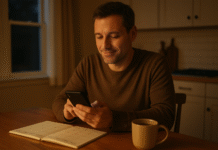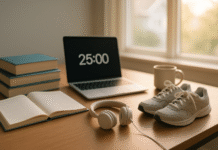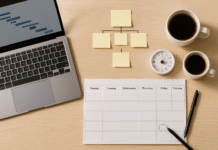


























You’re reachable everywhere, all the time—and your brain pays the bill. Digital overload happens when the volume, speed, and unpredictability of online inputs exceed your capacity to process and recover. The result? Scattered attention, poor sleep, rising stress, and a steady leak of energy across your day. This guide unpacks why constant connectivity is so draining and gives you practical ways to take control without opting out of modern life. Health note: This article is educational and not a medical diagnosis or treatment plan.
Quick answer: Constant connectivity drains energy by forcing frequent task switches, generating persistent low-level stress from notifications, delaying and fragmenting sleep, and crowding out mental recovery. The fix is to set device and work boundaries, batch your attention, protect your evenings from bright screens, and create daily “offline” recovery windows.
1. Switching Costs Fracture Your Focus (and Your Fuel)
Task switching is the invisible tax on every “quick check.” Even tiny toggles—Slack, inbox, a DM, a tab—force your brain to unload one context and load another. That reload burns glucose and attention, which is why you feel mentally “tired but wired” after a day of pings and tabs. Research on interruptions shows that after you handle an interruption, the time to reorient back to the original task can be substantial; in field and lab work, resumption lags and added stress are consistent patterns. Chronic media multitaskers also show poorer filtering of irrelevant information, making them more vulnerable to distractions and mental fatigue. SpringerLink
1.1 Why it matters
When you switch tasks repeatedly, you don’t just lose seconds—you lose momentum. That momentum is the precursor to deep work states where thinking feels easier and output is higher. Without it, you spend more of the day in shallow, effortful cognition that feels like driving with the handbrake on.
1.2 Numbers & guardrails
- Use 25–50 minute focus blocks with 5–10 minute breaks (Pomodoro-style).
- Cap ad-hoc inbox checks to 2–4 times per day; schedule them.
- Keep ≤5 active tabs during focused work; park the rest in a read-later list.
- Track switches for a day; aim to cut them by 25–50% next week.
1.3 Tools/Examples
- Focus modes/Do Not Disturb on iOS/Android/macOS/Windows.
- Website blockers (Freedom, Cold Turkey) during focus blocks.
- Email triage windows with an “Inbox Pause” add-in.
Synthesis: Fewer switches mean fewer reloads of context—and more energy left for the work that matters.
2. Notifications Keep Your Brain in Perma-Alert
Every chime, buzz, or red badge is a novelty cue that says “maybe urgent.” That uncertainty spikes vigilance, driving micro-surges of attention and stress. In an experimental two-week study, participants had higher inattention and hyperactivity when alerts were on versus off; inattention predicted lower productivity and well-being. The takeaway is simple: the presence of alerts—not just their content—can degrade focus and energy across the day.
2.1 How to do it
- Turn off all non-human push alerts (likes, promos, “suggested for you”).
- Batch the rest: deliver summaries 2–3 times daily.
- Use VIP/priority only for truly time-sensitive contacts.
- Put messaging apps behind a schedule (e.g., 11:30, 15:30, 17:30).
2.2 Mini-case (math)
If you receive 60 alerts/day and spend just 12 seconds glancing/deciding, that’s 12 minutes of micro-attention. If even a quarter trigger a 2-minute “quick check,” you’ve added 30 extra minutes of shallow context switching—before resumption lags.
2.3 Tools/Examples
- iOS/Android notification digests, Priority Inbox/VIP, Focus Assist (Windows).
- Mute by default in team chat; @mentions only for urgent.
Synthesis: Alerts convert your day into a slot machine. Silence the reel, and your baseline energy rises.
3. Late-Night Screens Shift Your Body Clock and Steal Sleep
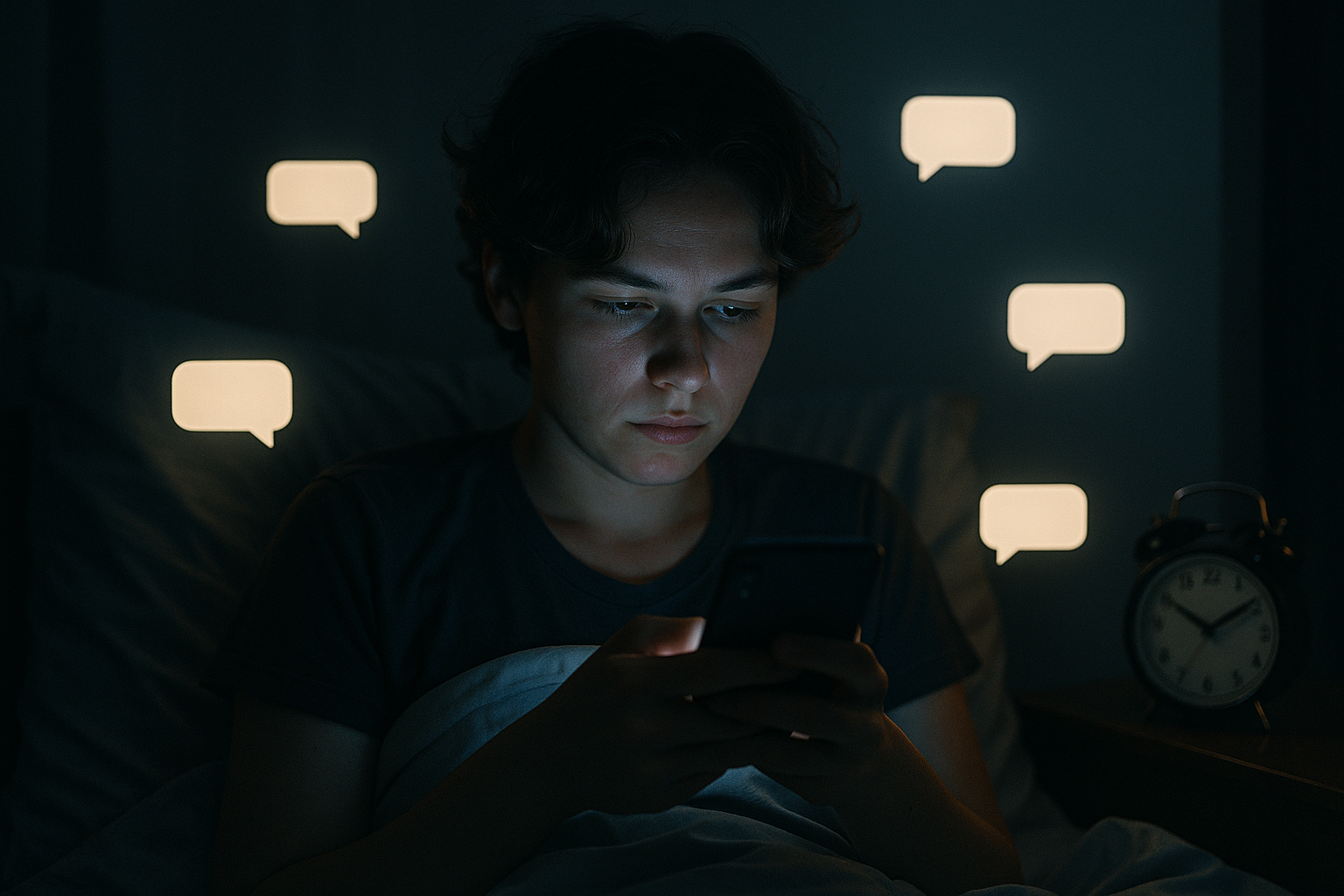
Blue-enriched light from LEDs and screens suppresses evening melatonin and delays circadian timing, making it harder to fall and stay asleep. Authoritative medical sources report that evening light exposure can disrupt the sleep-wake cycle; sleep organizations advise powering down 30–60 minutes before bed. Less and later sleep means less cognitive throughput and more next-day fatigue.
3.1 Numbers & guardrails
- Curfew: Power down bright screens 60–90 minutes before bed.
- Environment: Use warm/dim lighting at night; keep the room <20°C / 68°F.
- Devices: Charge phones outside the bedroom; use an analog alarm.
- If you must screen: Enable night mode + darkest brightness + reader view.
3.2 Mini-checklist
- Consistent wake time (even weekends)
- No caffeine within 8 hours of bed
- Wind-down routine (stretching, reading paper books, journaling)
- Earplugs/white noise if your environment is noisy
3.3 Tools
- Night Shift / Bedtime / Sleep Focus (Apple), Bedtime mode / Wind Down (Android), f.lux (desktop).
Synthesis: Protect your last 90 minutes from bright, interactive light and you’ll buy back energy for the entire next day.
4. “Always-On” Work Blocks Recovery—and That Fuels Exhaustion
Energy isn’t just produced during work; it’s restored during detachment—time when you’re psychologically off the clock. Meta-analyses and reviews show that detaching from work predicts better well-being and performance, while poor detachment relates to strain and fatigue. Some regions are formalizing this insight: the European Parliament has advanced a “right to disconnect,” and countries like France and Portugal have enacted versions; Ireland adopted a national Code of Practice in 2021. Your energy dips when after-hours messages erase the boundary that recovery requires.
4.1 How to do it (leaders & teams)
- Publish core hours + response-time norms; reserve “urgent” for true incidents.
- Use delayed send for after-hours email.
- Give DND cover as policy (e.g., 18:30–08:30 local time).
- Rotate on-call; comp time for off-hours work.
4.2 Region notes
- EU: Ongoing steps toward an EU-wide directive; several member states have laws or negotiated frameworks.
- Ireland: Code of Practice on the Right to Disconnect (not legislation) guides employers and employees. EurofoundMayer Brown
Synthesis: Clear guardrails for availability convert “always-on” into “reliably reachable when it matters”—and that difference preserves energy.
5. Information Overload and Decision Fatigue Sap Mental Bandwidth
Your working memory has limits. When feeds, chats, and dashboards exceed them, choices get slower and worse—and you feel drained. Research on decision fatigue and ego depletion is mixed, but even critics agree that high decision load and choice conflict can impair judgment and self-control in the short term. Online, you’re making hundreds of micro-decisions (click/skip/save/reply), which adds up to cognitive wear and tear.
5.1 How to reduce choice friction
- Pre-decide: fixed routines for breakfast, workout days, clothes.
- Defaults: auto-filter newsletters; inbox rules to folders.
- Batching: collect links in a queue; decide once per day.
- Limit: cap daily sources (e.g., 3 news outlets, 2 newsletters).
5.2 Mini example
Compare 10 unsorted tabs versus a single “Read Later” queue. The first forces 10 immediate choices; the second defers to one chunked decision window—freeing attention for real work.
Synthesis: Fewer, higher-quality decisions beat more, lower-quality ones. Design your digital day to spend judgment where it counts.
6. Algorithmic Feeds Pull on Mood and Attention
Feeds optimize for engagement, not restoration. Variable rewards (sometimes the post is great; often it’s not) keep you scrolling, while social comparison can ding mood and self-worth. Public health advisories highlight sleep disruption and well-being risks with heavy social media use in youth, underscoring mechanisms—late-night use, negative content, comparison—that generalize to adults’ energy, too. Experiments also show that phone use during in-person interactions undermines enjoyment.
6.1 Guardrails for feeds
- Time-box high-variance apps (e.g., 20–30 minutes/day).
- Move them off the home screen; disable badges.
- Follow fewer accounts; unfollow anything that spikes anxiety or rumination.
- Replace idle scrolls with intentional reads (Pocket, Instapaper) or audio.
6.2 Mini-checklist
- No-scroll mornings until after first deep work block
- No phones on the table during meals
- Weekly audit: remove one energy-negative follow
Synthesis: When feeds compete for your state, your energy loses. Reclaim the terms of engagement. Squarespace
7. Time Disappears Into Your Smartphone—Often Without You Noticing
For many people, most online time now flows through the phone—and most of that time goes to a small set of sticky apps. In the UK, three-quarters of online time is on smartphones, and adults spend about 3 hours 15 minutes a day on their phones. That time displacement crowds out sleep, movement, and sustained focus—three pillars of energy. Track it, and it becomes obvious where your day went.
7.1 How to do it
- Turn on built-in analytics (Screen Time/Digital Wellbeing).
- Identify your top three drains; set 20–30% reductions for each.
- Build “first-mile” rituals: notebook before email, walk before social, water before coffee.
- Replace “check loops” with triggers (e.g., stretch every time you reach for the phone).
7.2 Tools
- App timers, focus filters, grayscale mode to reduce appeal.
- App blockers that enforce curfews on your biggest drains.
Synthesis: Measure, then nudge. Small percentage cuts in your biggest attention sinks return large dividends in energy.
8. Physical Strain from Screens Amplifies Fatigue
Energy isn’t only mental. Hours at a screen can trigger digital eye strain (dryness, blur, headaches) and posture issues that feed overall fatigue. Eye-care organizations recommend structured breaks and ergonomic setups; review articles link sustained near-work to strain symptoms. Treat your setup like sports equipment: tuned to reduce friction and pain so you can go longer with less drain.
8.1 Mini-checklist (the 20-20-20+ posture rule)
- Every 20 minutes, look at something 20 feet away for 20 seconds.
- Keep monitor top at or slightly below eye level; screen at arm’s length.
- Use artificial tears if advised by an eye-care professional.
- External keyboard/mouse for laptops; feet flat, hips/knees at ~90°.
8.2 Tools
- Break reminders (Workrave, Stretchly).
- Reader modes and larger type for long sessions.
- Anti-glare screen + good ambient light to avoid high contrast.
Synthesis: Reduce the physical drag of digital work and your overall energy will follow.
9. Boundaries Across Devices Prevent the “Leak” of Energy
Even if you silence one device, another can resurrect the feed. True relief requires system-wide boundaries. Recent experiments show that blocking mobile internet for a period meaningfully reduces use and improves subjective well-being—evidence that lower exposure can restore energy and mood. You don’t have to go offline forever; you do need recurring windows when nothing can get in.
9.1 How to do it (stacked defenses)
- Time: One 60–90 minute block of offline deep work daily; one device-free meal.
- Space: Phone lives in another room during sleep and first hour after waking.
- Mode: DND + app timers + notification digests + inbox batch windows.
- Social: Shared norms—reply-by-end-of-day is OK; urgent = call.
9.2 “Right to disconnect” as a model
If your team spans regions with formal disconnect norms (e.g., parts of the EU), adopt those norms globally; they protect recovery—and energy.
Synthesis: Energy leaks through the cracks of inconsistent rules. Make your boundaries boringly consistent, and your energy becomes reliably available.
FAQs
1) What exactly is “digital overload”?
It’s the state where the volume, velocity, and variability of digital inputs exceed your capacity to process and recover. Symptoms include fragmented focus, sleep disruption, tension in the neck/eyes, and a constant urge to check. It’s not an official diagnosis; it’s a practical label that helps you test interventions like batching, curfews, and device-wide DND.
2) How do I know if notifications are the main problem?
Run a two-week A/B: alerts fully on versus fully off with scheduled checks. Track attention, mood, and output (journal or app metrics). In experimental work, notifications increased inattention and hyperactivity, which predicted worse productivity and well-being—so if your numbers move on “off” weeks, you’ve found leverage.
3) Is blue light the real sleep culprit—or is it just scrolling?
Both matter. Blue-enriched light in the evening suppresses melatonin and delays circadian timing; interactive content also keeps your mind aroused. The pragmatic fix is a 60–90 minute pre-sleep curfew plus warm/dim lighting and devices out of the bedroom.
4) My job requires fast responses. How can I set boundaries without hurting my team?
Publish core hours and response-time expectations, give DND cover outside those windows, and use an escalation path (urgent = phone). Many organizations in regions with a “right to disconnect” formalize this balance; you can emulate the policy even where it’s not law.
5) Do “focus apps” and blockers really help?
Yes—if they implement your rules. Software can’t create discipline, but it removes friction. Use blockers to protect scheduled deep-work blocks, and app timers to cap high-variance apps. Pair them with social or team norms so the environment supports your settings.
6) How many inbox checks per day is ideal?
For most roles, 2–4 scheduled windows work well (late morning, mid-afternoon, late day). If you’re truly on call, rotate that duty and offset it with comp time. The goal is to minimize unscheduled checks that fragment focus.
7) Is “decision fatigue” real?
Evidence is mixed. But you don’t need a perfect theory to benefit from fewer choices. Pre-deciding routines, batching decisions, and limiting sources reduce friction and make energy available for complex work. Reviews acknowledge that high decision load can impair performance in the short term. PMC
8) Will reducing smartphone time actually improve well-being?
Controlled experiments suggest that reducing mobile internet for a period decreases use and improves subjective well-being—consistent with what many people feel anecdotally. Try a two-week reduction and track sleep, mood, and focus to see if you notice the lift.
9) What about eye strain—do blue-light glasses fix it?
Evidence for blue-light-blocking glasses is mixed. The bigger wins come from better ergonomics and the 20-20-20 habit, along with breaks and updated prescriptions. Follow eye-care guidance and adjust your workstation to cut physical fatigue.
10) Can I be both reachable and protected?
Absolutely. Use priority channels for emergencies, batch everything else, publish your norms, and let tools enforce them. Think “reliably reachable at the right times,” not “always available.” The energy you preserve shows up as better work when it counts.
Conclusion
Constant connectivity isn’t neutral—it’s an architecture that shapes how your brain uses and recovers energy. The combination of frequent task switches, unpredictable notifications, evening light exposure, and a lack of psychological detachment creates a perfect storm of fatigue. The good news is you can redesign the architecture. Silence non-human alerts. Batch your attention into protected blocks. Keep screens out of your pre-sleep hour. Write down team norms that honor human recovery. Start with one lever (notifications, sleep, or inbox windows), track the change for two weeks, then stack the next habit. Small, boring constraints beat big, heroic willpower. Begin today: set your first 60-minute focus block and turn on Do Not Disturb.
References
- Blue light has a dark side, Harvard Health Publishing, updated July 24, 2024. Harvard Health
- Blue Light: What It Is and How It Affects Sleep, Sleep Foundation, July 11, 2025. Sleep Foundation
- Cognitive control in media multitaskers, Proc. Natl. Acad. Sci. USA (PNAS), Ophir, Nass, & Wagner, Sept. 15, 2009. PNAS
- The Cost of Interrupted Work: More Speed and Stress, CHI 2008, Mark, Gudith, & Klocke, April 2008. UCI Bren School of ICS
- Focused, Aroused, but so Distractible: A Temporal Perspective on Multitasking and Communications, ACM CSCW 2015, Mark et al., 2015. https://www.microsoft.com/en-us/research/wp-content/uploads/2016/10/p903-mark.pdf isr.uci.edu
- “Silence Your Phones”: Smartphone Notifications Increase Inattention and Hyperactivity Symptoms, CHI 2016, Kushlev et al., May 2016. ACM Digital Library
- Online Nation 2024, Ofcom (UK communications regulator), July 2024, pp. 7, 12. https://www.ofcom.org.uk/__data/assets/pdf_file/0010/302685/online-nation-2024-report.pdf
- Computer Vision Syndrome (Digital Eye Strain), American Optometric Association, accessed 2025. https://www.aoa.org/healthy-eyes/eye-and-vision-conditions/computer-vision-syndrome HHS.gov
- Prolonged screen time and digital eye strain—a review, AIMS Public Health, Kaur & Singh, 2022. https://www.aimspress.com/article/doi/10.3934/publichealth.2022048 HHS.gov
- Recovery from Work: Advancing the Field Toward the Future, Annual Review of Organizational Psychology and Organizational Behavior, Sonnentag, Cheng, & Parker, 2022. Annual Reviews
- The right to disconnect (EU Legislative Train), European Parliament, last updated 2024. European Parliament
- Blocking mobile internet on smartphones improves sustained well-being, PNAS Nexus, Castelo et al., 2025. Oxford Academic