



























Smartphones are incredible for coordinating life—but without clear limits, they can quietly erode connection, sleep, and trust. This guide is for couples who want a sane, sustainable way to enjoy tech without letting it hijack their evenings or their intimacy. You’ll learn nine practical, research-aware boundaries you can agree on together—covering phubbing, notifications, social media, and bedtime screens—plus ways to make those agreements stick using built-in tools. In one line: digital boundaries are mutually agreed rules and habits that limit when, where, and how devices are used so your relationship—not your screen—gets priority. This article is educational and not medical advice; if sleep or mental health concerns persist, consult a qualified professional.
Quick start (two sentences): Agree on your “couple rules,” schedule Do Not Disturb/Focus, set no-phone zones, and review your screen-time stats weekly. Small, consistent changes beat heroic, short-lived detoxes.
1. Write a 15-Minute “Screen-Use Charter” Together
A simple, shared charter is the fastest way to align expectations and prevent recurring arguments. In 15 minutes, you can define when phones are welcome, when they’re paused, and how you’ll handle edge cases (work pings, childcare, family emergencies). Start by acknowledging the obvious: constant partial attention feels like rejection and is linked in studies to lower relationship satisfaction via “phubbing,” where one partner phones-snubs the other. Then decide what “good enough” looks like most days, not perfection that collapses on busy weeks. Name a few non-negotiables (e.g., no phones at dinner) and a few flexible norms (e.g., 10-minute news scroll after dishes). Finally, agree on how to course-correct without blame—because boundaries work best when they’re revisited, not rigid.
1.1 How to do it (15-minute script)
- Minute 1–3: Name 3 moments you want to protect (e.g., meals, first 30 minutes after work, last hour before sleep).
- Minute 4–6: List exceptions (on-call nights, sick kid, travel).
- Minute 7–9: Choose tools (Focus/DND, App Limits, Bedtime mode, grayscale).
- Minute 10–12: Create a two-sentence repair script for slip-ups.
- Minute 13–15: Pick a weekly check-in time and a shared note to log tweaks.
1.2 Numbers & guardrails
- Keep the charter to ≤150 words.
- Protect 2–3 daily windows of connection.
- Set a weekly 10-minute review (same day/time).
Synthesis: Treat the charter as a living document: tight enough to guide behavior, light enough to evolve with your season of life.
2. Make “No-Phone Zones & Rituals” (Table, Car, Bedroom)
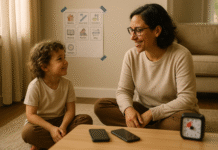
Designating phone-free spaces and brief rituals immediately reduces phubbing and makes attention visible. Start with the dinner table and the bed—two contexts where phone intrusion most strongly signals disinterest and where evidence links device exposure to sleep disruptions and decreased intimacy. Add the car during short rides; even a 10-minute drive can be a mini-catch-up if notifications aren’t chirping. To keep it friction-light, pair the rule with a physical cue: a small basket near the table, a charging station outside the bedroom, or a car rule that phones ride in the console. If you worry about emergencies, whitelist priority contacts and enable “Notify Anyway”/time-sensitive exceptions so you can relax and stay reachable.
2.1 Tools & examples
- Basket by the table: Phones go face-down before the first bite.
- Bedroom charging dock: Devices charge outside the room on weeknights.
- Car console rule: Music/podcasts are fine; no scrolling; nav set before driving.
- Emergency lane: Allow specific contacts to break through Focus/DND.
2.2 Mini-checklist
- Pick 2 zones to start (table + bed).
- Add a ritual cue (basket, dock, console).
- Set Focus/DND exceptions for urgent contacts.
Synthesis: Clear spaces plus tiny rituals beat willpower—attention becomes the default, not the exception.
3. Sync Focus/Do Not Disturb and Tame Notifications—Together
Shared quiet hours work because they remove the main trigger: interruptions. On iPhone, Focus modes let you silence most alerts while allowing chosen people or apps, and you can Share Focus Status so contacts see you’ve silenced notifications; Android’s Digital Wellbeing provides Focus mode, Bedtime mode, and granular Do Not Disturb controls. Create a couple profile: the same evening quiet window, mirrored on both phones. Allowlist each other and one emergency contact; demote noisy apps to summaries or turn them off entirely. This boundary doesn’t ban phones—it civilizes them—so you can use maps, timers, and playlists without being yanked into chats or feeds.
3.1 How to set it (platform quick-start)
- iPhone/iPad (as of May 2025): Settings → Screen Time (for limits) and Focus for modes; enable Share Focus Status so key contacts see “notifications silenced.”
- Android (Digital Wellbeing): Settings → Digital Wellbeing & parental controls → set Bedtime mode, Focus mode, and app timers; adjust Modes & DND schedules.
3.2 Notification hygiene (5 moves)
- Turn off badges and previews for social apps.
- Batch alerts with summaries (where available).
- Allow Time-Sensitive only (iOS) or alarms & starred contacts (Android).
- Move social apps off the home screen.
- Use grayscale after 9–10 p.m. to reduce novelty appeal.
Synthesis: When your phones quiet down on the same schedule, you stop negotiating attention—your environment does it for you.
4. Align Bedtime Screens with Sleep Biology
If you only adopt one boundary, make it a consistent wind-down: less bright, less stimulating screens for at least the last 30–60 minutes before sleep. Research continues to show that evening light—especially high-melanopic, short-wavelength (blue) light—can suppress melatonin and increase alertness; newer work suggests the content you consume and overall light exposure both matter. Randomized and laboratory studies report prolonged melatonin suppression in adults after smartphone reading without blue-light filters, with mixed effects on subjective sleepiness but plausible impacts on sleep architecture. Sleep organizations advise powering down electronics 30–60 minutes pre-bed and keeping devices out of the bedroom when possible. Your goal isn’t perfect darkness; it’s a predictable, calming routine that helps your brain downshift.
4.1 Numbers & guardrails (as of August 2025)
- 30–60 min screen-off buffer (aim for 45).
- If you must read: use warm/low-melanopic settings and grayscale.
- Keep brightness <30% and hold the device >40 cm / 16 in away.
- Consider a physical alarm clock so the phone can stay outside.
4.2 Practical setup
- Android: Schedule Bedtime mode to grayscale + DND nightly.
- iPhone: Use Sleep Focus + Downtime; put Messages/Email on the allowlist only for true emergencies.
- Replace late-night doomscrolling with paper media, a warm shower, or a 5-minute stretch.
Synthesis: Protecting the last hour of the day pays off twice—better sleep and fewer late-night miscommunications.
5. Set Clear Social Media & Privacy Rules (Consent, DMs, Transparency)
Social platforms blend public and private life, so couples need explicit rules to avoid accidental over-sharing or ambiguous interactions. Start with posting consent: ask before sharing each other’s images or private moments. Define what counts as micro-cheating for you two (flirty DMs, deleting chat histories, late-night messaging with exes) and agree on norms that protect trust without surveillance. Decide whether you’ll share passwords (many counselors advise against it for safety and autonomy) and, if not, what transparency looks like: e.g., “If something makes you uncomfortable, tell me within 24 hours.” Finally, limit the algorithm’s pull by muting accounts that spike anxiety or jealousy.
5.1 Social media checklist
- Ask before posting photos of each other.
- DM boundaries: no secret chats; group or daylight-hour rule.
- Transparency: disclose contact with exes or sensitive work ties.
- Privacy: protect 2FA and avoid routine password sharing.
- Mute/unfollow accounts that trigger conflict.
5.2 Region & family notes
- If family WhatsApp groups drive late pings, set a custom notification schedule or archive noisy threads after 9 p.m.
- For co-parents, agree on status updates cadence (e.g., “call after drop-off, text if plans change”).
Synthesis: Clarity beats mind-reading—spelling out social norms prevents small ambiguities from becoming large arguments.
6. Agree on Texting Cadence and “Micro-Connect” Windows
A lot of conflict isn’t about phones—it’s about responsiveness expectations. Some people prefer quick back-and-forth; others batch replies at lunch. Solve this by agreeing on response windows for weekdays and weekends and by using status signals (calendar blocks, Focus Status, automated DND) to make silence legible. Add two “micro-connect” windows—a 5-minute “good-morning” exchange and a 5-minute afternoon check-in. This keeps you in each other’s day without chaining you to notifications, and it helps prevent misinterpretations that research links to lower satisfaction when partners feel ignored.
6.1 Templates you can copy
- Weekdays: “I’ll usually reply by lunch (12–2). If urgent, call.”
- Evenings: “Phone goes on Focus 8–10 p.m.; I’ll see messages after.”
- Weekends: “I batch replies in the afternoon; mornings are offline.”
- Travel/on-call: “On duty tonight; green for 20 minutes at 9:30.”
6.2 Mini-checklist
- Define response windows (weekday/weekend).
- Turn on Share Focus Status (iOS) or set status/away cues in key apps.
- Use a one-line pre-silence text: “Going off-grid for yoga; back at 7.”
Synthesis: When expectations are visible, a slow reply stops feeling like rejection and starts feeling like a plan.
7. Add “Friction” to Doomscrolling with App Limits and Design Tweaks
You don’t need superhuman willpower if the path of least resistance leads away from infinite feeds. Use built-in tools: App Limits and Downtime on iPhone; app timers, Focus mode, and grayscale on Android. Aim for small but meaningful friction—timeouts after 20–30 minutes, a bedtime shutdown at 10 p.m., and a color-free screen at night. Research on screen/light exposure and attention suggests that both the visual stimulus and the interactive nature of feeds keep you aroused; friction breaks that loop. Pair limits with environment tweaks (charging outside the bedroom, moving social apps to a hidden home screen) to reduce mindless unlocking.
7.1 Friction ideas (pick 3)
- Set 30-minute daily timers on your top two time-sinks.
- Schedule grayscale after 9 p.m.
- Enable Downtime/Bedtime mode nightly.
- Remove feeds from the first home screen.
- Log out of the noisiest app each night.
7.2 Tool pointers (built-ins)
- iPhone/iPad: Settings → Screen Time (App Limits, Downtime).
- Android: Settings → Digital Wellbeing (app timers, Focus mode, Bedtime mode).
Synthesis: A nudge at the right moment beats a promise at the wrong one; friction delivers the nudge.
8. Use a Two-Minute Repair Loop for Phubbing Moments
Slip-ups will happen. What matters is how fast and how kindly you repair. Because partner phubbing is consistently associated with lower relationship satisfaction and more conflict, create a short, repeatable loop: name it, pause, reconnect, and reset the context. Keep scripts blame-light and behavior-specific (“I feel dropped when I’m mid-story and you look at your phone; can we pause notifications for ten minutes?”). Build a hand-off ritual: phone goes face-down, screen locks, you make eye contact, and the “floor” returns to the speaker. Then decide what to do next time (e.g., both enable Focus during meals) so the fix becomes prevention.
8.1 Two-minute loop
- Name it: “I’m feeling phubbed; can we pause phones?”
- Pause: Lock phones, put them face-down in view.
- Reconnect: One sentence reflecting back what you heard.
- Reset: Agree on a tool change (e.g., turn on Focus).
8.2 Common mistakes to avoid
- Global labels (“You’re always scrolling”).
- Hidden tests (“Let’s see if they notice”).
- Weaponizing transparency (“Show me your DMs right now”).
- Over-correction (drastic, unsustainable bans).
Synthesis: Repair is a skill; a tiny, repeatable script turns an irritant into a moment of care.
9. Run a Monthly “Tech-Retro” and a 7-Day Reset
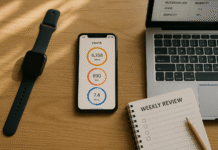
Healthy boundaries evolve. Once a month, look at your Screen Time/Digital Wellbeing reports together for 5–10 minutes: What went well? What spiked? What boundary felt hard? Choose one tweak for the next month (not three), and run a 7-day reset to test it—e.g., Downtime at 9:30 p.m., or a color-free phone after 8. If work/on-call life complicates evenings, align on contingency rules (“If I’m paged, I’ll tell you when I’m back; we’ll do a 10-minute reconnect”). The goal isn’t a perfect graph; it’s a felt sense of more attention, calmer nights, and fewer avoidable fights.
9.1 How to do it
- Pull the data: iPhone Screen Time or Android Digital Wellbeing charts.
- Name one win + one friction point.
- Pick one change (timer, Focus schedule, no-phone zone).
- Test for 7 days, then keep or adjust.
9.2 Mini case
- Week 1: Average bedtime scroll = 55 minutes → set 30-minute app timers + Bedtime mode at 10 p.m.
- Week 2: Scroll drops to 25 minutes; sleep latency improves; arguments after 11 p.m. vanish.
Synthesis: Inspect, adjust, repeat—the smallest sustainable change you’ll keep beats the grand overhaul you won’t.
FAQs
1) What exactly are “digital boundaries” in a relationship?
They’re mutually agreed rules and habits that govern device use—when, where, and how phones and apps fit into daily life. Examples include no-phone meals, synced Focus/DND hours, and a 30–60-minute pre-sleep wind-down. Think of them as traffic signals for attention: they reduce collisions, set expectations, and protect connection without banning technology altogether.
2) Isn’t this controlling? How do we keep it healthy?
Control is unilateral; boundaries are mutual and revisited. A healthy process feels collaborative, has clear exceptions, and includes a gentle repair loop for slip-ups. If one partner feels policed, shrink the scope, add status signals (like Share Focus Status), and agree on a 30-day trial before adopting any rule permanently.
3) How much screen time is “too much” for couples?
There’s no universal number. Instead, watch signals: frequent phubbing complaints, late-night doomscrolling, or sleep debt. Use your device reports to spot spikes and then protect just two windows per day (meals, post-work decompression, or pre-sleep). If arguments drop and sleep improves, you’ve likely hit the right dose.
4) Do blue-light filters solve bedtime problems?
They help some, but they’re not magic. Lab studies show evening smartphone use without filters can suppress melatonin longer in adults, and melanopic (biologically relevant) light matters beyond simple brightness. Content also stimulates. Best practice: a 30–60-minute screen-off buffer plus Bedtime/Sleep Focus; if you must read, combine warm tone, low brightness, and grayscale.
5) Should partners share passwords?
Generally, keep accounts private and secure (use 2FA). Instead of sharing passwords, create transparency rules: ask before posting, disclose sensitive connections, and bring up any uncomfortable DMs within 24 hours. Password sharing can create new risks (account recovery, work confidentiality) and isn’t a shortcut to trust.
6) What if my job requires evening responsiveness?
Use allowlists and time-sensitive exceptions inside DND/Focus so genuine work pings get through while everything else waits. Share your on-call calendar and set a micro-ritual: a 60-second “I’m back” check-in after each interruption. Build a weekly review to rebalance if work weeks get loud.
7) How can we stop phubbing without constant nagging?
Agree on a two-minute repair loop: name it, pause, reconnect, reset. Pair it with environmental nudges—no-phone table, Focus during meals, and a basket for devices. Studies associate partner phubbing with lower relationship satisfaction and higher conflict, so small, consistent guardrails pay off.
8) Which built-in tools should we start with?
On iPhone/iPad: Screen Time (App Limits, Downtime) and Focus (Share Focus Status, Time-Sensitive Notifications). On Android: Digital Wellbeing (app timers, Focus mode, Bedtime mode) and granular Do Not Disturb. Start with one app timer and one nightly quiet schedule; expand only if needed.
9) We have kids. Do these rules still work?
Yes—just add an emergency lane (grandparents, caregiver) to break through DND, and keep the bedroom dock outside your door so night-wakings don’t turn into scroll sessions. Family group chats can be scheduled or archived overnight; recap important items in the morning.
10) We tried a “digital detox” and it didn’t last. Now what?
Trade detox for design: make the default easier. Grayscale after 9 p.m., timers on top two time-sinks, phones charging outside the bedroom, and a weekly 10-minute tech-retro. One small change per month compounds better than an all-or-nothing sprint.
Conclusion
Digital life is here to stay—and so is your need for unbroken attention, warm rituals, and deep sleep. The nine boundaries above work because they’re mutual, visible, and tool-assisted: you create quiet hours with Focus/DND, protect peak connection times with no-phone zones, and align bedtime screens with how your brain actually winds down. You don’t have to swear off technology; you only have to shape its context so it supports, rather than competes with, your relationship. Start with a 15-minute charter, add one friction tweak (like grayscale after 9 p.m.), and schedule your first tech-retro this week. In a month, measure again—if arguments fall and sleep steadies, keep going.
Your next step: pick two daily windows to protect and enable a shared Focus/DND schedule tonight.
References
- Ni, N., et al. “A meta-analytic study of partner phubbing and its antecedents and consequences.” Frontiers in Psychology, May 13, 2025. Frontiers
- Han, Y., et al. “Young adult partner phubbing and relationship satisfaction.” Frontiers in Psychology, March 2025. PMC
- Denecker, F., et al. “A dyadic multimethod study of partner phubbing, relationship quality, and conflict over smartphone use.” Current Psychology, 2024. SpringerLink
- Beukeboom, C. J., & Pollmann, M. M. H. “Partner phubbing and relationship satisfaction: The role of perceived exclusion and responsiveness.” Computers in Human Behavior, 2021. ScienceDirect
- Höhn, C., et al. “Effects of evening smartphone use on sleep and declarative memory consolidation in male adolescents and young adults.” Brain Communications, June 2024. Oxford Academic
- Schöllhorn, I., et al. “Melanopic irradiance defines the impact of evening display light on alertness and sleep.” Communications Biology, 2023. Nature
- “Blue Light: What It Is and How It Affects Sleep.” Sleep Foundation, July 11, 2025. Sleep Foundation
- “Use Screen Time on your iPhone or iPad.” Apple Support, May 13, 2025. Apple Support
- “Allow or silence notifications for a Focus on iPhone (Share Focus Status).” Apple Support, 2025. Apple Support
- “Manage how you spend time on your Android phone with Digital Wellbeing.” Google Support, 2025. Google Help
- “Digital Wellbeing.” Android.com (Google), 2025. Android
- “Over three-fourths of Americans lose sleep due to digital distractions.” American Academy of Sleep Medicine, Dec 4, 2023. aasm.org