























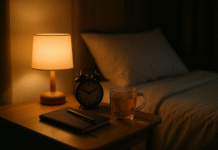


A weekend tech sabbatical is a deliberate 1–3 day break from non-essential screens to reset your attention, mood, and routines. In practice, that means planning your logistics, setting firm device boundaries with emergency exceptions, and filling the time with restorative analog activities. Done well, you’ll return Monday calmer and clearer—without blowing up your responsibilities. Quick definition: a “weekend tech sabbatical” is a short, rules-based digital detox with preplanned offline substitutes (maps, books, cash), an away plan for work and family, and a structured re-entry to avoid overwhelm. Evidence suggests even brief breaks from social media can improve well-being and lower anxiety; a week-long pause showed measurable gains in a randomized study, which helps validate a 1–3 day trial as a starter format.
Fast-start checklist: pick 24/48/72 hours → write your rules → set up out-of-office and calendar blocks → configure Focus/Do Not Disturb with emergency bypass → download offline maps/tickets → stock analog activities → plan meals and sleep → hide chargers/lock your phone → run daily rhythms → re-enter intentionally.
Friendly note: This guide offers practical planning ideas, not medical or legal advice. If you care for dependents or are on call, adapt the steps to maintain essential availability.
1. Decide Your Purpose, Duration, and Non-Negotiables
The fastest way to make your sabbatical work is to decide why you’re doing it and how long it should last. Start by naming your intent (e.g., “reduce stress,” “sleep better,” “be present with family,” or “finish a creative project”). Then choose a duration that fits your life: 24 hours is a gentle reset, 48 hours deepens the benefits, and 72 hours offers a full weekend immersion. Finally, define non-negotiables: emergencies must get through; maps and payments must still work; essential caregiving tasks remain on. If you set a crystal-clear purpose and timebox, you’ll find it easier to say “no” to edge-case exceptions and avoid second-guessing mid-detox. For confidence, note that brief social media breaks have been shown to improve well-being and reduce anxiety, which supports the idea that even a short sabbatical can be meaningful when focused.
1.1 How to do it
- Choose 24, 48, or 72 hours; write a one-line goal at the top of a paper note.
- Define allowed tech (e.g., camera, e-reader in airplane mode) and blocked tech (social, news, email).
- Specify emergency exceptions (which contacts/calls pass through).
- Pick start/finish timestamps (e.g., Fri 6 pm → Sun 6 pm) and mark them on your calendar.
- Tell a trusted partner/friend so you have social accountability.
1.2 Common mistakes
- Choosing vague goals (“be better with my phone”) that don’t guide decisions.
- Overcommitting to 72 hours when 24–48 would be sustainable.
- Skipping emergency rules—then panicking and breaking the detox when a what-if arises.
Wrap-up: Purpose + duration + non-negotiables become your north star; write them down and refer back if you’re tempted to bend the rules.
2. Write Your Rules and Boundaries (So You Don’t Negotiate Mid-Detox)
Set your weekend on rails by defining specific device rules before you begin. Clarity prevents willpower battles later. Examples: “Phone in airplane mode except 10-minute morning/evening check for urgent voicemails,” “No social/news/apps; paper books only,” “Camera allowed; uploading later,” “Smartwatch off,” “Laptop shut and stored.” Decide how you’ll handle payments (cash/card), music (downloaded playlists), photos (shoot now, post later), and shared logistics (print tickets). Add a simple self-check: if a task is truly essential and has no analog workaround, it can be allowed; otherwise, skip it. Research on interruptions shows that constant context-switching increases stress and rushes work; batching and removing interruptions helps you slow down and recover. A classic lab/field line of work by Gloria Mark and colleagues highlights the stress cost of frequent interruptions and the benefits of reducing them.
2.1 Mini-checklist
- Define “allowed” vs “blocked” apps and functions.
- Decide when (if at all) you’ll touch your phone each day.
- Pre-download music/podcasts; preprint tickets; ready cash.
- Put chargers out of sight; set a phone lockbox or a high shelf.
- Agree on house rules with others (no devices at meals, etc.).
2.2 Numbers & guardrails
- Keep any “check window” to ≤10 minutes twice daily.
- No background TV/news “for company.”
- If you need navigation, offline maps only (no browsing).
Wrap-up: When rules are visible and simple, you stop negotiating and start living your weekend.
3. Build Your “Away Plan”: Contacts, Calendars, and Auto-Replies
A peaceful sabbatical depends on good communication before you unplug. Set an email auto-reply that states your offline window and who to contact for urgent matters. Block the time on your calendar as “Out of Office.” If you manage clients or teams, give a 48-hour heads-up with a single escalation path (e.g., “text my spouse only for emergencies” or “call the office line”). For personal messaging, set a status (“Offline this weekend; back Sunday 6 pm”) and share key info with travel companions. For email, both Gmail and Outlook provide built-in vacation responders; configure them with start/end times so replies stop automatically. Mark your calendar OOO to prevent meeting invites during your sabbatical.
3.1 What to include in your auto-reply
- Exact dates/times and your time zone.
- A brief reason (“weekend tech sabbatical to recharge”).
- Alternate contact for urgent matters.
- When normal replies will resume.
3.2 One-minute calendar note
- Create a calendar event spanning your sabbatical; set status to “Out of Office.”
- Add a short description (“No email/messages; emergency calls only”).
Wrap-up: Clear expectations are the difference between a restorative quiet weekend and a guilt-ridden one.
4. Configure Your Phone: Focus/Do Not Disturb + Emergency Bypass
You don’t have to “go dark” to be safe. Instead, use Do Not Disturb/Focus to silence everything except true emergencies. On iPhone, you can enable Emergency Bypass for specific contacts so their calls or texts ring even when Focus is on. On Android, you can allow calls from “Starred” contacts and set repeat-caller exceptions. Add your medical info and emergency contacts to your device’s Safety settings so first responders can reach the right people if needed. Finally, decide whether your phone lives in airplane mode (strict) or DND (flexible) and commit. These built-in tools preserve safety without constant pings.
4.1 How to set it (quick version)
- iPhone: Contacts → select a person → Edit → Ringtone/Text Tone → toggle Emergency Bypass; then Settings → Focus → choose a Focus → allow calls from Allowed People.
- Android: Settings → Modes/Do Not Disturb → People → allow calls from Starred contacts; optionally enable “allow repeat callers.” Add emergency info in the Safety app.
4.2 Mini-checklist
- Test one emergency contact from another phone.
- Turn off banners/badges for everything else.
- Disable smartwatch notifications or remove it for the weekend.
Wrap-up: Thoughtful DND settings let you relax fully while still reachable for the rare call that truly matters.
5. Handle Logistics Offline: Maps, Tickets, Money, and Weather
Great weekends fall apart over tiny digital dependencies. Download offline maps for your area and any trailheads; save boarding passes or tickets to a wallet app that works offline; print critical confirmations. Bring cash for small vendors, and write down key addresses and phone numbers on paper in case batteries die. Google Maps supports offline areas on both Android and iOS—download your zones before you leave and you’ll still have turn-by-turn driving navigation within those areas. Do a quick weather check before you unplug to pack appropriately, then stop refreshing forecasts during your detox.
5.1 Quick offline prep list
- Maps: Download your destination + “Select Your Own Map” rectangle. Label it clearly.
- Tickets/IDs: Save to wallet; print backup copies.
- Contacts: Paper list of 3–5 key numbers and addresses.
- Money: Cash + card; fuel up ahead of time.
- Power: Charge packs; but aim not to use them.
5.2 Region-savvy tips
- Rural areas can have spotty GPS; don’t rely solely on a phone compass.
- Offline maps don’t include every transit/bike option—plan driving/walking routes in advance.
Wrap-up: When logistics are offline-ready, you won’t need to “just check” your phone, which protects the sabbatical boundary.
6. Stock Real-World Joy: Nature, Movement, and Analog Play
Fill your weekend with activities that naturally crowd out screens: long walks, a bike ride, cooking with friends, board games, sketching, a paperback or print magazine, birding, or a slow coffee ritual. If you can get to green space, do it—research shows a 90-minute walk in nature can reduce rumination and quiet brain regions linked to depressive thought patterns. Pair that with WHO’s guidance to swap sedentary time for movement of any intensity; even light activity counts. Plan 1–2 cornerstone activities each day (e.g., hike + picnic; market + home-cooked meal) and keep the rest unscheduled for serendipity.
6.1 Ideas bank (pick 3–5)
- Hike a loop trail; bring a field guide.
- Host a phone-free brunch; collect devices in a bowl.
- Visit a museum or gallery; linger with a sketchbook.
- Plant herbs; repot houseplants; tidy a small corner.
- Try a slow recipe; knead bread; season a cast-iron pan.
- Build a 500-piece puzzle; play chess or Carrom.
6.2 Mini case
- Saturday plan: 8 km nature walk (2–3 hours), picnic, afternoon reading, early dinner, candlelit conversation, stretch before bed.
- Sunday plan: Farmers’ market, batch-cook, quiet hour (journaling), sunset tea on the balcony.
Wrap-up: Analog joy isn’t an afterthought—it’s the engine that makes a screen-free weekend satisfying.
7. Sleep and Food Routines That Help You Reset
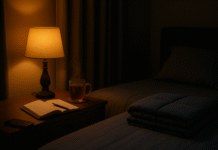
Use your sabbatical to recalibrate sleep and meals. Keep caffeine to the morning, commit to a consistent bedtime/wake time, and darken your room at night. Blue-light exposure in the evening can suppress melatonin and make it harder to fall asleep; dimming screens or avoiding them entirely during your sabbatical helps your body’s clock rebalance. If you do read at night, choose a warm lamp and paper. Cook simple, high-satiety meals (protein + fiber + colorful plants) so you’re not tempted to doom-scroll while ordering delivery. A steady routine strengthens the feeling of margin you’re trying to reclaim.
7.1 Numbers & guardrails
- Aim for 7–9 hours in bed; keep bedtime within a one-hour window.
- Stop caffeine 8 hours before sleep; finish dinner 2–3 hours before bed.
- Keep evening lighting <50 lux; switch to warm bulbs or candles.
7.2 Mini-checklist
- Blackout curtains or eye mask; cool room (≈18–20°C / 64–68°F).
- Book on the nightstand; phone charging outside the bedroom.
- Stretching or breathwork (e.g., 4–7–8) for 5 minutes.
Wrap-up: Consistent cues—light, timing, food—teach your body to downshift, and the tech break gives you space to listen.
8. Reset Your Environment: Make Distraction Hard and Rest Easy
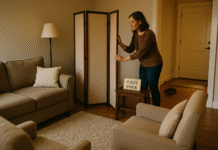
Design beats discipline. Create tech-free zones (bedroom, dining table) and time windows (meals, first hour after waking). Put the phone in a lockbox, drawer, or on a high shelf during your sabbatical. Remove visual triggers: hide chargers, clear your desk, put magazines or a puzzle where your tablet normally sits. Place a paper notebook and pen in your bag for errand lists and observations. If you live with others, post the weekend rules on the fridge—simple, friendly, and specific. Small friction increases can cut pickups dramatically; your environment should make the default choice the analog one.
8.1 “Friction” ideas to try
- Move your best chair near natural light; stack it with books.
- Store devices in a hallway box marked “weekend.”
- Lay out running shoes or yoga mat where you can’t miss them.
- Put a bowl by the door for keys and phones.
8.2 Common pitfalls
- Keeping the phone within reach “just in case.”
- Leaving news alerts on; turning off only app sounds, not banners.
- Not telling housemates your plan—then feeling rude for enforcing it.
Wrap-up: Change the room and you change the habit; your weekend becomes calm by default, not by constant effort.
9. Run the Weekend: Daily Rhythm, Reflection, and Gentle Structure
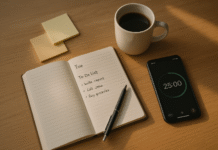
The best sabbaticals feel loose and intentional. Each morning, glance at a paper note listing your 1–2 anchor activities and a simple rhythm (movement → outing → meal with people → quiet hour). If you’ve allowed a quick phone check window for emergencies, schedule it at the same time each day and treat it like brushing your teeth—brief and boring. Keep a pocket notebook to capture ideas that would otherwise send you online (“look up that recipe later”). In the evening, write three highlights and one small thing you’re grateful for. That reflection cements the weekend as nourishing rather than merely “less screen time.”
9.1 Mini schedule template
- Morning: 30–60 min movement, analog breakfast, 10-minute essential check (optional).
- Midday: anchor activity (hike, museum, market), unhurried lunch.
- Afternoon: nap/read/journal; light chore or creative task.
- Evening: early dinner, walk, low-light reading; prep for sleep.
9.2 Quick troubleshooting
- Feeling twitchy? Do a 10-minute tidy, a short walk, or a page of journaling.
- Boredom spike? Start the puzzle; call a friend on a landline/old-school phone.
Wrap-up: A gentle rhythm makes the day feel full without the dopamine rollercoaster of feeds and notifications.
10. Re-Enter Smoothly: Triage, Keepers, and Next-Week Settings
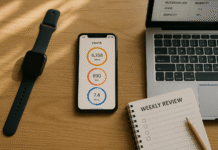
How you return matters. Before you go back online, write a 5-line summary: what felt best, what you missed (if anything), what friction helped, and which settings you’ll keep (e.g., silenced banners, app timers). Then use a two-stage inbox triage: first pass for delete/archive in bulk by sender or topic; second pass for 5×5 rule—reply to five messages in five lines each. Check social last (or Monday), not first. Keep some boundaries: leave Focus schedules on, keep badges off, and retain “Allowed People” only for true VIPs. Consider a weekly mini-sabbath (e.g., Sunday 2–6 pm) to reinforce your gains. Email vacation responders and OOO calendar status are easy to toggle, so repeat this process for future weekends.
10.1 “Keepers” menu (choose 3)
- Default DND at night + only VIP exceptions.
- No badges; weekly app timer for your top two time sinks.
- A recurring phone-free meal or walk.
- Offline maps kept updated for your area.
10.2 Mini example
- Monday 7:30 am: Delete 200 promos by sender; 5×5 replies; social at lunch.
- Monday 6:00 pm: Re-enable the weeknight Focus; schedule the next 4-hour mini-sabbath.
Wrap-up: Treat re-entry as part of the sabbatical, not an afterthought; that’s how the weekend turns into a habit.
FAQs
1) What exactly counts as a “weekend tech sabbatical”?
A short (1–3 day) digital detox with written rules, preplanned logistics, and emergency exceptions. You intentionally silence non-essential notifications, avoid feeds and inboxes, and rely on analog activities and offline substitutes (maps, cash, print). It’s not about perfection; it’s about creating a quiet container that lets your nervous system downshift and your attention recover.
2) Do I have to go completely offline?
No. Most people do best with Do Not Disturb plus emergency bypass for 1–3 contacts. This lets you be reachable for serious issues while cutting the drip of pings. If your life or work requires some check-ins, time-box them (e.g., one 10-minute check morning/evening) and keep them boring—no feeds, no browsing.
3) Is there evidence a short break helps?
Yes, while research is still developing, a randomized study found that a one-week social media break improved well-being and reduced anxiety and depression scores compared to controls. That’s longer than a weekend, but it supports the principle that brief, structured breaks can help.
4) How do I handle maps and tickets without data?
Download offline maps for your area and save tickets to your wallet app or print them. Google Maps supports offline areas on both Android and iOS; once downloaded, you’ll have turn-by-turn driving within that area even if your signal drops.
5) I’m worried about missing emergencies. What’s the safest setup?
Use Focus/DND with Emergency Bypass (iPhone) or allow calls from Starred contacts (Android). Add emergency contacts and medical info in your phone’s Safety settings so responders can reach the right people quickly. Test once before you start.
6) What if I get bored or restless?
Plan anchor activities (walks, markets, cooking, board games) and keep a pocket notebook to capture impulses (“look this up later”). Nature time helps: a 90-minute walk in a green space reduced rumination and related brain activity in one study, which aligns with many people’s subjective experience of calm.
7) How should I set up auto-replies?
Turn on vacation responders with start/end times so they stop automatically. Gmail and Outlook both support this, and you can also mark your calendar as Out of Office to prevent meeting invites during your sabbatical window.
8) Are blue-light glasses necessary for this?
Not really for a detox weekend; you’re minimizing evening screens anyway. Blue light in the evening can suppress melatonin and hinder sleep, so keep lighting warm and screens dim—or ideally off—near bedtime. Focus on environment (dark, cool, quiet) rather than gadgets.
9) I’m traveling—any extra steps?
Do a “paper backup” sweep: addresses, reservations, key phone numbers, and a simplified itinerary on one sheet. Download offline maps for your whole route, not just the destination. Carry cash for small vendors and a printed boarding pass if possible to avoid phone checks in queues.
10) What should I keep after the weekend ends?
Keep the wins that felt good: night-time Focus schedules, fewer badges, a weekly mini-sabbath, app timers for your top time sink, and a recurring analog activity (e.g., Sunday walk). Re-enable only the notifications you truly missed and set a reminder to refresh your offline maps monthly. Google Help
Conclusion
A weekend tech sabbatical isn’t about willpower; it’s about design. You set a purpose and duration, give yourself clear rules, and make offline life convenient. Then you fill the time with real-world joy—movement, nature, cooking, conversation—and protect sleep with calmer evenings. You stay reachable for emergencies without letting notifications run the show. And on Monday, you re-enter gently, keeping the boundaries that actually helped: fewer badges, tighter Focus/DND, and a small weekly analog ritual. Over time, these weekends become a habit loop that resets your attention, steadies your mood, and reminds you how good life feels without the background hum of feeds and pings. Start small this Friday: pick your hours, write your rules, set your away plan, and step back into your own weekend.
Your copy-ready CTA: Schedule your first 24-hour tech sabbatical now—block the time, set your auto-reply, and put your phone in a drawer.
References
- Taking a One-Week Break from Social Media Improves Well-Being, Depression, and Anxiety, Cyberpsychology, Behavior, and Social Networking (University of Bath press summary), May 6, 2022. https://www.bath.ac.uk/announcements/social-media-break-improves-mental-health-new-study/
- “Taking a One-Week Break from Social Media Improves Well-Being, Depression, and Anxiety,” J. Lambert et al., Cyberpsychology, Behavior, and Social Networking, 2022. https://pubmed.ncbi.nlm.nih.gov/35512731/
- The Cost of Interrupted Work: More Speed and Stress, G. Mark et al., CHI Proceedings, 2008 (PDF). https://www.ics.uci.edu/~gmark/chi08-mark.pdf
- Email Duration, Batching and Self-interruption: Patterns of Email Use on Productivity and Stress, G. Mark et al., 2016 (PDF). https://www.microsoft.com/en-us/research/wp-content/uploads/2016/06/Email20Duration20Camera20Ready20submission3-1.pdf
- Allow or silence notifications for a Focus on iPhone (Emergency Bypass), Apple Support, accessed July 2025. https://support.apple.com/guide/iphone/allow-or-silence-notifications-for-a-focus-iph21d43af5b/ios
- Limit interruptions with Modes & Do Not Disturb on Android, Google Support, accessed July 2025. https://support.google.com/android/answer/9069335
- Get help during an emergency with your Android phone (Safety app), Google Support, accessed July 2025. https://support.google.com/android/answer/9319337
- Download areas & navigate offline in Google Maps (Android/iOS), Google Support, updated 2023–2025. https://support.google.com/maps/answer/6291838
- Blue Light: What It Is and How It Affects Sleep, Sleep Foundation, updated July 11, 2025. https://www.sleepfoundation.org/bedroom-environment/blue-light
- Nature experience reduces rumination and subgenual prefrontal cortex activation, Bratman et al., PNAS, 2015. https://www.pnas.org/doi/10.1073/pnas.1510459112
- World Health Organization Guidelines on Physical Activity and Sedentary Behaviour, 2020 (Open-access summary). https://pmc.ncbi.nlm.nih.gov/articles/PMC7719906/
- Send an automatic reply when you’re out of office, Gmail Help, accessed July 2025. https://support.google.com/mail/answer/25922
- Send automatic replies (Out of Office) from Outlook, Microsoft Support, accessed July 2025. https://support.microsoft.com/en-us/office/send-automatic-replies-out-of-office-from-outlook-9742f476-5348-4f9f-997f-5e208513bd67
- How to create an Outlook “Out of Office” calendar entry, Windows Central, July 28, 2025. https://www.windowscentral.com/how-create-out-office-calendar-event-outlook