




























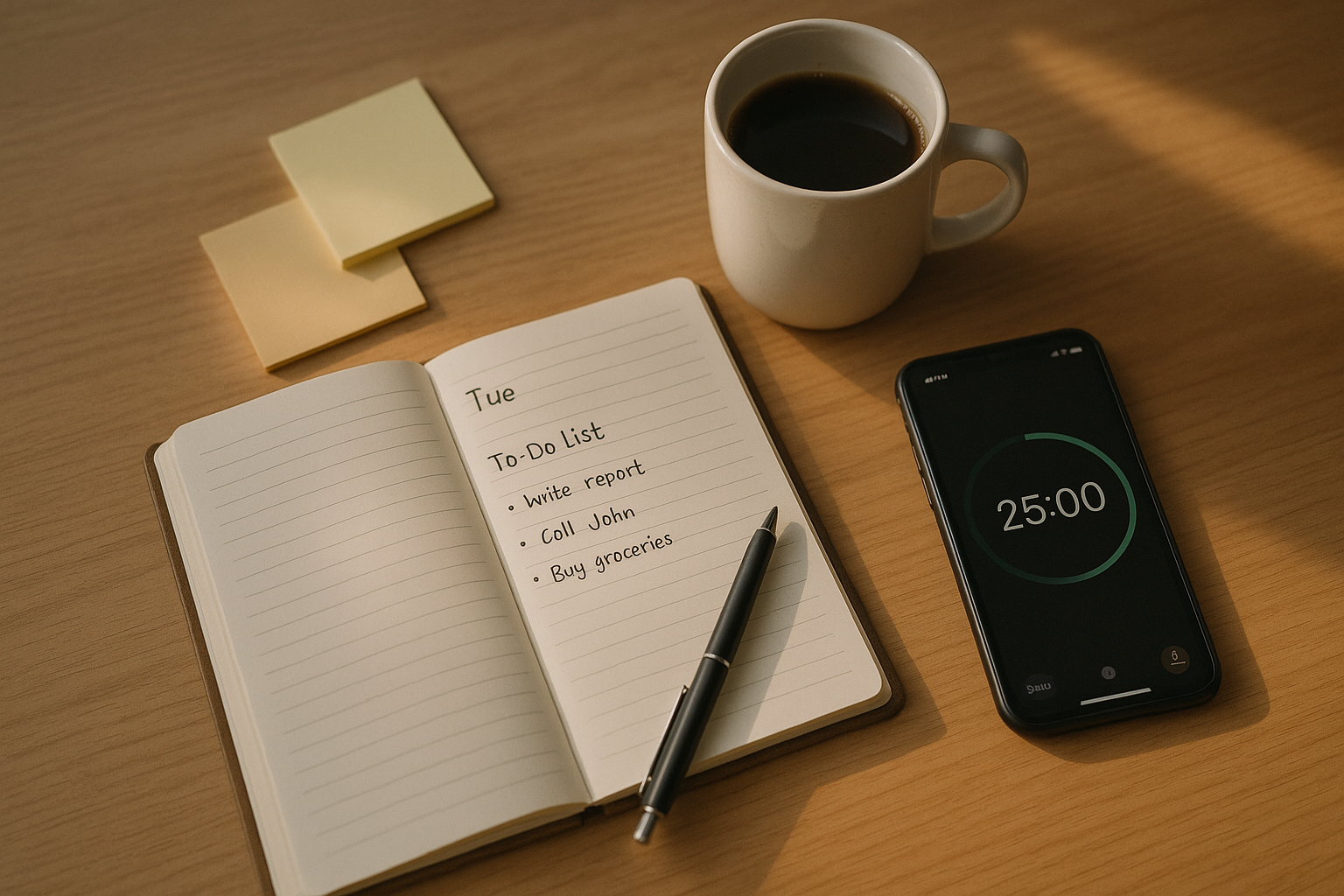
A realistic to-do list is a prioritized, time-bounded plan that actually fits inside your day—not a wish list. The goal is to constrain your commitments so you can finish what matters, feel in control, and avoid the stress of overflow. This guide is for busy professionals, students, and parents who want fewer, better tasks and more consistent follow-through. In short: creating a realistic to-do list means deciding your daily capacity up front, sequencing the work you can truly finish, and deferring or deleting the rest.
Quick start, in six steps: (1) Cap daily capacity. (2) Break every item into the next visible action. (3) Estimate and buffer. (4) Prioritize with a simple rule set. (5) Block time on the calendar. (6) Review and prune.
1. Cap Your Daily Capacity (Decide How Many Tasks Today, Then Stop Adding)
You create a realistic to-do list by first deciding how many tasks the day can hold and refusing to add more once it’s full. Start with the hard reality of your calendar—meetings, commutes, caregiving—and only then allocate remaining time for tasks. This turns your list from an aspirational brain dump into a contract with your future self. A clear capacity cap also reduces decision fatigue: when you hit the limit, new ideas move to a backlog instead of bloating today’s list. Expect that things take longer than you think; the planning fallacy is real, and buffers prevent your plan from collapsing at the first surprise. When your list is small enough to complete, you experience momentum and trust your system.
1.1 How to do it
- Choose a daily MIT (Most Important Tasks) count: often 3 primary deliverables.
- Add a supporting tasks slot (2–4 quick items: email replies, approvals).
- Reserve a buffer (20–30% of your open hours) for delays and interrupts.
- Everything else goes to tomorrow or a weekly backlog—not today.
1.2 Numbers & guardrails
- On a day with 5 free hours, plan ~3 hours for deep work, ~1 hour for admin, ~1 hour buffer.
- If any single task takes >90 minutes, break it down (see Item 2).
Synthesis: A capacity cap prevents overflow by design; you finish what you planned rather than carrying half a list forward.
2. Turn Every Item Into the Next Visible Action (Make Work Physically Doable)
To-do lists explode when tasks are vague. “Website” or “Taxes” hides ten steps, each with its own friction. A realistic list uses next visible actions: the smallest concrete step you can start and complete without further thinking, resources, or decisions. This reduces cognitive load and makes starting trivial. If you avoid a task, it’s often because the first step is ambiguous or too big. Use verbs and specifics; include the tool, file, or person needed. When each item is clearly actionable, the list feels shorter even if it’s the same length—because every line is start-ready.
2.1 How to do it
- Replace “Finish presentation” with “Draft 3-slide outline in Google Slides (File: Q3 deck)”.
- Replace “Plan trip” with “List 5 flight options in a note; pick 2 to price”.
- Replace “Taxes” with “Download 1099s from bank portal; save to /2024-Taxes”.
2.2 Mini-checklist
- Can I start now without opening other tabs?
- Is the first 10 minutes obvious?
- Do I know the location (file/app), the format (draft/email), and done definition?
Synthesis: Next visible actions shrink resistance and reveal the real time cost, making the rest of your planning accurate.
3. Estimate in Ranges and Add a Bias Buffer (x1.5 Is a Good Default)
A list is only realistic if the math works. Humans systematically underestimate, so use range estimates and a bias buffer. Instead of “Write report: 2h,” write “Report intro: 1–2h, buffer 30–60m.” Ranges acknowledge uncertainty; the buffer covers it. For multi-step work, sum the ranges, then multiply by 1.5× to counter optimism. If a task is truly unknown, give it a timebox (e.g., “Explore data: 45m”) and decide next steps at the box end. Estimating doesn’t need to be perfect—it needs to prevent wishful thinking from flooding your day.
3.1 How to do it
- Use S/M/L tags mapped to time (S = ≤25m, M = 25–60m, L = 60–120m).
- For each L, add +15–30m slack.
- If total planned time > available time, cut ruthlessly (see Items 4 and 10).
3.2 Numeric example
- Free hours today: 4:30.
- Tasks: Write intro (1–2h +30m), Data pull (45–60m +15m), Email batch (20–30m).
- Worst case: 2h + 0:30 + 1h + 0:15 + 0:30 = 4:15 → fits with 15m spare.
Synthesis: Ranges and buffers make your list sturdy enough to survive real life.
4. Prioritize with the Eisenhower Rule (Important Beats Urgent)
A realistic to-do list elevates what changes outcomes over what merely screams. The Eisenhower matrix sorts tasks by importance and urgency; your list should bias the top-left (important & urgent) and top-right (important & not urgent). When everything feels urgent, importance disappears; that’s when lists sprawl with low-impact items. Choose one high-importance outcome for the day and align your MITs. Handle true urgencies early, but don’t let shallow urgencies crowd out strategic work. If you can’t clearly state why a task matters this week, it likely belongs in the backlog.
4.1 How to do it
- Ask: If done today, what materially improves my week?
- Mark tasks I/U (Important/Urgent) or I/NU (Important/Not Urgent).
- Schedule one I/NU block daily to advance long-term goals.
4.2 Common mistakes
- Confusing speed with impact.
- Treating others’ last-minute asks as your emergencies.
- Letting “nice-to-have” tasks take prime hours.
Synthesis: Importance-first keeps your short list from filling with noise; you finish fewer things that matter more.
5. Limit Work-in-Progress (WIP) by Context (Finish Before Starting New)
The more items you juggle, the slower everything moves. WIP limits—a Kanban concept—cap how many tasks you can have “in progress” at once. For individuals, set limits by context: deep work (1), shallow production (2), admin (3). This forces completion and reduces context switching, which carries real cognitive costs. When a column hits its limit, something must finish before anything new starts. Your list becomes a flow system instead of a parking lot. WIP limits also surface bottlenecks: if deep work stays blocked, fix the blockage rather than starting five smaller tasks to feel busy.
5.1 Suggested limits
- Deep work: 1 active item.
- Shallow production (docs, slides): 2 active items.
- Admin/comms: 3 active threads.
5.2 Tools & setup
- In Trello/Notion/Asana, create To Do → Doing → Done columns and tag by context.
- Display the WIP number at the top of each column (e.g., “Doing (≤3)”).
- Use checklists inside cards to force next actions (see Item 2).
Synthesis: WIP limits trade volume for velocity; work finishes faster and your list stays small.
6. Batch Similar Tasks and Time-Block Them (Protect Focus)
Realistic lists respect human attention. Switching between dissimilar tasks—say, writing and spreadsheets—adds reorientation time and errors. By batching similar items (calls with calls, approvals with approvals) and time-blocking them into discrete calendar slots, you protect momentum and decide in advance when each cluster will happen. This reduces the list’s mental weight, because every task now has a where and when attached. Time blocks should be sized to task type: 50–90 minutes for deep work, 20–45 minutes for shallow clusters, and 10–20 minutes for admin bursts. If something doesn’t fit any block, it doesn’t fit today.
6.1 How to do it
- Create two deep-work blocks (AM/PM), one comms block (late afternoon), one admin clean-up (final 15–20m).
- Use a paper timer or phone timer to start each block.
- Close email/IM during deep work; reopen in the comms block.
6.2 Mini-checklist
- Does each item live in a named block?
- Are blocks balanced with energy (see Item 12)?
- Did you protect buffers between blocks (5–10m)?
Synthesis: Batching plus blocking keeps your list from becoming a constant context-switch and anchors tasks to time.
7. Reserve a Daily Buffer for Unplanned Work (20–30% Rule)
Overwhelm often comes from pretending there will be no surprises. A realistic list assumes interruptions, small emergencies, and human energy dips. The fix is a built-in buffer—typically 20–30% of your open hours—that you explicitly leave unscheduled. This inoculates your plan against slippage without stealing time from your MITs. When the buffer isn’t needed, you can pull a small backlog item; when it is, you absorb the bump without cascading delays. This practice also discourages overfilling your list: if you’re tempted to use the buffer for planned work, your plan is already unrealistic.
7.1 How to do it
- If you have 5 free hours, plan for 3.5–4 hours of tasks and leave 1–1.5 hours buffer.
- Put the buffer after your main deep-work blocks to catch spillover.
- Label it “Flex/Buffer” on your calendar to resist poaching.
7.2 Common pitfalls
- Treating buffer as bonus project time (you’ll pay for it later).
- Hiding buffer inside time estimates (keep it visible).
- Scheduling back-to-back without a literal flex block.
Synthesis: Buffers convert surprises from plan-breakers into plan-absorbers.
8. Define “Done” and a Quality Bar for Each Task (Prevent Perfection Creep)
Ambiguous finish lines expand work indefinitely. A realistic list sets a definition of done and a quality bar for each item before you begin. “Draft proposal” might mean a one-page outline, not a polished deck; “Inbox to zero” might mean responding to priority threads only. Decide the output format, audience, and acceptance criteria up front. This prevents scope creep and helps you right-size effort to impact. If the recipient needs a discussion starter, a rough draft today beats a perfect draft next week. When you name your quality bar, you also give yourself permission to stop when you reach it.
8.1 How to do it
- Add a “Done when…” line to each task: “Done when: 300–400 words drafted and shared for feedback.”
- Set a quality level: P0 (final), P1 (client-ready draft), P2 (internal rough).
- Align format: “Google Doc with headings + 3 bullets for risks.”
8.2 Mini case
- Task: “Update onboarding page.”
- Done when: “Add 2 FAQs, fix sign-up link, run link check; publish draft to staging.”
- Result: Finished in 55 minutes vs. open-ended edits that could take hours.
Synthesis: Clear finish lines keep tasks small, progress visible, and perfectionism contained.
9. Plan Calendar-First (Lists Follow Time, Not Vice Versa)
Your calendar is the container; your list is the contents. Realistic planning starts by blocking non-negotiables (meetings, appointments, school runs), then fitting tasks into the actual gaps. If a task can’t find a block, it doesn’t belong on today’s list—move it to a future day with a placeholder block. This “calendar-first” method prevents phantom capacity and makes trade-offs explicit. It also reduces anxiety: each important task has an appointed time, so you don’t carry it mentally all day. Use recurring blocks for routine work so your list doesn’t repopulate the same items daily.
9.1 How to do it
- Each evening, preview tomorrow’s calendar; each morning, confirm.
- Drop MITs into named blocks with alarms.
- Keep one commute/admin slot for logistics and quick wins.
9.2 Tools/Examples
- Digital: Google Calendar/Outlook + Todoist/TickTick/Things (two-way links in task notes).
- Paper: A daily planner with time slots and a 3-item MIT section.
Synthesis: Calendar-first planning keeps your to-do list honest; time becomes the gatekeeper.
10. Run a Weekly Review and Prune Ruthlessly (Delete, Defer, Delegate)
Even the best daily lists accumulate debris. A weekly review resets reality: delete what no longer matters, defer what doesn’t fit current priorities, and delegate what someone else can do sooner or better. This is where you reconcile long-term goals with the next seven days, convert fuzzy projects into next actions, and schedule a few “can’t miss” blocks. Aim to remove 10–20% of your backlog every week; if it hurts, you’re doing it right. Pruning also clarifies your capacity going forward; a lighter list is easier to trust and finish.
10.1 What to review
- Wins: What shipped? Carry insights forward.
- Stuck items: What’s the friction? (Missing info, too big, unclear “done”?)
- Backlog: Delete 10–20%, defer 10–20%, delegate 10–20%.
- Next week’s calendar: Pre-block 2–3 priority sessions.
10.2 Mini-checklist
- Convert each project to 2–3 next actions.
- Ensure buffers exist on the busiest days.
- Decide one weekly theme (“finish Q3 draft,” “ship landing page A/B test”).
Synthesis: Pruning is prioritization in action; you say “no” on paper so you can say “yes” in reality.
11. Use If–Then Plans to Beat Friction (Implementation Intentions)
Knowing what to do isn’t the same as doing it. Implementation intentions—simple if–then plans—bridge that gap by pre-deciding the cue and response. “If it’s 9:00 and I sit at my desk, then I open the Q3 draft and write for 25 minutes.” These tiny scripts dramatically increase follow-through because they remove ambiguity at crucial moments. They’re especially powerful for tasks you avoid or that get displaced by pings and meetings. Add them to task notes or calendar descriptions so the plan is visible when it matters.
11.1 How to do it
- Identify a reliable cue (time, place, trigger).
- Write a one-line plan: “If X, then I do Y for Z minutes.”
- Pair with a preloaded file/app and timer.
11.2 Examples
- If it’s after my 1:00 meeting, then I start data pull for 30 minutes.
- If I open email at 4:00, then I process only starred threads for 20 minutes.
- If I finish a task early, then I update the backlog and stop (don’t auto-fill the time).
Synthesis: If–then plans make your list executable in the messy moments when willpower runs thin.
12. Schedule by Energy and Rhythm (Match Work to When You Work Best)
A realistic list fits your energy curve as much as your calendar. Most people have stronger focus in the late morning and a dip mid-afternoon; early birds and night owls differ, but the pattern is consistent enough to plan around. Put deep work into your peak windows, collaboration into mid-energy times, and admin into low-energy slots. Notice your own rhythm for a week: when do you naturally start, stall, and surge? Then shape your blocks accordingly. Also respect transition costs—place a 5–10 minute reset between blocks to stand, refill water, and reset your environment.
12.1 How to do it
- Track energy 1–5 every two hours for 5–7 days.
- Assign deep work to 4–5 energy periods, meetings to 3–4, admin to 2–3.
- Add movement breaks and a shutdown ritual to mark the end of work.
12.2 Mini-checklist
- Does each MIT land in a peak window?
- Are meetings clustered away from peaks?
- Is there a 15–30 minute runway before deep blocks (no email, prep ready)?
Synthesis: When your list respects your biology, it feels easier and finishes faster—without extra hours.
FAQs
1) What makes a to-do list “realistic” compared to a normal list?
A realistic list fits inside your calendar and energy constraints, with clear next actions and buffers. It’s curated, not comprehensive. You choose a daily capacity, break tasks into start-ready steps, estimate with ranges and bias buffers, and time-block. The result is a short, finishable plan that leaves you less stressed and more consistent.
2) How many tasks should I put on my list each day?
Most days, plan 3 MITs plus 2–4 small supporting items and a visible buffer. The right number depends on available hours and task size, but the rule of thumb is to underfill your day by 20–30% so surprises don’t wreck the plan. If you routinely finish early, add one more small item.
3) Should I list everything or only key tasks?
Keep a separate backlog to capture everything. Today’s list should contain only what will actually happen today—ideally 5–7 total items including MITs and small tasks. This keeps the plan psychologically light while ensuring nothing is lost.
4) What if my manager keeps adding urgent tasks?
Protect your list with trade-off conversations: “I can take that on today—what should I drop?” Pair this with a visible WIP limit. Offer partial progress (e.g., a 30-minute timebox) if full completion doesn’t fit. Most stakeholders will prioritize with you when constraints are explicit.
5) How do I estimate tasks I’ve never done before?
Use timeboxes (e.g., 45 minutes) to explore and learn, then re-estimate. Add a 1.5× buffer for the first pass. Split unknowns into narrow probes: “Try API auth flow” before “Build integration.” You’ll quickly gather data to improve future estimates.
6) Do I need special apps to keep my list realistic?
No. A paper planner and a timer are enough. If you prefer digital, pair a task app (Todoist, Things, TickTick, Microsoft To Do) with your calendar. Kanban boards (Trello, Notion, Asana) make WIP limits visible; any option is fine if it supports next actions, tags, and notes.
7) How do buffers work without wasting time?
Buffers protect your plan. When you don’t need them, pull a tiny backlog item or finish a block early and stop. Ending on time keeps your system trustworthy. Avoid silently reallocating buffer to new planned work—keep it distinct so you’re prepared for the next surprise.
8) What’s the fastest way to shrink an overstuffed list?
Apply a two-pass cut. Pass 1: Delete items with no clear outcome or deadline. Pass 2: Defer anything that can’t be scheduled into an actual block this week. Then set WIP limits and MIT caps so sprawl doesn’t return tomorrow.
9) How can I stop perfectionism from blowing up my tasks?
Every task gets a “Done when…” line and a quality level (P0/P1/P2). Decide the minimum acceptable version for the purpose and audience, and enforce it with a timer. Share rough drafts early for feedback; this narrows the target and prevents gold-plating.
10) Is time blocking too rigid for unpredictable days?
Use soft blocks with movable labels and keep a large buffer. The point is to claim time for your priorities, not to micromanage every minute. When the day shifts, move the block—don’t delete it. Even one rescued block can save your week.
11) How do I keep from constantly switching tasks?
Batch similar work, set WIP limits, and run timed blocks. Close messaging apps during deep work and reopen them in a scheduled comms block. Switching is expensive; guarding a few uninterrupted windows each day pays off with faster completion.
12) What weekly habits keep my list realistic long-term?
A 45–60 minute weekly review: celebrate shipped items, convert projects to next actions, prune 10–20% of the backlog, pre-block two priority sessions, and ensure buffers exist on heavy days. This prevents drift and resets your plan to ground truth.
Conclusion
The difference between an overwhelming list and a realistic one is limits. When you cap daily capacity, define next visible actions, estimate with buffers, prioritize by importance, and tie tasks to calendar blocks, your plan shifts from anxious to achievable. WIP limits and batching protect attention; buffers absorb reality; clear “done” definitions stop perfectionism from stealing time. Weekly pruning and if–then plans keep the whole system light and executable. You’ll finish fewer things, but they’ll be the right things—and you’ll actually finish them. Start tomorrow by choosing 3 MITs, breaking each into a next action, placing them into two time blocks, and leaving 30% buffer. Then protect those blocks and let the rest wait.
Copy-ready CTA: Pick your 3 MITs for tomorrow now—then block them on your calendar in two focused sessions.
References
- Rubinstein, J. S., Meyer, D. E., & Evans, J. E. “Executive control of cognitive processes in task switching.” Journal of Experimental Psychology: Human Perception and Performance, 2001. https://doi.org/10.1037/0096-1523.27.4.763
- Buehler, R., Griffin, D., & Ross, M. “Inside the planning fallacy.” Current Directions in Psychological Science, 2003. https://doi.org/10.1111/1467-8721.01273
- Gollwitzer, P. M. “Implementation intentions: Strong effects of simple plans.” American Psychologist, 1999 (PDF). https://www.psych.nyu.edu/gollwitzer/99GollwitzerImpInt.pdf
- “Multitasking: Switching costs.” American Psychological Association, 2006 (updated). https://www.apa.org/research/action/multitask
- “Kanban.” Atlassian Agile Coach (web guide, n.d.). https://www.atlassian.com/agile/kanban
- Parkinson, C. N. “Parkinson’s Law.” The Economist, 1955. https://www.economist.com/news/1955/11/19/parkinsons-law
- Allen, D. Getting Things Done: The Art of Stress-Free Productivity. Penguin, 2001 (rev. ed. 2015). Publisher page: https://www.penguinrandomhouse.com/books/28728/getting-things-done-by-david-allen/
- “Eisenhower’s Urgent/Important Principle.” Dwight D. Eisenhower Presidential Library (web resource, n.d.). https://www.eisenhowerlibrary.gov/eisenhowers/quotes/urgent-important
- Schwartz, T., & McCarthy, C. “Manage Your Energy, Not Your Time.” Harvard Business Review, 2007. https://hbr.org/2007/10/manage-your-energy-not-your-time
- “Cognitive load theory: Research that teachers really need to understand.” Centre for Education Statistics and Evaluation (NSW), 2017. https://www.cese.nsw.gov.au/publications-filter/cognitive-load-theory
- Newport, C. “Time Blocking: The Secret to Meaningful Work.” (blog, n.d.). https://www.calnewport.com/blog/2013/12/21/deep-habits-time-blocking/