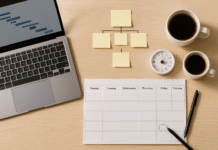




























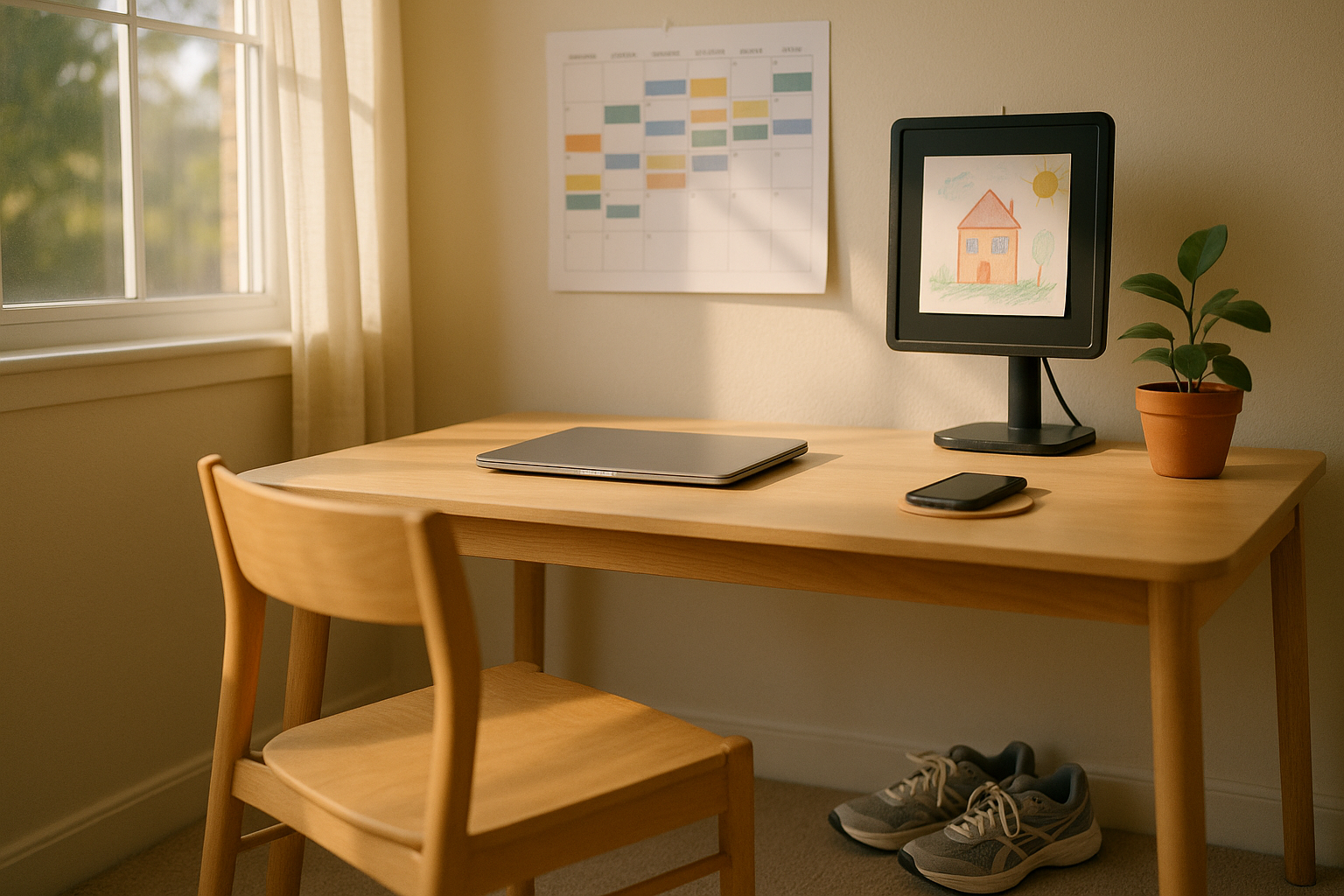
Work-life harmony isn’t about splitting your day into equal parts; it’s about designing a week where your personal activities and professional responsibilities support each other without draining your energy. In practice, that means planning for recovery, protecting focus, and making room for family and life maintenance alongside meaningful work. This guide offers educational information, not medical or legal advice. Quick definition: work-life harmony is a sustainable system for integrating personal time and work in a way that preserves health and performance over months and years. At a glance: anchor your non-negotiables, set availability rules, block work and life tasks, batch contexts, protect sleep, and review weekly for continuous improvement. (For context on how chronic workplace stress can lead to burnout, the World Health Organization recognizes burnout as an occupational phenomenon rather than a medical condition.)
1. Design Your Week Around Energy (Anchor the Non-Negotiables)
Start by designing your week to match tasks with your natural energy curve and then anchoring non-negotiable personal activities—exercise, school runs, prayer, meals, language class, therapy, or caregiving. This is the cornerstone of harmony, because it prevents personal life from being squeezed into leftovers. In the first one to two sentences: map your high-focus hours to deep work and place personal anchors in calendar blocks that repeat. Next, protect transition space—15–20 minutes between blocks—to avoid collisions and stress spikes. Tie these anchors to cues (e.g., “after standup I stretch for 10 minutes”), which helps them stick even when work gets hectic. Over time, this schedule acts like a “frame” for both work and life, reducing decision fatigue and improving follow-through.
1.1 How to do it
- Sketch your energy map (high/medium/low) across the day for Mon–Sun.
- Place non-negotiables first (recurring calendar blocks with reminders).
- Assign deep work to two high-energy 90–120 minute blocks per day.
- Insert 15–20 min buffers between blocks for context switches and mobility.
- Add micro-habits at transition points (5–10 minutes of movement, prayer, or a walk).
1.2 Numbers & guardrails
- Aim for 10–12 hours/week of protected deep work, split across 8–12 sessions.
- Keep personal anchors visible to teammates (shared calendar) to reduce conflicts.
- Use the 50/10 or 75/15 cadence inside blocks for focus + micro-recovery.
Synthesis: Energy-aligned weeks with visible personal anchors shift conflicts from chaotic surprises to solvable scheduling decisions.
2. Set Availability Boundaries and “Right to Disconnect” Norms
Clear availability rules keep integration from becoming always-on work. Start with a simple statement: “I’m responsive 9:30–5:30, Mon–Fri; evenings are offline except emergencies.” Publish it in your calendar, email signature, and team docs. Pair that with delayed send on emails, focus mode on your devices, and meeting-free windows. Teams should define response-time SLAs and escalation paths so no one feels pressure to ping at 11 p.m. If you’re in a region with “disconnect” policies (e.g., some provinces and countries encourage or require policies), align your team norms accordingly and make exceptions explicit for on-call roles. This protects rest and reduces weekend creep while preserving true business continuity. (For definitions and context about “disconnecting from work,” see the Canadian Centre for Occupational Health and Safety; for broader context on telework and disconnection, see the ILO.)
2.1 Mini-checklist
- Publish your core hours and offline windows.
- Use Delayed Send/Schedule Send after hours.
- Turn on Focus/Do Not Disturb and silence badges.
- Add escalation rules (phone call = urgent; chat = next day).
- Document exceptions (on-call, customer incidents).
2.2 Tools/Examples
- Email: Gmail/Outlook delayed send; Boomerang or Superhuman schedule.
- Calendar: Google Calendar/Outlook working hours; Clockwise smart holds.
- Devices: iOS/Android Focus Modes; Slack notifications schedule.
Synthesis: When availability is explicit and tools enforce it, off-hours become truly restorative, not secret second shifts.
3. Time-Block Work and Life Tasks—With Buffers That Absorb Reality
Time blocking is where harmony becomes visible. Put deep work, admin, and personal tasks onto the same calendar so you can see trade-offs. Start blocks at :05 or :35 to avoid back-to-back meetings and reserve 10–15 minutes before/after for prep and notes. Protect one block daily for a personal task that recharges you—exercise, reading, a walk with family. Adopt “speedy meetings” (25 or 50 minutes) to create natural breathing room. If you support multiple time zones, designate one collaboration window and one heads-down window, then funnel requests accordingly. This gives you reliable space for personal activities without secretly extending your day.
3.1 Numbers & guardrails
- Default meetings to 25/50 minutes; cap daily meetings to ≤5 where possible.
- Keep 1–2 hours/day for maker time; 45–90 minutes for a personal block.
- Leave 10–20% of your day unbooked as a “shock absorber” for spillover.
3.2 Common mistakes
- Treating the calendar as a wish list—over-packing without buffers.
- Not aligning blocks to energy levels (see Strategy 1).
- Ignoring handoff times when coordinating with other time zones.
Synthesis: Buffer-aware blocks transform the calendar from a treadmill into a map with rest stops and scenic routes.
4. Batch Contexts to Reduce Switching Costs (Protect Focus for Both Work and Life)
Switching between contexts creates hidden time taxes and stress—especially when personal and work tasks are mixed. The fix is to batch similar tasks: email triage in one window, code or writing in another, errands in a Saturday morning run. Limit communication checks to scheduled intervals. Research shows attention on a screen can average ~47 seconds before shifting; interruptions also create significant reorientation costs. By batching and setting check windows, you reduce the micro-frictions that turn 8 hours into 12. In turn, you free sustained attention for life tasks that matter—like an unrushed dinner or reading with your child.
4.1 How to do it
- Group email/chat to 2–4 windows/day (e.g., 10:30, 13:30, 16:30).
- Reserve maker blocks (90–120 minutes) for deep work only.
- Create a life batch (e.g., bills, bookings, returns) in one weekly slot.
- Use separate browser profiles for work vs. personal contexts.
- Keep “later list” handy to park off-topic ideas until the next batch.
4.2 Mini case
- If you save even 10 minutes/hour by batching, that’s ~80 minutes/day—enough for a full workout or an unhurried family dinner.
Synthesis: Batching transforms interruptions into scheduled choices, unlocking time for both productivity and presence.
5. Micro-Dose Personal Time Daily (Small Moves, Big Signal)
Harmony thrives on consistent, bite-sized personal activities. Think 10–15 minute micro-doses: a brisk walk, a stretch routine, two pages of a novel, or a quick language lesson. These small moves signal to yourself and your team that life has a rightful place in the day. Build them into transitions—after your standup, before lunch, at 4 p.m. slump. Use habit stacking (“after I submit a pull request, I refill water and do 10 squats”) to keep them automatic. When weeks turn hectic, micro-doses prevent the “all or nothing” trap and keep your identity broader than your inbox.
5.1 Micro-dose menu (pick 1–2 per day)
- 10-minute walk outdoors
- 12–15 bodyweight reps + stretch
- Brew tea and call a friend
- 2 pages of reading + 1 reflection line
- 5-minute breathing practice (box or 4-7-8)
5.2 Guardrails
- Protect two micro-doses/day in the calendar.
- Keep them device-light (no doomscrolling).
- If you miss one, stack it with the next transition rather than skipping.
Synthesis: Small, reliable personal wins build the identity and energy that make sustained harmony possible.
6. Use Flexible Work Structures Thoughtfully (Core Hours + Personalization)
“Flexibility” doesn’t mean working all the time—it means choosing when to work so life commitments fit without extending your total hours. Start by agreeing on core collaboration hours (e.g., 11:00–15:00) and letting individuals shift earlier or later around them. Match schedule experiments to your role: field workers may flex days rather than hours; customer teams may rotate late coverage. Evidence suggests employee-oriented flexible work can offer small but meaningful improvements in health and well-being; not all forms of flexibility help equally. Pilot for 4–6 weeks, measure outcomes (throughput, response times, well-being), and adjust.
6.1 How to do it
- Write a team charter (core hours, response SLAs, meeting norms).
- Pick flex options: staggered starts, compressed weeks, flex days.
- Run a time-use baseline for two weeks; repeat after your pilot.
- Share visibility: keep calendars accurate to reduce “is now okay?” pings.
6.2 Numbers & guardrails
- Limit after-hours to defined exceptions (on-call); measure any drift.
- Review pilot metrics biweekly: throughput, incident counts, satisfaction.
Synthesis: Flexibility with shared rules allows personal life to fit inside the workweek, not in the margins after dark.
7. Protect Sleep and Recovery as Non-Negotiables
If you integrate life into the day but skimp on sleep, you’re still on a path to burnout. Adults generally need 7+ hours of sleep daily for health; persistent short sleep is linked with higher risks (e.g., cardiovascular, metabolic, and performance errors). Make an explicit sleep window part of your plan (e.g., 23:00–06:30), and align evening routines and device rules to protect it. Pair that with sunlight in the morning and short movement breaks during the day. Recovery isn’t indulgence—it’s infrastructure for focus, mood, and decision making at work and at home.
7.1 Mini-checklist
- Set a bedtime alarm 45 minutes before lights out.
- Keep devices out of the bedroom; use an analog alarm.
- Target 150 minutes/week of moderate activity or equivalent.
- Block one full evening per week as “no plans” recovery time.
7.2 Numbers & guardrails
- Adults: ≥7 hours/night (CDC).
- Keep naps ≤30 minutes and before 15:00 on workdays to protect nighttime sleep.
Synthesis: Guarded sleep and micro-recovery turn your schedule into a renewable system rather than a slow-draining battery.
8. Build Communication Agreements and Meeting Hygiene
Great schedules collapse under messy communication. Create agreements on tool usage (email vs. chat vs. ticket), response expectations, and meeting structure. Use agendas and decisions docs; default to asynchronous updates; and keep meeting invite lists tight. Adopt “speedy meetings” (25/50 minutes) and batch them in collaboration windows. Make outcomes findable: a shared doc with headers “Context → Options → Decision → Owners → By When.” With clear communication, you’ll say no to time-wasting meetings and yes to personal blocks without fear of missing something critical.
8.1 How to do it
- Add a “Should this be a meeting?” decision tree to your charter.
- Require pre-reads 24 hours ahead.
- End with action items and owners inside the calendar invite.
8.2 Common mistakes
- Over-inviting “just in case.”
- No decisions captured—forcing follow-ups.
- Unclear tool routing—updates lost across email/chat/docs.
Synthesis: Clean, asynchronous-first communication gives you back hours for deep work and real life.
9. Create Caregiving and Household Systems (So Personal Life Isn’t a Fire Drill)
If caregiving or household logistics are part of your reality, build systems that run with minimal supervision. Start with a single source of truth (shared calendar + notes) and a weekly 20-minute “ops” huddle with your partner or housemate. Pre-book recurring errands (groceries, prescriptions), standardize school-day routines, and stash a “go bag” for eldercare or kid sick days. Use shared rides, neighborhood carpools, or time-bank swaps to smooth spikes. When the home front is predictable, you won’t have to sacrifice recovery or deep work every time life throws a curveball.
9.1 Mini-checklist
- Shared calendar with color codes for school, medical, travel.
- Recurring orders: groceries, staples, medications.
- Backup coverage list: neighbors, family, paid help, ride-shares.
- Go bag: meds list, chargers, snacks, paperwork.
9.2 Numbers & guardrails
- Keep the weekly “ops” huddle to 15–20 minutes with a checklist.
- Aim to pre-book 70–80% of predictable chores to cut decision fatigue.
Synthesis: Household systems convert uncertainty into routines, making room for both focused work and true downtime.
10. Put Digital Boundaries on Autopilot (Reduce Off-Hours Creep)
Harmony breaks when notifications flow into every corner of your life. Automate digital boundaries: silence work apps after hours, hide badges, and shift your phone’s home screen to essentials only. Create notification profiles (work, personal, sleep) that switch based on time or location. For email and chat, batch checks and use away statuses to set expectations. Emerging research and practice around the “right to disconnect” emphasizes how persistent connectivity erodes recovery—team norms and device settings should work together to protect off-hours.
10.1 How to do it
- iOS/Android: Focus Modes by schedule/location.
- Slack/Teams: notification schedules, status messages, keyword alerts.
- Email: rules that auto-file newsletters; VIP for true exceptions.
10.2 Mini case
- A team that disabled after-hours notifications and adopted delayed send saw messages shift into core hours within two weeks, with no impact on incident resolution (because true emergencies followed a phone escalation path).
Synthesis: When devices honor your schedule by default, harmony becomes the path of least resistance.
11. Measure, Review, and Iterate (What Gets Measured Sticks)
Harmony is a system, not a one-time fix. Choose two to four metrics you’ll review weekly: hours in deep work, meetings/week, personal micro-doses completed, and perceived energy (1–10 scale). In your Friday review, capture what worked, what slipped, and one experiment for next week (e.g., moving a workout earlier; tightening a standup to 10 minutes). Re-negotiate boundaries when role or season changes (new project, school term). Over months, this feedback loop keeps your system resilient rather than brittle in the face of new demands.
11.1 Suggested metrics
- Deep work hours (target 10–12/week).
- Meeting count and average length.
- Personal anchor adherence (% of planned done).
- After-hours pings (trend ideally downward).
11.2 Tools
- RescueTime, Rize, Toggl for time signals.
- Google Calendar/Outlook analytics for meeting trends.
- Manual checklists in Notes/Notion for anchor tracking.
Synthesis: A tiny analytics habit turns harmony from intention into a durable operating system.
12. Build an “Emergency Mode” Playbook (Surge Without Burnout)
Crunch weeks will happen. The goal is to surge intentionally without breaking recovery. Before the storm, craft a playbook: (1) define surge triggers, (2) a maximum surge duration (e.g., 10–14 days), (3) which personal anchors remain non-negotiable (sleep window, medication, one family meal), (4) what you’ll defer (low-value meetings, optional social), and (5) how you’ll replenish afterward (lighter week, late starts, a day off). Communicate the plan to your manager and family so expectations are aligned. This approach avoids the slippery slope from temporary hustle to chronic overwork—which research and surveys link with higher stress and burnout risk.
12.1 Mini-checklist
- Trigger: incident backlog > X or launch T-7 to T+3 days.
- Duration cap: ≤14 days, then mandatory decompression.
- Anchors kept: sleep ≥7 hours; 1 micro-dose/day; one family block.
- Defer: optional meetings, non-urgent errands, side projects.
- Aftercare: a comp day and two low-meeting days.
12.2 Common mistakes
- Treating surge as the new normal (quiet quitting in disguise).
- Cutting sleep to make room, which backfires on performance.
- Failing to schedule recovery, so life never returns to baseline.
Synthesis: A written surge plan lets you sprint when needed—without turning your life into a permanent marathon.
FAQs
1) What’s the difference between work-life harmony and work-life balance?
Balance implies a 50/50 split; harmony focuses on sustainable integration—matching activities to energy and values while protecting recovery. Harmony uses tools like anchors, buffers, and boundaries to fit life into the workweek rather than compensating with nights and weekends. Over time, harmony is easier to maintain because it’s realistic about variability (launches, school terms) and emphasizes recovery as infrastructure.
2) How do I start if my calendar is already packed?
Begin by protecting one personal anchor (e.g., a 30-minute walk at 17:30) and one deep work block daily. Convert two meetings to asynchronous updates. Use delayed send to stop after-hours ping-pong. In two weeks, add buffers between meetings and introduce a weekly review. Small, consistent changes compound faster than a giant overhaul that collapses under pressure.
3) What if my manager expects quick responses at night?
Propose a team charter with core hours and escalation rules: true emergencies = phone call; everything else = next day. Offer a two-week pilot with metrics (faster decisions, fewer after-hours pings). Many organizations are formalizing “disconnect” practices because persistent connectivity erodes recovery and increases stress; framing the change around reliability and health can help.
4) Does flexible work actually improve well-being?
Evidence is mixed but encouraging: employee-oriented flexibility (e.g., flex-time chosen by the worker) shows small improvements in health and reduced distress in systematic reviews and meta-analyses. The gains aren’t universal—employer-driven flexibility (mandatory overtime) can harm well-being. Pilot, measure, and iterate within your context. PubMed
5) How many hours of sleep do adults need for sustainable performance?
Most adults should target 7+ hours nightly as a baseline. Consistently sleeping under that threshold is associated with higher risks for chronic disease, mood issues, and errors at work; adequate sleep enhances focus and recovery for both personal and professional roles. Protect a regular sleep window and treat it like any other non-negotiable anchor.
6) How do I reduce context switching when my job is reactive?
Batch what you can (email triage windows), create maker blocks in your least busy hours, and use status indicators to mark short focus sprints. Even in reactive roles, you can shape the edges of your day: capture interruptions to a “later list,” use templates for common responses, and schedule one life batch weekly so personal logistics don’t fragment your work time. Research on attention suggests frequent switching degrades efficiency and increases stress—batching helps. UCI Bren School of ICS
7) Is after-hours work actually increasing?
Recent analyses based on large datasets and surveys have documented rises in late-evening meetings and weekend activity among knowledge workers. The 2024/2025 Work Trend Index and related reporting note more after-hours messaging and a jump in meetings after 8 p.m., which underscores the need for explicit boundaries and team norms.
8) What if my role has seasonal surges (tax season, product launches)?
Use the Emergency Mode playbook: define triggers, caps on duration, protected anchors (sleep, one family block), and aftercare. Push non-critical life tasks to pre- or post-surge weeks and ask for flexible start/stop times to keep total hours humane. Communicate the plan early to reduce last-minute conflicts.
9) Which tools help most with harmony?
Start with what you already have: Calendar (blocks, buffers, working hours), Focus/Do Not Disturb on devices, Delayed Send for email, and a simple weekly review checklist. As needs grow, add time-tracking (Toggl/Rize), smart scheduling (Clockwise), and shared docs for team charters and decision logs.
10) How do I know if I’m approaching burnout?
Common signs include persistent exhaustion, cynicism toward work, and reduced efficacy. If you notice these patterns for weeks, recalibrate workload and recovery, speak with your manager, and consider consulting a health professional. The WHO defines burnout as resulting from chronic workplace stress that isn’t successfully managed; early adjustments can prevent escalation.
Conclusion
Work-life harmony is built, not found. The most effective systems start with energy-aligned weeks and visible personal anchors, then layer in availability norms, buffered time blocks, and context batching that preserves focus for both work and life. Harmony also depends on recovery infrastructure—sleep, movement, and real disconnection—because performance without restoration is a slow march to burnout. Finally, you need a feedback loop: pick a few metrics, run weekly reviews, and keep one small experiment in play so your system evolves with your season of life. If your world includes caregiving or periodic surges, a household ops huddle and an emergency mode playbook keep the wheels from coming off when stakes are high. Start small this week: add two micro-doses, publish your core hours, and protect one personal anchor. Your calendar will begin to reflect the life you want to live. CTA: Choose one strategy above and schedule it now—the rest will follow.
References
- Burn-out an “occupational phenomenon”: International Classification of Diseases, World Health Organization, May 28, 2019 — https://www.who.int/news/item/28-05-2019-burn-out-an-occupational-phenomenon-international-classification-of-diseases
- Burn-out an occupational phenomenon (ICD-11 definition), World Health Organization (FAQ), 2019 — https://www.who.int/standards/classifications/frequently-asked-questions/burn-out-an-occupational-phenomenon
- 2024 Work Trend Index: AI at work is here — now comes the hard part, Microsoft WorkLab, May 8, 2024 — https://www.microsoft.com/en-us/worklab/work-trend-index/ai-at-work-is-here-now-comes-the-hard-part
- Late-night work logins are on the rise, Microsoft finds, Business Insider, June 2025 — https://www.businessinsider.com/late-night-work-logins-email-meetings-after-hours-microsoft-survey-2025-6
- 2023 Work in America Survey: Workplaces as engines of psychological health & well-being, American Psychological Association, 2023 — https://www.apa.org/pubs/reports/work-in-america/2023-workplace-health-well-being
- FastStats: Sleep in Adults (recommended ≥7 hours), U.S. Centers for Disease Control and Prevention, May 15, 2024 — https://www.cdc.gov/sleep/data-research/facts-stats/adults-sleep-facts-and-stats.html
- Recommended Amount of Sleep for a Healthy Adult, Sleep Research Society & American Academy of Sleep Medicine (Open Access in Sleep Health), 2015 — https://pmc.ncbi.nlm.nih.gov/articles/PMC4434546/
- Flexible working conditions and their effects on employee health and wellbeing, Cochrane, Dec 1, 2021 (review update) — https://www.cochrane.org/evidence/CD008009_flexible-working-conditions-and-their-effects-employee-health-and-wellbeing
- Regaining Focus in a World of Digital Distractions (re: ~47-second attention on screen), University of California, Irvine (Informatics news), Jan 26, 2023 — https://www.informatics.uci.edu/regaining-focus-in-a-world-of-digital-distractions/
- Workplace Stress – Overview, U.S. Occupational Safety and Health Administration (OSHA), accessed 2025 — https://www.osha.gov/workplace-stress
- Disconnecting from Work, Canadian Centre for Occupational Health and Safety, May 19, 2022 — https://www.ccohs.ca/oshanswers/hsprograms/disconnecting_work.html
- Telework and the Right to Disconnect, International Labour Organization (ILO), 2022 — https://www.ilo.org/media/99041/download