



























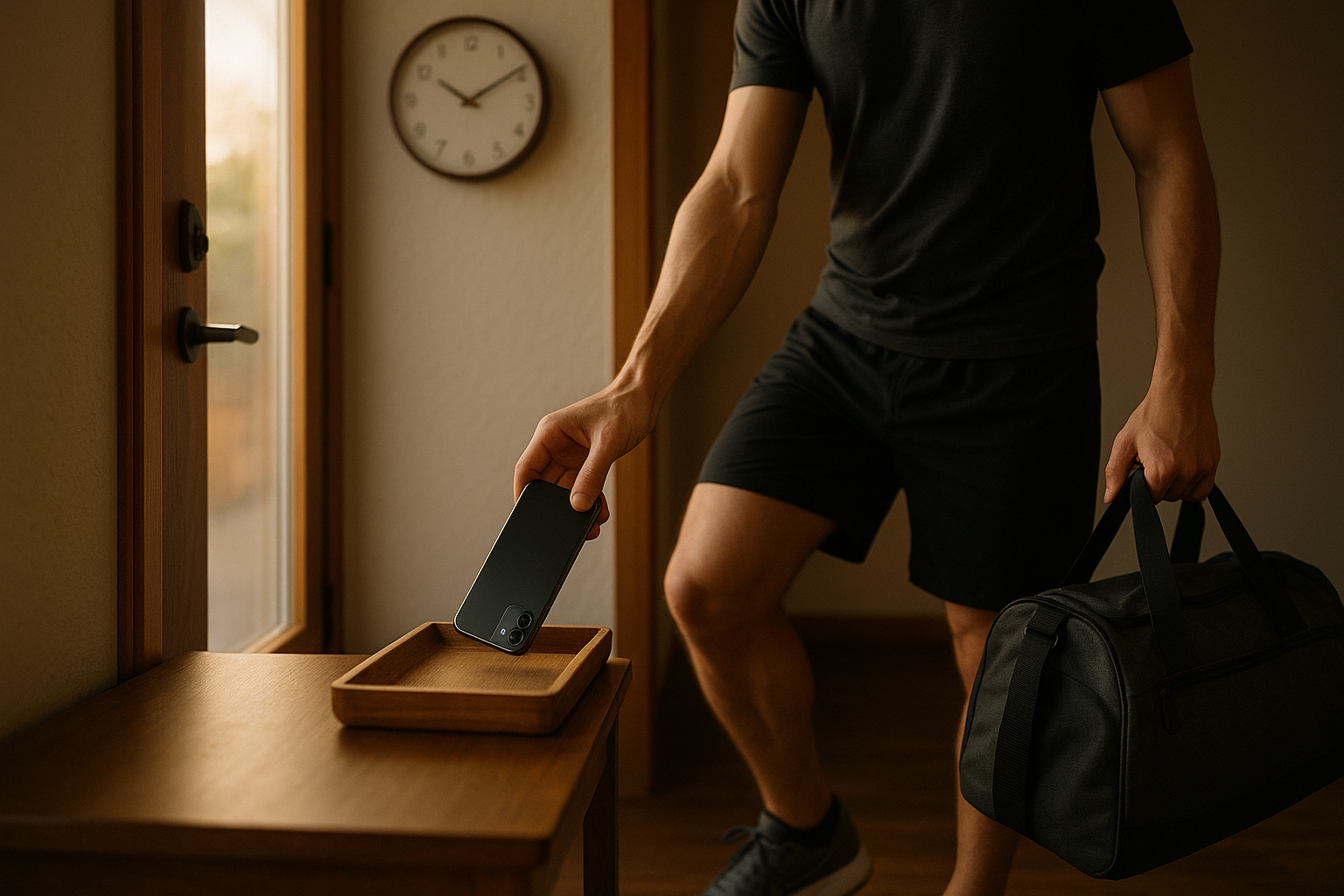
Every day, our screens compete with our bodies for time and attention. If you’re trying to move more, recover better, or simply feel less frazzled, the fastest win is to reduce digital friction so movement and sleep happen by default. In this guide, you’ll get 12 practical strategies that trade doomscrolling for training, recovery, and real rest—without going off-grid or missing what matters. Managing screen time for an active life means intentionally shaping your tech, environment, and habits so they serve your fitness, not siphon it.
Quick definition: Managing screen time for an active life is the process of setting device boundaries and routines so you reliably meet activity and recovery goals (e.g., 150 minutes of moderate exercise weekly and 7–9 hours of sleep), while still staying connected.
Fast start (5 steps):
- Turn on Screen Time/Digital Wellbeing and note your top three time-sink apps.
- Create one Focus/Do Not Disturb mode for training and one for sleep.
- Set daily app limits that add up to <60–90 minutes for social media. BioMed Central
- Move entertainment after your workout; never before.
- Put your phone outside the bedroom 60 minutes before lights-out.
Brief disclaimer: The guidance below is educational and not a substitute for medical advice. If you have chronic conditions or sleep disorders, consult a qualified clinician.
1. Audit Your Digital Baseline (So You Know What to Cut)
You can’t manage what you don’t measure. Start by auditing where your time and attention actually go across phone, tablet, and computer. The simplest approach is turning on built-in dashboards (iOS Screen Time, Android Digital Wellbeing) to track total pickups, notifications, and app minutes. In one week, you’ll see patterns that explain missed workouts or late bedtimes—e.g., 90 minutes of short videos from 10–11:30 p.m. or 120 notifications on weekdays. This baseline helps you set realistic caps and choose tactics that remove the few biggest leaks. It’s normal to underestimate usage; visibility alone often triggers improvement, like stepping on a scale before a training block.
1.1 How to do it
- Enable Screen Time (iOS) or Digital Wellbeing (Android) and view weekly reports.
- Export or note daily averages for top apps, total pickups, and notifications.
- Tag your usage by when (morning/commute/evening) and where (bed, desk, kitchen).
- Map usage against missed workouts, bedtime shifts, or low-energy days.
- Pick one “prime target” app and one “prime target” time window to change first.
1.2 Numbers & guardrails
- Aim for <80 daily pickups and ≤30–60 min total social media on training days. Evidence shows recreational screen time displaces active time and is linked with poorer health markers; fewer minutes is generally better.
Synthesis: Baseline data turns vague intentions into precise targets, so your next steps shrink the biggest time drains first.
2. Set Hard App Limits Tied to Your Training Plan
App limits convert intention into friction. Decide how many minutes your non-essential apps get on training and rest days, then use system tools (App Limits on iOS; Timers on Android) to enforce them. Pair the limit with a plain-language rule: “No short-form video before workouts” or “30 minutes of social media only after my cooldown.” This avoids willpower battles during your lowest-energy hours and preserves the time/attention needed for movement and recovery.
2.1 Tools/Examples
- iOS: Settings → Screen Time → App Limits; “Downtime” for device-wide blocks; “Share Across Devices” to sync.
- Android: Settings → Digital Wellbeing → Dashboard → Set timers; Bedtime Mode for evening.
- Third-party blockers: Freedom, FocusMe, Opal (for cross-device or stricter schedules).
2.2 Numbers & guardrails
- Start with 45–60 minutes/day for total entertainment apps on training days; ≤90 minutes on rest days.
- If you’re building up to 150 minutes/week of moderate activity, keep app caps tighter until workouts feel automatic.
- Put a 4-digit Screen Time passcode that a partner holds to resist “just five more minutes.”
Mini case: A novice lifter cut reels to 30 minutes after gym sessions and hit three 45-minute lifts plus two 30-minute walks weekly—reclaiming ~6 hours/week.
Synthesis: Hard limits preserve training time by default and make entertainment a reward, not a rival.
3. Tame Notifications with Focus Modes (and Fewer Pings)
Notifications are micro-interruptions that splinter attention and add stress. Field and lab studies show that fewer interruptions improve performance and reduce strain; batching alerts can lower stress more reliably than turning everything off, which can increase anxiety for some. Use Focus modes to allow only priority people and apps during workouts and work, then batch the rest to 2–3 windows daily. For sleep, enable a Focus that lets through emergencies only.
3.1 How to do it
- Create two Focuses: “Training” (music, timer, watch, maps) and “Sleep” (alarms, ICE contacts).
- Batch alerts via summary or scheduled delivery (iOS) or notification digests (Android).
- Silence badges and disable lock-screen previews; keep VIPs as exceptions.
3.2 Mini-checklist
- 2–3 notification check windows/day
- No banners during workouts
- No social/media alerts after 8 p.m.
- Critical alerts only overnight
Synthesis: Fewer, scheduled pings give you longer, calmer focus blocks to train and wind down—without feeling disconnected.
4. Redesign Your Home Screen for Movement-First Choices
Your home screen should steer you toward motion, not mindless swiping. Place health and movement apps (timer, workout playlist, interval app, step counter) on page one. Remove entertainment from the dock and first two pages; bury them in a folder off-screen. Consider grayscale during work hours to reduce the visual reward of colorful feeds. The goal isn’t austerity; it’s to make the good path easiest.
4.1 How to do it
- Dock: Clock/Timer, Maps, Music, Notes/Checklist (for workout).
- Page 1: Workout app, habit tracker, calendar, weather.
- Widgets: Activity rings/steps; “Next calendar item is: Run at 6 p.m.”
- Move entertainment to a folder on the last page; remove from search suggestions.
4.2 Why it matters
- The mere presence of a smartphone on your desk drains cognitive capacity; reducing visual salience helps you reclaim attention for movement. Place the phone out of sight during work blocks and warm-ups. PMC
Synthesis: Design nudges stack the deck so you default to training tools when you unlock your phone.
5. Switch to a “Workout-Only” Phone Profile
When you head to the gym or out for a run, your phone should behave like gym gear: music, timer, safety—nothing else. Create a workout-only profile by restricting to a small set of apps and locking the rest. On iPhone, “Guided Access” can pin a single app; on Android, use a Work Profile or app pinning. Pre-download playlists and maps; set emergency contacts on your watch. The fewer choices you have, the more likely you are to finish the warm-up instead of wandering into feeds.
5.1 Tools/Examples
- iOS Guided Access to pin a workout or music app; exit with a passcode.
- Android: App pinning or Work Profile to separate “gym phone” from everything else.
- Wearables for on-wrist controls so you can leave the phone in the locker. Trackers modestly boost activity across populations.
5.2 Mini case
- A cyclist set a “Ride” profile: Strava + Music + Maps only. Blocking everything else helped hit 4 rides/week, +65 minutes average ride duration after six weeks.
Synthesis: A workout-only profile turns your device into a training tool and removes the temptation that derails sessions.
6. Time-Box Entertainment After You Move
Put leisure after movement to turn screens into a carrot, not a competitor. Decide ahead of time: workouts happen first, and entertainment happens in one or two pre-scheduled windows. This sequencing protects mornings, avoids pre-workout inertia, and reduces late-night spirals. If you train in the evening, finish your session, shower, eat, then enjoy a set block (e.g., 45 minutes)—ideally away from bed.
6.1 How to do it
- Two windows/day (e.g., lunch and post-dinner) for entertainment apps.
- Timer starts when you open the app; stop when it dings.
- If-then rule: “If I miss training, I skip tonight’s entertainment window.”
6.2 Why it matters
- Recreational screen time displaces physical activity and is associated with poorer health outcomes; proactively scheduling reduces that displacement. ScienceDirect
Synthesis: Time-boxing makes pleasure intentional and preserves prime energy for movement and recovery.
7. Stack “Unplug” Habits to Workout Triggers
Link your first small “unplug” action directly to a movement trigger so there’s no decision gap. For example: put the phone on the entry table, then start your warm-up. Or tap an NFC tag by your mat that starts a Focus, opens your interval app, and cues music. Habit stacking cuts friction and turns routines into a chain where one action makes the next inevitable.
7.1 How to do it
- NFC/Shortcuts (iOS) or Tasker (Android): One tap starts “Training” Focus, opens timer, plays playlist.
- Visual triggers: Shoes by the door, mat unrolled, water bottle filled.
- Repeat the same cues at the same time 4–5 days/week until automatic.
7.2 Numeric example
- If you save just 25 minutes/day of idle phone time, that’s ~3 hours/week—enough for two 45-minute training sessions plus a 30-minute walk.
Synthesis: When “put down phone → start warm-up” is a single reflex, workouts win before willpower even wakes up.
8. Shape Your Environment: Where Phones Sleep and Screens Live
Environment beats discipline. Park your phone in a charging station outside the bedroom and use a cheap analog alarm. Create device-free zones (dining table, bedside) and device-free times (first hour after waking, last hour before bed). If you watch long-form shows, do it from a couch, not the bed; ideally, stretch or use a foam roller while you watch. For households, post shared rules on the fridge and stick to them as a team.
8.1 Why it matters
- Evening light from screens suppresses melatonin, delays circadian timing, and reduces next-morning alertness; a screen-free buffer before sleep protects recovery.
- The presence of a phone within sight saps working memory; bedrooms and desks benefit from “out of sight” storage.
8.2 Region notes (Pakistan and beyond)
- Power cuts: Keep a dedicated power bank by the charging station so the phone can stay out of the bedroom.
- Mobile data limits: Pre-download workouts and music on Wi-Fi to avoid late-night scrolling while “saving data.”
Synthesis: When your space nudges you to move and sleep, you don’t need constant self-control to do the right thing.
9. Use Social Accountability and Shared Rules
People stick to limits when others can see them. Share Screen Time reports with a partner, friend, or training group once a week. In families, set Downtime and app limits for everyone—kids and adults—to normalize digital boundaries. Agree on “red lines” (no phones at meals; no screens 60 minutes pre-bed) and build a small reward for the household when you hit targets.
9.1 How to do it
- Family Sharing (iOS): View and set limits across family devices.
- Android Family Link: Manage child accounts and app time.
- Weekly check-ins: Compare screen time vs. training minutes; celebrate improvements.
9.2 Mini-checklist
- Shared rules posted; everyone signs
- One weekly “digital tidy” (uninstall, mute, rearrange)
- Household reward for meeting targets (e.g., hike, picnic)
Synthesis: Shared norms reduce friction and make healthy boundaries feel supportive, not punitive.
10. Leverage Wearables to Leave the Phone Behind
Activity trackers and sport watches reduce phone dependence during training by handling music, cues, GPS, and safety features on-device. Evidence shows wearables can modestly increase physical activity across ages and settings, especially when paired with goals and feedback. Load offline playlists, maps, and emergency contacts; practice phone-free runs, rides, or gym sessions so you can focus on form, not feeds.
10.1 Tools/Examples
- On-wrist cues: Interval vibrations; HR zone alerts; stand/move reminders.
- Safety: Share LiveTrack/Share My Location with a trusted contact.
- Offline prep: Download playlists and city maps before you head out.
10.2 Numbers & guardrails
- Target >8,000–10,000 steps/day on active days as a general movement anchor; adjust per fitness level and training load. Pair with 2 days/week muscle-strengthening.
Synthesis: When your watch handles the session, your phone can sit out—attention stays on movement.
11. Protect Recovery with a Bedtime Digital Curfew
Sleep is training. Set a nightly digital curfew at least 60 minutes before lights-out: devices park in their charging spot, bedroom goes analog (paper book, dim light), and Night Shift/blue-light filters remain a backup, not a loophole. Consider Bedtime/Sleep Focus modes that screen calls to emergencies and mute the rest. This single change often lifts morning energy and workout consistency within a week.
11.1 Why it matters
- Evening exposure to light-emitting screens suppresses melatonin and delays circadian timing, impairing sleep and next-day alertness—bad news for training quality.
11.2 Mini-checklist
- Curfew time set (e.g., 9:30 p.m.)
- Devices out of bedroom; analog alarm set
- Paper book or stretch routine ready
- Sleep Focus active; VIP allowed
Synthesis: A predictable evening wind-down protects hormones, mood, and muscle repair—every session benefits.
12. Build Work and Travel Safeguards
Work trips and busy seasons can spike screen time and slash activity. Create travel-ready safeguards: offline maps and playlists, roaming-proof workouts (hotel room mobility, stairs, park circuits), and a default “walking meeting” when possible. At work, schedule walking 1:1s or short movement breaks; research shows walking boosts creative ideation in real time and shortly after. Use Focus modes in transit to keep inbox pings from eating your evenings.
12.1 How to do it
- Travel kit: Jump rope, resistance band, mini-program (20 minutes).
- Default meetings: Make <30-minute check-ins walking where feasible.
- Commute shield: Focus mode + downloaded content; reply in batches on arrival.
12.2 Numbers & guardrails
- On travel days, aim for ≥6,000 steps, plus 10–15 minutes mobility before bed.
- Protect two non-negotiable sessions/week (e.g., Tue/Thu) even when calendar churns.
Synthesis: Pre-built safeguards keep screens from swallowing your days when routines are fragile.
FAQs
1) What’s a realistic daily screen-time goal if I want to be more active?
Start with your baseline and focus on the top two apps. Many people see big gains by keeping total entertainment to ≤60 minutes on training days and ≤90 minutes on rest days while batching notifications to 2–3 times/day. The key is consistency and pairing limits with a training schedule you actually enjoy.
2) Do I need to quit social media to get fit?
No. The aim isn’t abstinence; it’s alignment. Keep social apps, but make them after movement and cap them with timers. With Focus modes and scheduled windows, most people can meet 150 minutes/week of moderate activity without quitting platforms. Set a passcode for limits so “exceptions” don’t become the norm.
3) Is it true I should avoid screens before bed? Why?
Yes—especially the last hour. Light from screens can delay melatonin release and push your body clock later, making it harder to fall and stay asleep. That steals recovery and next-day energy. A device-free wind-down, dim lights, and a Sleep Focus protect sleep quality.
4) Do wearables actually help me move more, or are they just gadgets?
On average, they help. Systematic reviews show activity trackers increase physical activity across diverse groups, with small but meaningful improvements that can add up over months. They’re most effective when you use specific goals, feedback, and social accountability.
5) What about the “phones drain brainpower” claim—is that legit?
Studies suggest the mere presence of a smartphone can reduce available working memory and fluid intelligence on some tasks. Not all replications agree on the effect size, but “out of sight” during focus blocks remains a low-cost, high-upside habit for training and deep work. ScienceDirect
6) How many notifications should I allow?
There’s no magic number; aim to batch routine alerts and keep critical ones (family, emergencies) always allowed. Field studies find that reducing notification-caused interruptions improves performance and decreases strain; batching 2–3 times/day works better for many than a total blackout.
7) Is grayscale mode worth it?
Evidence is mixed and limited, but many find that removing color reduces the “slot machine” appeal of feeds. If it helps you unlock less, great—use it alongside timers, Focus modes, and environment changes, which have stronger support and clearer mechanisms.
8) How do I balance screen time with the 150-minute activity guideline?
Block your workouts first (calendar invites to yourself), then fit screens around them. Use app limits so total entertainment can’t spill into training windows, and track week-over-week trends. If you’re struggling to hit 150 minutes, tighten limits until workouts feel automatic.
9) What’s a good evening routine to protect sleep and recovery?
One hour before bed, dock devices outside the bedroom, switch on Sleep Focus, tidy your gear for tomorrow’s session, and do 5–10 minutes of stretching or journaling. Read a paper book under warm, dim light. This sequence reduces blue light, calms the nervous system, and makes next-day training easier.
10) Do walking meetings really help?
For creative problem-solving and idea generation, yes: experiments show walking improves creative ideation in real time and shortly after. It’s not a cure-all—tasks needing intense, heads-down analysis may still be better at a desk—but as a default for status updates and 1:1s, walking is a win.
Conclusion
Managing screen time for an active life isn’t about punishment or perfection; it’s about designing days that make movement and recovery almost automatic. You began by auditing your baseline, then you set hard limits tied to training, tamed notifications with Focus modes, and redesigned your home screen to serve motion first. You learned to switch into a workout-only profile, time-box entertainment after movement, and stack “unplug” habits onto warm-up triggers. You shaped the environment—where phones sleep and where screens live—so you don’t have to fight the same battles every evening. With social accountability, wearables to leave the phone behind, a bedtime digital curfew, and travel/work safeguards, these strategies compound: more consistent workouts, calmer focus, and deeper sleep.
Pick two strategies to implement this week (e.g., a Training Focus and 60-minute pre-bed curfew), then stack a third next week. Review your Screen Time/Digital Wellbeing report next Sunday, adjust app caps, and keep nudging friction away from movement and toward the apps that don’t serve you. The payoff isn’t just fewer minutes on a screen—it’s miles walked, kilos lifted, and mornings you actually look forward to training.
CTA: Dock your phone, lace your shoes, and start your warm-up—movement goes first today.
References
- WHO Guidelines on Physical Activity and Sedentary Behaviour, World Health Organization, Nov 25, 2020. World Health Organization
- WHO Guidelines on Physical Activity and Sedentary Behaviour (Full PDF), World Health Organization, 2020. WHO IRIS
- Adult Activity: An Overview, Centers for Disease Control and Prevention, Dec 20, 2023. CDC
- Evening Use of Light-Emitting eReaders Negatively Affects Sleep, Circadian Timing, and Next-Morning Alertness, PNAS, Jan 2015. PNAS
- PubMed Summary: Evening Use of Light-Emitting eReaders…, PNAS (PubMed), 2015. PubMed
- Use Screen Time on Your iPhone or iPad, Apple Support, May 13, 2025. Apple Support
- Get Started with Screen Time on iPhone, Apple Support, 2025. Apple Support
- Set Up a Focus on iPhone, Apple Support, 2025. Apple Support
- Manage How You Spend Time on Your Android Phone, Google Support (Digital Wellbeing), 2025. Google Help
- Digital Wellbeing, Google/Android, 2025. Android
- Effectiveness of Wearable Activity Trackers to Increase Physical Activity, Cochrane Review (PubMed record), 2022. PubMed
- Interventions Using Wearable Activity Trackers to Improve Physical Activity and Health, Healthcare (Basel), 2023. PMC
- Brain Drain: The Mere Presence of One’s Own Smartphone Reduces Available Cognitive Capacity, Journal of the Association for Consumer Research, 2017. Chicago Journals
- Sedentary Behaviour and Health in Adults: An Overview of Systematic Reviews, Applied Physiology, Nutrition, and Metabolism, 2020. Canadian Science Publishing
- Batching Smartphone Notifications Can Improve Well-Being, Computers in Human Behavior, 2019. ScienceDirect
- Effects of Task Interruptions Caused by Notifications from Mobile Communication Media, Journal of Occupational and Organizational Psychology, 2023. PMC
- The Positive Effect of Walking on Creative Thinking, Journal of Experimental Psychology: Learning, Memory, and Cognition, 2014. PubMed
- Stanford News: Walking Improves Creativity, Stanford University, Apr 24, 2014. Stanford News