

























Stiff neck, tight shoulders, sore wrists—desk work can leave your body feeling like it’s been benched all day. This guide gives you 14 practical desk stretching moves that target the most common problem areas for office workers, with clear steps, safe ranges, and time-saving cues you can use between emails. It’s written for anyone who spends long periods at a computer and wants simple, gear-free ways to feel better without leaving their workstation. Desk stretching is a set of short, low-effort mobility drills you can do at your desk to reduce stiffness and improve comfort. For best results, sprinkle 1–3 minutes of movement every 30–60 minutes and keep all motions slow, controlled, and pain-free.
Quick how-to: set a reminder, sit tall, breathe steadily, move within comfortable range (no pain), and stop if you feel numbness, tingling, or dizziness. This article is educational and not a substitute for medical advice; check with a clinician if you have injuries or persistent symptoms.
1. Chin Tucks: The Fast Neck Reset
A chin tuck is the quickest way to counter “tech neck.” It re-centers your head over your shoulders, eases tension at the base of the skull, and primes your neck for other stretches. Start by sitting tall with your chest relaxed and shoulders down. Without tilting your head up or down, gently draw your chin straight back, as if making a subtle double chin, until you feel a mild stretch deep at the back of your neck. Hold for a few seconds, then release slowly. This simple movement helps decompress joints irritated by forward-head posture and can reduce end-of-day neck tightness. Aim for small, precise motions—no force and no pain. Combine with calm nasal breathing to avoid bracing.
1.1 How to do it
- Sit tall, eyes level; imagine your head sliding on rails.
- Glide chin straight back 1–2 cm; do not tip up or down.
- Hold 3–5 seconds; breathe out softly.
- Release and repeat 8–10 times.
- Finish with 2–3 slow neck nods (“yes”) in a small range.
1.2 Common mistakes
- Jutting the chin up (compresses joints).
- Shrugging the shoulders.
- Forcing the end-range or holding your breath.
Mini-checklist: Tall spine, gentle glide, smooth breath. A few clean chin tucks every hour can noticeably lower neck fatigue by day’s end.
2. Upper Trapezius & Levator Scapulae Stretch
Tight “desk shoulders” usually live in the upper traps and levator scapulae. This two-part stretch directly addresses that knotty, top-of-shoulder tension that creeps toward the skull. Start seated with feet flat and shoulders relaxed. For upper traps: tip your right ear toward your right shoulder until you feel a mild stretch on the left side. For levator: from the same position, turn your nose toward your right armpit and tip down slightly. Lightly anchor your left hand under the chair to keep the shoulder down; use your right hand as a gentle guide—not a pull. Breathe slow and keep the stretch mellow; you’re looking for release, not strain.
2.1 Steps (each side)
- Upper trap: Lateral flex head; hold 20–30 seconds.
- Levator: Turn nose to armpit; nod down; hold 20–30 seconds.
- Repeat 2–3 rounds per side.
- Keep the opposite shoulder heavy and down.
- Finish by rolling the shoulders back 5–6 times.
2.2 Numbers & guardrails
- Intensity: 3–4/10 stretch sensation—no pain or tingling.
- Frequency: 2–3 sets, 1–2 times per work block.
- If you feel dizziness or radiating pain, stop and reset.
Close each set with a deep exhale and shoulder drop; many people notice immediate lightness around the collarbones and base of the skull.
3. Chest (Pectoral) Opener for Rounded Shoulders
Hours of keyboarding shorten the pectoral muscles, pulling shoulders forward and crowding the neck. This desk-friendly chest opener restores space across the front of your body and improves how your shoulder blades glide. Sit or stand tall beside your chair. Interlace your fingers behind your back (or hold a towel), straighten the elbows softly, and imagine your breastbone lifting forward and up. Keep your ribs stacked—not flaring—and your chin gently tucked. You should feel a broad, front-of-chest stretch and a light shoulder-blade squeeze. Avoid cranking your arms high; the goal is width and ease, not a deep backbend.
3.1 How to do it
- Stand with feet hip-width; clasp hands behind you (or towel).
- Soften knees; gently straighten elbows.
- Float breastbone forward; think “broad collarbones.”
- Hold 20–40 seconds while breathing low and slow.
- Release, then perform 6–8 shoulder blade slides (up/back/down).
3.2 Common mistakes
- Arching the low back to “cheat” the stretch.
- Pushing arms too high, pinching the front of the shoulder.
- Holding breath—keep the belly soft.
Tip: Do this after long email sessions; it resets your posture so typing feels easier and your neck doesn’t do all the work.
4. Thoracic Extension Over the Chair Back
Mid-back (thoracic) stiffness often masquerades as neck or shoulder tightness. Extending over your chair back gently mobilizes the spine where it gets stuck during slouching. Use a chair with a mid-backrest (no headrest). Sit tall, feet grounded. Place your hands behind your head, elbows pointing forward. Lean back so the upper-mid back meets the top of the chair; then, on an exhale, allow a small, comfortable arch over the chair edge. Keep your chin slightly tucked so the movement lives in your mid-back, not your neck. Return to neutral with control. This opens the ribs, improves breathing mechanics, and gives your neck a break.
4.1 Steps & guardrails
- Support head with hands; elbows forward like goalposts.
- Exhale as you extend; inhale to return.
- Perform 6–10 gentle reps; pause 2–3 seconds at the end range.
- Range should feel springy, never jammed.
- If your chair is hard, place a folded sweater at the edge.
4.2 Why it matters
- Better thoracic motion means less shoulder impingement risk.
- Freer ribcage improves desk breathing and energy.
- It pairs well with pec openers to reduce “hunched” posture.
Finish with a tall sit and three slow breaths—nose in, long mouth out—to lock in that newfound mid-back space.
5. Seated Spinal Rotation (Gentle Twist)
Rotation lubricates the spinal joints and helps your torso move as one unit, reducing low-back crankiness. Seated twists are desk-friendly and easy to dose. Sit tall near the front edge of the chair, feet flat. Place your right hand on the outside of your left thigh and your left hand behind you for light support. First grow tall, then rotate your ribcage left as you exhale; keep your head slightly behind the rotation to avoid neck over-twist. Hold a few breaths, then return and switch sides. The sensation is a broad, even stretch—not a sharp jam.
5.1 How to do it
- Inhale, lengthen from hips to crown.
- Exhale, rotate ribs (not just shoulders).
- Pause 15–25 seconds; take 2–3 smooth breaths.
- Repeat 2–3 times per side.
- Keep knees and hips pointing forward.
5.2 Common mistakes
- Cranking with arms instead of leading with the ribs.
- Letting knees drift or twisting the pelvis excessively.
- Holding breath—rotation loves slow exhales.
A well-executed twist often leaves you feeling taller and looser through the beltline—perfect before long calls or meetings.
6. Wrist Flexor Stretch (Typing Relief)
Your forearm flexors (palm side) work overtime during typing and trackpad use. A targeted flexor stretch restores length and takes pressure off the wrists. Stand or sit tall. Extend your right arm in front of you, palm up, elbow straight but soft. With your left hand, gently bend the right wrist and fingers back toward the floor until you feel a stretch along the inner forearm. Keep shoulders relaxed and avoid locking the elbow. You should feel “long” through the palm into the forearm, not sharp at the wrist joint.
6.1 Steps & dosage
- Position: arm out, palm up.
- Action: bend wrist/fingers back gently.
- Hold 20–30 seconds; repeat 2–3 times per side.
- Add 5–8 slow finger spreads/clenches after each hold.
- Finish with 10 relaxed wrist circles.
6.2 Tools/Examples
- Use the desk edge to anchor your palm for a hands-free hold.
- Pair with short “shake-outs” every 20–30 minutes.
- If you use a standing desk, stretch between height changes.
Close by floating the shoulders down and taking one slow exhale; many people feel instant relief in the heel of the hand and the base of the thumb.
7. Wrist Extensor Stretch (Mouse Shoulder’s Sidekick)
On the flip side, wrist extensors (back-of-forearm) tighten during mousing and when you brace your hands while typing. Stretching them balances the forearm, eases lateral elbow tension, and can reduce that “ropey” feel on the outer arm. Extend your right arm forward, palm down. With the left hand, gently flex the right wrist so your fingers point toward the floor and in slightly. Keep the elbow soft and the shoulder quiet. You should feel a smooth stretch along the top of the forearm toward the elbow.
7.1 How to do it
- Arm forward, palm down; gently bend wrist and fingers under.
- Hold 20–30 seconds; repeat 2–3 times per side.
- Add 5–8 fist-to-spread repetitions between holds.
- Finish with a light forearm massage using your opposite thumb.
7.2 Common mistakes
- Locking the elbow and shrugging.
- Forcing the wrist into pain or tingling.
- Skipping finger movement—finger tendons love gentle glides.
Combine flexor and extensor work to cover both sides of the forearm; balance is key for happier wrists and elbows.
8. Median Nerve Glide (Gentle, Optional)
For heavy keyboard users, gentle nerve glides can reduce sensitivity along the carpal tunnel pathway when done carefully and symptom-free. This is not a stretch but a light “flossing” motion for the median nerve; keep intensity minimal and stop if you feel tingling, numbness, or sharpness. Stand tall. Extend your right arm to the side at shoulder height, palm forward. Gently extend the wrist (fingers back) while tipping your head away; then release both at the same time—wrist neutral and head to center. The movement is small and rhythmic, like a friendly wave to your nervous system.
8.1 Steps & safety
- 6–10 gentle reps per side; no holds.
- Intensity stays 1–2/10—purely comfortable.
- Stop immediately if symptoms appear; consult a clinician if unsure.
8.2 Why it helps
- Encourages normal nerve motion through soft tissues.
- Pairs well with ergonomic changes (neutral wrist, proper mouse size).
- Can make standard wrist stretches feel more effective.
Wrap up with wrist circles and a posture reset; think “tall head, soft shoulders.” Less is more here.
9. Cross-Body Shoulder Stretch (Posterior Capsule)
Long hours at the keyboard can tighten the back of the shoulder, limiting overhead reach and contributing to a “rounded” upper back. A cross-body stretch targets the posterior capsule and rear deltoid in a safe, controlled way. Sit or stand tall. Bring your right arm across your chest at shoulder height. With the left hand, hold above the right elbow and gently draw the arm toward your chest until you feel a stretch behind the shoulder. Keep the shoulder blade down and slightly back so the stretch stays posterior—not up in the neck.
9.1 How to do it
- Arm across chest, shoulder height.
- Draw in gently; hold 20–30 seconds.
- Repeat 2–3 times per side.
- Add 6–8 slow shoulder blade squeezes after each hold.
9.2 Common mistakes
- Hiking the stretching shoulder toward the ear.
- Twisting the torso to “fake” more range.
- Pushing into pain or pinching at the front of the shoulder.
Close with 5–6 arm circles (small to medium) to enjoy the new space you’ve created—key before presentations or longer typing sprints.
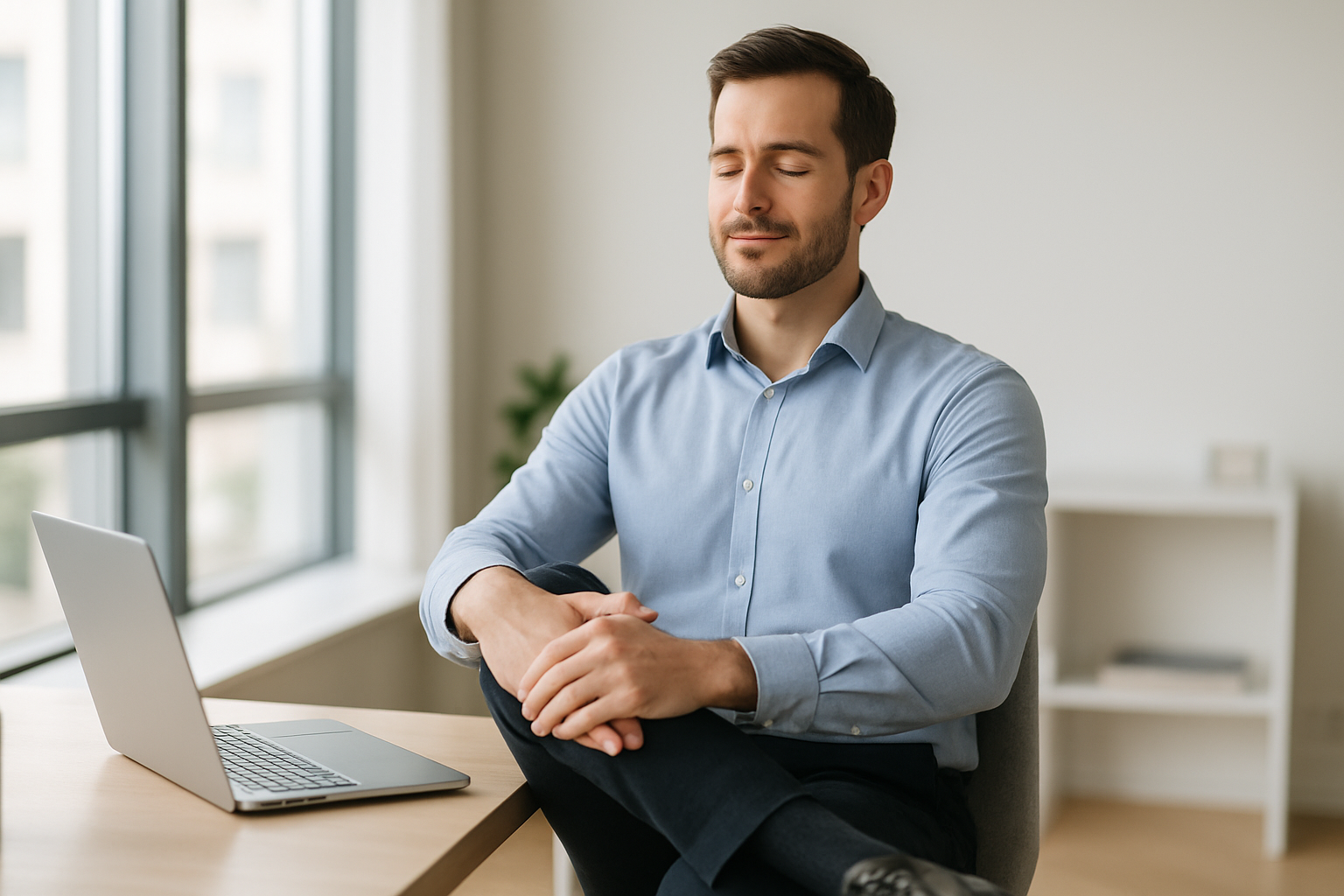
10. Seated Figure-4 (Piriformis/Glute) Stretch
Lower-back tension often comes from under-moved hips. The seated figure-4 opens the glutes and deep hip rotators without leaving your chair. Sit toward the front edge, feet flat. Cross your right ankle over the left knee, forming a figure-4. Sit tall first, then hinge slightly forward at the hips until you feel a broad stretch in the right glute. Keep the spine long and the knee relaxed. Breathe slowly; the sensation should spread across the buttock, not pinch in the hip joint.
10.1 Steps & options
- Hold 20–40 seconds; repeat 2–3 times per side.
- Rock your torso gently side-to-side for 10–15 seconds to explore.
- If the knee feels cranky, slide the ankle closer to the shin (less leverage).
- Support your foot with a small box if your chair is high.
10.2 Why it matters
- Freer hips = less low-back compensation during sitting and standing.
- Improves comfort for long meetings and flights.
- Complements hamstring and hip-flexor work.
Finish with two tall breaths, then switch sides. Many feel an instant “release” across the tailbone and beltline.
11. Standing Hip-Flexor Stretch with Desk Support
Tight hip flexors are a hallmark of prolonged sitting and can tilt the pelvis forward, stressing the low back. A standing lunge pattern beside your desk restores length and reminds your glutes to help. Stand with the desk lightly under your fingertips. Step your right foot back into a split stance. Tuck the tail slightly (think “zip up jeans”), squeeze the right glute, and gently shift your weight forward until you feel a stretch in the front of the right hip. Keep ribs stacked and shoulders soft. Optionally elevate the back heel on a book if balance is tricky.
11.1 How to do it
- Hold 20–40 seconds; repeat 2–3 times per side.
- Keep the back knee soft; no joint locking.
- Add 6–8 gentle side bends away from the back leg to target deeper hip flexors.
11.2 Numbers & notes
- Intensity: 3–4/10 stretch.
- Frequency: once per hour in heavy sitting blocks.
- If you feel knee pressure, shorten the stance and lower the intensity.
Seal the set with a slow exhale and a brief glute squeeze on the back leg—it teaches your body to keep the hip open when you sit again.
12. Seated Hamstring Hinge
Hamstrings can feel “short” after sitting, especially if your chair is low. A seated hinge stretches them without needing floor space. Sit on the front edge with your right leg straight, heel on the floor, toes up. Keep the left foot planted. Hinge forward from the hips with a long spine until you feel a stretch along the back of the right thigh. Avoid rounding the low back; imagine your belly moving toward your thigh rather than your nose to your knee. You should feel a mellow, lengthening sensation—not a nerve zing behind the knee.
12.1 Steps
- Hold 20–30 seconds; repeat 2–3 times per side.
- Add 6–8 gentle ankle pumps to mobilize the sciatic nerve sheath (comfortable only).
- Keep shoulders relaxed; think “long from sit bones to crown.”
12.2 Common mistakes
- Collapsing the spine; keep the hinge at the hips.
- Pushing into sharp knee or calf sensations.
- Lifting the toes aggressively (can irritate nerves)—keep it soft.
End with tall sitting and a breath out; hamstrings often give a little more room to your lower back within minutes.
13. Calf Stretch at the Wall (or Desk)
Stiff calves contribute to achy feet and sluggish circulation during long sits. A simple wall or desk calf stretch wakes up the lower legs and helps your ankles move better when you stand. Stand facing a wall or place both hands on the desk. Step your right foot back. Keep the heel down and knee straight to target the gastrocnemius; bend the back knee slightly to bias the soleus. Lean forward until you feel a comfortable stretch in the back calf. Keep hips square and feet pointing forward.
13.1 How to do it
- Hold 20–30 seconds straight-knee, then 20–30 seconds soft-knee.
- Repeat 2–3 times per side.
- Add 10 slow ankle rocks to polish the range.
13.2 Tips & guardrails
- Keep the back heel heavy—no bouncing.
- Use a folded book for the front foot to modify angle.
- If you cramp, back off and add gentle ankle circles first.
Close with a few relaxed heel raises (8–10 reps) to “seal” the mobility with light strength.
14. 60-Second Microbreak Flow (Full-Body Reset)
When time is tight, a compact flow resets multiple regions at once. This 60-second sequence strings together moves you’ve learned so you can press “refresh” on your body between tasks. The goal isn’t intensity; it’s ease and consistency. You’ll glide through neck, shoulders, spine, hips, and ankles, using breath to pace each switch. One round every 45–60 minutes pays dividends in focus and comfort. Keep every motion pain-free, staying curious rather than forcing range.
14.1 The flow (about 60 seconds)
- Chin tucks x6 (smooth glide; 10 seconds).
- Upper-trap side bend holds (10 seconds each side).
- Thoracic extension over chair x6 (10–15 seconds).
- Seated twist (8–10 seconds each side).
- Figure-4 hinge (10 seconds each side).
- Ankle rocks or circles x10 (finish calm).
14.2 Make it stick
- Set a timer or use a Pomodoro app with “movement” tags.
- Tie breaks to tasks: new email thread, call wrap-up, or file save.
- Keep a sticky note with your top 3 moves on your monitor.
Close the flow with one easy exhale and a posture check: feet grounded, ribs stacked, shoulders soft, screen at eye level. You’re back to work—looser and clearer.
FAQs
1) How often should I do desk stretching during the day?
Aim for brief movement breaks every 30–60 minutes. That might mean one or two stretches for 60–90 seconds at a time, or a 60-second flow (like Section 14). The frequency matters more than intensity; consistent microbreaks reduce stiffness without disrupting productivity. If you’re in a long meeting, shift position, roll your ankles, and do a few chin tucks.
2) How long should I hold each stretch?
For most static holds, 20–30 seconds is a practical range; repeat 2–3 times. Dynamic moves (like thoracic extension) work well for 6–10 reps. Keep sensations at a comfortable 3–4/10—never painful. Short holds done regularly beat occasional long sessions.
3) Can stretching fix my posture?
Stretching helps by opening tight areas (chest, hip flexors) so upright posture is easier, but posture is also a habit and environment issue. Combine stretches with simple ergonomics—screen at eye height, elbows ~90°, feet supported—and a few strength snacks (scap squeezes, heel raises) for lasting change.
4) What if stretching causes tingling or numbness?
Stop that movement and reset. Tingling may indicate nerve sensitivity or compression. Avoid pushing intensity. If symptoms persist, consult a qualified clinician. For most people, dialing back and staying in a purely comfortable range resolves it quickly.
5) Do I need any equipment?
No. All 14 moves are body-weight and desk-friendly. A towel, small book, or wall can make positions more comfortable. If you like extras, a soft ball for forearm massage or a short resistance band can layer in gentle activation between stretches.
6) Is it better to stretch before or after work?
Both help. A few dynamic moves (chin tucks, thoracic extensions) before or early in your work block prep you for sitting. Static holds (pec opener, figure-4) can feel great midday and later. The biggest win is weaving brief movement throughout the day, not just at one time.
7) Will stretching help with headaches?
For tension-type headaches linked to neck and shoulder tightness, gentle neck resets (Sections 1–2) and chest opening may reduce triggers. Hydration, breaks from screen glare, and relaxed breathing also help. If headaches are frequent, severe, or new, seek medical evaluation.
8) Can I over-stretch?
Yes—forcing range or holding long, intense stretches can irritate tissues. Keep sensations mild, move slowly, and never bounce. If an area feels “angry” afterward, shorten holds, reduce intensity, or choose a different move for a day or two.
9) How do I fit this into meetings or open-plan offices?
Choose discreet moves: chin tucks, shoulder blade squeezes, ankle circles, or the seated hamstring hinge. You can also stand for the hip-flexor stretch during audio-only calls. Build a culture cue—invite teammates to do a 60-second reset before long meetings.
10) Are there people who shouldn’t do these stretches?
If you’re recovering from surgery, have acute injury, severe pain, or specific conditions (e.g., cervical disc issues), get personalized guidance first. Pregnant readers should modify prone or deep hip stretches and favor gentle ranges. When in doubt, keep ranges tiny and pain-free.
11) Do I still need strength exercise if I stretch?
Stretching manages stiffness and comfort; it doesn’t build capacity. Add 2–3 short strength snacks: wall pushups, sit-to-stands, band pull-aparts. Stronger postural muscles make good sitting and standing feel effortless.
12) What else besides stretching reduces desk tension?
Tweak your setup: raise the screen to eye level, use a keyboard tray if wrists cock up, place the mouse close, and support your feet. Add habits: drink water, look 20 feet away for 20 seconds every 20 minutes (eye break), and vary positions—sit, stand, and walk.
Conclusion
Desk work doesn’t have to equal daily aches. When you build short, repeatable movement breaks into your routine, your body stays more adaptable: your neck stacks over your shoulders, your wrists feel freer on the keyboard, and your hips and back stop complaining after lunch. The 14 moves in this guide target the usual suspects—neck, chest, mid-back, wrists, hips, hamstrings, and calves—without any special equipment, and each one includes guardrails so you can choose the right dose. The real secret is frequency over force: 60 seconds here and there, layered across the day, does more for comfort and focus than occasional marathon sessions.
Pick three favorites (for example, Chin Tucks, Thoracic Extension, and Figure-4) and repeat them once every hour tomorrow. Then, as you learn what your body craves, rotate in others. Pair these stretches with small ergonomic tweaks and a couple of strength snacks and you’ll feel the difference—at your desk, on your commute, and when you unwind at home.
Ready to feel better at work? Do your first 60-second microbreak now and set a reminder for the next one.
References
- Computer Workstations eTool, Occupational Safety and Health Administration (OSHA), updated 2024, https://www.osha.gov/etools/computer-workstations
- WHO Guidelines on Physical Activity and Sedentary Behaviour, World Health Organization, 2020, https://www.who.int/publications/i/item/9789240015128
- Office stretches: How to reduce muscle tension at work, Mayo Clinic Staff, updated 2023, https://www.mayoclinic.org/healthy-lifestyle/adult-health/in-depth/office-stretches/art-20045743
- Display Screen Equipment (DSE): Workstation Checklist and Guidance, UK Health and Safety Executive (HSE), updated 2023, https://www.hse.gov.uk/msd/dse/index.htm
- Stretching: Focus on Flexibility, Harvard Health Publishing, updated 2022, https://www.health.harvard.edu/staying-healthy/stretching-focus-on-flexibility
- Workplace Health—Physical Activity, Centers for Disease Control and Prevention (CDC), updated 2024, https://www.cdc.gov/workplacehealthpromotion/health-strategies/physical-activity/index.html
- Simple Solutions: Ergonomics for Office Workers, National Institute for Occupational Safety and Health (NIOSH), 2004 (still relevant), https://www.cdc.gov/niosh/docs/2004-164/
- Position Stand: Quantity and Quality of Exercise for Developing and Maintaining Musculoskeletal Fitness, American College of Sports Medicine (ACSM), 2011 (guideline basis), https://doi.org/10.1249/MSS.0b013e318213fefb