



























If you’ve ever felt your phone “buzz” only to find nothing there, you’ve met phantom vibration syndrome—your brain briefly misreads harmless sensations as a notification. It’s common and usually benign, but it can feed smartphone anxiety (aka nomophobia), the restlessness or worry about missing messages or being without your device. This guide gives you practical, science-informed ways to reduce false alarms and reclaim a calmer, more intentional relationship with your phone. Quick definition up front: phantom vibration syndrome is the perception of a vibration or ring that didn’t happen; smartphone anxiety is stress driven by phone availability and notifications. Neither means anything is “wrong” with you—but both are manageable with habit tweaks, attention training, and better notification design. (This article is educational, not medical advice. If anxiety disrupts daily life, talk with a clinician.)
1. Disable Non-Essential Haptics and Tighten Notification Channels
The fastest way to cut phantom vibrations is to shrink the number of times your phone actually vibrates. Fewer real buzzes means fewer chances for your brain to mistake a clothing rustle or muscle twitch for a notification. Start by turning off global “system haptics” you don’t need and trimming which apps are allowed to vibrate at all. Then, lean on per-app notification channels (Android) or granular alert styles (iOS) to allow only the messages that truly matter. Research on notification design suggests that reducing alert frequency lowers stress without harming responsiveness when you keep an explicit path for critical contacts; conversely, all-or-nothing muting can backfire for some people by increasing fear of missing out. The goal is a small, trustworthy stream of signals—so any buzz that sneaks through is worth checking.
1.1 How to do it (quick steps)
- iOS (as of Aug 2025): Settings → Sounds & Haptics → set Vibrate on Ring/Silent to off if you can; toggle System Haptics off; in Settings → Notifications, set most apps to Deliver Quietly or Badges only; use Scheduled Summary for low-priority apps.
- Android (as of Aug 2025): Settings → Sound & vibration → turn off Vibrate for calls (or set to “only favorites” if supported), disable Touch vibration; in Settings → Notifications, limit vibration on each app’s Notification categories and switch non-urgent channels to silent.
- WhatsApp/Telegram (region note): Inside the app → Notifications → set Vibrate to Off or Short for most threads; keep Starred contacts or VIP chats on.
1.2 Mini-checklist
- Default: no vibration; exceptions: urgent calls, bank alerts, family emergencies.
- Convert messaging apps to silent banners or badges during work and sleep.
- Review weekly; if you didn’t need it, turn it off.
Synthesis: By treating vibration like an emergency channel, you retrain your brain: “buzz = important,” making false positives rarer and calmer to ignore.
2. Batch Your Notifications and Schedule “Check Windows”
Batching creates predictable “when” so your attention can relax during the “between.” In studies, delivering notifications in batches a few times per day reduced stress compared with real-time interruptions, while total shutdowns sometimes increased anxiety for heavy users. The trick is to set two to four daily “check windows” (e.g., 10:30, 13:30, 16:30) and let non-urgent alerts queue until then. Keep an escape hatch: allow calls/texts from favorites and your workplace escalation channel to break through. Within a week, most people notice fewer phantom buzzes and less scanning of pockets because the brain expects signals only at specific times. If you’ve tried a one-week “disable all notifications” challenge and didn’t see benefits, you’re not alone—recent work found blanket disabling didn’t change checking frequency for many users. Batching wins because it’s structured, not extreme.
2.1 Setup examples
- iOS: Settings → Notifications → Scheduled Summary; add social, shopping, and news. Deliver at set times. Keep Favorites for calls.
- Android: Use Do Not Disturb schedules with Allowed interruptions (starred contacts, calendar events); for Gmail/Slack, reduce channels to Mentions/Directs only.
2.2 Guardrails
- Start with 3 windows/day; adjust based on workload.
- If your role truly needs real-time, carve one app (e.g., PagerDuty) out as an exception—not your whole phone.
- Reassess after 14 days; aim for <40 total notifications/day.
Synthesis: Predictability is soothing; batching builds it, reducing hypervigilance that fuels both phantom sensations and anxiety.
3. Change Where You Carry and Place Your Phone
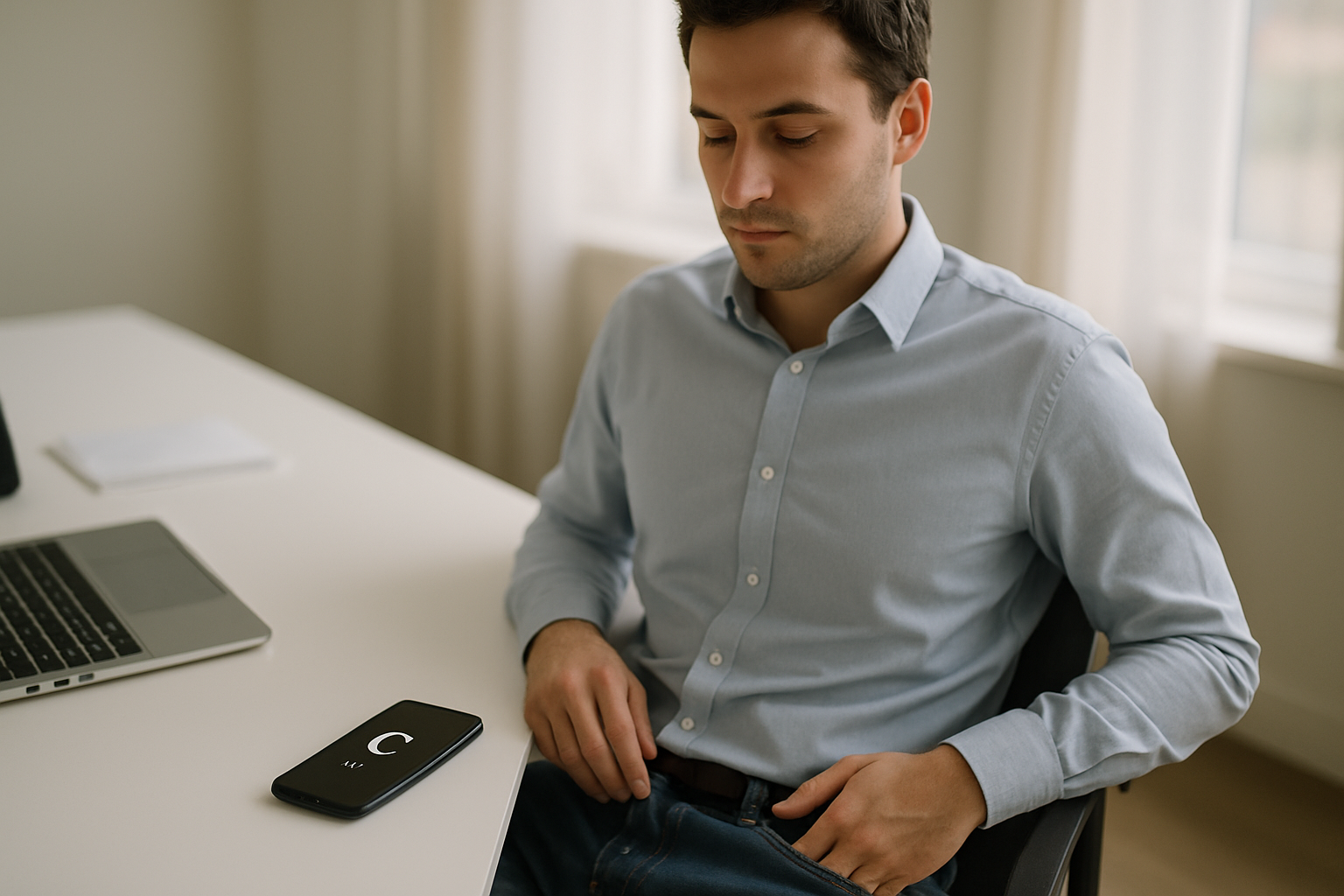
Phantom vibrations often happen where your phone usually sits—front jeans pocket, jacket chest, or on soft furniture that transmits tiny movements. That’s because your brain builds associations between a body location and the sensation of a previous vibration; any similar tactile input can be misread as a notification. Changing context interrupts that learned pattern. For two weeks, keep the phone off-body whenever possible: bag, backpack sleeve, desk tray, or a fixed shelf at home. If you must carry it, change sides or use a hard-case holster that dampens fabric movement. Some users notice phantom buzzes vanish within days simply by breaking the “pocket spot” habit. Studies of interns and medical staff have found phantom sensations rise during high-stress, high-notification periods and drop when the context changes (e.g., after internships), which fits the “learned association” lens.
3.1 Practical tweaks
- Desk: Place the phone on a stand face-down with vibration off; rely on a single whitelisted ringtone.
- Commute: Stow it in a zippered bag pocket rather than against your body.
- Home: Create a charging station in the hallway or lounge, not the bedroom.
3.2 Mini case
Two-week switch from right jeans pocket to backpack sleeve + vibration off: phantom buzzes dropped from 10/day to <2/day; by week 3, none reported.
Synthesis: Changing the physical context resets your body’s “notification template,” cutting false alarms at the source.
4. Use Focus/Do Not Disturb with Smart Allow-Lists
Focus modes and Do Not Disturb aren’t just for meetings—they’re your scaffolding for a calmer baseline. Configure a Work focus (calendar, boss, team leads allowed), a Personal focus (family/child care allowed), and a Sleep focus (only emergency contacts). This preserves urgent reachability while eliminating ambient buzz. Evidence suggests that careful alert curation alleviates stress more reliably than total suppression, which can spike worry about missed messages. The aim is fewer but higher-value alerts, so your nervous system stops scanning for phantom signals.
4.1 “Good fences” setup (15 minutes)
- Identify 5–8 people who can always reach you.
- Work Focus: allow calendar, calls from favorites, and direct mentions; silence everything else.
- Sleep Focus: allow calls from favorites if repeated within 3 minutes; silence all app notifications.
4.2 Common mistakes
- Letting group chats bypass Focus “just in case.”
- Forgetting to schedule Focus to auto-activate daily.
- Not telling people how to reach you urgently (see Section 10).
Synthesis: With clear rules and a small allow-list, your brain can treat silence as normal—reducing phantom buzzes and easing anxiety without risking true emergencies.
5. Reframe the Sensation: A Harmless “False Alarm,” Not a Crisis
How you interpret a sensation can amplify or extinguish anxiety. Treating phantom vibrations as false alarms—normal misfires of a sensitive detection system—reduces the urge to check compulsively. Signal detection theory labels these moments “false positives”: you sensed something, but no signal existed. The fix is cognitive: replace “What did I miss?!” with “That’s my brain guessing wrong; no action needed.” Studies on phantom phone signaling and tactile false alarms support the idea that top-down expectations bias perception when we’re primed for alerts. Coupled with brief breathing or grounding (5 slow breaths, feet on floor), this reframing severs the check-spiral that feeds smartphone anxiety.
5.1 Self-talk script
- Notice: “Sensation in pocket.”
- Name: “Possible false alarm—common, harmless.”
- Choose: “I’ll check at my next window” (see Section 2).
5.2 Numbers & guardrails
- Try a 7-day experiment: each phantom buzz → 0 seconds of checking until your scheduled window.
- Track urges in a notes app; a decline over time indicates desensitization.
Synthesis: Changing the story converts a jolt of uncertainty into a shrug—undercutting the anxiety that keeps phantom sensations sticky.
6. Train Interoceptive Awareness with Mindfulness Micro-Exercises
Mindfulness doesn’t mean hour-long meditations. Here, it’s about interoception—reading internal and surface sensations accurately so fabric shifts don’t masquerade as a phone buzz. Short, frequent exercises (60–120 seconds) sharpen that signal-to-noise filter. Practice a “pocket scan”: pause, feel the contact points where your phone usually sits (hip, thigh, chest), then notice breath and muscle tone. Label sensations neutrally (“pressure,” “itch,” “tug”). The goal is curiosity over urgency. Reducing generalized anxiety also helps: app-based CBT and mindfulness programs show measurable symptom improvements for many users, providing practical tools for thought loops and worry spikes.
6.1 Two micro-drills (repeat 3–5×/day)
- 3-part breath: inhale 4, hold 2, exhale 6; repeat five cycles.
- Surface sweep: move attention from waistband to knee, naming sensations without judgment.
6.2 Tools & examples
- MindShift CBT, Wysa, or Unwinding Anxiety for guided skills.
- Use your phone’s Shortcuts/Automations to trigger a 90-second practice after long meetings or commutes.
Synthesis: Better body-reading and calmer baseline anxiety = fewer misclassifications and weaker compulsion to check.
7. Reduce Screen Time Gradually (10–20%) to Lower Baseline Arousal
Heavy, fragmented phone use elevates cognitive load and stress, priming your brain to expect constant alerts. Cutting a little use—especially doom-scrolling and “just checking”—can improve mental health markers within weeks. Recent research suggests that structured screen-time reduction is associated with improved well-being; you don’t need to go off-grid to benefit. Target a 10–20% reduction first, using built-in tools (iOS Screen Time, Android Digital Wellbeing) to cap social apps, curb late-night use, and nudge you out of reflexive checks. Track two numbers: daily pickups and notifications. As those drop, phantom sensations usually fade too.
7.1 How to do it (numbers & guardrails)
- Set app limits 10–20% below your current weekly average.
- Add a 1-minute delay (app openers go to a breathing screen) before social apps.
- Aim for <120 pickups/day and <40 notifications/day by week 4.
7.2 Common pitfalls
- Dropping to zero overnight (rebound anxiety).
- Hiding the phone but keeping the watch vibrating (double signals).
Synthesis: Small, sustained cuts calm your nervous system and reduce the “expectation of buzz,” which is the fuel for phantom vibrations.
8. Practice Short, Planned Disconnections to Tame Nomophobia
Smartphone anxiety often peaks when you can’t check your phone (meetings, flights, prayers, exams). The antidote is exposure with safety: brief, planned periods where the phone is out of reach but you’ve arranged a reliable path for true emergencies. Start with 10–15 minutes and build to 60–90 minutes. Before you begin, tell one trusted person how to reach you if needed (e.g., repeat call will break Do Not Disturb). App-based CBT and related interventions show that gradually confronting triggers while practicing new coping skills can reduce worry and avoidance. Over a few weeks, your brain learns that silence isn’t danger—and phantom sensations drop with the vigilance that sustains them.
8.1 Mini-checklist
- Pick a low-stakes window (walk, chores, reading).
- Set DND with critical allow-list (Section 4).
- After each session, log anxiety (0–10) and phantom buzzes felt.
8.2 Example progression (3 weeks)
- Week 1: 15 minutes × 2/day.
- Week 2: 30 minutes × 2/day.
- Week 3: 60 minutes × 1/day.
Synthesis: Exposure reshapes threat predictions; when your brain trusts your rules, it stops inventing signals to keep you on guard.
9. Build a Sleep Protocol: Bedtime Mode, Charging Outside the Bedroom
Sleep and anxiety are tightly linked, and many phantom sensations strike during drowsy periods when perception blurs. Create a nightly ritual that removes tactile and alert ambiguity. One hour before bed, enable Bedtime/Sleep Focus, silence all vibrations, and charge the phone outside the bedroom (or across the room if you need alarms). Replace late scrolling with a short body scan or paper reading. Research connecting screen-time reduction to improved mental health supports this approach; steadier sleep lowers daytime anxiety, which in turn reduces hypervigilant checking and phantom signals. If you rely on your phone as an alarm, use a simple physical alarm as a backup for reassurance.
9.1 Guardrails
- Keep emergency contacts allowed in Sleep Focus with repeated-call override.
- If you use a wearable, set haptics to off during sleep to avoid ambiguous sensations.
- Cover LEDs on chargers and devices.
9.2 Quick routine (15 minutes)
- 5 minutes: room reset (dim lights, tidy surface).
- 5 minutes: paper checklist for tomorrow.
- 5 minutes: body scan or 3-part breath.
Synthesis: Clear boundaries at night reduce ambiguous cues and improve rest—both critical for calming smartphone anxiety and phantom sensations.
10. Set Communication Norms So You Don’t “Listen for the Buzz”
A major source of anxiety is uncertainty about responsiveness expectations. If people expect instant replies, you’ll keep “listening” for your phone even when you’ve silenced it. Solve this socially: set response-time norms with family, friends, and coworkers. For example, “I check messages at 10:30/13:30/16:30; call twice for urgent.” In workplaces, configure Slack/Teams to notify only on @mentions/DMs, and add a status message indicating when you’ll be back. Studies on interns and staff show phantom signals spike during high-demand periods; reducing social pressure reduces the background vigilance that feeds them. The result is fewer phantoms and a calmer baseline.
10.1 Scripts you can copy
- Family: “If it’s urgent, call me twice—the second ring breaks DND.”
- Work: “I’ll reply by the next check window; use @here only for blockers.”
- Friends: “I do a 30-minute evening check after dinner; call if you need me sooner.”
10.2 Tools
- Status/Auto-reply: set work hours and an escalation path.
- Calendar sharing: show availability to reduce “ping just to see.”
Synthesis: Clear expectations stop the constant scanning that keeps phantom sensations—and the anxiety around them—alive.
11. Know When to Get Extra Help—and What Works
If anxiety, compulsive checking, or phantom sensations are disrupting sleep, relationships, or work even after trying the steps above, it’s time for added support. Cognitive behavioral therapy (CBT) delivered via apps has demonstrated improvements in anxiety symptoms in recent trials; for more intensive needs, working with a clinician can target worry, perfectionism, and fear of missing out that drive smartphone anxiety. Keep in mind that phantom vibrations themselves aren’t necessarily a sign of a psychiatric disorder; longitudinal work in medical trainees suggests these perceptions can be independent of depression and anxiety and often ebb when stress drops. Meanwhile, evidence on notification “all-off” interventions is mixed; structured changes (batching, allow-lists, scheduled Focus) tend to be more sustainable than total shutdowns. If you have co-occurring issues (panic, OCD, ADHD), a professional can tailor these tools to your context.
11.1 Practical next steps
- Try a CBT-based app for 4–8 weeks; track symptoms weekly.
- Ask your clinician about exposure for phone-related anxiety triggers.
- If vibration sensations extend to other body areas or modalities (e.g., persistent ringing), get a medical evaluation to rule out other causes.
Synthesis: Extra support accelerates change—and the right evidence-based methods fit neatly alongside the habits you’ve built here.
FAQs
1) Is phantom vibration syndrome a mental health disorder?
No. It’s typically considered a benign perceptual error—your brain misclassifies an ambiguous sensation as a notification. It’s common in high-notification contexts (internships, on-call roles) and often fades when stress drops. However, if anxiety around it grows, addressing the anxiety is useful regardless.
2) How common is it?
Prevalence varies by group and period. Cross-sectional and longitudinal studies have found rates from roughly 60–90% in cohorts like hospital staff and medical trainees, with spikes during high-demand months and declines after. Don’t be alarmed by a one-off phantom buzz—it’s normal. PubMed
3) What causes phantom vibrations?
Expectation plus ambiguous input. If your pocket often buzzes, your brain becomes primed to “hear” that signal and may treat fabric shifts or muscle twitches as a notification. In signal-detection terms, that’s a false positive, a normal trade-off of a sensitive system.
4) Are phantom vibrations linked to anxiety or depression?
Not necessarily. One longitudinal study in interns suggested phantom sensations can be independent of anxiety/depression, even though they rise under stress. That means you can reduce them by changing context and alerts—without needing a mental health diagnosis.
5) Do wearables make phantom sensations worse?
They can if you enable frequent haptics on your wrist. Consider turning off most watch vibrations and using visual cues instead, especially at night. The same principles apply: fewer, more meaningful signals lower misclassification and anxiety.
6) Is it better to turn off all notifications?
Not for everyone. Studies show batched notifications (e.g., three times/day) reduce stress, while complete shutdowns can raise FOMO in some users. Keep a small allow-list for emergencies; batch the rest.
7) Can apps really help with smartphone anxiety?
Yes—CBT-based apps have demonstrated symptom improvements in trials, especially for worry and avoidance patterns. They’re not a cure-all, but they’re a practical starting point alongside the habits in this guide.
8) Will reducing screen time actually change anything?
Gradual reductions (10–20%) are associated with improvements in well-being and stress in recent research. Use built-in tools to cap social apps and cut late-night scrolling; aim for fewer pickups and notifications.
9) Is phantom ringing the same thing?
It’s a sibling phenomenon—phantom ringing is perceiving a tone that isn’t there. Both are forms of phantom phone signals reported by many users, particularly in high-notification settings. The coping strategies here apply to both.
10) Should I worry if phantom sensations happen daily?
Frequency alone isn’t dangerous. Focus on impact: if it’s interfering with concentration or sleep, apply the steps here for 2–4 weeks. If distress persists or you notice broader sensory disturbances, consult a clinician.
11) Are there specific placement tips to reduce phantoms?
Yes—avoid the body location associated with past vibrations; store the phone off-body (bag, desk stand), or swap sides. Changing context breaks the learned association that feeds false alarms.
12) What’s the fastest change I can make today?
Turn off non-essential vibrations, set a small allow-list, and choose three daily notification windows. Many people feel calmer in 48 hours and notice fewer phantom buzzes within a week.
Conclusion
Phantom vibration syndrome and smartphone anxiety thrive on two things: too many signals and uncertainty. By stripping vibrations down to true priorities, batching the rest, and setting clear social rules, you replace noise with a reliable information flow your nervous system can trust. Layer in cognitive reframing (“harmless false alarm”), mindfulness micro-drills to read your body more accurately, and modest cuts to screen time to reduce baseline arousal. Give these changes 2–4 weeks—long enough for your brain to relearn what a buzz means (and what silence means). If anxiety still crowds your day, app-based CBT or a clinician can help you tailor exposure, thought tools, and routines to your life. You’ll know it’s working when you catch your pocket “buzz”… and smile, because you no longer need to check.
Ready to start? Pick one step—disable unneeded vibrations—and set your first three check windows today.
References
- Rothberg MB, Arora A, Hermann J, et al. Phantom vibration syndrome among medical staff: a cross-sectional survey. BMJ. 2010 Dec 15. BMJ
- Lin YH, Lin SH, Li P, et al. Phantom Vibration and Ringing Syndromes. Journal of Medical Internet Research / PMC. 2013. PMC
- Mangot AG, Shah PR, et al. Prevalence and Pattern of Phantom Ringing and Phantom Vibration among Medical Interns and their Relationship with Smartphone Use and Perceived Stress. Indian Journal of Psychological Medicine / PMC. 2018. PMC
- Fitz N, Kushlev K, et al. Batched notifications reduce stress: A field experiment. Computers in Human Behavior. 2019. ScienceDirect
- Dekker CA, et al. Beyond the Buzz: Investigating the Effects of a Notification-Disabling Intervention. Media Psychology. 2025. Taylor & Francis Online
- Bress JN, et al. Efficacy of a Mobile App–Based Intervention for Young Adults With Symptoms of Anxiety. JAMA Network Open. 2024. JAMA Network
- Newman MG, et al. A randomized controlled trial of a smartphone-based intervention for generalized anxiety disorder. Behavior Therapy / PMC. 2020. PMC
- Pieh C, et al. Smartphone screen time reduction improves mental health. Zeitschrift für Psychosomatische Medizin und Psychotherapie / PMC. 2025. PMC
- Wixted JT. The Forgotten History of Signal Detection Theory. UC San Diego (preprint/book chapter). 2019. wixtedlab.ucsd.edu
- Aleksandrowicz A, et al. Phantom phone signals and other hallucinatory-like experiences: role of top-down processes. Psychiatry Research. 2023. ScienceDirect
- Yildirim C, Correia AP. Exploring the dimensions of nomophobia: Development and validation of a scale. Computers in Human Behavior. 2015. ScienceDirect
- Lin CY, et al. Psychometric evaluation of the Persian Nomophobia Questionnaire (NMP-Q). Health Promotion Perspectives / PMC. 2018. PMC