


























Feeling pulled between coursework, a social life, and actual rest? Balancing academics and life means deliberately setting a study:downtime rhythm that protects grades and well-being. In practice, that’s choosing how many focused hours you’ll study each week, scheduling real breaks and movement, and defending sleep and attention with simple guardrails. At a glance, here’s the recipe: decide your weekly time budget, block it on a calendar, study with spacing and retrieval, take short restorative breaks, sleep on schedule, move daily, and fence off digital distractions. This guide shows exactly how to do that, with numbers, examples, and tools students actually use.
Note: This guide is educational and not medical or mental-health advice; if you have health concerns (e.g., sleep issues), consult a qualified professional.
1. Build a Weekly Time Budget (Your Study:Downtime Ratio)
A balanced semester starts with math, not vibes. First, calculate how much total course time your term demands, then decide how many hours you’ll protect for sleep, movement, meals, commuting, work, and genuine downtime. A practical rule used by universities and accreditors is that one credit hour corresponds to ~3 total hours of student work per week across instruction and independent study (e.g., a typical 3-credit class ≈ 9 hours/week including class time). That means a 15-credit load behaves like a full-time job—about 45 hours/week of total academic engagement—so your calendar needs to reflect that before you add clubs or shifts. When you name the real number, you can right-size everything else instead of borrowing time from sleep or sanity. Finally, set a minimum (non-negotiable) weekly downtime allocation so recovery isn’t optional during busy weeks.
1.1 How to do it
- List credits by course; multiply credits × 3 to estimate weekly total hours (class + study).
- Add required fixed blocks (sleep, meals, commuting, work).
- Reserve buffer time (e.g., 10–15%) for spillover, tech issues, or surprise assignments.
- Lock downtime first (e.g., 1–2 evenings and one weekend block).
- Check feasibility: if totals exceed ~100–112 waking hours/week, cut commitments.
1.2 Numbers & guardrails
- Credit hour math (typical semester): 15 credits ≈ 45 hrs/wk total academic time.
- STEM tilt: If classes are lab-heavy, your out-of-class hours may skew higher.
- Feasibility check: Sleep (56–70 hrs/wk, depending on age) + 45 academic hrs leaves ~53–39 hours for life; plan accordingly.
Mini case: Aisha carries 14 credits. She budgets 42 academic hours, 56 hours for sleep, 14 for meals, 7 for workouts/walking, 8 for commuting, and 8 for social time—total ≈ 135 hrs. With 168 hrs in a week, she has ~33 hrs free for buffers and rest. This prevents accidental overload.
Synthesis: When your budget is explicit, every “yes” has a visible “no”—and that’s how balance actually happens.
(Supports/related: accreditation credit-hour definitions and university workload guidance.) American International College
2. Time-Block Your Calendar with Anchors and Buffers
Time-blocking turns your budget into a visible week you can protect. The core idea is simple: assign every important activity a block—classes, commute, meals, study sessions, workouts, and genuine downtime—and keep anchors (fixed routines) that make the rest snap into place. Start by placing immovable commitments (classes, labs), then slot 50–90 minute focus blocks for study with 5–15 minute real breaks. Next, place your anchors: a same-time bedtime/wake-time, recurring exercise windows, and a weekly planning hour. Finally, add buffers near deadlines and commuting edges so small delays don’t wreck your day. Time-blocking isn’t about rigidity; it’s a living plan you adjust weekly while keeping anchors constant for stability.
2.1 How to do it
- Use a digital calendar (Google/Outlook) with color codes: classes, study, life, sleep.
- Place fixed items (classes), then sleep anchors, then exercise and meals.
- Drop 3–5 study blocks/day on intense days; cap at 2–3 on light days.
- Add 15–30 min transition buffers around class clusters and travel.
- End each week with a 20-minute “roll-forward” session to re-block next week.
2.2 Mini checklist
- One weekly planning session
- Daily shutdown time
- At least two protected social blocks
- One “no-study” half-day for recovery
Numeric example: For a Tuesday with two lectures (10:00–12:00, 14:00–15:00), block 08:30–09:30 commute/read, 12:15–13:00 lunch + micro-errands, 13:00–13:50 focused problem-set, 15:15–16:45 retrieval practice, 17:00–17:30 walk, evening hobby 19:30–21:00, 23:00 lights-out.
Synthesis: Blocks make trade-offs visible; anchors make them sustainable.
3. Study to Remember: Spaced, Interleaved, and Retrieval-First
Balanced weeks rely on efficient studying so you can stop on time. Three high-yield methods lead the pack: spaced practice (study in sessions spread over days), interleaving (mix related topics instead of blocking one at a time), and retrieval practice (test yourself rather than just reread). The spacing effect is one of the most replicated findings in learning science; the optimal interval scales with how long you need to remember something. Interleaving improves discrimination between problem types (e.g., which formula applies). Retrieval practice converts fragile recognition into robust recall; quizzing yourself—even when it feels hard—builds memory more than re-reading. Combine them: plan spaced sessions, interleave problem types, and start each block with a quick self-test.
3.1 How to do it
- Plan 3–5 spaced sessions per unit across 7–14 days leading to the exam.
- Use interleaved problem sets (e.g., calculus + physics item mix).
- Begin blocks with 2–5 low-stakes retrieval prompts (flashcards, mini-quizzes).
- End blocks by generating one-page recall sheets from memory—then compare to notes.
- Track hit-rate (% correct) to decide the next spacing gap.
3.2 Numbers & guardrails
- For a test in 21 days, a rough rule is to space first reviews 1–3 days after study, then widen intervals (e.g., day 1, 3, 7, 14).
- Interleaving often feels worse initially but yields bigger gains on delayed tests.
Mini case: Ravi restructured introductory stats: instead of four 2-hour crams, he ran six 50-minute spaced blocks over 10 days, opening each with five retrieval prompts and mixing hypothesis tests in one set. His delayed quiz scores rose from 58% to 78% without increasing total hours.
Synthesis: Smarter methods compress time-to-mastery, leaving room for life. PMCSAGE Journals
4. Use Real Breaks: Microbreaks and Recovery That Work
Breaks are not indulgences; they’re maintenance. Research on microbreaks (typically up to 10 minutes) shows small, intentional pauses can improve vigor and reduce fatigue—and under the right conditions, help performance—especially across long days. The point is to let attention and posture reset before they fail. Alternate 50–90 minutes of focused work with 5–15 minutes of recovery; for quick resets, stand up, stretch, move your eyes off-screen, and sip water. Avoid turning breaks into rabbit holes (e.g., socials); pick micro-activities that don’t hijack attention. For deeper fatigue, a 20–30-minute walk or a 10–20-minute power nap (earlier in the day) can restore alertness without derailing night sleep.
4.1 Mini-checklist for restorative breaks
- Body: stand, stretch spine/hips/neck, 10–20 air squats or wall push-ups.
- Eyes: 20-20-20 rule—every 20 minutes, look 20 feet away for 20 seconds.
- Mind: 2–3 minutes of box breathing or guided micro-meditation.
- Space: change location or open a window for fresh air.
- Boundaries: put the phone out of sight during breaks (prevents drift).
4.2 Common pitfalls
- “Breaks” that are secretly tasks (email blitzes).
- Infinite scroll: set a timer and close the app when it rings.
- Break deprivation: skipping small rests leads to messy, longer “crash” breaks later.
Numeric example: Three 80:10 cycles plus one 50:10 cycle = 4 study hours with just 40 minutes of break time—manageable and restorative.
Synthesis: Planned microbreaks keep you fresh and protect the rest of your day. Taylor & Francis Online
5. Make Sleep the Top Productivity Tool
If you only defend one habit, make it sleep. Teenagers (13–18) generally need 8–10 hours/night, while most adults need 7+. Sleep strengthens memory consolidation for both facts and skills, stabilizes mood, and sets the ceiling on next-day focus. Shortchanging sleep to study more is a losing trade beyond a day or two—your recall and reasoning degrade, and you’ll need more hours to learn the same material. Improve sleep by keeping a regular schedule, getting daylight exposure early, dimming lights later, and avoiding heavy stimulation late at night. If screens creep in at bedtime, prefer passive, non-interactive content and night-mode; better still, stop 30–60 minutes before lights-out and read on paper.
5.1 How to do it
- Fix bed/wake anchors (±1 hour variance max).
- Get morning light within 1 hour of waking (outdoors if possible).
- Cut caffeine 6–8 hours before bed; avoid late heavy meals.
- Keep bedroom cool, dark, quiet; charge phone outside the room.
- Naps: limit to 10–20 minutes before mid-afternoon.
5.2 Numbers & guardrails
- Teens: 8–10 h; adults: 7+ h recommended.
- Expect 2–3 nights to adapt when shifting schedules; move bedtime earlier in 15–30-minute steps.
Mini case: Lina moved her bedtime from 01:00 to 23:15 over 10 days (15 minutes earlier per day), stopped caffeine after 15:00, and used a sunrise alarm. Her AM recall quizzes rose from 62% to 80% in two weeks—same study time, better brain.
Synthesis: Sleep is the multiplier; protect it and everything else gets easier.
6. Move Your Body to Boost Your Brain
Regular physical activity correlates with better attention, working memory, and academic performance in youth. Exercise improves cerebral blood flow, supports mood regulation, and can reduce stress reactivity. You don’t need marathon training; short, consistent bouts (e.g., brisk walks between classes, 20-minute circuits) are enough to feel the difference. Build movement into transitions: walk to the next building, take stairs, or do a quick routine right after a study block. Pair low-intensity cardio with passive study (e.g., listening to lecture summaries) and save problem-solving for seated focus.
6.1 How to do it
- Schedule 3–5 movement blocks/week (20–45 minutes).
- Use “study sprints + steps”: after each focus block, take a 5–10-minute walk.
- Keep a simple “campus circuit” (bodyweight moves you can do anywhere).
- Track minutes, not perfection—aim for consistency over intensity.
6.2 Numbers & guardrails
- If you’re new, start with 100–150 minutes/week of moderate activity.
- On heavy exam weeks, keep tiny movement snacks (2–5 minutes) to maintain energy.
Synthesis: Movement is the cheapest focus enhancer available to students—treat it like a class you never skip.
7. Set Device Boundaries to Stop Cognitive Leaks
Phones drain attention even when you’re not touching them. Experiments show the mere presence of your smartphone on the desk can reduce available cognitive capacity. Notifications and multitasking fragment working memory, making study blocks feel longer and less effective. The fix is environmental, not willpower: put the phone in another room or inside a bag, silence alerts, and use website/app blockers during focus windows. For laptops, create a clean browser profile with only academic tabs and pin your learning tools; keep socials logged out by default.
7.1 How to do it
- Remove the phone from sight during study; use a dumb timer or desktop timer.
- Turn on Do Not Disturb with allow-lists (emergencies only).
- Use blockers (e.g., Cold Turkey, Freedom) for 50–90 minutes at a time.
- Keep a sticky note “capture pad” for thoughts/urges; process during breaks.
7.2 Mini checklist
- Phone out of room
- Notifications off
- Single-purpose browser profile
- Timer running
Mini case: Omar left his phone in the hallway locker during three 80-minute library blocks, checking messages only at break. His problem-set time dropped from 4:20 to 3:15 with the same accuracy—an extra hour released for dinner with friends.
Synthesis: Attention is your scarcest resource; design the room so you keep it.
8. Use Caffeine and Energy Management Wisely
Caffeine can sharpen alertness—used thoughtfully. For most healthy adults, up to ~400 mg/day is generally considered safe; adolescents should limit caffeine to ≤100 mg/day, and children should avoid it. Dose timing matters more than dose size: take modest amounts earlier in the day and avoid caffeine within 6–8 hours of bedtime to protect sleep. Pair caffeine with water and food to prevent jitters, and don’t rely on it to replace rest. For low-energy afternoons, try a “coffee-nap”: a small coffee followed immediately by a 15–20-minute nap; the caffeine kicks in as you wake, giving a cleaner restart.
8.1 How to do it
- Adults: keep single doses around 50–150 mg; total ≤ 400 mg.
- Teens: avoid energy drinks; limit total ≤ 100 mg (about one small coffee or two teas).
- Cut off caffeine by mid-afternoon; track sleep quality the next day.
- Rotate in non-caffeinated energizers (water, light, movement, power naps).
8.2 Numbers & examples
- Brewed coffee ≈ 80–100 mg/8 oz, black tea ≈ 30–50 mg, green tea ≈ 20–45 mg.
- If your bedtime is 23:00, aim for last caffeine before 15:00.
Synthesis: Use caffeine as a helper, not a crutch—protect sleep first, alertness second.
9. Make Social Time, Hobbies, and Mindfulness Part of the Plan
Downtime isn’t a reward you earn after finishing—it’s fuel that helps you finish. Regular social time, creative hobbies, and brief mindfulness practices reduce stress and protect against burnout. Randomized trials in university settings show that mindfulness-based courses can improve resilience to stress and mental health outcomes. The key is to schedule these blocks as deliberately as classes: a game night, an art hour, a 10-minute guided breath session after lunch. Treat them as “green” blocks in your calendar, not optional leftovers.
9.1 How to do it
- Book 2–3 social/hobby blocks per week (1–2 hours each).
- Add 5–10 minutes of mindfulness to transitions (e.g., before study blocks).
- Keep one no-study evening for connection or club activity.
- Track mood/energy 1–5 daily to notice patterns.
9.2 Tools/examples
- Free mindfulness apps or campus sessions; join a low-commitment club or intramural sport.
- “Creative reset”: 30 minutes of drawing, guitar, or baking after a tough lecture.
Mini case: Mei joined a campus choir (Wednesday evenings) and set a 10-minute guided breathing routine after lunch. Finals felt less jagged, and she stayed consistent with 6–7 study blocks/day without late-night spirals.
Synthesis: When you schedule joy, you need fewer heroics to push through stress. PubMed
10. Right-Size Part-Time Work and Commute Loads
Work can be positive—up to a point. Studies suggest moderate weekly work hours often don’t harm academic outcomes, but higher loads (frequently around the >19–20 hours/week mark) are associated with worse grades or persistence. If you need to work, aim for on-campus or flexible roles clustered on fewer days to reduce switching costs and commute time. Treat commute time as either recovery (music, nature, silence) or passive study (audio notes), but avoid turning it into distracted multitasking.
10.1 How to do it
- Target ≤15–19 hours/week during heavy academic terms; increase only in lighter periods.
- Prefer on-campus roles (short commutes, academic calendars).
- Batch shifts (e.g., two longer shifts vs four short ones) to protect study blocks.
- Convert commute to value: listen to summaries; protect one direction for rest.
10.2 Numbers & guardrails
- Recalculate budget each time your shift schedule changes.
- If GPA dips or sleep shrinks, be willing to cut 2–5 work hours and re-evaluate in 2 weeks.
Synthesis: Earn without eroding: keep work inside a limit where school and sleep still fit.
11. Plan “Crunch Mode” Without Burning Out
Exams and project sprints happen; balance doesn’t mean every week looks the same. In planned crunch weeks (e.g., 10 days before finals), you can safely increase total study hours while protecting non-negotiables—sleep, brief movement, and one social touchpoint. Shift to shorter, more frequent retrieval-heavy blocks, add extra buffers around submissions, and simplify meals and chores. Decide in advance when crunch ends and how you’ll rebound: schedule a “reset day” with more sleep, fresh air, and light admin to clear the deck for the next unit.
11.1 How to do it
- Map all exam/project dates; work backward to daily goals.
- During crunch, use 50:10 or 75:15 cycles with retrieval-first starts.
- Batch errands/meal prep on Day 1 to buy time later.
- Keep sleep ≥ 7–8 hours (adults) or 8–10 hours (teens) even in crunch.
11.2 Mini checklist
- All deadlines visible in one place
- Added buffers around upload times
- Reduced optional commitments (clubs, shifts) this week
- Scheduled rebound day
Synthesis: Crunch is sustainable when it’s temporary, planned, and reversible.
12. Review, Measure, and Adjust Every Week
Balance is a feedback loop. End each week with a 15–20 minute review: Did you hit your planned study hours? How was sleep, energy, and mood? Which blocks slipped—and why? Use simple metrics: study hours planned vs actual, % retrieval sessions completed, average sleep, and one “win” plus one “fix.” Tweak the next calendar based on data, not guilt. Over time you’ll learn your realistic capacity in different parts of the term and how to protect the habits that keep you steady.
12.1 How to do it
- Track four numbers: hours studied, sleep average, retrieval sessions done, movement minutes.
- Color-code wins and misses on your calendar.
- Adjust one variable/week (e.g., move a morning block; add a movement snack).
- Revisit your work hours monthly; scale down if grades or sleep slide.
12.2 Quick template (copy to notes)
- Wins: …
- Stuck: …
- One fix for next week: …
- Non-negotiables protected? Sleep / movement / downtime
Synthesis: Small weekly corrections keep the semester on course without drama.
FAQs
1) What’s the best study:downtime ratio for most students?
There’s no single ratio, but a good baseline is the credit-hour rule—about 3 total hours per credit per week (including class time)—and then a non-negotiable daily sleep target (8–10 hours for teens, 7+ for adults). With that, block 50–90 minute focus sessions and 5–15 minute breaks. If your load is STEM-heavy or includes labs and long commutes, tilt more time toward study while protecting movement and one social block to avoid burnout.
2) Is the Pomodoro Technique the only way to time breaks?
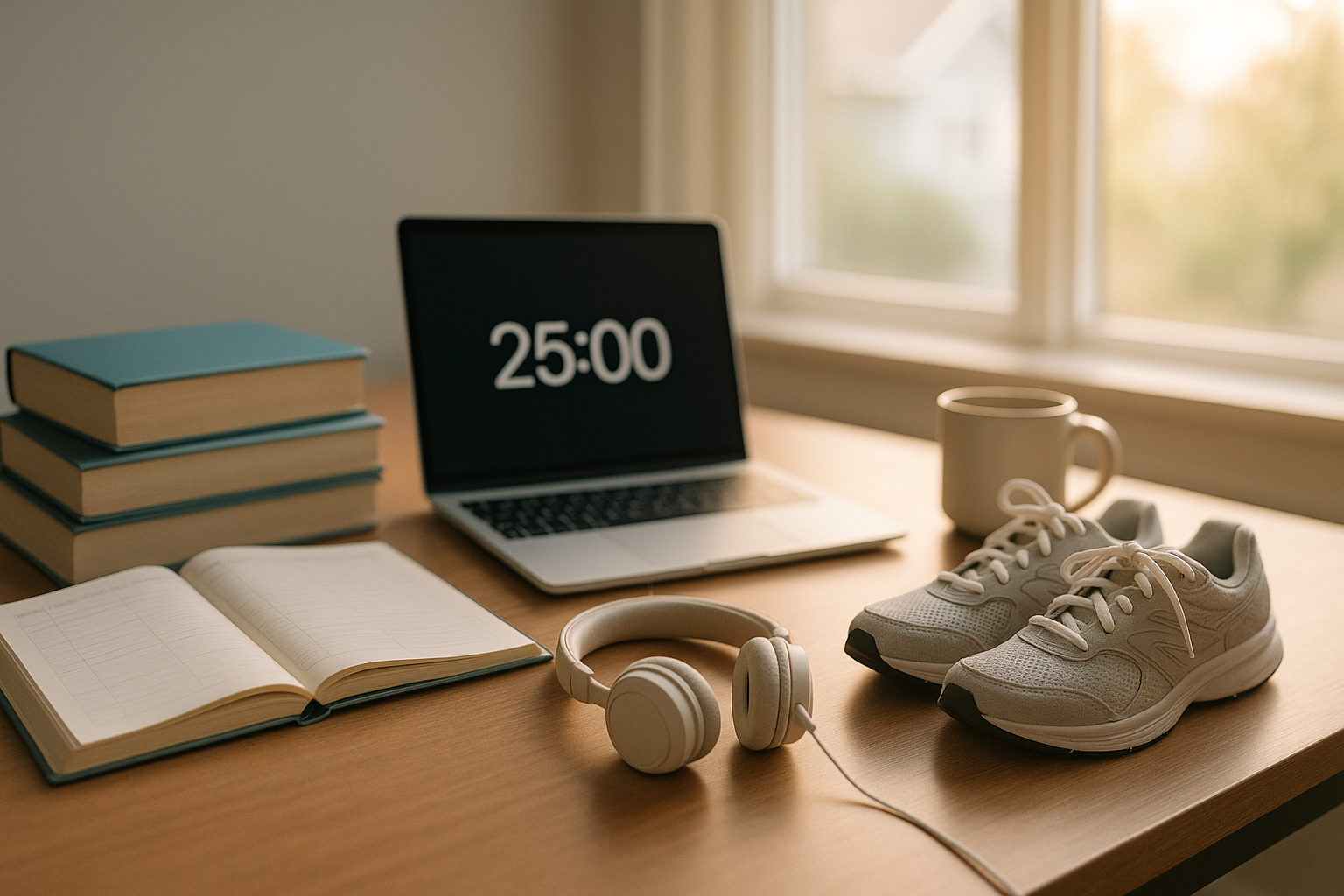
No. Pomodoro (e.g., 25:5) is one option; many students prefer 50:10 or 75:15 to reduce context switching. Meta-analyses on microbreaks suggest that short, intentional breaks (up to 10 minutes) can boost vigor and reduce fatigue and, under certain conditions, help performance—so choose a rhythm that keeps you fresh while preserving long focus windows.
3) How many hours should I study for a 15-credit load?
Using the 3-hours-per-credit heuristic, plan ≈45 hours/week total academic time (class + study). If your university’s policy or course design specifies more (e.g., heavy labs), adjust upward. Treat this as a planning baseline; track actuals for two weeks and recalibrate.
4) What if I work part-time—how many hours is “safe”?
Evidence varies by context, but several studies indicate outcomes begin to worsen beyond ~19–20 hours/week during term time. If you need to work more temporarily, compress shifts onto fewer days, protect sleep, and cut non-essential commitments. Reassess grades and energy after two weeks and scale back if needed. PMC
5) Does exercise really help grades or just mood?
Both. Systematic reviews and public-health syntheses report positive associations between physical activity, cognitive function, and academic performance in youth. You don’t need long sessions; consistent, moderate movement and walking breaks can support alertness and learning across the day. CDC
6) How should I handle screens at night?
Screen effects on sleep vary by person and content, but sleep organizations still recommend limiting stimulating, interactive use near bedtime. Favor passive, calming content if you do use screens, dim brightness, and try to stop 30–60 minutes before bed. Morning daylight exposure and a regular sleep schedule are powerful counterweights. Sleep Health Journal
7) Is caffeine bad for students?
Caffeine can aid alertness when used moderately and early in the day. For most adults, ≤400 mg/day is a common safety guideline; adolescents should keep it ≤100 mg/day, and energy drinks are discouraged for teens. If sleep suffers, reduce dose or move it earlier.
8) Which study technique should I start with if I’m overwhelmed?
Begin with retrieval practice (self-testing) because it gives immediate feedback and builds strong memory traces. Layer in spacing across days and interleaving related topics once you have the rhythm. Track your quiz hit-rate to tune spacing intervals before exams.
9) What if my phone keeps pulling me in during study blocks?
Make it environmental: put the phone out of sight (bag, another room), turn on Do Not Disturb, and use blockers. Research shows that merely having the phone present can sap cognitive capacity even when you resist picking it up. Treat this like noise-canceling for your brain.
10) Are naps good or bad for students?
Short daytime naps (10–20 minutes) can boost alertness without harming nighttime sleep if taken earlier in the day. Longer naps close to bedtime can make it harder to fall asleep. If you’re napping daily out of exhaustion, address nighttime sleep and workload. (General guidance; seek medical advice if sleep issues persist.)
11) How do I handle weeks when everything collides—exams, work, life?
Declare a planned crunch: shorten blocks and increase frequency, shift to retrieval-heavy sessions, cut optional commitments, and add upload buffers. Keep sleep within recommended ranges and pre-schedule a rebound day after the storm. This keeps intensity temporary and prevents spirals.
12) What’s one habit that makes all the other habits easier?
A weekly review. In 15–20 minutes, compare planned vs actual hours, mark what worked, and pick one fix. Balance emerges from dozens of small course corrections, not one perfect plan.
Conclusion
Balance is a system, not a mood. Start with a truthful weekly time budget grounded in your credit load and life realities. Turn that budget into a visible plan with time-blocks and anchors so sleep, study, movement, and joy each get a lane. Make learning efficient (spacing, interleaving, retrieval) so you can stop on time without guilt, and defend your attention with environmental tweaks that remove temptation rather than demand willpower. Build recovery directly into the schedule—microbreaks, walks, short naps—and defend sleep like the essential study tool it is. Keep caffeine modest and early, and put relationships and hobbies on the calendar so they actually happen. Finally, treat each week like a mini-experiment: review, measure, and adjust. Do this and your grades, energy, and life outside class can all move in the right direction—together.
CTA: Pick one anchor (bed/wake time) and one study habit (retrieval-first) to implement this week—then review next Sunday.
References
- Consensus Statement of the American Academy of Sleep Medicine on recommended hours of sleep for children and teens. American Academy of Sleep Medicine / J Clin Sleep Med. 2016. PMC
- Recommended amount of sleep for a healthy adult: a joint consensus statement. AASM & Sleep Research Society / J Clin Sleep Med. 2015. AASM
- The memory function of sleep (review). Diekelmann & Born / Nat Rev Neurosci. 2010. Nature
- Distributed practice (spacing effect) meta-analysis. Cepeda et al. / Psychological Bulletin. 2006. augmentingcognition.com
- Optimizing retention using distributed practice. Cepeda et al. / Psychological Science. 2008. Learning Attention and Perception Lab
- Testing effect: Taking memory tests improves long-term retention. Roediger & Karpicke / Psychological Science. 2006. PubMed
- Interleaving improves learning (overview and studies). Rohrer (2012, 2015). ERIC digests. ; https://files.eric.ed.gov/fulltext/ED557355.pdf ERIC
- “Give me a break!” Systematic review & meta-analysis of microbreaks. Albulescu et al. / PLOS ONE. 2022. PMC
- Brain drain: The mere presence of one’s smartphone reduces available cognitive capacity. Ward et al. / Journal of the Association for Consumer Research. 2017. (open-access mirror: 2024 PDF) Chicago JournalsHealth Professionals For Safer Screens
- Physical activity, fitness, cognitive function, and academic achievement (systematic review). Donnelly et al. / CDC repository; Med Sci Sports Exerc. 2016. CDC Stacks
- Health & Academics: Physical Activity and Sedentary Behaviors and Academic Grades. CDC Healthy Schools, 2024. CDC
- Caffeine: How much is too much? U.S. FDA Consumer Update, Aug 2024. U.S. Food and Drug Administration
- Caffeine and Children (adolescent guidance). American Academy of Child & Adolescent Psychiatry, Facts for Families. AACAP
- Mindfulness courses and mental health: systematic review & meta-analysis. Galante et al. / PLOS Medicine. 2021. PLOS Journals
- The Mindful Student Study: pragmatic RCT in university students. Galante et al. / Lancet Public Health. 2018. The Lancet
- Credit hour & time-equivalency guidance. WVU Office of the Provost. provost.wvu.edu
- Cornell University credit-hour policy & examples. Cornell Enrollment/Provost, 2023–2025. ; https://vpe.enrollment.cornell.edu/files/2025/07/Credit-Hour-Policy_5.30.23.pdf vpe.enrollment.cornell.edu
- NCES: College student employment (context and patterns). U.S. Dept. of Education, 2020 update. National Center for Education Statistics
- Is working in college worth it? Hours on the job & outcomes. Davis (2023) working paper summary (Goldrick-Rab site). saragoldrickrab.com