






















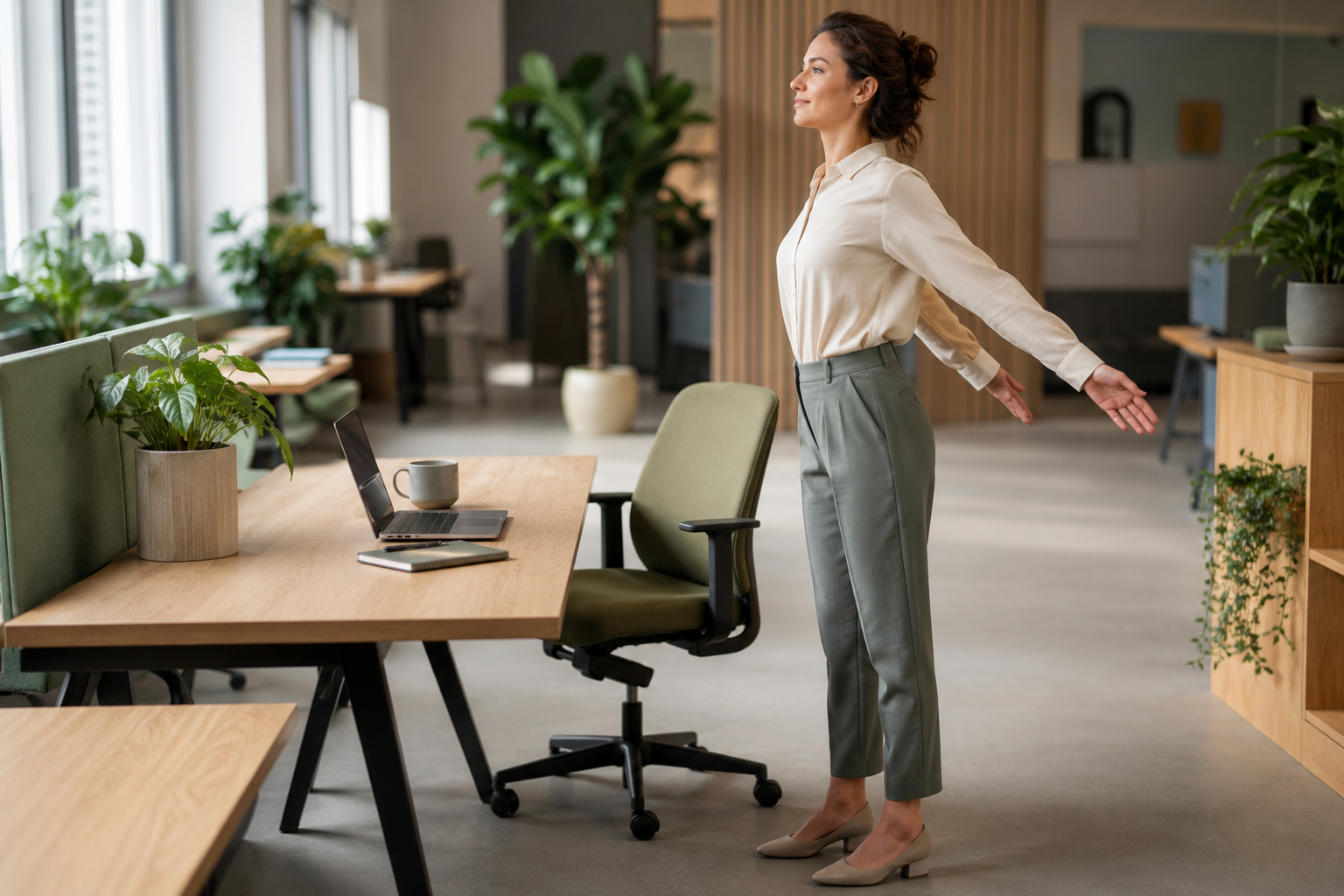
Desk Stretch Sequence You Can Do in Office Clothes
By Olivia Bennett
Your body was not built to hold one shape for eight hours. Yet that is exactly what a typical workday asks of it: shoulders rounded toward a keyboard, chin drifting toward a screen, hips locked at ninety degrees. None of this requires a change of clothes to fix. The sequence below works in a blouse and slacks, a button-down and chinos, or whatever you happen to be wearing at your desk right now — no gym floor, no yoga mat, no lunges that will wrinkle a skirt.
What follows is a practical, ordered routine built from guidance published by Mayo Clinic, Harvard Health, the Chartered Society of Physiotherapy (CSP), and Cleveland Clinic, along with occupational health research on sitting and musculoskeletal strain. Every stretch can be done standing beside your chair or seated in it, fully dressed, in under ten minutes total.
You will not need to change into workout clothes, clear a patch of carpet, or find a private room. Each movement stays within the range that a fitted blazer, a pencil skirt, or a pair of dress shoes can comfortably handle, which is precisely why this routine works for the middle of a workday rather than only before or after it. Treat it as maintenance rather than a workout: the goal is to interrupt one static position with another, not to build strength or flexibility from zero.
Why Desk Posture Becomes a Problem
Sitting itself is not dangerous. Sitting in the exact same position for hours without variation is where the trouble starts. Research summarized by the European Agency for Safety and Health at Work notes that when you sit upright without back support, pressure inside the lower spinal discs runs about 140% of what it is when you stand; lean forward toward a screen and that pressure climbs to roughly 190%. Multiply that by a full workday and it is easy to see why low back and neck-shoulder pain are the most commonly reported musculoskeletal complaints among office workers.
The neck carries its own math. Orthopedic surgeon Kenneth Hansraj’s widely cited cervical spine study found that an adult head weighs roughly 10 to 12 pounds in a neutral position, but tilting it forward just 15 degrees — the angle of glancing down at a phone or low monitor — increases the effective load on the neck to about 27 pounds. At a 60-degree tilt, the load reaches close to 60 pounds. Spend two to four hours a day in that posture, as many desk workers do without noticing, and the cumulative strain adds up to hundreds of extra hours of load on the cervical spine every year.
The numbers behind the ache:
- Head tilted 15° forward: about 27 lbs of effective neck load (vs. ~10–12 lbs neutral)
- Head tilted 60° forward: up to 60 lbs of effective neck load
- Seated disc pressure without back support: ~140% of standing pressure; leaning forward pushes it to ~190%
- Occupational health guidance: stand and move at least every 20–30 minutes, and always get up after 2 continuous hours of sitting
None of this means your desk job is quietly wrecking your spine. It means the fix is not a dramatic lifestyle overhaul — it is short, frequent movement that undoes the accumulated load before it becomes pain. That is exactly what the sequence below is designed to do.
The Research Behind Movement Breaks
Occupational health researchers have been studying sitting for longer than most people assume, and the picture that emerges is consistent across sources. Survey data summarized by the European Agency for Safety and Health at Work found that 28% of surveyed workers report sitting almost the entire workday, and another 30% sit for between a quarter and three-quarters of it. Dutch workers in the same body of research averaged more than eight hours of sitting per day, and 18% of European workers overall exceeded 7.5 hours daily. In a 2019 survey of European workplaces, 59% of establishments identified prolonged sitting as a recognized workplace risk factor, putting it on the same list as noise, chemical exposure, and repetitive strain.
The health consequences tracked alongside these sitting patterns extend beyond sore muscles. The same research links prolonged static sitting to elevated risk of type 2 diabetes, cardiovascular disease, depression, and higher all-cause mortality, with risk climbing for each additional hour beyond roughly seven hours of daily sitting. The musculoskeletal piece specifically concentrates in the low back and neck-shoulder region, which lines up with what physical therapists see most often in desk workers: tight chest and hip flexor muscles, weakened upper back and core muscles, and a forward-shifted head position.
The recommendations that come out of this research are notably modest. Rather than demanding a treadmill desk or an hour of daily exercise, occupational health guidance calls for sitting no more than half the workday when possible, standing or moving every 20 to 30 minutes, and always getting up for at least 10 minutes after two continuous hours seated. Total daily sitting, where feasible, is best kept under five hours. A short stretch sequence performed on that kind of schedule is not a token gesture; it is close to what the underlying research actually recommends.
How to Use This Sequence
Run through all 12 stretches once in the morning and once in the afternoon, or break it into two- to three-stretch mini-sets every 30 to 60 minutes between meetings. Mayo Clinic Health System’s office exercise guidance and the CSP’s desk-based exercise resource both frame movement frequency as more important than any single stretch being perfect — the phrase physiotherapists use is “your best posture is your next posture.” Hold each stretch for 15 to 30 seconds unless noted otherwise, breathe normally, and stop short of sharp pain. Mild pulling tension is normal; sharp, radiating, or numbing sensations are not, and are covered in the “When to See a Professional” section below.
The 12-Stretch Desk Sequence
Do these in order. Numbers 1 through 6 are seated; 7 through 12 are standing beside your chair, which keeps them entirely compatible with a skirt, dress, or tailored trousers.
Sit tall, draw your chin straight back as if making a double chin, without tilting your head down. Hold 5 seconds, release. Repeat 8–10 times. This directly counters the forward-head posture described above.
Tilt your right ear toward your right shoulder until you feel a stretch along the left side of your neck. Hold 15–30 seconds. Repeat on the left.
Lower your chin toward your chest and hold 15–30 seconds, feeling the stretch through the back of the neck. Then gently rotate your chin toward each shoulder, holding briefly on each side.
Cross your arms over your chest, keep hips facing forward, and rotate your upper body to the right, holding the chair or armrest for leverage. Hold 20–30 seconds, then rotate left.
Scoot to the front edge of your chair, extend one leg straight with heel on the floor and toes up, and hinge forward slightly from the hips, keeping your back straight. Hold 20–30 seconds per leg. This mirrors the “sit stretch” recommended by the CSP.
Extend one arm forward, palm up, and use the other hand to gently pull the fingers back toward you; hold 10–20 seconds. Then flip the palm down and repeat, pulling the back of the hand toward you. Switch arms. Cleveland Clinic recommends 3–5 rounds of this pairing up to three times daily for anyone doing repetitive typing.
Stand, clasp your hands behind your lower back (or hold the back of your chair if shoulders are tight), and gently lift your hands while squeezing your shoulder blades together. Hold 15–30 seconds. This is the single best counter to the rounded-shoulder posture that keyboard work encourages.
Holding your chair or desk for balance, bend one knee and grasp your ankle behind you, pulling your heel toward your glutes while keeping knees close together. Hold 15–30 seconds per leg.
Feet hip-width apart, raise one arm overhead and lean gently to the opposite side, feeling a stretch along your ribs and hip. Hold 15–20 seconds per side.
Step one foot back, keep the back heel pressed to the floor and the knee straight, and lean into your desk or wall. Hold 15–30 seconds per side. Useful after long stretches in flats or heels.
Feet hip-width apart, soften your knees, and hinge forward from the hips only as far as feels comfortable, letting your arms hang. Hold 15–20 seconds, then roll up slowly, one vertebra at a time.
Place both hands on the edge of your desk, step back so your body forms a diagonal line, and bend your elbows to lower your chest toward the desk, then push back up. The CSP recommends three sets of ten as a gentle way to reintroduce upper-body strength without floor work.
Timing and Frequency Guidance
How often you repeat the sequence matters more than doing it perfectly once. Occupational health research summarized by OSHwiki recommends standing and moving at least every 20 to 30 minutes, and always rising for at least 10 minutes after 2 continuous hours of sitting. The table below gives a realistic way to fit that into a workday without turning your desk into a gym.
| Time of Day | What to Do | Duration |
|---|---|---|
| Mid-morning | Full 12-stretch sequence | 8–10 minutes |
| Every 30–60 minutes | Stretches 1, 6, and 7 only (neck, wrists, chest) | 60–90 seconds |
| After 2 hours seated | Stand up and walk for at least 10 minutes | 10+ minutes |
| Mid-afternoon | Full 12-stretch sequence again | 8–10 minutes |
Adapting the Sequence to Your Job Type
Not every desk job loads the body the same way, so it helps to weight the sequence toward whichever stretches counter your specific work pattern.
Heavy Typing and Data Entry
If your day is mostly keyboard and mouse work, lean on stretch 6 (wrist flexor and extensor) more than once per cycle, and add a few extra rounds of gentle finger and wrist circles between typing blocks. Cleveland Clinic’s guidance on wrist stretching notes that daily stretching and light range-of-motion movement is appropriate even on days when you are typing heavily, as long as pain stays mild.
Phone-Heavy Roles
Customer service and sales roles that involve holding a phone or headset for long stretches tend to load one side of the neck and shoulder more than the other. Pay close attention to symmetry in stretches 2 and 7, holding each side for the full range even if one side feels noticeably tighter, and switch your headset ear periodically through the day if your equipment allows it.
Video Calls and Screen-Heavy Roles
Long stretches of video meetings often mean staring at a laptop screen positioned too low, which drives the forward head tilt described earlier. Prioritize the chin tuck (stretch 1) and chin-to-chest stretch (stretch 3) between calls, and where possible, raise your laptop on a stand or stack of books so the top of the screen sits closer to eye level, consistent with Mayo Clinic’s ergonomics guidance.
Shared Desks and Hot-Desking
If you move between different workstations, the sequence becomes even more valuable, since chair height and monitor position will vary and your posture will not be consistently supported. Treat the full 12-stretch sequence as a standing reset whenever you change desks, not just at the usual morning and afternoon checkpoints.
Building the Habit Without a Reminder App
The hardest part of any desk stretch routine is not the stretching itself; it is remembering to do it consistently once the workday gets busy. A few low-effort anchors tend to work better than a dedicated reminder app that is easy to dismiss:
- Pair stretches with something you already do every day, such as the chin tuck and chest opener right after you refill your water glass.
- Use the natural gap between video calls as the trigger for stretches 1, 6, and 7 rather than trying to remember a separate schedule.
- Keep the full sequence attached to a specific time, such as right before lunch and right before you close your laptop, so it becomes part of the shape of the day rather than an extra task competing for attention.
- If you share a calendar with colleagues, a two-minute “stretch break” block in the mid-morning and mid-afternoon slots is a legitimate use of shared meeting-free time.
Consistency matters more than intensity here. A modest sequence done twice a day, every day, will do more for long-term comfort than an ambitious routine attempted once and abandoned by Wednesday.
Common Mistakes That Undercut These Stretches
Bouncing Instead of Holding
Pulsing in and out of a stretch fires a protective reflex in the muscle and can leave it tighter than before. Ease in slowly, hold steady, and ease out just as slowly.
Stretching Only the Neck
Neck pain at a desk is frequently a downstream symptom of tight chest muscles and weak upper-back muscles pulling the shoulders forward. Skipping the chest opener and desk press while only doing neck stretches treats the symptom, not the cause.
Doing the Sequence Once a Week
A single long stretching session on Friday afternoon will not undo forty hours of static posture. Short, frequent breaks — the every-20-to-30-minute pattern noted above — are what the research actually supports.
Holding Your Breath
It is common to unconsciously hold your breath during a stretch, which increases tension. Breathe slowly and evenly throughout each hold.
Ignoring Chair and Monitor Setup
Mayo Clinic’s office ergonomics guidance notes that feet should rest flat on the floor, the monitor top should sit at or slightly below eye level, and elbows should stay close to the body with wrists straight. Stretching cannot fully compensate for a workstation that forces poor posture eight hours a day.
When to See a Professional
This sequence is designed for everyday stiffness and prevention, not for diagnosing or treating an existing injury. Consider seeing a physical therapist, physician, or occupational health specialist if you notice any of the following:
- Pain that radiates down an arm or leg, or numbness and tingling in the hands or fingers
- Neck or back pain that does not ease within a few days of regular movement and stretching
- Grip weakness, dropping objects, or a wrist stretch that reproduces sharp, shooting pain (possible signs of carpal tunnel syndrome)
- Headaches that consistently start at the base of the skull and worsen through the workday
- Pain severe enough that you rate it above a 3 or 4 out of 10 during normal daily movement
A physical therapist can also assess your specific desk setup and movement patterns, which a general article cannot do.
Frequently Asked Questions
Do I really need 12 stretches, or can I just do a few?
Some movement beats none. If time is tight, prioritize the chin tuck, chest opener, and wrist stretches, since they target the three areas most affected by keyboard and screen posture. Add the rest back in when you have a full break.
Can I do these stretches in a fitted skirt or suit?
Yes. Every stretch in this sequence is seated or standing with a small range of motion — there is no floor work, deep lunging, or overhead reaching that would strain typical office clothing.
How long until I notice a difference?
Many people report feeling less stiff within the same day, since the stretches immediately relieve accumulated muscle tension. Structural changes in flexibility and posture habits typically take a few consistent weeks.
Is it better to stretch before or after a long meeting?
Both help. A quick round before a long meeting primes your posture; a round after helps release the tension that built up while you sat still.
What if a stretch causes pain instead of relief?
Stop immediately. Mild pulling tension is expected; sharp or radiating pain is not, and is a signal to ease off and consult a professional rather than push through it.
Do standing desks eliminate the need to stretch?
No. Standing in one fixed position for hours creates its own strain on the lower back, hips, and feet. The goal is regularly alternating position and movement, not swapping one static posture for another.
Conclusion
Desk stiffness is not an inevitable cost of office work. It is largely a byproduct of holding one position for too long, and the fix does not require special clothing, equipment, or a trip to the gym. Twelve stretches, a chair, and roughly ten minutes twice a day are enough to counter the forward-head, rounded-shoulder, tight-hip pattern that builds up during a typical workday. Pair the sequence with movement breaks every 20 to 30 minutes and a workstation set up the way Mayo Clinic and other occupational health resources describe, and the accumulated strain has far less chance to settle in.
References and Sources
- Mayo Clinic Health System, “Don’t sit: Exercises for the office”
- Mayo Clinic, “Office ergonomics: Your how-to guide”
- Harvard Health Publishing, “Stretch to ease screen-time-related neck and shoulder pain”
- Chartered Society of Physiotherapy, “Desk-based exercises”
- Cleveland Clinic, “11 Exercises and Stretches for Wrist Pain”
- European Agency for Safety and Health at Work (OSHwiki), “Musculoskeletal disorders and prolonged static sitting”
- Hansraj KK, cervical spine stress study, as reported by NPR, “Keep Your Head Up: ‘Text Neck’ Takes A Toll On The Spine”
- Occupational Safety and Health Administration, “Ergonomics – Overview”