


























A digital curfew is a defined cutoff—usually 30 to 90 minutes before bedtime—when screens, notifications, and internet access go quiet so your brain can wind down. It works because light and engagement from devices delay melatonin, push sleep later, and fragment rest. In practice, that means setting schedules on your phone, taming notifications, and making the bedroom a screen-free sanctuary. This guide is for anyone who wants better sleep and calmer evenings, from solo adults to busy families. Quick answer: turn off electronics at least 30–60 minutes before bed, enable Do Not Disturb/Bedtime modes, and park devices outside the bedroom; these steps are consistently recommended by sleep organizations. AASM
Fast overview of the 12 steps: 1) pick your curfew time, 2) create a device-parking spot, 3) schedule DND/Sleep Focus/Bedtime mode, 4) set Downtime/app limits, 5) add a router-level internet curfew, 6) quiet smart speakers/TVs/wearables, 7) make the bedroom screen-free, 8) build a wind-down routine, 9) set emergency exceptions, 10) align family & consoles, 11) track results, 12) make it stick.
Quick disclaimer: This article offers general educational guidance on sleep and technology. It is not medical advice. If you have persistent insomnia or a sleep disorder, consult a qualified clinician.
1. Choose your digital curfew window (and stick to it)
The first step is choosing a consistent “no-screens” window that starts 30–90 minutes before your target bedtime and aligns with your real-life rhythms. You’ll get the most benefit when your cut-off is the same across weeknights and weekends; this keeps your circadian timing steady and reduces the temptation to push bedtime later. Health authorities recommend turning off devices at least 30 minutes before bed; many people see extra benefit at 60 minutes, especially if nights involve stimulating content or work-related chat. The curfew should also include secondary screens like TVs and tablets, not just your phone. Commit to a starting number you can actually maintain, then extend the window after a week if you’re still wired at lights-out.
1.1 Why it matters
Evening light, particularly from bright screens, suppresses melatonin and delays your internal clock; even relatively dim light (≈8 lux) can shift circadian signals. That shift makes it harder to fall asleep at your intended time and dulls next-morning alertness. A landmark laboratory study showed that using a light-emitting e-reader before bed delayed circadian timing and reduced morning alertness compared with reading a printed book.
1.2 Numbers & guardrails
- Start point: 30 minutes device-free; increase toward 60 minutes if sleep is still delayed.
- Consistency: Keep the same curfew on weekends to avoid “social jet lag.”
- Goal: Lights-out within 15–20 minutes of getting into bed on most nights.
Mini-checklist: Decide the window; add it to your calendar as a repeating event; tell housemates; set a nightly “wind-down” reminder.
Bottom line: A clear, consistent curfew time anchors everything else and gives your brain enough runway to land smoothly.
2. Set up a device-parking station outside the bedroom
A digital curfew is easier if your phone isn’t within arm’s reach. Create a dedicated charging “parking station” in the hallway, kitchen, or living room. Plug in a multi-port charger, lay out cables for phones, tablets, and watches, and place a small tray for earbuds. If you use your phone as an alarm, replace it with an analog alarm clock; this removes the “I need it by the bed” excuse and prevents late-night swiping. A clear physical boundary (doorway) plus visible cues (charging dock) reduces temptation and accidental pickups when you briefly wake at night.
2.1 How to do it
- Use a 5- to 10-port charger and short cables labeled per person.
- Add a bedroom box: if a device sneaks in, it goes in the box at the door.
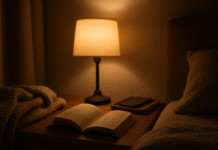
- Place a paper book, journal, or e-ink reader without backlight next to your bed as a replacement activity.
2.2 Common mistakes
- Parking in the bedroom: defeats the boundary.
- Using bright night-stand chargers: the status LEDs can be surprisingly bright—cover them.
- No alternative alarm: invites backsliding.
Mini-case: Families that added a hallway charging shelf reported fewer “sneak scrolls” and smoother bedtimes; this aligns with recommendations to keep devices out of bedrooms for better sleep.
Bottom line: Environmental design beats willpower; remove the trigger, and the habit follows.
3. Schedule Do Not Disturb, Sleep Focus, and Bedtime modes (as of August 2025)
Your phone can enforce the curfew for you. On iPhone, set Sleep Focus and/or Do Not Disturb under Settings → Focus, then schedule it nightly; allow only essential contacts/apps. On Android, use Modes & Do Not Disturb (and Bedtime mode) to mute notifications and dim/grayscale the screen. Both platforms support exceptions so emergencies still get through. The point is automation: your device goes quiet at the same time every night, no decisions needed.
3.1 Quick setup
- iPhone: Settings → Focus → Sleep (or Do Not Disturb) → Set a Schedule; choose “Allowed People/Apps” for exceptions.
- Android (Pixel/Samsung): Settings → Modes/Digital Wellbeing → Bedtime → Use a schedule; customize notification filters and allow repeat callers within 15 minutes if desired.
3.2 Guardrails
- Don’t rely on Night Shift/warm color alone—research finds it doesn’t improve sleep if you keep using the phone; blocking notifications and stopping use is what matters.
- Keep the schedule synced across devices (Share Across Devices on iOS; account sync on Android).
Mini-checklist: Schedule it; pick exceptions; test it; confirm alarms still ring.
Bottom line: Let automation enforce the quiet hours so you don’t negotiate with yourself at 11:30 p.m. Android
4. Add Downtime/App Limits to shut off tempting apps
Silencing notifications isn’t enough if you can still open TikTok or games by habit. Add Downtime (iOS Screen Time) or App Timers (Android Digital Wellbeing) so distracting apps are blocked after curfew. Choose broad categories (social, video, games) and leave only essentials (calls, maps in emergencies). Expect a few days of “retraining” where you’ll reach for the app and see a lock screen—that’s the friction you want.
4.1 Tools & examples
- iOS Screen Time → Downtime & App Limits: set a curfew and daily caps.
- Android Digital Wellbeing → App Timers: cap social media; Bedtime mode grays out icons and silences alerts. Google Play
4.2 Numbers & tips
- Start with no social/video after 9:30 p.m. on weeknights.
- Cap streaming apps to ≤60 min/day if binges push bedtime.
- Use the passcode so you can’t bypass limits in a sleepy moment.
Why it matters: Surveys show three-quarters or more of people lose sleep to digital distractions like binge-watching; concrete app limits are a direct antidote. HCP Live
Bottom line: Pair quiet notifications with app locks for a complete curfew. AJMC
5. Add a router-level internet curfew for the household
For families—or for your own willpower—use your router to pause Wi-Fi nightly. Eero, TP-Link, NETGEAR, and similar systems let you create profiles and scheduled pauses or Bedtime blocks that cut internet to selected devices at set times. This catches TVs, consoles, and any device that might sneak past phone settings. It’s also handy for tweens/teens who need a firm lights-out policy.
5.1 How to do it
- Eero: profiles → scheduled pause (e.g., “Bedtime” 22:00–06:00). Eye Networks
- TP-Link (Tether/HomeShield): Parental Controls → Bedtime/Time Limits; set allowed hours and blocked periods.
- NETGEAR: Smart Parental Controls/Circle → Bedtime/OffTime. NETGEARsupport.meetcircle.com
5.2 Tips & caveats
- Put each device on the right profile; wired desktops may bypass profile-level pauses on some setups—test and adjust. Eero Community
- Disable “Private MAC Address” on kids’ devices so profiles work reliably.
Bottom line: A nightly network curfew is a simple, high-leverage way to make the whole home quiet down.
6. Quiet smart speakers, TVs, and wearables
Smart speakers and TVs can chirp with updates or respond to hot-words late at night. Schedule Do Not Disturb/Downtime on Amazon Alexa and Google Nest so they stop responding (except alarms) during your curfew. On wearables, turn on sleep mode so taps and notifications don’t flash you awake. If you use a TV for ambient screensavers or news, set a sleep timer—or better, turn it off during the curfew.
6.1 Tools & steps
- Alexa: Alexa app → Device Settings → Do Not Disturb → Scheduled. iDownloadBlog.com
- Google Nest: Google Home app → Digital Wellbeing → Downtime schedule.
- Pro tip: If speakers misbehave, toggle DND and recheck schedule times.
6.2 Why it matters
Unwanted pings and voice prompts fragment sleep and reinforce the habit loop of “I’m awake, I’ll just check.” Silencing the whole ecosystem keeps the bedroom consistently quiet. WIRED
Bottom line: Your curfew isn’t complete if the house can still talk to you at midnight.
7. Make your bedroom a truly screen-free, sleep-ready space
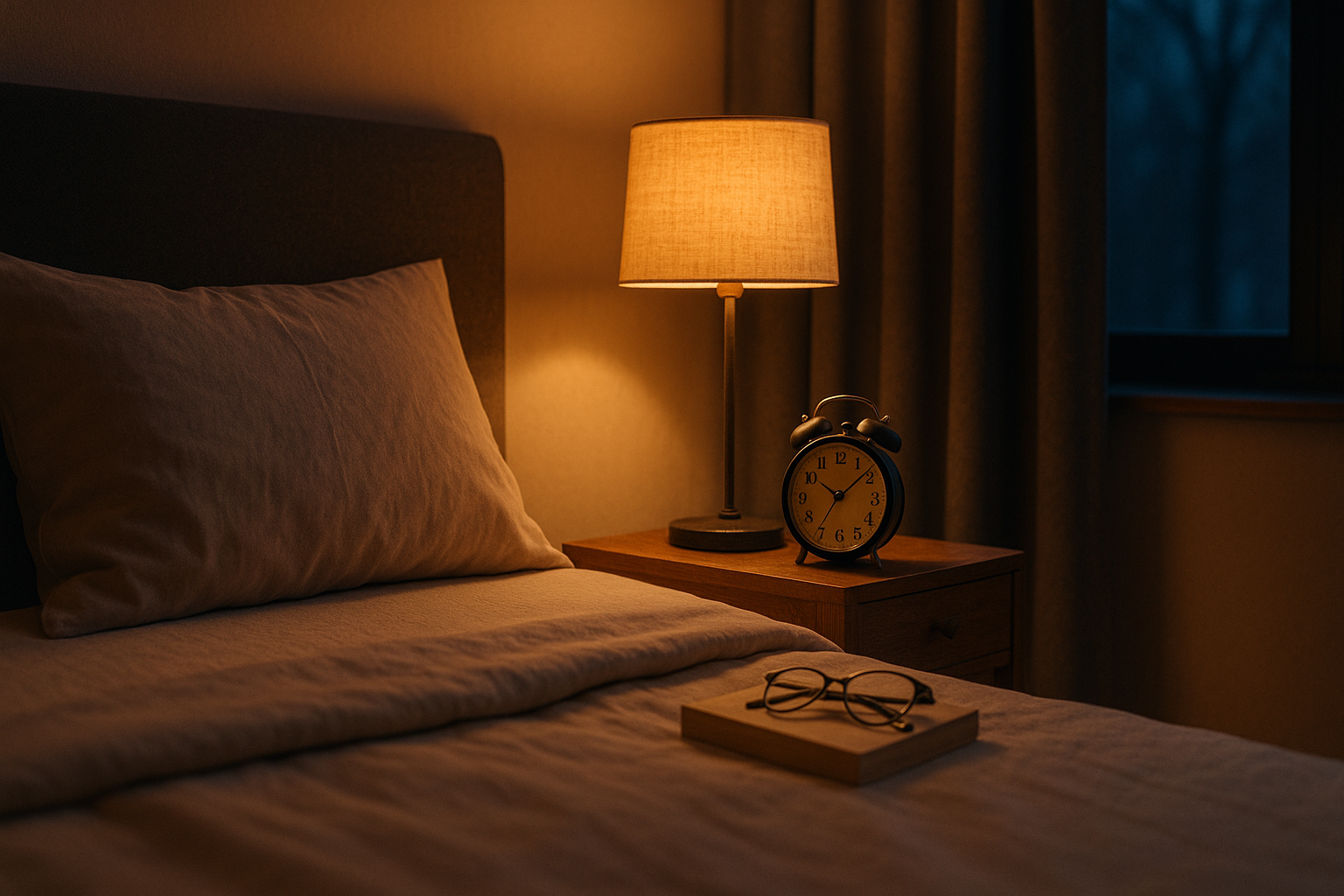
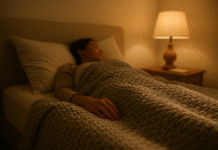
The strongest sleep gains come when the bedroom itself is screen-free. Keep TVs out, remove charging cables, and use soft, indirect lighting. Research shows even dim light can suppress melatonin; pair blackout curtains with low-lux bedside lamps and avoid looking at lit screens in bed. If you like reading, choose paper or a non-emissive e-ink reader without backlight. Above all, reserve the bed for sleep and intimacy so your brain associates it with winding down, not content consumption.
7.1 Evidence in brief
- Light at night: as little as ~8 lux can affect circadian signaling.
- Screen use before bed: associated with shorter and lower-quality sleep in youth and adults. PMC
7.2 Mini-checklist
- Remove the TV.
- Swap the phone for an analog alarm clock.
- Use warm, low-lux lamps; cover LEDs.
Bottom line: A tech-free bedroom is the simplest, most reliable sleep upgrade.
8. Build a wind-down routine that replaces scrolling
Your curfew should add something relaxing, not feel like deprivation. Create a repeatable 30–60-minute wind-down: a warm shower, light stretch, guided breathwork, a few pages of a novel, or planning tomorrow on paper. This helps your nervous system downshift and makes the no-screen window enjoyable. Public-health guidance recommends a relaxing pre-bed routine and specifically avoiding screens in the run-up to sleep.
8.1 Ideas to try
- 4–7–8 breathing or a short body scan.
- Gentle hip/hamstring stretches.
- Ten-minute tidy to close the day’s loop.
- Herbal tea (caffeine-free), then teeth, then lights low.
8.2 Keep it simple
Start with one anchor (e.g., shower + book) and repeat nightly. The routine becomes your brain’s cue that sleep is next.
Bottom line: Replace the habit, don’t just remove it—rituals make curfews stick. CDC Blogs
9. Create emergency pathways without breaking the curfew
A common worry is missing a critical call. Modern phones let you allow specific people and repeat callers through while blocking everything else. On iPhone, choose allowed People in your Focus and optionally enable Allow Repeated Calls; on Android, customize Notification filters in Modes/DND and allow repeat callers within a 15-minute window. Keep the exception list short (e.g., caregivers, immediate family). Test it one afternoon so you trust it at night. Apple Support
9.1 Mini-checklist
- iPhone: Focus → Sleep/DND → People → Allowed; decide on “Repeated Calls.”
- Android: Modes & DND → People/Apps → Allow; turn on Allow repeat callers.
9.2 Guardrails
- Avoid adding group chats to exceptions.
- Revisit exceptions quarterly; they tend to sprawl.
Bottom line: Thoughtful exceptions make your curfew safe and dependable.
10. Align the whole family (kids, teens, and shared spaces)
For families, publish the curfew rules and use official frameworks so it doesn’t feel ad-hoc. The AAP Family Media Plan helps you set screen-free times (like before bed) and zones (like bedrooms). Pair it with built-in console and account controls so gaming actually stops at night: PlayStation, Xbox, and Nintendo all offer play-time schedules and bedtimes that auto-log users out or suspend software. Keep chargers outside bedrooms and use the router’s bedtime profiles for a consistent household cutoff. Xbox Support
10.1 Tools to enable
- AAP Family Media Plan template for shared rules.
- PlayStation Play Time controls, Xbox Family Safety, Nintendo Parental Controls app. Nintendo
10.2 Evidence snapshot
Bedtime device access is linked with shorter sleep and poorer sleep quality in children; removing devices from bedrooms and turning them off before bed are consistent recommendations. PMC
Bottom line: Clear rules + automated cutoffs keep evenings peaceful (and enforceable).
11. Track, measure, and iterate for two weeks
Measure what matters so you can tune the curfew. Use your phone’s Screen Time/Digital Wellbeing to watch evening pickups and notifications; track bedtime, time-to-fall-asleep, night wakings, and wake-time grogginess. If you use a sleep app or wearable, treat it as a trend tool, not a judge; focus on how you feel and whether you fall asleep faster. After 7–14 days, adjust the curfew length, strengthen app limits, or move chargers farther away.
11.1 Mini-metrics
- Curfew adherence: nights you met the cutoff (goal ≥5/7 per week).
- Sleep latency: aim for ≤20 minutes most nights.
- Night interruptions: ideally 0–1 device-related wakeups per week.
11.2 When to extend
If latency stays >30 minutes after a week, extend your curfew by 15–30 minutes and reduce stimulating evening content.
Bottom line: Small weekly tweaks compound into noticeably better nights within a month.
12. Make it stick with environment and automation
Sustainable curfews rely on friction (harder to use tech) and replacement (easier to do something else). Keep the analog alarm clock, dim the bedroom, and use routines (e.g., “Goodnight” to shut smart lights and enable DND). Consider a router schedule plus phone DND for a belt-and-suspenders approach. Finally, remember that warm color filters (Night Shift) don’t replace not using the device; the evidence suggests they don’t meaningfully improve sleep if usage continues. Build an identity around being a person who winds down, not scrolls down.
12.1 Mini-checklist
- Alarm clock purchased and in place.
- Router bedtime & phone Focus scheduled.
- Paper book on the nightstand.
- Curfew time in calendar; reminder set.
Bottom line: Design your evenings so the calm choice is the easy choice—night after night.
FAQs
1) What’s the ideal length for a digital curfew?
Most people do well with 30–60 minutes screen-free before bed; if you’re very wired at night, extend toward 90 minutes. Public guidance commonly suggests at least 30 minutes, and surveys show digital distractions are a major reason people delay bedtime. Start with a realistic window you’ll keep, then adjust weekly.
2) Do blue-light filters like Night Shift solve the problem?
They can make screens look warmer but don’t reliably improve sleep outcomes if you keep using the phone. A 2021 study found no differences in sleep with Night Shift on vs. off; abstaining from screens produced better sleep than continuing to use them, even with Night Shift enabled. Curfews work best when you stop using the device and reduce stimulation.
3) How do I handle emergencies without breaking the curfew?
Use exceptions. On iPhone, allow specific people and optionally Repeated Calls in Sleep/DND Focus; on Android, use Modes & DND to allow certain contacts/apps and enable repeat callers rules. Keep the list short and test during the day so you trust it at night.
4) Is TV as bad as a phone at night?
Both can delay bedtime and increase arousal; TVs are larger and often brighter, and the content can be highly engaging. Studies and sleep organizations recommend turning off all screens at least 30 minutes before bed and keeping them out of the bedroom to protect sleep quality.
5) What about teens and homework that runs late?
Use the AAP Family Media Plan to set screen-free times and zones, plus router bedtimes so the internet shuts off for entertainment apps while allowing school sites as needed. Consoles and mobiles can also be scheduled to stop at set times. The key is shared rules and consistent enforcement. TP-Link
6) How soon will I notice improvements?
Many people feel less “wired” in 3–7 days, falling asleep faster and waking more refreshed. Track your curfew adherence and sleep latency for two weeks, then adjust. Even small changes—like a 30-minute curfew plus DND—can make a meaningful difference.
7) Does reading on an e-reader hurt sleep?
An e-reader that emits light (backlit) can delay circadian timing compared with a printed book. If you prefer e-ink, use one without backlight or keep brightness as low as possible and avoid direct eye exposure. Paper remains the safest choice for pre-sleep reading.
8) Are smart speakers safe to keep in bedrooms?
They’re fine when set to Do Not Disturb/Downtime during sleep hours. Without DND, notifications or accidental activations can disturb you. Schedule quiet hours in the Alexa or Google Home app so alarms still work but alerts don’t. AmazonGoogle Help
9) What if work requires late messages?
Create a Work Focus/Modes profile and allow only urgent systems (e.g., on-call app) while silencing everything else. Use app limits for non-essential platforms and set a secondary, later curfew on exceptional nights so you still protect a minimal wind-down window. Apple Support
10) Can I make a curfew without buying new gear?
Yes. Use the tools already on your devices: iOS Focus/Screen Time, Android Modes/Digital Wellbeing, and your router’s parental controls if available. Add a paper book and an analog alarm clock and you’re set.
Conclusion
Digital curfews work because they remove two big sleep disruptors at once: light and engagement. By choosing a consistent cutoff, parking devices outside the bedroom, automating DND/Bedtime modes, and adding a gentle wind-down routine, you build an evening that naturally nudges you toward sleep. For families, a clear media plan plus router and console schedules make the rules visible and fair. Track simple metrics (curfew adherence, time-to-fall-asleep) for two weeks and tune the system—usually a few small adjustments unlock steady gains. The key principle is design over willpower: craft your space and your settings so quiet, dark, and calm become the default. Start tonight with a 30-minute curfew, set DND to kick in automatically, and put your phone on the hallway charger. Your future self will thank you in the morning. CTA: Set your first curfew alarm now—make tonight your first truly tech-free night.
References
- Evening use of light-emitting eReaders negatively affects sleep, circadian timing, and next-morning alertness, PNAS, Jan 2015. PNAS
- About Sleep: What to do, Centers for Disease Control and Prevention, May 15, 2024. CDC
- Blue light has a dark side, Harvard Health Publishing, updated July 24, 2024. Harvard Health
- Bedtime Media Device Use and Sleep Outcomes: Systematic Review and Meta-analysis, JAMA Pediatrics, Nov 2016. JAMA Network
- Make a Family Media Plan, HealthyChildren.org (American Academy of Pediatrics), Dec 19, 2024. HealthyChildren.org
- Over three-fourths of Americans lose sleep due to digital distractions, American Academy of Sleep Medicine, Dec 4, 2023. AASM
- Technology in the Bedroom, Sleep Foundation, July 11, 2025. Sleep Foundation
- How Electronics Affect Sleep, Sleep Foundation, July 10, 2025. Sleep Foundation
- Set up a Sleep Focus schedule in Health on iPhone, Apple Support (accessed Aug 2025). Apple Support
- Limit interruptions with Modes & Do Not Disturb on Android, Google Support (accessed Aug 2025). Google Help
- Manage how you spend time on your Android phone with Digital Wellbeing, Google Support (accessed Aug 2025). Google Help
- How do I use schedules in Profiles? eero Support (accessed Aug 2025). Eero Help Center
- How to set play time controls on PlayStation, PlayStation Support (accessed Aug 2025). PlayStation
- Set screen time limits across devices, Microsoft Support (accessed Aug 2025). Microsoft Support
- Nintendo Switch Parental Controls (Suspend Software/Bedtime Alarm), Nintendo Support (accessed Aug 2025). Nintendo
- Does iPhone Night Shift mitigate negative effects of smartphone use at night? Sleep Health, 2021 (PubMed). PubMed


12 steps is overkill. Just put the phone in another room and call it a day.