

























If you love gaming after dark but hate wrecking tomorrow’s energy, this guide is for you. Below you’ll learn exactly how to keep late sessions fun while protecting your sleep: dialing down light and arousal, timing caffeine and meals, building a wind-down buffer, and optimizing your room. Quick answer: to minimize sleep disruption when gaming late, reduce bright/blue light, avoid stimulants in the hours before bed, set a firm stop time with a 30–60-minute wind-down, keep your room cool and dark, and choose calmer game modes as it gets late. Blue-weighted light can suppress melatonin and stimulation keeps your brain “on,” so the key is less light, less hype, and a predictable cutoff.
Fast start (6-step plan): set a hard stop alarm; switch to warm screens and dim bias lighting; cap caffeine 6–8 hours pre-bed; pick low-arousal modes after your stop-minus-60; start a 20-minute wind-down when you quit; keep the bedroom ~60–67°F (15.6–19.4°C) and dark.
Friendly note: This article is educational, not medical advice. If you have chronic insomnia, loud snoring, or excessive daytime sleepiness, talk to a clinician; CBT-I is first-line for persistent insomnia.
1. Lock a Hard Stop Time (and Make It Stick)
Set a specific stop time and treat it like a raid start—non-negotiable. A hard stop curbs the “one-more-match” spiral that steals sleep and keeps your brain in a high-arousal loop. The trick is to count backward: choose your target bedtime, subtract a 30–60-minute wind-down, and then set your game stop. Use alarms, on-screen timers, or console/PC “bedtime” features to enforce it. Keeping a consistent routine—even on weekends—stabilizes circadian rhythms, which makes falling asleep faster and waking up easier.
1.1 How to do it
- Pick a fixed wake time for the whole week.
- Choose bedtime so you still hit 7–9 hours of sleep.
- Subtract 30–60 minutes for wind-down; that’s when gaming must end.
- Set two alarms: T-10 minutes (wrap up) and STOP (quit).
- Use platform tools (Xbox/PlayStation/Steam family limits or Focus modes) to auto-log you off.
1.2 Numbers & guardrails
- Consistency beats occasional long sleeps; even one late night can shift your body clock.
- If you routinely blow past the stop time, shorten session length and remove “ranked” after 10 p.m. to lower escalation risk.
Wrap-up: A written stop plan plus automated nudges beats willpower at midnight; it’s the simplest, highest-impact sleep saver.
2. Shift to Low-Arousal Game Modes Late at Night
After your stop-minus-60 mark, switch to calmer genres or modes. Competitive ranked shooters and sweaty boss rushes spike adrenaline, heart rate, and mental rumination. By contrast, cozy builders, puzzles, turn-based strategy, or solo exploration create a softer landing. The goal isn’t to quit fun—it’s to taper intensity so your nervous system is ready to sleep when you hit quit. Keep voice chat civil or muted, avoid last-minute “just one ranked,” and pause progression grinds that tempt you to chase “one more.”
2.1 Examples that help
- Good after 10 p.m.: city builders, farm sims, puzzle adventures, turn-based tactics, chill racing time trials.
- Trickier late: ranked PvP, permadeath roguelikes, end-game raids, timed limited-event grinds.
- Social guardrails: pre-agree stop times with friends; use “push-to-talk” and disable lobby chat if it spikes stress.
2.2 Mini-checklist
- Lower controller vibration/haptics intensity; reduce sudden audio spikes via dynamic range compression.
- Set session goals like “finish this quest”—not “hit Diamond”—so ending feels complete.
- If you feel “tilt,” stop early and start your wind-down.
Synthesis: Matching gameplay intensity to the clock lowers arousal debt and makes your wind-down actually work.
3. Tame Screen Light (and Know the Limits of Filters)
Light—especially blue-weighted—can delay melatonin and shift your internal clock. Dimming screens, adding warm color temperature, and using bias lighting behind your monitor reduce the hit. But night modes aren’t a magic shield: studies show iPhone Night Shift didn’t improve sleep in controlled settings, and evidence for blue-light-blocking glasses improving sleep is mixed to negative. Your best play is reducing brightness, adding ambient (non-glary) light, increasing viewing distance, and avoiding bright exposures close to lights-out. Cochrane Library
3.1 How to do it
- Lower display brightness and turn on warm shift (Windows Night Light, macOS Night Shift, f.lux, monitor “Warm/Low Blue” modes).
- Add a dim, warm bias light behind the screen to cut contrast without dazzling you.
- Keep room lights low and warm; avoid overhead glare.
- Sit about arm’s length from monitors to reduce retinal illuminance.
3.2 Why it matters (and limits)
- Blue-weighted light can suppress melatonin and delay sleep timing; filters help a bit but don’t replace dimming and distance.
- Cochrane’s 2023 review: blue-blocking glasses likely don’t meaningfully improve eye strain or sleep versus standard lenses.
Bottom line: Make the light less (brightness + duration) and warmer, but don’t expect software tints or glasses alone to solve late-night light exposure.
4. Build a 30–60-Minute Post-Game Wind-Down
End your session, then switch to a predictable, screen-light-minimal routine. The aim is to tell your brain, “we’re safe; it’s bedtime.” Good options: a warm shower, light stretching, a few pages of a paper book, journaling tomorrow’s to-dos, breathwork, and dim warm lighting. Sleep organizations recommend curbing electronics 30–60 minutes pre-bed and using a relaxing routine; pairing this with your hard stop is where the magic happens.
4.1 Mini-routine (20–40 minutes)
- 5 min: tidy desk, power down devices, dim room.
- 10 min: warm shower or face wash; swap to comfy sleep clothes.
- 5–10 min: gentle stretches/box breathing (e.g., 4-4-4-4).
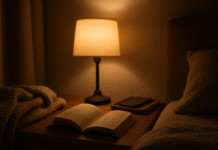
- 5–10 min: paper book or journaling; bedside lamp only.
4.2 Common mistakes
- Swapping to phone “just to set the alarm” (use a physical alarm clock).
- Watching “relaxing” videos in bed—the light and novelty still stimulate.
Summary: A consistent, low-light ritual after gaming is the bridge between “wired” and “asleep.”
5. Time Out Stimulants: Caffeine, Energy Drinks & Nicotine
Caffeine’s half-life is ~5–6 hours (longer for some), so a 6–8-hour cutoff protects your sleep latency. The FDA cites up to 400 mg/day as a general adult upper limit; your sensitivity may be lower. Night-time nicotine (including vaping) is stimulating and linked to worse sleep. If you must use caffeine on a night shift or late event, front-load it early and stop several hours before sleep. Energy drinks often stack caffeine with other stimulants; be cautious.
5.1 Guardrails
- Count caffeine: coffee (~80–150 mg/cup), many energy drinks (80–300+ mg/can).
- Cutoff: aim for no caffeine after ~2–4 p.m., earlier if sensitive or bedtime is early. Night-shift gamers: last caffeine at the start of shift.
- Avoid nicotine within several hours of bed.
5.2 Safer swaps
- Water plus a small salty snack for headaches; herbal teas (caffeine-free).
- Bright morning daylight for a stronger circadian anchor than any night-time stimulant. Sleep Foundation
Takeaway: The later you game, the earlier your stimulant cutoff needs to be.
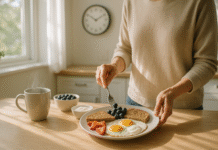
6. Eat and Drink Smart Before Bed
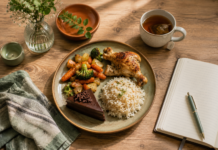
Heavy, spicy, or fatty meals near bedtime raise body temperature and can trigger reflux; alcohol fragments sleep and suppresses REM early in the night. Your late-night fuel should be modest: a light, protein-plus-carb snack and some water (but not so much that you’re up to pee). If you do drink alcohol, put the last drink 3–4 hours before bed.
6.1 Quick picks
- Good: Greek yogurt with fruit, toast with peanut butter, a banana, a small bowl of oatmeal.
- Skip: large greasy meals, very spicy food, heavy dessert, or “nightcap” alcohol.
6.2 Mini-checklist
- Stop big meals 2–3 hours before bedtime.
- Limit fluids in the last hour to reduce wake-ups.
- Pair any late snack with a tidy-up and dim lights.
Net: Light fuel helps; heavy meals and alcohol hurt. Your sleep quality pays the bill by morning.
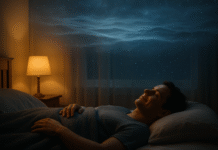
7. Keep the Room Cool, Dark, and Quiet
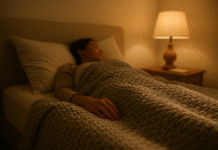
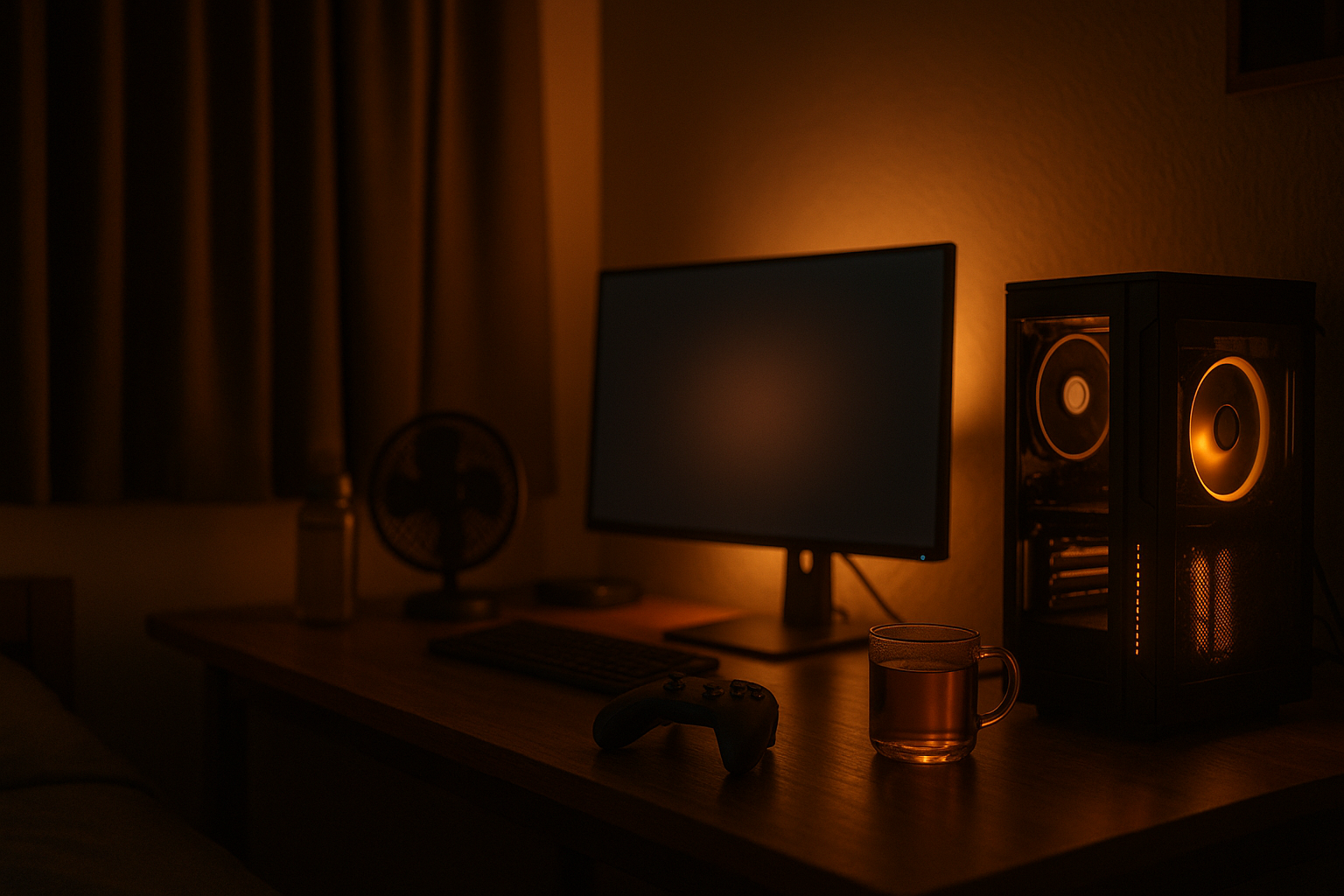
A cool, dark, quiet room supports faster sleep onset and deeper sleep. Sleep experts typically recommend ~60–67°F (15.6–19.4°C); cooler helps your body’s natural temperature drop at night. Blackout curtains or an eye mask, plus a small fan or white-noise app, complete the setup. If you can’t chill the whole room, try breathable bedding or a cooling pillow.
7.1 How to set it up
- Pre-cool bedroom during your last hour of gaming.
- Use warm bedside lighting; turn off overheads when you enter.
- Add white noise if your environment is loud.
7.2 Troubleshooting
- Hot climate? Cross-breeze + fan + lightweight duvet.
- Light leaks? Weatherstrip door gaps; blackout curtain liners.
Bottom line: A cooler, darker, quieter sleep cave makes every other tip more effective.
8. Protect Eyes and Posture to Reduce Residual Arousal
Digital eye strain and muscle tension can linger after you quit, keeping you keyed up. The American Optometric Association’s 20-20-20 rule—every 20 minutes, look 20 feet away for 20 seconds—reduces eye strain. Sit roughly arm’s length from your monitor at or slightly below eye level, and take micro-breaks each hour. Gentle stretches for neck, shoulders, wrists, and hips before your wind-down help your body “let go.”
8.1 Mini-checklist
- Every hour: stand, roll shoulders, look out a window (20-20-20).
- Keep screen at arm’s length; raise/lower chair to keep wrists straight.
- Reduce haptics/rumble; they add unnecessary activation late at night.
8.2 Extra tools
- Break-reminder apps; artificial tears for dryness; a wrist rest.
- If headaches persist, consider an eye exam—unaddressed vision issues amplify strain.
Closing thought: Relaxed eyes and muscles make falling asleep feel natural instead of “forced.”
9. Use Device Features & Automations to Make Good Choices Easy
Let your setup enforce your plan. Schedule warm displays after sunset, Do Not Disturb during wind-down, and app or play-time limits on platforms that support them. Set your console/PC to auto-shutdown or sign you out at the stop time. Map a controller shortcut that toggles a “late-night profile” (dim audio, reduce haptics, warm colors). Small frictions—like requiring a PIN to extend time—cut late-night impulsivity.
9.1 Tools/Examples
- Windows Night Light / macOS Night Shift; monitor “Warm” presets.
- Console/Steam play-time limits and family safety tools (great even for self-control).
- Focus modes on phone to silence post-game scroll-temptation.
9.2 Why it works
- Habits hold when the environment supports them. Tech-assisted guardrails keep decisions light at midnight, when willpower is drained.
Synthesis: Treat automations as squadmates that cover your weak side—especially late at night.
10. Plan Naps & Sleep Banking for Raids, Tournaments, and Night Shifts
When you know you’ll play late (launches, tournaments, raids), plan for it. “Banking” a bit more sleep the prior night and taking a short afternoon nap (≈10–30 minutes) can protect alertness without torpedoing bedtime. Set an alarm; longer naps raise the risk of sleep inertia, that groggy, hung-over feeling. If you game overnight, front-load caffeine early and stop several hours before your target sleep.
10.1 How to nap smart
- Nap in early-to-mid afternoon; keep it under ~20–30 minutes.
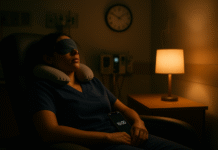
- Dark, cool room; eye mask and gentle alarm.
- If sensitive to inertia, experiment with 10–15 minutes only. ScienceDirect
10.2 Region/time-zone note
- Cross-region events? Shift bedtime/wake time by 15–30 minutes per day ahead of the event; keep bright light in the new morning and dim evenings.
Takeaway: Planned short naps and small schedule shifts beat chaotic last-minute sleep “hail-Marys.”
11. Manage Multiplayer Stress: Boundaries, Tilt Control, and Social Settings
Late-night multiplayer can become emotionally charged—trash talk, ranked pressure, or raid logistics—spiking cortisol and rumination. Put guardrails on social stimulation: mute lobby chat, use push-to-talk, game with friends who respect your stop time, and switch to co-op PvE later at night. If you feel “tilt” (anger/frustration), that’s a stop signal; step out and start your wind-down rather than chasing redemption.
11.1 Tilt tactics
- Two-strike rule: after two bad losses or obvious tilt signs, end the session.
- Replace “win goal” with “process goal” (e.g., 10 clean entries, 10 calm comms).
- Use a short walk and water break between matches after 10 p.m.
11.2 Mini-checklist
- Pre-write a friendly “ggs I’m off—sleep” chat macro.
- Disable rank visibility during late sessions if it triggers anxiety.
- Keep the last hour solo/co-op chill only.
Conclusion: Reducing late-night social volatility prevents the post-game mental replay that delays sleep.
12. Track Sleep Gently—and Know When to Get Help
Sleep trackers can offer useful trends (time in bed, wake time consistency), but they’re not diagnostic and can worsen anxiety (“orthosomnia”) if you over-fixate. Use them to support habits—consistent wake time, earlier stop time, cooler room—not to chase perfect “scores.” If sleep issues persist for weeks despite these changes, or you have loud snoring, pauses in breathing, or excessive daytime sleepiness, talk to a clinician; CBT-I is the first-line therapy for chronic insomnia. AASM
12.1 Smart use
- Track only 2–3 metrics (bedtime, wake time, time in bed).
- Review weekly, not nightly; adjust one habit at a time.
- If data stresses you, take a tracking holiday.
12.2 Red flags
- Persistent insomnia >3 months, severe daytime sleepiness, or suspected sleep apnea (snoring, pauses). Seek evaluation—trackers can’t diagnose. Journal of Clinical Sleep Medicine
Bottom line: Use data to inform, not dominate. And bring in a pro when problems persist.
FAQs
1) Does “Night Shift” or “blue light mode” fully protect sleep if I game late?
No. Warmer screens can be more comfortable, but studies found smartphone Night Shift didn’t improve sleep outcomes; Cochrane’s review saw no meaningful sleep benefits from blue-blocking glasses either. Dimming brightness, shortening exposure, and adding distance matter more. ScienceDirectCochrane
2) What’s the ideal bedroom temperature for sleep when I game late?
Aim for roughly 60–67°F (15.6–19.4°C). Cooler rooms support your body’s natural temperature drop at night and are linked with easier sleep onset. Pre-cool the room during your last gaming hour so it’s ready when you finish.
3) How long before bed should I stop caffeine if I plan a late session?
A conservative cutoff is 6–8 hours before bedtime due to caffeine’s ~5–6-hour half-life and individual variability. The FDA pegs up to 400 mg/day as a general adult upper limit; many gamers do better with less.
4) Are short naps before a late-night raid helpful?
Yes—if you keep them short (≈10–30 minutes) and earlier in the afternoon to avoid sleep inertia and bedtime delays. Set an alarm. If you’re night-shifting, front-load caffeine early and stop several hours before planned sleep. PMCCDC
5) Do energy drinks hurt sleep more than coffee?
Energy drinks often combine high caffeine with other stimulants and sugar, which can amplify arousal. The total dose and timing matter most; count milligrams and follow the same cutoff as coffee, erring earlier.
6) Is alcohol a good way to “knock myself out” after gaming?
It may help you fall asleep but fragments sleep later and suppresses REM early in the night, worsening quality and next-day alertness. Finish alcohol at least 3–4 hours before bedtime. PMCMD Anderson Cancer Center
7) My eyes feel fried after sessions—what’s the best fix?
Use the 20-20-20 rule (every 20 minutes, 20 seconds, 20 feet), keep the monitor at arm’s length, and take hourly movement breaks. Lubricating drops can help dryness; persistent headaches warrant an eye exam. American Academy of Ophthalmology
8) If I must game in bed, what’s the least harmful approach?
Dim the device to the lowest comfortable level, enable warm tint, use a bias light or bedside lamp to reduce contrast, keep content non-stimulating, and set a short timer that logs you off automatically. Remember: the bedroom should be as dark and cool as possible.
9) Are sleep trackers worth it for gamers?
They can highlight trends like late bedtimes after long sessions, but they’re not accurate enough to diagnose sleep stages and can increase anxiety for some users. Use them lightly; if problems persist, seek professional help. PMCSleep Foundation
10) What single change gives the biggest payoff?
A fixed stop time tied to a 30–60-minute wind-down. Consistency in your sleep window beats occasional heroic catch-up sleeps and makes every other tactic more effective.
Conclusion
You don’t have to choose between late-night gaming and feeling human tomorrow—you just need a smarter setup and stricter endings. Anchor a consistent wake time, set a hard stop, and give yourself a 30–60-minute wind-down that lowers light and lowers hype. Pair that with stimulant timing (caffeine early, nicotine avoided), light meals, and a cool, dark, quiet room. Use tech automations to make the right choice effortless at midnight, shift to low-arousal modes as it gets late, and treat naps and schedule “banking” as tools for planned events—never as emergency patches. Track lightly if it helps, but don’t let scores run your sleep. If insomnia sticks around, or if you notice red flags like loud snoring, get evaluated; CBT-I is highly effective and gives you durable skills. Pick one or two changes tonight—hard stop plus a wind-down—and build from there.
Ready to try it? Set your stop alarm now and schedule tomorrow’s wind-down.
References
- Blue light has a dark side. Harvard Health Publishing. July 24, 2024. Harvard Health
- Healthy Sleep Habits. Sleep Education (American Academy of Sleep Medicine). April 2, 2021. Sleep Education
- Over three-fourths of Americans lose sleep due to digital distractions; sleep experts urge a change. AASM. Dec 4, 2023. AASM
- The Best Temperature for Sleep. Sleep Foundation. July 11, 2025. Sleep Foundation
- Spilling the Beans: How Much Caffeine is Too Much? U.S. FDA. Aug 28, 2024. U.S. Food and Drug Administration
- 20-20-20 Rule / Computer Vision Syndrome. American Optometric Association. Accessed 2025. American Osteopathic Association
- Is Night Shift really helping you sleep better? Brigham Young University News. Apr 25, 2021. News
- Blue-light filtering spectacle lenses for visual performance, macular health, and sleep. Cochrane Review. Aug 18, 2023. Cochrane
- Napping: Benefits and Tips. Sleep Foundation. Updated March 11, 2024. Sleep Foundation
- Module 6—Improving Your Sleep and Alertness (caffeine half-life guidance). CDC/NIOSH. Accessed 2025. CDC
- Cognitive Behavioral Therapy for Insomnia (CBT-I). Sleep Foundation. July 10, 2025. Sleep Foundation
- Performance of seven consumer sleep-tracking devices… Chinoy et al., Sleep (PMC). 2020. PMC
- Sleep medicine provider perceptions of consumer sleep tech. Addison et al., Journal of Clinical Sleep Medicine. 2023. Journal of Clinical Sleep Medicine
- Alcohol and Sleep. Sleep Foundation. Accessed 2025. Sleep Foundation
- Effects of Nicotine on the CNS and sleep. Singh et al., Brain Sci. (PMC). 2023. PMC