
























By Laila Qureshi
Walking Pads and Under-Desk Treadmills: Who They Actually Suit
A walking pad shows up in a coworker’s video call, in a scroll of short clips showing 10,000 steps racked up before lunch, in a product listing promising “walk off the weight while you work.” The pitch is simple: turn hours of sitting into hours of walking without changing your job, your schedule, or your workload. Sales of compact under-desk treadmills have grown fast enough that most furniture retailers now carry at least one model, and open-plan offices have started experimenting with them as a wellness perk.
The appeal makes sense. Office workers spend a large share of the workday seated, and that pattern is well documented as a health concern independent of whether someone exercises before or after work. But a walking pad is not simply a treadmill you happen to put under a desk. It is a tool with a narrow, specific use case, real tradeoffs for certain kinds of work, and a body of research that predates the current marketing wave by more than a decade. This article looks at what the research actually shows about working while walking, who the equipment suits best, what to check before buying one, and where the marketing claims outrun the evidence.
The walking pad trend, briefly
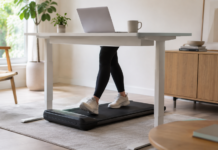
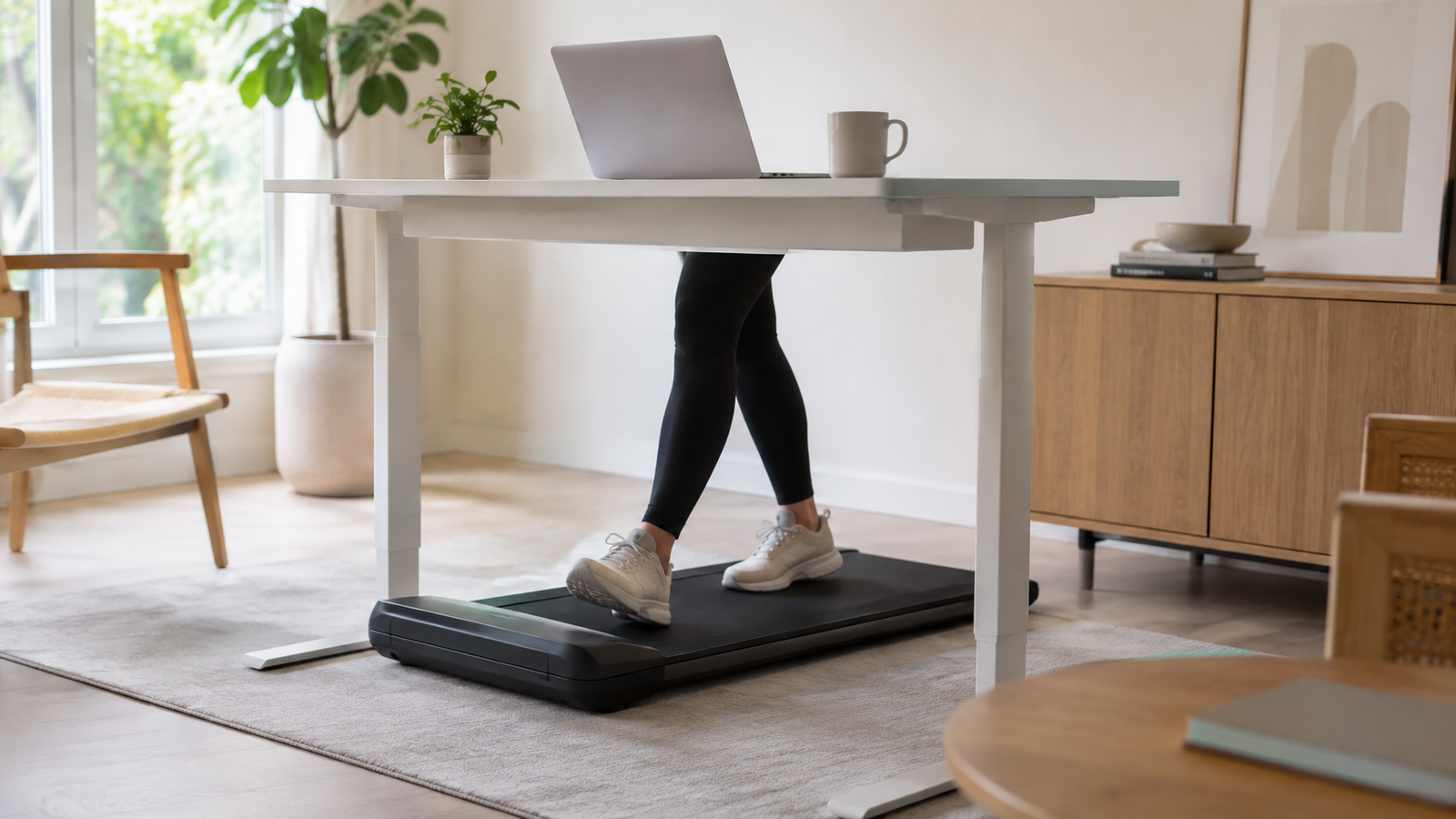
Walking pads are flat, motorized platforms without the raised console and safety bars of a traditional treadmill. They are built to slide under a desk, run at low speeds (typically 0.5 to 4 mph), and pair with a phone app that logs steps and distance. Under-desk treadmills are a related but slightly bulkier category, sometimes with a removable console arm. Both are marketed primarily at remote and hybrid workers who want to reduce sedentary time without leaving their desk setup.
Their popularity tracks two separate trends: the shift to home-based knowledge work, which removed the incidental walking that used to come from commuting and office movement, and a broader cultural focus on daily step counts as a proxy for general activity. Neither trend is new, but the combination created a market for compact, quiet equipment that fits in an apartment or a home office corner rather than a dedicated gym room.
What the research says about working while walking
The core question for anyone considering a walking pad for work, not just for casual browsing or video calls, is whether walking at a desk affects the quality of the work itself. Several controlled studies have looked specifically at typing accuracy, typing speed, and cognitive task performance during treadmill desk use, and the results are more mixed than most product pages suggest.
John et al. (2009) tested office task performance on a treadmill workstation and found that participants could complete simulated office work while walking, but with measurable changes to fine motor tasks compared with sitting. Larson et al. (2015) compared cognitive and typing outcomes measured simultaneously during slow treadmill walking versus sitting, and found reduced performance on both cognitive and typing measures while walking, even at slow speeds. Frodsham et al. (2020) ran a randomized comparison of cognitive and typing performance across rest, cycling, and treadmill active workstations with 137 healthy young adults, examining whether the type of active workstation mattered for task performance. Podrekar, Kozinc, and Šarabon (2020) synthesized this line of research in a meta-analysis covering eighteen studies on cycle and treadmill desks, concluding that both interventions reduced typing speed relative to stationary conditions, with cycling desks associated with a significant increase in typing errors.
Read together, these studies point to a consistent pattern: walking while typing introduces a measurable, if often modest, cost to fine motor precision and typing speed. The cost tends to be smallest at slow, steady speeds and largest during tasks that demand fast, accurate keystrokes or sustained cognitive load, such as data entry, coding, or detailed writing. Tasks that are more forgiving of small errors or slower pacing, such as reading, listening to calls, reviewing documents, or answering routine email, show less of a measurable penalty.
Key takeaway from the research
Walking pads are better suited to low-precision, low-stakes tasks than to work requiring fast, accurate typing or sustained focus under time pressure. Matching the task to the activity, rather than walking through an entire workday indiscriminately, is what the controlled studies actually support.
Why the underlying idea still has merit: NEAT
Even with the typing tradeoffs, the case for movement during the workday rests on a well-established concept in exercise physiology: non-exercise activity thermogenesis, or NEAT. NEAT covers the energy expended on everything that is not planned exercise: standing, walking, fidgeting, taking the stairs, pacing during a phone call. Research associated with James Levine’s work at the Mayo Clinic found that NEAT can account for as little as 6 to 10 percent of daily energy expenditure in sedentary people, but as much as half of total expenditure in habitually active individuals, and that the shift from physically demanding labor to desk-based work has removed a substantial amount of this incidental activity, with differences on the order of 1,500 kilocalories a day between physically demanding and sedentary occupations.
That framing matters for walking pads because it reframes what the equipment is actually for. It is not a replacement for structured exercise, and it is not primarily a weight-loss device in the way some listings imply. It is a way to reclaim some of the incidental movement that a desk job otherwise eliminates. Sitting time among U.S. adults rose from roughly 5.5 to 6.4 hours a day between 2007 and 2016, and people who sit more than four hours a day face a documented 40 percent higher mortality risk compared with those sitting under four hours. Office-based workers in particular spend an estimated 70 to 85 percent of the workday seated. A walking pad used for a portion of that time, on tasks where the typing-accuracy tradeoff is small, is a reasonable way to chip into those numbers without restructuring a workday around trips to a gym.
Who a walking pad actually suits
Not every desk worker gets the same value from this equipment, and the marketing rarely draws these distinctions. The table below reflects the pattern that emerges from the research on task performance combined with practical constraints like space, noise, and work type.
| Worker type | Fit | Why |
|---|---|---|
| Sedentary desk worker with mostly calls, email, and reading | Strong fit | Low typing demand means minimal accuracy tradeoff; largest health upside from added daily movement. |
| Developer, writer, or analyst with heavy focused typing | Partial fit | Best used for meetings, reading, and planning blocks; pause walking during precision-heavy writing or coding sprints. |
| Someone recovering from injury or with balance concerns | Needs clearance first | Motorized platforms carry fall risk; a clinician should confirm suitability before use. |
| Renter or small-apartment worker with limited floor space | Conditional | Storage and floor noise transfer to neighbors below are practical blockers regardless of task type. |
| Someone expecting significant, fast weight loss | Poor fit for that goal | Slow-speed walking burns modestly more than sitting; it supplements, but does not replace, structured exercise and diet changes. |
The pattern across these rows is consistent with the research above: the people who benefit most are those whose work does not depend on split-second, high-accuracy typing, and whose main goal is reducing total sitting time rather than achieving a specific fitness or weight outcome on a fixed timeline.
How a walking pad compares with other movement strategies
A walking pad is one option among several for cutting sedentary time at a desk, and it helps to see how it stacks up against the alternatives rather than treating it as the default solution. A sit-stand desk used alone, without a walking pad, still requires deliberate effort to switch positions throughout the day, but it carries none of the typing-accuracy tradeoff described above, no noise, and a much lower price for a comparable model. Standing is a reasonable middle step for anyone who wants to reduce sitting time without introducing any risk to typing-heavy work.
Scheduled walking breaks, such as a five-minute walk every hour, sidestep the typing tradeoff entirely because the walking and the typing never happen at the same time. Research on interrupting sitting supports this approach directly: one study found that breaking up sitting with 20 minutes of light-intensity walking each hour produced measurable reductions in systolic and diastolic blood pressure. For someone whose job is almost entirely precision typing or detailed analysis, scheduled breaks away from the keyboard may deliver more of the cardiovascular benefit with none of the accuracy cost that comes from walking while working.
Walking pads occupy a middle position: more total movement over a workday than standing alone, and less disruption to a work schedule than stepping away entirely, but with the accuracy and focus tradeoffs the research documents. The practical implication is that a walking pad works best as one tool in a rotation rather than a fixed setting left running for eight hours. A worker might stand and walk slowly through a morning of calls, sit for a focused writing block, then walk again through afternoon email and reading. Treating the equipment as switchable, rather than as a permanent replacement for sitting, matches both the research on task performance and the practical experience reported by long-term users in product reviews and workplace wellness programs.
Cost is also part of the comparison. Walking pads generally sit in a middle price tier: more expensive than a basic standing-desk converter, less expensive than a full treadmill desk with an integrated console and handrails. Buyers weighing a walking pad against a cheaper standing-only setup should factor in the desk height changes and floor space commitment described in the setup section below, since those costs and adjustments do not apply to standing alone.
Common setup mistakes worth avoiding
A handful of avoidable errors account for most of the walking pads that end up unused within a few months, based on patterns visible across product reviews and workplace ergonomics guidance. The first is buying a unit before checking desk compatibility, which leads to a mismatch between platform height and desk height that makes the whole setup uncomfortable from day one. The second is starting at too high a speed, which produces fatigue, sweating during work hours, and a bad first impression that discourages further use; a slow ramp-up over the first two or three weeks tends to produce better long-term adherence.
The third common mistake is trying to use the equipment for every task without exception. Based on the research above, this is precisely the pattern most likely to produce frustration, since heavy typing tasks show the largest measurable performance cost. Pairing the walking pad with a simple personal rule, such as walking during calls and reading but sitting for focused writing, tends to produce more consistent long-term use than an all-or-nothing approach. Finally, skipping the safety checklist, particularly the emergency stop and non-slip mat, is a small effort at setup time that meaningfully reduces the chance of a fall later.
Buying and setup considerations
Once someone has decided a walking pad fits their work pattern, the equipment and setup details determine whether it gets used consistently or ends up folded in a closet after a month.
Speed range
Most walking pads top out around 3.5 to 4 mph, and the useful range for desk work is narrower still, generally 0.8 to 2 mph for typing-heavy tasks, with speeds up to 3 mph reasonable for calls or reading. Buying a unit with fine speed increments (0.1 mph steps) rather than large jumps makes it easier to find a stable, comfortable pace that does not disrupt hand position.
Desk height
Walking adds roughly 4 to 6 inches of platform height under the feet compared with standing on the floor. A fixed-height desk that was previously comfortable for standing work will usually sit too low once a walking pad is placed underneath it. An electric sit-stand desk with enough top-end height adjustment, or a desk riser, is generally necessary rather than optional. Checking the desk’s maximum height against the walking pad’s deck height before buying avoids a mismatch that is expensive to fix afterward.
Noise and vibration
Motor noise varies significantly between models and tends to increase with speed and with a user’s weight and stride impact. For apartments, shared homes, or open-plan offices, checking published decibel ratings and reading reviews that specifically mention noise at working speeds is worth the extra research time. A mat placed under the unit can reduce vibration transfer to the floor below.
Safety features
Worth checking before purchase: an accessible physical stop or emergency clip, non-slip deck material, a weight capacity that comfortably exceeds the user’s body weight, and, for anyone new to walking-and-working, a model with a lower minimum speed to allow an easing-in period. A safety clip that automatically stops the belt if a user steps too far back is a meaningful feature, not a marketing add-on.
Setup checklist before the first walking session
- Desk height clears the walking pad deck with wrists still level at the keyboard
- Monitor is at eye level so walking doesn’t pull posture forward or down
- Floor space is clear for at least a foot behind and to the sides of the pad
- Emergency stop or safety clip is tested and within easy reach
- Cords and cables are routed away from the belt and walking path
- A non-slip mat sits under the unit if the floor is hardwood or tile
- Starting speed is set low (around 1 mph) for the first several sessions
Realistic expectations versus marketing claims
Product listings for walking pads often lean on language about burning off a takeout meal in an afternoon or losing a dress size in a month. Those claims deserve scrutiny. Calorie burn at slow desk-walking speeds is real but modest, closer to the difference between sitting and standing plus light movement than to a dedicated cardio session. The physiological research on NEAT supports the idea that this incidental movement adds up meaningfully over months and years, not that it substitutes for structured exercise or produces rapid, visible weight change on its own.
The typing research is a useful corrective to marketing copy that shows people confidently typing at full speed while strolling along. The controlled studies found measurable declines in typing speed and accuracy during treadmill use, even at slow paces, and larger declines during cycling-desk use. Anyone planning to walk through an entire eight-hour workday including detailed writing, coding, or data entry should expect friction, not effortless output.
A more accurate framing, based on the available evidence: a walking pad is a tool for converting some portion of sedentary work time into light movement, best matched to tasks that do not require precision typing, and best evaluated over months rather than days. It is one input into reducing sitting time, alongside standing breaks, short walks, and general activity, not a standalone fitness or weight-loss solution.
Conclusion
The research on treadmill desks is old enough and consistent enough to draw a clear line: walking and typing at speed do not mix as smoothly as the marketing suggests, and the people who get the most out of a walking pad are those whose jobs involve a mix of calls, reading, and lighter typing rather than sustained high-precision work. The physiological case for adding movement to a sedentary day is solid and well supported by NEAT research and sitting-time mortality data. The practical case for any individual buyer depends on desk height, floor space, noise tolerance, and an honest look at what the workday actually requires minute to minute. Matching the equipment to the task, rather than expecting it to work for every task equally, is the difference between a walking pad that gets used for years and one that becomes a laundry rack by autumn.
Frequently Asked Questions
Do walking pads actually reduce typing accuracy?
Controlled research, including studies by Larson et al. (2015) and the meta-analysis by Podrekar, Kozinc, and Šarabon (2020), found measurable reductions in typing speed and accuracy during treadmill desk use compared with sitting, even at slow walking speeds. The effect tends to be smaller than with cycling desks but is not zero.
What walking speed is best for working at a desk?
Most people find 0.8 to 1.5 mph workable for typing-heavy tasks and up to 2 to 3 mph comfortable for calls, reading, or watching presentations. Starting near 1 mph and adjusting from there is a reasonable approach for anyone new to the equipment.
Can a walking pad replace regular exercise?
No. Walking pads add to non-exercise activity thermogenesis (NEAT) and help offset the effects of prolonged sitting, but they operate at a low intensity relative to structured cardio or strength training. Health guidance on physical activity treats incidental movement and planned exercise as complementary, not interchangeable.
Do I need a special desk for a walking pad?
In most cases, yes. Standing on a walking pad adds several inches of height, so a desk that was comfortable for standing alone will often sit too low once the pad is in place. An adjustable sit-stand desk with sufficient maximum height, or a desk riser, is typically needed.
Is it safe to use a walking pad every day?
For most healthy adults, moderate daily use at low speeds is considered low risk, similar to regular walking. People recovering from injury, with balance or joint issues, or with cardiovascular conditions should check with a clinician first, and everyone should use the equipment’s safety features, including an emergency stop.
Will a walking pad help with weight loss?
It can contribute modestly by increasing daily energy expenditure through NEAT, particularly for people who are otherwise very sedentary. It is not a substitute for dietary changes or structured exercise if significant weight loss is the primary goal.
References
- John, D., Bassett, D., Thompson, D., Fairbrother, J., & Baldwin, D. (2009). Effect of using a treadmill workstation on performance of simulated office work tasks. Journal of Physical Activity and Health.
- Larson, M. J., et al. (2015). Cognitive and typing outcomes measured simultaneously with slow treadmill walking or sitting: implications for treadmill desks. PLOS ONE.
- Frodsham, N., et al. (2020). Does type of active workstation matter? A randomized comparison of cognitive and typing performance between rest, cycling, and treadmill active workstations.
- Podrekar, N., Kozinc, Ž., & Šarabon, N. (2020). The effects of cycle and treadmill desks on work performance and cognitive function in sedentary workers: A review and meta-analysis. Work.
- Levine, J. A. Non-exercise activity thermogenesis (NEAT) research, Mayo Clinic.
- Centers for Disease Control and Prevention and related public health sources on U.S. adult sitting time trends (2007–2016) and sedentary behavior and mortality risk.