



























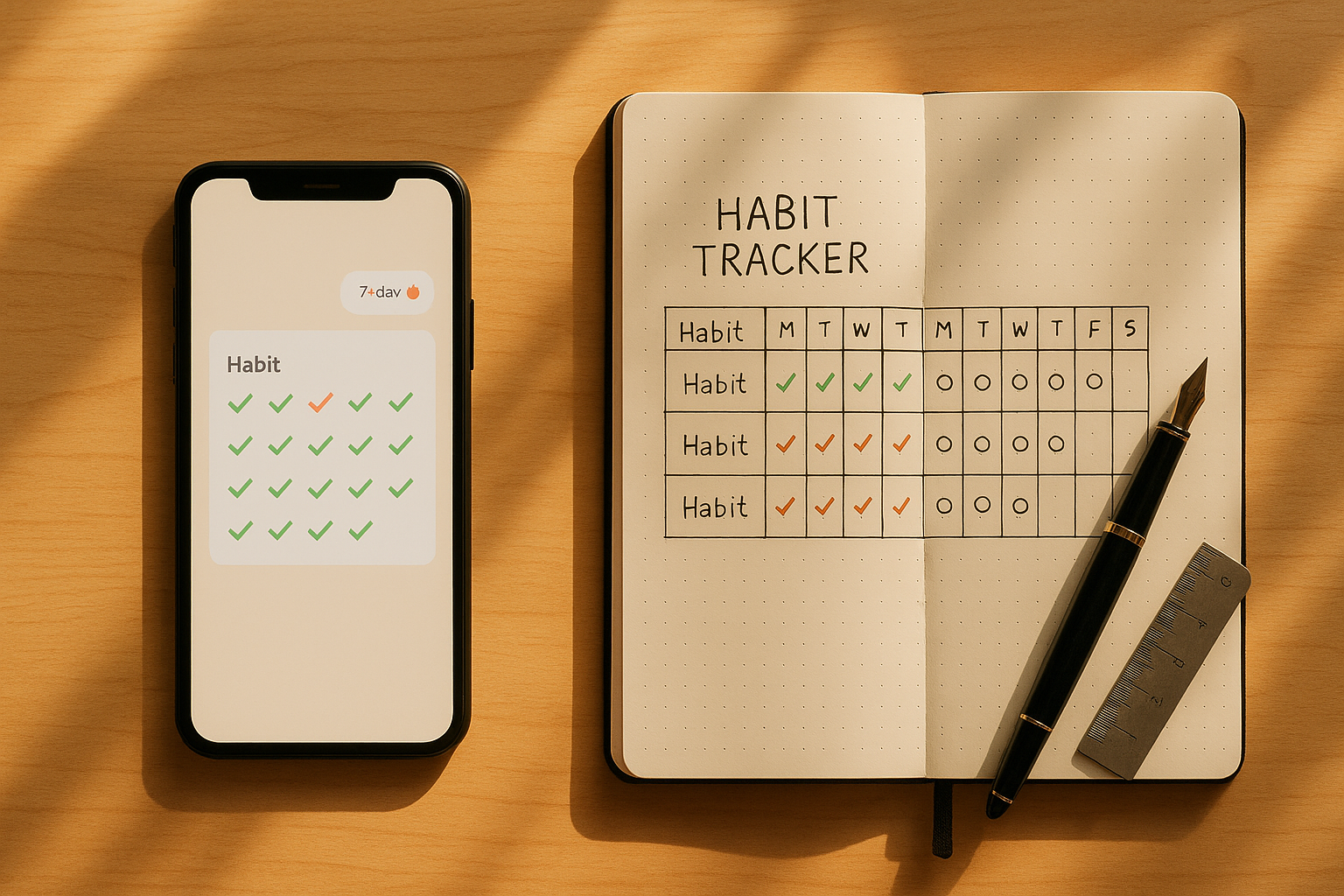
Choosing between digital and paper habit trackers comes down to how you like to think, what keeps you consistent, and the trade-offs you’re willing to make. In this guide, you’ll compare both options across nine practical criteria—setup friction, reminders, focus, customization and accessibility, analytics, portability, collaboration, privacy, and cost/sustainability—so you can pick the method that fits your life rather than forcing a tool to fit your habits. If you’ve ever bounced between apps and notebooks, this piece will help you settle on a system you’ll actually stick with.
Short answer: Digital vs paper habit trackers differ most in automation (digital) and attention control (paper). Digital shines for reminders, syncing, and analytics; paper wins for tactile satisfaction, focus, and privacy. Use the nine criteria below to match the method to your needs, or blend them into a hybrid system.
Quick way to choose (at a glance):
- Need reminders, syncing, and charts? Favor digital.
- Need deep focus, zero battery, and a calming ritual? Favor paper.
- Want both? Use a minimalist app for prompts + a weekly paper review log.
1. Friction & Setup Time
The best tracker is the one you’ll open without thinking, so friction matters. Digital trackers vary from zero-setup options (prebuilt templates) to complex systems that ask you to choose categories, set schedules, and connect other apps. That front-loaded configuration can be helpful if you already know your routines; it’s demotivating if you’re still experimenting. Paper offers an immediate start: draw a grid, list a few habits, and begin today. But “low setup” on day one can become “high maintenance” over weeks if you keep redrawing spreads or rewriting long lists. The right choice depends on whether your motivation rises when tools feel polished and automated (digital) or when they feel personal and tactile (paper).
1.1 Why it matters
Friction at the point of use is one of the strongest predictors of whether a habit sticks. If it takes more than ~10–20 seconds to log a tiny habit, you’ll skip it on busy days. Paper excels for quickly checking a square on a visible page; digital excels for one-tap widgets or lock-screen actions. Aim for the path that gets you from “remember” to “record” fast.
1.2 How to test it (mini checklist)
- Time yourself setting up three habits in an app vs on paper; choose the faster.
- Log the same habit five times in a day using both; note which felt smoother.
- Try a weekly build: a paper spread you redraw each Sunday vs a digital template you duplicate.
1.3 Tools & examples
- Digital: Native Notes/Reminders, Streaks, Habitify, Loop Habit Tracker (Android), Notion templates, Apple Shortcuts routines.
- Paper: Dotted or squared notebooks, printable trackers, small index cards clipped inside a planner for daily reuse.
Synthesis: If you want a polished, once-and-done setup, start digital; if you need to start now and iterate by hand, start paper. Keep whichever made logging feel effortless.
2. Reminders & Automation
Digital trackers are unbeatable for nudges. You can schedule time-of-day reminders, location-based prompts, and streak alerts, even auto-log events via integrations (e.g., workouts sync from a watch). Paper can remind you only if it’s in your line of sight or part of a physical routine (e.g., notebook on your breakfast table). Reminders work—until they become noise. The sweet spot is a small number of well-timed, context-aware prompts that catch you when you’re most likely to act.
2.1 Numbers & guardrails
- Limit to 1–3 reminders per habit per day to avoid alert fatigue.
- Use contextual prompts: location-based (arrive at gym → “log warm-up”), or time-blocked (8:00 pm wind-down → “stretch 5 minutes”).
- Turn on weekly summaries rather than constant pings; review and adjust on Sundays.
2.2 Common mistakes
- Spray-and-pray notifications: too many alerts lead to instant dismissal.
- Random times: reminders that don’t match your routine (e.g., “read” during commute when you drive) backfire.
- All-or-nothing automation: relying entirely on auto-logging can blind you to quality (e.g., “steps” vs “walked outside 20 minutes”).
2.3 Paper alternatives that work
- Placement: Keep your tracker where the cue lives (on your yoga mat; by your kettle).
- Visual flags: Sticky tabs or a bold highlighter box on today’s page.
- Ritual bundling: Pair logging with a daily anchor—pour coffee → mark sleep; brush teeth → mark flossing.
Synthesis: If your day needs timely nudges, digital wins. If you’re disciplined with visual cues and routines, paper can be enough—without a single ping.
3. Distraction & Focus
Phones can help or hijack. The mere presence of a smartphone can drain attention, and blue light at night can nudge sleep later. Digital trackers sit on those same devices, which means every logging moment risks a detour into messages or social feeds. Paper creates a bounded space: you open a page, make a mark, and you’re done. That physical friction against distraction is a feature, not a bug, especially for evening wind-down or deep-work days.
3.1 How to build a distraction-safe logging flow
- Dedicated home screen: Put your tracker widget on screen one; move everything else away.
- Focus Modes / Do Not Disturb: Log during a “Habit” focus profile that mutes nonessential apps.
- Paper for nights: Use a bedside notebook to avoid screens after dusk.
3.2 Mini case
You plan to log breathwork at 10:00 pm. With digital, you open your phone, see a message, reply, check one link, and it’s suddenly 10:20 pm. With paper, the notebook on your nightstand prompts one checkmark, one note on how it felt, and lights out in under a minute.
3.3 Region-specific note
If your device supports scheduled do-not-disturb and lock-screen widgets, enable them so you can log without fully unlocking. If those features are limited on your device, keep a small pocket notebook during commutes or prayer breaks where silence and focus matter.
Synthesis: If you’re prone to “just-one-thing” spirals, paper insulates your attention. If you can harden your phone with focus settings, digital can stay efficient without stealing your evening.
4. Customization & Accessibility
Paper is infinitely flexible: you can redesign layouts, draw mood trackers, adapt fonts (your handwriting), and blend journaling with habits on the same spread. Digital offers powerful accessibility: adjustable text size, high contrast, screen readers, voice input, haptic feedback, and color-blind-friendly palettes. If you have visual, motor, or cognitive needs, digital can offer consistent, scalable interfaces; if you crave creative control and a soothing analog ritual, paper feels personal and expressive.
4.1 How to “fit the tool to the user”
- Vision: Prefer digital for dynamic type, high-contrast themes, and dark mode; prefer paper with bold pens and high-contrast grids.
- Motor: Prefer digital with voice dictation and one-tap toggles; prefer paper with thick-barrel pens and large-format boxes.
- Cognitive load: Digital for gentle prompts and templates; paper for free-form layouts and doodles that aid memory.
4.2 Hybrid ideas
- Draft weekly layouts on paper; archive final tallies in a simple app for charts.
- Use voice to log hands-free in a digital tracker; reflect once a week in a paper notebook.
- Print a single-page monthly tracker you can tape onto your fridge while using digital for daily detail.
4.3 Common mistakes
- Overdecorating paper spreads until they’re slow to maintain.
- Overcustomizing apps with tags, icons, and colors you stop using.
- Choosing a tool your partner or child can’t read or mark when collaborating.
Synthesis: Choose paper for open-ended creativity and sensory comfort; choose digital for scalable accessibility and consistent interfaces. Blend if either alone feels limiting.
5. Data Depth & Analytics
If you love patterns and experiments, digital trackers shine. They can show streaks, compliance percentages, rolling averages, and correlations (e.g., “reading nights → better sleep score the next day”). You can export data to a spreadsheet, combine it with health metrics, and tweak your goals. Paper provides “macro” insight—one glance shows a month’s texture—but manual charts can be slow. That said, the act of writing can deepen reflection in ways a bar chart can’t. Your preference should follow whether insight motivates you or overwhelms you.
5.1 Numbers & guardrails
- Track 3–7 habits at once; more adds noise.
- Use weekly and monthly views; daily graphs encourage overreacting to blips.
- Pick one primary metric per habit (e.g., “minutes of movement”) and one quality note (“felt energized 6/10”).
5.2 Tools & examples
- Digital: Export CSV, simple dashboard in a spreadsheet, optional integrations with health apps.
- Paper: Monthly grids; tiny sparklines; a “Wins & Why” note at week’s end to capture lessons.
5.3 Mini example
You suspect evening screens hurt sleep. Log “post-9 pm screen use” as yes/no plus bedtime. After four weeks, a digital chart shows nights with zero screens average 35–45 minutes earlier sleep onset. Paper shows the same pattern at a glance: more clear boxes on earlier nights, with weekly notes like “book by lamp helped.”
Synthesis: If feedback loops energize you, digital analytics can keep you hooked; if reflection and story matter more than numbers, paper’s tactile review will serve you better.
6. Portability & Durability
Phones are always with us, but not always welcome: meetings, places of worship, quiet study halls, or tech-light weekends. Paper notebooks are battery-free and socially unobtrusive, yet they can be bulky, get wet, or simply be left behind. The right choice is the one you’ll reliably carry and open in the contexts where your habits live—gym, kitchen, commute, bedside.
6.1 Practical tips
- Choose pocket-sized trackers (A6/Field Notes) for on-the-go logging.
- Use lock-screen widgets for one-swipe digital logging when phones are acceptable.
- Keep redundant capture: one small index card in your wallet + your main app/notebook at home.
6.2 Durability boosters
- Paper: Use waterproof covers, washi tape for frequent pages, and a pencil stub taped inside.
- Digital: Turn on backups/sync; enable offline mode if your app supports it for travel or low-signal areas.
6.3 Mini case
If you work in secure areas where phones are restricted, paper is your only option. Conversely, if you travel frequently and want all records in one place without carrying a notebook, digital centralizes everything and survives rainstorms and baggage checks.
Synthesis: Let your daily environments decide: restricted or quiet spaces lean paper; travel and redundancy lean digital. Pick what you’ll have in hand when it’s time to log.
7. Collaboration & Accountability
Some habits thrive when shared: family step challenges, team hydration goals, or a partner’s bedtime routine. Digital tools make sharing trivial—group streaks, shared calendars, or a buddy seeing your check-in. Paper can work too: a kitchen wall chart or a clipboard everyone signs. The social layer can boost consistency, but it also risks comparison or pressure. Design your accountability to feel encouraging, not surveilled.
7.1 Options to consider
- Digital: Shared habit lists, weekly progress emails, or a private group chat with one emoji check-in per day.
- Paper: Household charts on the fridge; a classroom “sticker board”; a whiteboard in a team space.
- Hybrid: Paper at home + weekly digital summary photo sent to the group.
7.2 Common pitfalls
- Public leaderboards that shame slow starts.
- Sharing too many metrics; keep it to one visible habit per group challenge.
- Forgetting privacy: only share what you’re comfortable making visible.
7.3 Mini checklist
- Decide who sees what.
- Set review cadence (weekly, not hourly).
- Agree on celebrations (e.g., a shared breakfast after four consistent weeks).
Synthesis: If you need easy sharing and light nudges, digital shines; if you want community without screens, paper in shared spaces works beautifully. Choose the social layer you’ll look forward to, not avoid.
8. Privacy & Security
Paper offers default privacy: no servers, no hacks. But it’s vulnerable to loss or prying eyes at home or work. Digital privacy depends on the app: where data is stored, how it’s encrypted, and whether you control exports and deletion. If you want to track sensitive health or mood data, vet digital tools for encryption, export controls, and two-factor authentication. If you want absolute local control, paper—or a local-only notes app—keeps your data in your hands.
8.1 What to check (digital)
- Data location: Local-only vs cloud; choose tools that allow full export and deletion.
- Encryption & sign-in: Look for encryption in transit/at rest and 2FA.
- Policy clarity: Read the privacy policy; avoid apps that sell data or bury consent.
8.2 What to check (paper)
- Storage: A private drawer; a simple elastic band around the notebook; no names on covers.
- Loss prevention: Periodic scans/photos; a simple “if found” note with a generic email.
- Selective detail: Use symbols or rating scales instead of sensitive text if you’re concerned about snooping.
8.3 Common mistakes
- Confusing account deletion with data deletion (not the same in all apps).
- Posting tracker screenshots with private info.
- Leaving paper trackers open on shared desks.
Synthesis: Paper is private by default but fragile; digital can be robust with the right settings. Choose based on your sensitivity level—and verify before you trust.
9. Cost & Sustainability
Paper has upfront, tangible costs (notebook, pens, refills), while many apps are free or a few dollars per month. Annualized, both can be inexpensive: a quality notebook might last six months; an ad-free app might cost the same as a couple of coffees per month. Sustainability is nuanced: paper is recyclable and biodegradable but uses fiber, water, and energy; devices concentrate embodied energy and e-waste but reduce paper consumption. Rather than seeking a perfect answer, aim for “good enough” choices that fit your values and usage.
9.1 Cost comparisons (typical ranges)
- Apps: Free to ~$2–$8/month; annual plans often reduce the monthly rate.
- Paper: $5–$30 for notebooks; $3–$15 for pens/highlighters; $0–$10 for printable trackers.
9.2 Sustainability pointers
- Paper: Choose recycled content; use both sides; archive by scanning highlights.
- Digital: Prefer long-lived devices; minimize reinstall churn; export and delete stale data.
9.3 Mini exercise
Estimate your 6-month total: one notebook + pen vs six months of an app. If they’re similar, decide based on the non-monetary wins you care about (focus, privacy, or automation).
Synthesis: Costs are usually close at small scales. Let your decision ride on durability, waste preferences, and what motivates you to show up consistently.
FAQs
1) Which is better overall: digital or paper habit tracking?
Neither is universally better; each excels in different contexts. Digital wins for reminders, automation, and analytics; paper wins for focus, privacy, and tactile satisfaction. If you’re unsure, run a two-week A/B test: one week fully digital, one week fully paper. Choose the one that produced more logs with less effort and fewer distractions, then commit for 30 days.
2) Can I use both without doubling work?
Yes. A common hybrid is “digital daily + paper weekly.” Log quick checkmarks in an app during the day so you never miss data, then summarize insights and thoughts in a paper notebook on Sunday. Another option is “paper daily + digital monthly,” where you snapshot your paper grid and add totals to a simple spreadsheet to see longer trends.
3) How many habits should I track at once?
Start with three to five. Tracking more tends to dilute focus and turns logging into a chore. Once those are stable (you’re above ~80% compliance for three weeks), add one new habit. Both digital and paper systems get noisy when you cram in 10–15 rows; the problem is cognitive, not technical.
4) How do I avoid notification fatigue with a digital tracker?
Use one reminder per habit at the most actionable moment (e.g., “after lunch → walk 10 minutes”), plus a single weekly review summary. Turn off badges and sounds unless they truly help. If you still feel pestered, switch to a paper evening review ritual for a week to reset your relationship with prompts.
5) What’s the best way to review my progress?
Hold a weekly 15–20 minute review. In digital, scan charts for trends and jot one lesson per habit. In paper, highlight the week’s wins and write a short “Because/Despite” note (e.g., “Read 5 nights because I moved my book to the nightstand; walked despite heat by going at 7 am”). Monthly, prune any habit you consistently skip.
6) I’m worried about privacy—what should I choose?
If your habits include sensitive health or mental health notes, paper is private by default. If you prefer digital, look for apps that encrypt data in transit and at rest, support two-factor authentication, and allow full data export and deletion. Avoid tools that monetize data or lack a straightforward privacy statement.
7) Are paper trackers accessible for low vision or motor challenges?
They can be, with design tweaks: large-print grids, bold markers, and thick-barrel pens improve readability and control. Digital often offers more options—text scaling, high contrast, voice input, and haptics—so if accessibility is central, test a few apps with your preferred settings and pick the one that feels effortless.
8) How long until habit tracking “works”?
Tracking helps because it keeps goals salient and progress visible. Some habits feel automatic in a few weeks; others take months. Rather than chasing a magic number, track consistently for 8–12 weeks and evaluate: Is the behavior more frequent and easier? If yes, keep what works; if not, adjust the cue or scale.
9) What should I do if I miss a day or break a streak?
Treat it as information, not failure. Identify the reason (timing, friction, scope) and make one adjustment (earlier cue, smaller step, fewer reminders). In both digital and paper, a weekly reset beats a perfect streak. Streaks motivate, but only if you see them as guides—not verdicts.
10) Which method is best for kids or teens?
Paper trackers in shared spaces (fridge charts, sticker boards) can be engaging and screen-light. For older kids and teens, digital can add fun via streaks and emojis—but set boundaries to avoid distraction. In either case, make habits concrete (“water after breakfast”), celebrate small wins, and keep metrics simple.
11) Can I migrate from paper to digital (or vice versa) without losing history?
Absolutely. From paper to digital, add monthly totals or scan pages into a folder and tag by month. From digital to paper, export a CSV and print a one-page monthly summary to tape into your notebook. You don’t need perfect continuity—just enough to carry forward what you’ve learned.
12) How do I prevent over-tracking?
Remember tracking is a means, not the goal. Set a quarterly cap: no more than seven active habits at once, and for each, one primary metric plus one qualitative note. If tracking starts to feel heavy, pause the least important habit for four weeks; if nothing breaks, keep it retired.
Conclusion
Digital and paper habit trackers are both effective, but for different reasons. Digital gives you automation, reminders, and data—ideal if you thrive on prompts and patterns. Paper gives you a focused ritual, privacy, and creative control—ideal if you crave calm and want your tracker to feel like a journal. The right method is the one that reduces friction at the moment of logging and increases the odds you’ll show up again tomorrow. If you’re still torn, run a two-week A/B test and then commit to a 30-day sprint with the winner. Keep your system simple, review weekly, and evolve slowly—your habits will follow.
CTA: Pick one method today, set up three habits, and log them for the next seven days—no tweaks, just reps.
References
- Harkin, B., Webb, T. L., Chang, B. P. I., et al. “Does Monitoring Goal Progress Promote Goal Attainment? A Meta-Analysis.” Psychological Bulletin, 2016. https://pubmed.ncbi.nlm.nih.gov/26689052/
- Lally, P., van Jaarsveld, C. H. M., Potts, H. W. W., & Wardle, J. “How are habits formed: Modelling habit formation in the real world.” European Journal of Social Psychology, 2009. https://onlinelibrary.wiley.com/doi/10.1002/ejsp.674
- Mueller, P. A., & Oppenheimer, D. M. “The Pen Is Mightier Than the Keyboard: Advantages of Longhand Over Laptop Note Taking.” Psychological Science, 2014. https://journals.sagepub.com/doi/10.1177/0956797614524581
- Ward, A. F., Duke, K., Gneezy, A., & Bos, M. W. “Brain Drain: The Mere Presence of One’s Own Smartphone Reduces Available Cognitive Capacity.” Journal of the Association for Consumer Research, 2017. https://www.journals.uchicago.edu/doi/10.1086/691462
- Harvard Health Publishing. “Blue light has a dark side.” Harvard Medical School, updated 2020. https://www.health.harvard.edu/staying-healthy/blue-light-has-a-dark-side
- W3C. “Web Content Accessibility Guidelines (WCAG) 2.2.” World Wide Web Consortium, 2023. https://www.w3.org/TR/WCAG22/
- Google. “Digital Wellbeing.” Accessed 2025. https://wellbeing.google/
- Apple Support. “Use Screen Time on your iPhone, iPad, or iPod touch.” Updated 2024. https://support.apple.com/en-us/HT208982
- Carroll, R. The Bullet Journal Method (overview page). Bullet Journal, 2018. https://bulletjournal.com/pages/book
- U.S. EPA. “Paper and Paperboard: Material-Specific Data.” Updated 2023. https://www.epa.gov/facts-and-figures-about-materials-waste-and-recycling/paper-and-paperboard-material-specific-data