


























Good route planning turns “just riding” into fitness you can measure and repeat. In practical terms, planning your cycling routes for fitness means matching distance, elevation, terrain, and traffic stress to a clear training goal, then using mapping tools, weather checks, and fueling plans to ride safely and consistently. Within minutes, you can build a route that fits your purpose (endurance, intervals, hills), schedule, and environment—and know how long it’ll take and what it will demand from your body. (General information only—not medical advice; adjust for your health status and local laws.) As of August 2025, the steps below reflect current guidance and widely available tools.
Quick-start (skim me):
- Pick one primary goal for the ride (e.g., easy endurance, hill repeats, tempo).
- Choose low-stress roads/paths first, then tweak distance and elevation.
- Check wind, temperature, and air quality; adjust direction and start time.
- Estimate ride time from distance, elevation, and expected stops.
- Set a simple fuel-and-fluid plan (carbs per hour; limit losses to ~2% body mass).
- Download the route for offline use and share your live location.
1. Set One Clear Fitness Goal and Weekly Volume
Start by deciding exactly what this ride is supposed to train. A route for aerobic base is very different from one for climbing strength, sprint pop, or tempo durability. Anchor the week around time you realistically have (e.g., 3–6 hours for beginners; 6–10+ hours for experienced riders) and the global target recommended by public-health guidance: 150–300 minutes of moderate-intensity or 75–150 minutes of vigorous-intensity aerobic activity per week, or a sensible mix across days. From there, assign each ride a role (endurance, threshold, recovery) so routes can follow. Keeping your goal narrow will shape distance, elevation, terrain, and road type—making planning faster and adherence higher.
1.1 How to do it
- Decide your focus: endurance (Zone 2), tempo, threshold, VO₂ intervals, skills/drills, or recovery.
- Allocate minutes across the week, then choose 1–2 “key” rides to plan first.
- Tie routes to roles (e.g., flat loop for tempo, hill circuit for repeats).
1.2 Numbers & guardrails
- Newer riders: bias toward the low end of the weekly range; add volume gradually.
- If adding time, increase total weekly riding by ~5–15% based on feel and recovery.
- Plan rest or easy spins after hard or long routes.
Bottom line: Clear intent first; the map follows the mission, not the other way around.
2. Match Intensity Targets to Route Profiles
Choose route profiles that naturally produce the intensity you want rather than fighting the terrain mid-ride. For steady endurance, pick long, flat-to-rolling routes with minimal traffic stops so you can hold a conversational pace. For threshold or tempo, seek gentle, sustained gradients (1–4%) or light headwinds; for VO₂ work, find short, steeper repeats (5–8%+) or safe, uninterrupted stretches for structured efforts. If you train with power or heart rate, pre-label segments where intervals will happen and note soft-pedal sections for recovery. Afterward, you can quantify the load with metrics like Training Stress Score (TSS) and Intensity Factor (IF) to compare routes and keep progression on track. TrainingPeaks
2.1 Tools/Examples
- Add waypoints where efforts begin and end; name them “3×6’ @ 95–100% FTP”.
- Use route notes to mark turnaround points and safe recovery areas.
- Save “endurance loop,” “tempo loop,” and “hill circuit” templates.
2.2 Mini case
- A 60-min tempo ride: choose a 20–30 km loop with <250 m climbing, few stops.
- A 90-min hill session: pick a 1.2 km climb at 6% you can repeat 4–6 times, with a safe descent.
Bottom line: Let the route enforce the workout—terrain is your built-in coach.
3. Prioritize Low-Stress, Bike-Friendly Roads and Paths
Safer, calmer links make consistency possible. When in doubt, build around paths, greenways, protected bike lanes, and residential streets that meet “All Ages & Abilities” comfort. Planners use Level of Traffic Stress (LTS) to rate how comfortable a street feels; LTS 1–2 typically suits most riders. While you won’t always see LTS in your app, you can approximate it by avoiding high-speed arterials, multi-lane roads without protection, and complex intersections. National design guidance stresses choosing bikeways appropriate to traffic speeds and volumes; protected lanes are preferred on faster, busier streets. If you ride in left-hand-traffic countries (e.g., Pakistan, UK), adapt your intersection scanning and right-turn/left-turn habits accordingly.
3.1 How to do it
- Layer in bike networks/heatmaps and toggle to “paved” if you ride road tires.
- Avoid multi-lane, >40 km/h roads unless there’s protection.
- Favor parallel residential spines and off-street paths to bridge gaps.
3.2 Region note
- Many cities publish LTS or comfort maps; search “[your city] bicycle LTS map” for a local layer that highlights low-stress connectivity. dvrpc.org
Bottom line: Low-stress links reduce risk and raise completion rate—your fitness depends on both.
4. Use Modern Route Planners (and Their Best Settings)
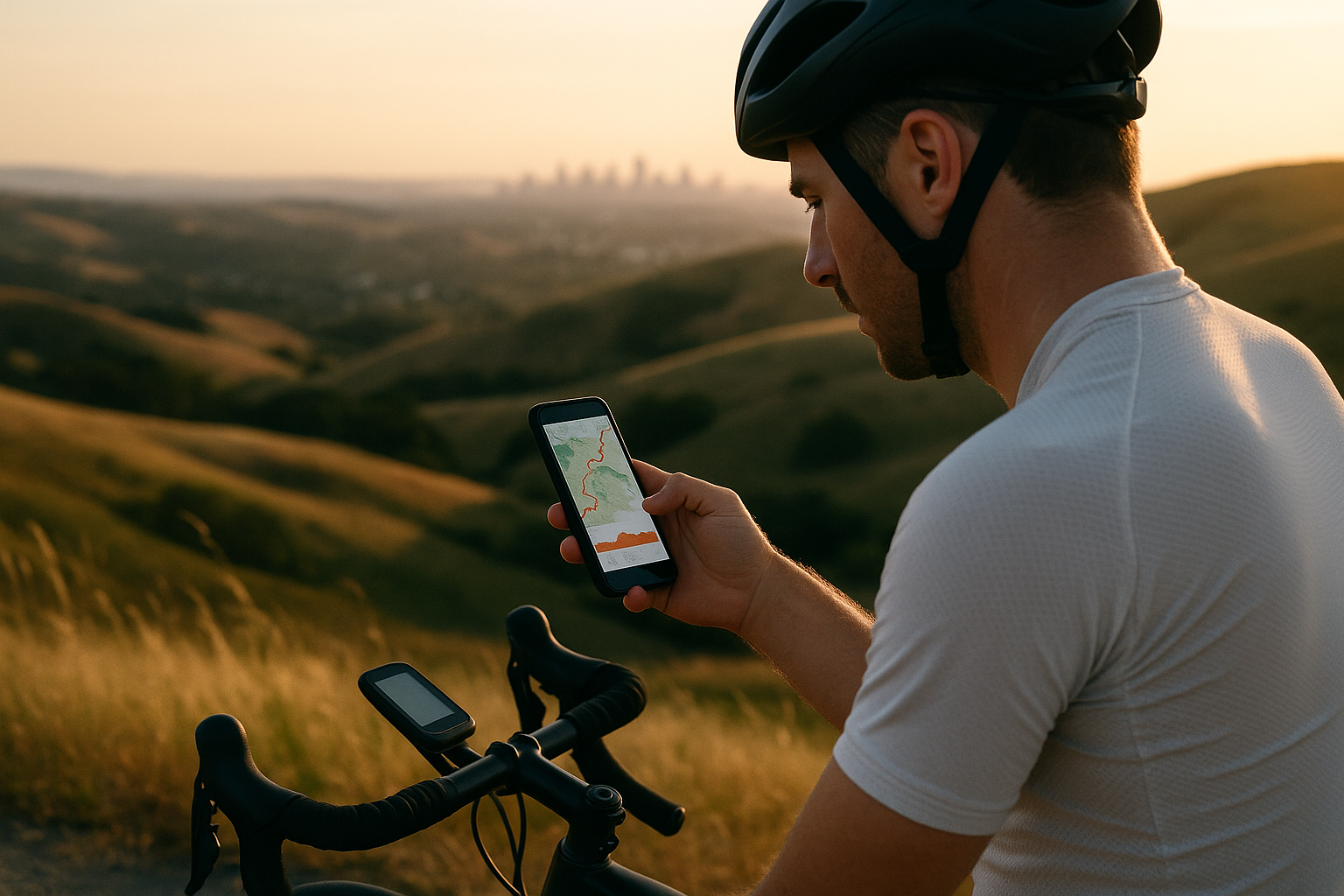
Route planners have matured: you can now select popularity-based routing, paved vs dirt, elevation preferences, and more. Strava Maps lets you bias toward popular routes, minimize or maximize elevation, and choose paved or dirt surfaces; the Global Heatmap highlights well-traveled options. Komoot adds clear way-type and surface-type breakdowns plus an elevation color gradient (green to red) to spot steep sections at a glance. Ride with GPS provides powerful elevation-profile interactions (select sections, create cues/segments, trim routes). As of August 2025, these tools also support offline routing and turn-by-turn on mobile (subscription features vary), so download maps and the route before you roll.
4.1 Tips & tricks
- Start with popularity (“heatmap”) to avoid dead-ends and private roads.
- Toggle “paved only” for 28–32 mm tires; allow “gravel” if you run 35–45 mm.
- Drag the line to bypass sketchy intersections; check the elevation profile after edits.
4.2 Offline navigation
- Komoot and Ride with GPS both support offline maps and offline routes—enable them in advance. Reinstalling apps may require re-downloading your offline routes. support.komoot.com
Bottom line: Lean on the planner’s filters and profiles—they’re built to save you time and headaches.
5. Check Elevation, Gradient, and Climb Distribution
Total elevation alone doesn’t tell the story; where the climbing sits matters. Ten short rollers feel different from one long climb. Scan the elevation profile for steepness clusters and the order of climbs—placing the biggest test earlier or later changes fueling, pacing, and morale. Many planners provide gradient shading (e.g., Komoot’s green-to-red line) and let you zoom into segments for precise numbers. With Ride with GPS you can interact with the elevation chart to create cues where grades spike or to trim routes that overreach your target time. Expect slight errors from mapping data; what matters is the pattern and approximate steepness, not single-digit perfection.
5.1 Mini-checklist
- Aim for <3% average grade for tempo steadiness; save >6% ramps for dedicated hill days.
- Place decisive climbs while you’re fresher unless it’s a race-simulation.
- Add a gentle-grade “cool-down” section in the final 10–15 minutes.
5.2 Example
- 60 km endurance route: 400–600 m climbing spread evenly.
- Hill repeats: 6×5 min on a 6–8% climb with a safe, straight descent.
Bottom line: The elevation pattern is your ride’s fingerprint—shape it to your goal.
6. Estimate Time, Pace, and Stops Before You Leave
A realistic time budget helps you start and finish strong. Use distance plus elevation to frame duration, but also project stop time for traffic lights, photos, and water breaks (urban rides can add 5–10 minutes per hour). Headwinds can slow you 1–3 km/h (0.5–2 mph) at endurance pace; tailwinds do less than you hope because you’ll soft-pedal more. Rural gravel can drop speed 2–5 km/h vs. smooth tarmac for the same effort. In route apps, check their estimated time—then add a buffer if you expect heat, group stops, or new terrain. Over time, save your loop’s actual average speed and vertical gain to refine planning.
6.1 How to do it
- Note expected moving vs. elapsed time; text anyone waiting for you.
- For high-stop urban loops, plan shorter distances for the same training effect.
- On hot/windy days, reduce target duration by 10–20% or dial back intensity.
6.2 Numbers & guardrails
- Common endurance paces: 22–28 km/h road, 16–22 km/h gravel, 12–18 km/h MTB (varies widely).
- Add ~30–60 minutes per 1,000 m (3,300 ft) of climbing at endurance effort.
Bottom line: Plan the clock, not just the kilometers; fitness grows when plans meet reality.
7. Factor Weather, Heat, and Air Quality Into the Route
Weather can turn a perfect loop into a struggle—or a safety risk. In heat, schedule earlier or later starts, slow the pace, and increase fluids; national guidance specifically recommends limiting outdoor activity during peak heat and hydrating proactively. Keep an eye on Heat Index/WBGT, and be willing to shorten or move the session indoors. For air quality, note the WHO 2021 guidelines: the recommended 24-hour mean for PM2.5 is 15 µg/m³ (annual mean 5 µg/m³); when pollution is elevated, favor routes away from high-traffic corridors or reschedule. Use wind direction to place headwinds on the outbound leg and a tailwind home. In monsoon-prone regions, build detours that avoid low-lying flood points and slick concrete.
7.1 Mini-checklist
- Heat: earlier starts; sun sleeves/sunscreen; ice socks for long rides.
- Wind: start into it; trees/buildings for shelter; consider gravel if safe.
- AQI: prefer greenways/parks; avoid rush-hour arterials.
7.2 Region notes (Pakistan & similar climates)
- Summer humidity + heat amplifies strain; pick shaded routes, carry extra fluids, and shorten exposure at midday (11:00–16:00).
- Heavy rain can leave silt and debris—descend conservatively post-storm.
Bottom line: Fit the route to the day you actually have, not the one you wished for.
8. Plan Fueling and Hydration That Matches the Route
Even on 60–120-minute rides, carbohydrate intake (≈30–60 g/h) preserves output; for longer sessions (>2.5–3 h), athletes can push up to ~90 g/h using multiple transportable carbs (glucose + fructose). Start rides hydrated; during exercise, aim to limit body-mass loss to ~2% and include sodium to improve fluid retention and reduce hyponatremia risk. Typical guidance suggests ~300–600 mg sodium per hour during prolonged exercise, adjusting for your sweat rate and climate. Afterward, replace ~150% of fluid lost over the next few hours along with sodium and carbs to kickstart recovery. Weigh before/after a few rides to calibrate. JAN Online
8.1 How to do it
- <90 min: water + small carb top-ups if intensity rises.
- 90–180 min: 30–60 g carb/h; consider 300–600 mg sodium/h in heat.
- 180 min: 60–90 g carb/h via gels/chews/drinks; practice in training.
8.2 Numbers & guardrails
- Start 2–4 h pre-ride with 5–7 mL/kg fluids and top up based on thirst; avoid >1.5 qt (≈1.4 L) per hour to reduce hyponatremia risk. performancepartner.gatorade.com
Bottom line: Fuel the route you mapped—your legs will thank you at the last climb.
9. Build Safety, Redundancy, and Sharing Into Every Plan
Treat safety as part of planning, not an add-on. Download the route and offline maps so turn-by-turn continues without coverage. Charge lights, head unit, and phone; pack a flat kit (tube/sealant, levers, inflator), multitool, ID/emergency contacts, and small cash/card. Share your route and ETA with a trusted contact and enable live tracking where available. If you’re exploring, add shortcuts and bail-outs you can take if time or weather turns. Expect occasional app hiccups; re-check that the route truly downloaded (some platforms require re-downloads after app reinstalls). Ride with GPSStrava Community Hub
9.1 Checklist
- Route GPX + offline maps saved; battery >70% at start.
- Lights day and night; reflective touches for dusk.
- Spare tube/CO₂ or pump; quick-link; small first-aid.
- Live share ON; local emergency numbers in phone.
Bottom line: Backup beats bravado—small prep prevents big problems.
10. Calibrate Devices and Data for Useful Feedback
Accurate data sharpens planning. Calibrate your power meter (if applicable), zero-offset before hard efforts, and keep firmware up to date. Set bike weight, wheel size, and auto-pause correctly so speed and time aren’t skewed. In your planner, label key segments and expected splits so you can compare plan vs. reality after the ride. Record perceived exertion (RPE) alongside power/heart rate to catch heat, stress, or terrain effects the numbers miss. Over time, the combination of RPE + HR + power will guide smarter route choices at a glance.
10.1 How to do it
- Before intervals: do a brief warm-up, then zero your power meter.
- In head units/apps: set data screens for lap power/HR, gradient, and next cue.
- Post-ride: tag the route’s purpose (“endurance,” “tempo”) for recall.
10.2 Numbers & guardrails
- Re-measure FTP or threshold HR every 6–8 weeks or when workouts feel mis-scaled.
- Aim for consistent sensors across rides for cleaner comparisons.
Bottom line: Better inputs → better routes → better fitness.
11. Review Training Load and Adapt Future Routes
After each week, step back: Did the routes deliver the intended load? Metrics like TSS and IF (plus weekly totals) help you see if you’re creeping up too fast or stagnating. If endurance loops felt choppy due to stop-and-go traffic, re-route to smoother paths. If heat crushed tempo work, schedule those sessions at dawn and move easy spins to afternoons. Save “what worked” notes to attach to route templates. Over a month, patterns emerge, and you’ll shape a set of loops that hit the mark reliably—even as weather and life shift.
11.1 How to do it
- Check weekly TSS vs. how you felt; adjust next week’s distance/elevation accordingly.
- Move interval routes away from school zones and busy rush-hour corridors.
- Archive duds; favorite winners; iterate.
11.2 Mini case
- If your 90-min tempo loop yields low IF due to lights, swap 10 km for a riverside path with long uninterrupted stretches.
Bottom line: Plan → ride → review → refine—the fitness flywheel.
12. Create a Personal Route Library and Seasonal Variants
Treat routes like a training wardrobe: staples for different jobs, with seasonal options. Build families of loops—Endurance A/B/C at 60/90/120 min, Hill Circuit A/B with different gradients, and an All-Weather Urban loop with dedicated lanes and good lighting. Keep versions for heat (more shade, water stops), wind (trees or leeward valleys), rain (safe drainage, fewer paint markings), and AQI (parks/paths away from traffic). Store notes on surfaces, traffic rhythms, and best times of day to ride them. Come next week, you’ll pick the right “garment” in seconds.
12.1 How to do it
- Use tags (e.g., “shade,” “winter sun,” “interval-friendly,” “gravel 40 mm”).
- Add POIs: water taps, shops, bike-friendly cafes, safe regroup spots.
- Keep a “stretch goal” loop to test progress monthly.
12.2 Numbers & guardrails
- Refresh each loop quarterly; roads change.
- Add one new route monthly to avoid mental fatigue and expand options.
Bottom line: A curated library turns planning from a chore into a 2-minute choice.
FAQs
1) How long should my first planned fitness route be?
If you’re new or returning, start with 45–75 minutes at conversational pace on a flat-to-rolling, low-stress route. Prioritize completion and comfort over speed. If you finish feeling like you could ride more, add 10–15 minutes next time. Keep one rest day between rides at first and favor routes with few complex intersections.
2) Is it better to plan by distance or time?
Plan by time for training effect and by distance for logistics. Time correlates more directly with physiological stress; distance varies wildly with wind, terrain, stops, and surface. Estimate time from prior rides on similar routes, then adjust mid-ride if heat, wind, or traffic slows you.
3) What elevation gain fits an endurance ride?
For steady endurance, a broad target is 200–600 m gain per 2 hours on road, distributed rather than stacked in one brutal climb. That lets you ride continuously in Zone 2. Save consolidated, steep climbing for sessions aimed at strength or threshold.
4) How do I avoid scary roads when I don’t know the area?
Use heatmaps and bike-network layers to bias toward popular, lower-stress routes and off-street paths. Avoid multi-lane roads without protection, and check city “bike comfort” or LTS maps if available. When in doubt, pick greenways and residential collectors over arterials. Stravacityratings.peopleforbikes.org
5) What’s a simple fueling plan for 2 hours?
Sip fluids regularly and take in 30–60 g carbohydrate per hour—for example, one bottle with a sports drink plus a gel every 30–40 minutes. In heat or if you’re a salty sweater, include sodium (e.g., sports drink/tablets) in the ~300–600 mg/h range and weigh before/after a few times to calibrate.
6) How should I plan around summer heat?
Ride early or late, shorten the route, ease intensity, and increase fluids. Government guidance suggests limiting outdoor exertion during peak heat, using sunscreen, and pacing gradually. If the heat index or WBGT is high, consider indoors—fitness gained safely beats heroics.
7) What about air pollution days?
If PM2.5 is elevated, avoid high-traffic corridors and time your ride for lower emissions; routes through parks/paths often feel and measure cleaner. On very poor AQI days, it’s reasonable to move training indoors to reduce exposure. WHO’s 2021 guidelines set much tighter recommended limits than many local standards. World Health Organization
8) Do I need a power meter to plan effective routes?
No. Power helps quantify load precisely (e.g., TSS/IF), but you can plan and execute excellent training using heart rate and RPE. Choose routes that naturally match your intended intensity (flat for endurance; steady climbs for tempo/threshold) and evaluate afterward based on feel, HR, and elapsed time.
9) Which route app should I use?
Use the one that fits your needs. Strava excels at popularity-based routing and surfaces; Komoot shines with way-type/surface detail and intuitive planning; Ride with GPS offers deep elevation/profile tools and robust offline navigation. Many riders keep two to cross-check.
10) What’s the safest way to explore new areas solo?
Download offline maps and the route, carry lights and a flat kit, share your live location and return ETA, and add bail-out options. If something feels off, reroute to busier, better-lit streets or head to a known path network. Assume cell coverage may fail in valleys or remote zones.
11) How often should I change routes?
Keep staples you trust, but rotate variants weekly to avoid ruts and broaden skills. Refresh each route quarterly—construction and traffic patterns change. Add one new loop monthly; save the best to your library with tags and notes.
12) How do I plan for group rides with mixed abilities?
Choose wide, low-stress infrastructure and long, steady sections to reduce surges. Add optional extensions/shortcuts, set regroup points, and publish the route + cues in advance. Expect longer stops; plan a shorter distance for the same training effect.
Conclusion
Planning routes for fitness is less about drawing a pretty line and more about engineering a repeatable training experience. When you pick a clear goal, choose low-stress infrastructure, shape the elevation pattern, and factor in weather, time, and fueling, your rides become productive and predictable. Modern planners make it trivial to bias for popularity and surfaces, highlight steep sections, and download offline navigation—so use the filters to save time. Then, track how the route actually rode (RPE, HR/power, elapsed time), and iterate. Over a few weeks you’ll build a personal library of dependable loops for every purpose and season. Ready to roll? Pick tomorrow’s goal, open your favorite planner, and map one route that fits it—then save it as your new template.
Ride smart, ride safe—map your fitness.
References
- WHO Guidelines on Physical Activity and Sedentary Behaviour — World Health Organization, 2020. WHO IRIS
- World Health Organization 2020 guidelines on physical activity and sedentary behaviour — Br J Sports Med, 2020. PMC
- Routes on Web (Strava Maps) — Strava Support, Sept 24, 2024. Strava Support
- Your guide to komoot’s difficulty levels and route characteristics — Komoot Help, n.d. komoot
- Route Planner Tips and Tricks — Komoot Help, n.d. komoot
- The Elevation Profile for Routes — Ride with GPS Help, n.d. Ride with GPS
- Grade, Elevation, and GPS Accuracy FAQ — Ride with GPS Help, Mar 10, 2025. support.ridewithgps.com
- Bikeway Selection Guide — U.S. Federal Highway Administration, 2019. Federal Highway Administration
- Designing for All Ages & Abilities — NACTO Urban Bikeway Design Guide (updated), 2025. NACTO
- Training Stress Scores (TSS) Explained — TrainingPeaks Help, May 29, 2025. help.trainingpeaks.com
- Heat and Athletes | Heat Health — U.S. CDC, June 25, 2024. CDC
- WHO Global Air Quality Guidelines (PM2.5, PM10, O₃, NO₂, SO₂, CO) — WHO, Sept 2021. WHO Apps
- Carbohydrate Intake During Exercise — Jeukendrup, Nutrients, 2014. PMC
- Nutrition and Athletic Performance (ACSM/AND/DC Position Stand) — J Acad Nutr Diet, 2016. drugfreesport.org.za
- Effects of Sodium Intake on Health and Performance in Endurance and Ultra-Endurance Sports — Nutrients, 2022. PMC
- Heat Stress: Hydration — U.S. CDC/NIOSH, 2017. CDC
- Using komoot offline — Komoot Help, Mar 18, 2025. support.komoot.com
- Offline Maps — Ride with GPS Help, Feb 25, 2025. support.ridewithgps.com