
























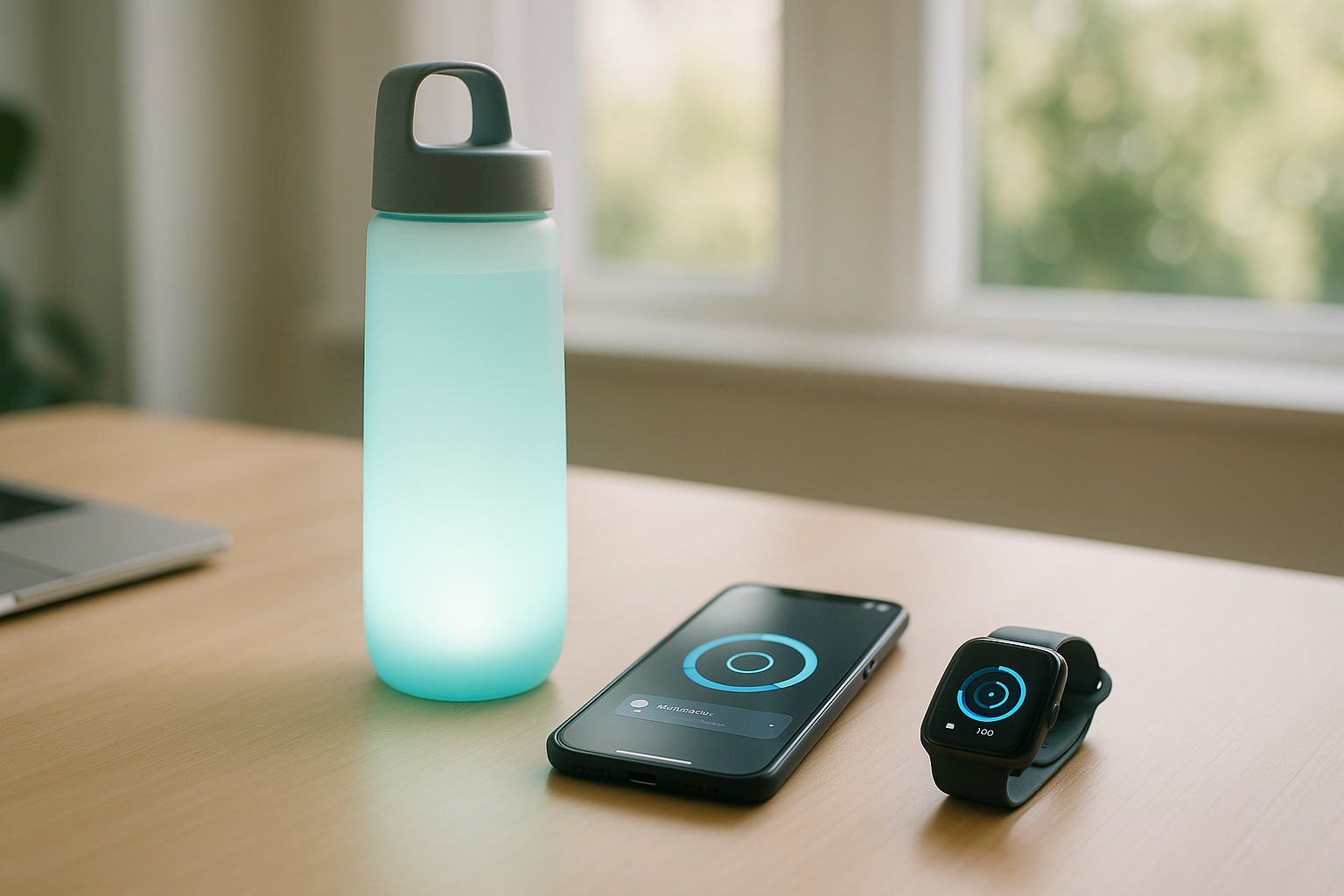
If you’ve ever promised yourself you’d drink “more water” and didn’t, this is for you. Hydration trackers and apps are modern tools—smart bottles, watch widgets, voice routines, and biosensors—that remind you to drink, log each sip, and adjust goals based on your day. The best ones make hydration automatic: you get timely nudges, one-tap logging, and a clear dashboard that shows progress without nagging. This guide breaks down 10 proven options—who each is for, what they do well, and how to set them up so they actually change your behavior. Quick answer: use an app or smart bottle you’ll touch multiple times a day, connect it to your phone or watch, and turn on reminders that align with your schedule and climate.
Medical note: This article is educational and not medical advice. If you have a heart, kidney, or fluid-restricted condition, or you’re pregnant, talk to your clinician about personalized hydration targets.
1. Smart Bottles That Auto-Track Every Sip (HidrateSpark & Co.)
Smart bottles are the most hands-off way to track intake because they measure what you drink directly and log it for you. The sensor in the base (or cap) tracks volume as you sip, the bottle glows to nudge you, and the companion app pushes data to Apple Health and other platforms. The standout here is HidrateSpark PRO/PRO 2: it tracks every sip, offers glow reminders, and can sync with Health to auto-adjust your daily goal based on factors like activity (and, in some versions, local weather inputs). If you routinely forget to open an app, a bottle you physically carry is hard to ignore. Expect Bluetooth pairing, rechargeable batteries, and optional subscriptions for advanced analytics and drink-type tracking.
1.1 Why it works
- Passive tracking: No manual taps; the bottle does the logging.
- Behavioral nudge: Light and (optionally) sound reminders tied to your schedule.
- Platform sync: Pushes to Apple Health/Find My (on some models) and popular fitness apps.
- Goal personalization: Targets can adjust with activity and context.
1.2 Mini-checklist
- Choose size you’ll actually carry (e.g., 21–32 oz / 620–950 mL).
- Turn on glow reminders and set quiet hours.
- Enable Health/fitness integrations for cross-app visibility.
- If available, activate weather/activity-based goal adjustments.
Bottom line: If you’re a bottle-carrier, a smart bottle is the least effort, most consistent way to ensure your intake gets tracked and nudged all day.
2. Habit-Building Mobile Apps That Keep You Accountable (WaterMinder, Waterllama, Plant Nanny)
Pure software can be just as effective—especially if you live on your phone or watch. WaterMinder is the classic: it sets a daily target, gives quick-add cups, and syncs with Apple Health and Apple Watch (including complications and lock-screen widgets). Waterllama leans into playful visuals and challenges, while Plant Nanny uses gamification (keep a digital plant alive by logging drinks). The best apps make logging a two-tap action and let you define custom cup sizes and reminder windows, so you’re nudged when you’re actually able to drink.
2.1 How to set it up for success
- Dial reminders: Start with 6–8 gentle nudges during your active hours; avoid notification fatigue.
- Match your cups: Add the glasses/bottles you use (e.g., 250 mL, 500 mL, 12 oz).
- Sync platforms: Connect Apple Health or Health Connect/Google Fit so logs appear alongside workouts.
- Use Watch widgets: Put logging on your wrist; aim for <3 taps per entry.
2.2 Numbers & guardrails
- If you’re new, start with a conservative goal (e.g., 2.0–2.5 L/day) and increase gradually.
- In hot weather or active days, plan more (see Item 7 for athlete/heat guidance).
Bottom line: If you like streaks, badges, and friendly nudges, a well-tuned hydration app is the simplest path to a consistent daily habit.
3. Watch-First Tracking: Complications, Glances, and Widgets (Apple Watch, Wear OS, Garmin, Samsung)
Your watch is where one-tap logging shines. On Apple Watch, WaterMinder/Waterllama complications let you log from the face or via the app, and Shortcuts can add custom tiles. On Garmin, the Hydration Tracking widget/glance resides on many models (enable it via Connect IQ) and supports daily goals, alerts, and container presets. Samsung Health provides water logging on Galaxy Watch and phones, with an evolving dashboard and reminders. Wear OS has multiple third-party water apps that sync through Google Fit/Health Connect. The goal: put logging where you already check the time.
3.1 Setup steps (platform-agnostic)
- Add a complication/widget that shows your progress ring and a quick add (+250 mL or +8 oz).
- Define containers (e.g., 250/350/500 mL) so logging is one tap.
- Turn on alerts aligned with your routine (e.g., after meetings, post-workout).
3.2 Common mistakes
- Over-reminding (you’ll mute it).
- Not aligning unit preferences (mL vs fl oz).
- Forgetting to sync Health/Fit—lose cross-app visibility.
Bottom line: Put hydration on your wrist and you’ll remove the friction that kills most tracking habits.
4. Voice Assistants and Routines (Siri, Alexa, Google Assistant)
Hands full? Use your voice. Siri Shortcuts can log a specified amount (or ask how much) into Apple Health—just name the Shortcut (“Log 250 milliliters”) and invoke it hands-free. Alexa skills such as “Water Log” or “Water Reminder” let you say “Alexa, add 8 ounces of water,” and routines can schedule hourly prompts. On Android, Assistant-compatible apps or Health Connect-linked tools can accept voice entries via widgets or app intents. Voice is clutch when you’re cooking, carrying a baby, or mid-work session.
4.1 How to make voice stick
- Pick one phrase per action (“Hey Siri, log 250 milliliters”).
- Combine with time-based routines (e.g., at 10am, 1pm, 4pm).
- If you use multiple assistants, standardize units (mL or fl oz).
4.2 Mini case
- You create a Siri Shortcut that asks for amount if you don’t specify one. At your desk you say, “Hey Siri, log water,” Siri asks “How much?” You respond “300 milliliters.” The entry appears in Health.
Bottom line: Voice removes taps and pairs well with light, predictable reminders—especially if your hands are busy.
5. Automation Power-Ups: Shortcuts, IFTTT, and NFC Tags
Automations turn intention into autopilot. With Apple Shortcuts, you can assign your phone’s Action button (or an NFC sticker on your bottle) to log a fixed amount to Health when tapped. IFTTT hosts hydration reminder templates and can chain services (e.g., send a Slack DM if you’re behind by 3pm, or log to a Google Sheet). On Android, Health Connect and Google Fit allow apps to write hydration entries; you can trigger these via compatible automation apps. The charm is muscle memory: touch the bottle, tap the tag, job done.
5.1 Practical recipes
- NFC on bottle → +250 mL to Health
- Calendar end-of-meeting → prompt to drink
- At gym check-in → raise daily goal by +500–750 mL
- 3pm check → if progress <70%, send push + add 300 mL quick-add tile
5.2 Checklist
- Keep each automation single-purpose (one tag = one amount).
- Add a “catch-up” routine mid-afternoon.
- Log to a spreadsheet weekly for trend visibility (optional).
Bottom line: Automations convert good intentions into consistent micro-behaviors with almost zero friction.
6. Platform Sync: Apple Health, Google Fit/Health Connect, Samsung Health
Centralizing your logs matters because hydration relates to sleep, weight, activity, and environment. Apple Health stores water intake (and, with the right settings, backs it up securely in iCloud). Google Fit’s hydration data type (and Android’s Health Connect) standardize how apps record individual drinks. Samsung Health provides its own water tracker and ecosystem. When your hydration data sits beside steps and workouts, you can see, for example, that you consistently fall behind on strength days or during Ramadan fasting hours—and adjust reminders accordingly.
6.1 How to wire it up
- Apple: In your water app, enable Write/Read Water to Health; consider iCloud encryption and 2FA.
- Android: Allow your app to write com.google.hydration (or Health Connect’s Hydration record).
- Samsung: Turn on Water tracker and add a watch tile; set your unit (mL/fl oz).
6.2 Data hygiene tips
- Avoid duplicate logging across apps (pick one primary writer).
- Periodically review permissions; revoke unused writers.
- Align units across platforms to prevent mismatch.
Bottom line: A single source of truth across devices makes your hydration patterns obvious—and easier to improve.
7. Athlete-Grade Sensors and Sweat Patches (For Training Days)
If you train hard in heat, simple timers won’t cut it. Wearable sweat sensors like the Nix Hydration Biosensor analyze fluid and electrolyte loss during workouts and send “when/what/how much to drink” guidance to your phone in real time. Single-use patches like Gatorade’s Gx measure sweat rate and local sodium concentration to help personalize plans after a test session. These tools are specialized and not for everyone, but if you’re losing 0.5–2.0 L/hour in hot conditions, nuanced recommendations can prevent under- or over-drinking.
7.1 Numbers & guardrails (as of Aug 2025)
- Typical sweat rate range: ~0.5–2.0 L/hour depending on heat, body size, and intensity.
- Keep body mass loss <2% during training; replace ~150% of losses post-session.
- Sodium helps retention; many sports drinks target ~500–700 mg/L.
7.2 Setup & best uses
- Use for long, hot, or race-pace sessions (≥45–60 min).
- Test in conditions similar to race day; log outcomes (GI comfort, performance).
- Combine with a smart bottle or app to record between-alert drinking.
Bottom line: For endurance athletes or outdoor workers in heat, sensors provide actionable, personalized guidance that basic reminders can’t.
8. Dynamic Goals: Weather, Workouts, and Daily Rhythms
Static “8 cups a day” isn’t enough for active lives or hot climates. Many tools can auto-adjust your daily target when you log workouts, the temperature spikes, or you’re especially sedentary. Garmin’s hydration feature can raise your goal on activity days; some bottle/app combos adjust with movement and local conditions; and you can craft automations that add +300–700 mL on gym days or heat-alert days. The idea is to align intake with your day—not a generic number.
8.1 How to implement
- Turn on automatic goals in your watch/app if available.
- Add an IFTTT/Shortcut rule: after any workout >45 min, bump target by +500–750 mL.
- In hot months, enable seasonal schedules with earlier, more frequent prompts.
8.2 Region notes (hot climates)
- In sustained heat (e.g., South Asia summers), plan 2–3 L/day baseline, then add for activity.
- Follow safe upper bounds (generally avoid >1.4–1.5 L/hour to reduce hyponatremia risk).
Bottom line: Dynamic targets reflect reality; your best tool is one that changes with your day and environment.
9. Social Nudges: Teams, Streaks, and Gentle Competition
Humans are social; use it. Many apps and bottles include friend leaderboards, monthly challenges, and streaks. On Garmin and Samsung you can join groups; in WaterMinder and HidrateSpark you can compete with friends; and IFTTT or Slack integrations can post a lunchtime progress reminder to your team channel. The trick is to keep the tone encouraging, not punitive—think “drink with me” rather than “you’re behind again.”
9.1 Practical ideas
- Create a 30-day streak with tiny rewards (new mug, fancy ice tray).
- Run a team challenge: 20 logged days in a month wins a coffee card.
- Share progress rings to a private chat at 3pm daily.
9.2 Keep it healthy
- Make goals inclusive (mL or fl oz options, fasting-friendly hours).
- Avoid shaming; celebrate consistency and mindful choices.
Bottom line: Light social accountability multiplies your odds of sticking with hydration—especially during work weeks.
10. Privacy, Units, and Localization (So Your Data—and Math—Make Sense)
Hydration data may feel mundane, but it’s still health data. On iPhone, Health data can be end-to-end encrypted in iCloud with two-factor authentication; third-party apps should only have permissions they actually need. On Android, Health Connect centralizes permissions and data types (including hydration) so you can control which apps read/write. Also, set your units (mL vs fl oz) in every app/watch you use and match your container presets to your real cups. Finally, consider localized habits: in hot climates, schedule morning/late-evening nudges; during Ramadan or fasts, shift reminders to non-fasting hours with bigger post-sunset increments.
10.1 Quick setup
- Review permissions quarterly; prune unused writers/readers.
- Turn on iCloud Health encryption (Apple) or use Health Connect (Android).
- Standardize units and containers across all devices.
- Adjust schedules for seasonal heat or fasting windows.
10.2 Sane defaults
- Start with a daily goal around 2.0–2.7 L (women) / 2.5–3.7 L (men) including fluids from foods and beverages; then personalize by climate and activity.
- Cap hourly intake to avoid over-hydration; pace fluids across the day.
Bottom line: A few privacy and preference tweaks make your tools safer, your numbers consistent, and your reminders culturally and seasonally sensible.
FAQs
1) Do I need a smart bottle, or will an app do?
You don’t need a smart bottle; an app with watch widgets and well-timed reminders works for most people. Smart bottles shine if you forget to log or want automated sip detection. If you already carry a bottle all day, go smart; if you’re phone-centric and like streaks, start with an app and add automation.
2) Do coffee and tea “count” toward my hydration goal?
Yes—most apps let you log coffee, tea, and other beverages. Total water intake includes fluids from beverages and foods; however, be mindful of caffeine timing and choose plain water around workouts and heat exposure. If your app supports drink types, use them to see how much is water versus other beverages.
3) How accurate are sweat sensors and hydration wearables?
Sweat biosensors estimate local sweat rate and electrolyte loss to guide intake; they’re helpful for hot, long sessions but aren’t medical devices. Use them to learn patterns (e.g., high sodium loss), then pressure-test those plans in training. For everyday desk hydration, sensors are overkill.
4) What’s a realistic daily target to start with?
A practical starting range is ~2.0–2.7 L/day for many women and ~2.5–3.7 L/day for many men (fluids + foods). Adjust upward in heat or on training days and down if clinically advised. Don’t force-chug; spread intake across waking hours and watch urine color and energy as simple feedback.
5) Can I over-hydrate?
Yes. Drinking far more than you sweat can dilute blood sodium (hyponatremia). As a loose guardrail, avoid consistently exceeding ~1.4–1.5 L/hour, and include sodium during long, sweaty workouts. If you feel bloated, nauseous, or headachy during heavy drinking, slow down and add electrolytes.
6) What if I fast (e.g., Ramadan) or have shift-work hours?
Shift your reminders to non-fasting or off-shift windows and increase evening/early-morning increments. Use automations (calendar-based) to reconfigure schedules seasonally. A post-fast catch-up plan with incremental 250–400 mL logs prevents overloading your stomach.
7) Which is better: mL or fluid ounces?
Use the unit that matches your containers. Milliliters make math easier for small increments; ounces are familiar in the U.S. The key is consistency across apps, watch faces, and containers; mismatched units cause logging errors.
8) How do I decide between WaterMinder, Waterllama, or Plant Nanny?
Match to your style. WaterMinder is utilitarian and robust on Apple Watch; Waterllama adds playful visuals and challenges; Plant Nanny leans into gamification. All support reminders, custom cups, and Health sync—try the one you’ll enjoy opening daily.
9) Can I track hydration on Garmin or Samsung without a phone nearby?
Yes. Garmin’s Hydration Tracking widget/glance and Samsung Health on Galaxy Watch can log directly on-device and sync later. Define your container sizes, set alerts, and review a daily goal on the watch—even if your phone’s in a locker.
10) Is my hydration data private?
On iPhone, Health data can be end-to-end encrypted in iCloud with two-factor authentication; Apple can’t read it when ADP is enabled. On Android, Health Connect centralizes permissions so you can see exactly which apps read/write hydration. Review permissions regularly and share the minimum necessary.
Conclusion
Hydration tools work best when they’re where you already are. If you always carry a bottle, choose a smart one and let it glow when you need a sip. If your watch is your hub, put a hydration complication on your face and set realistic, spaced reminders. If you’re a tinkerer, add NFC tags and Shortcuts or IFTTT so logging happens with a tap of your bottle or at the end of every meeting. And if you train in heat, consider an athlete-grade sensor to dial in sweat and sodium losses. Start small—align units, set container sizes, and pick gentle reminders—then expand with dynamic goals that adapt to your workouts and weather. Do that, and “drink more water” stops being a vague intention and becomes an easy, automated habit.
Your next step: pick one tool from Items 1–3, turn on reminders, set three container sizes, and log your first drink now.
References
- HidrateSpark Water Tracker (App Store listing) — Apple App Store — (accessed Aug 2025). https://apps.apple.com/us/app/hidratespark-water-tracker/id1056269374
- HidrateSpark PRO/PRO 2 Smart Bottle (product pages) — HidrateSpark — (accessed Aug 2025). https://hidratespark.com/products/hidratespark-pro-21oz-smart-water-bottle and https://hidratespark.com/products/32-oz-hidratespark-pro-2
- WaterMinder — Track Hydration (official site) — WaterMinder — (accessed Aug 2025). https://waterminder.com/
- Waterllama — Water Tracker (official site/App Store) — Waterllama — Updated July 2025 (App Store); accessed Aug 2025. https://waterllama.com/ and https://apps.apple.com/us/app/water-tracker-waterllama/id1454778585
- Garmin: Using the Hydration Widget/Glance — Garmin Support — (accessed Aug 2025). https://support.garmin.com/en-US/ and Garmin manuals “Hydration Tracking.” https://www8.garmin.com/manuals/webhelp/GUID-5D183A14-BB43-4A9B-B441-5F824214CE40/EN-US/GUID-976C04FF-A4A4-4925-AA4F-34E44C4D468A.html
- Samsung Health: Use and manage trackers (Water/Caffeine logging) — Samsung Support — Nov 2024 (page updated); accessed Aug 2025. https://www.samsung.com/us/support/answer/ANS10001351/
- Apple Health: Privacy & Security of Health Data — Apple Support — (accessed Aug 2025). https://support.apple.com/en-us/111755 and https://www.apple.com/legal/privacy/data/en/health-app/
- Google Fit Hydration Data Type (com.google.hydration) — Google Developers — Last updated May 7, 2025. https://developers.google.com/fit/scenarios/add-hydration-data and https://developers.google.com/fit/datatypes
- IFTTT Hydration Automation (Explore/Applets) — IFTTT — Apr 13, 2022; accessed Aug 2025. https://ifttt.com/explore/hydration-automation and https://ifttt.com/explore/applets
- Nix Hydration Biosensor (product & overview) — Nix Biosensors — (accessed Aug 2025). https://nixbiosensors.com/ and https://nixbiosensors.com/products/hydration-biosensor
- Review: Nix Hydration Biosensor — WIRED — Mar 31, 2023. https://www.wired.com/review/nix-hydration-biosensor/
- Hydration to Maximize Performance and Recovery — Nutrients (Review) — 2021. https://pmc.ncbi.nlm.nih.gov/articles/PMC8336541/
- WHO: Heat and Health — Hydration guidance — World Health Organization — May 28, 2024. https://www.who.int/news-room/fact-sheets/detail/climate-change-heat-and-health
- OSHA: Keeping Workers Well-Hydrated (Fact Sheet) — U.S. Occupational Safety and Health Administration — 2023. https://www.osha.gov/sites/default/files/FactSheet_KeepingWorkersWellHydrated.pdf
- Dietary Reference Intakes: Water — National Academies/IOM — Feb 11, 2004; plus overview chapter. https://www.nationalacademies.org/news/2004/02/report-sets-dietary-intake-levels-for-water-salt-and-potassium-to-maintain-health-and-reduce-chronic-disease-risk and https://nap.nationalacademies.org/read/10925/chapter/6
- American College of Sports Medicine — Exercise & Fluid Replacement (overview/position) — ACSM (Position Stand summary via PubMed) — 2007. https://pubmed.ncbi.nlm.nih.gov/17277604/


Good breakdown. My pick that’s not here: Cactus — personalized daily goal and gentle reminders spread across your waking hours instead of fixed alarms.